


The LangGraph-Agent-Workflow is an autonomous Python-based AI agent designed for Supply Chain and Inventory management. It utilizes LangGraph to orchestrate complex workflows, seamlessly bridging unstructured industrial document analysis (like PDFs) with structured SQL database operations.
Instead of manual data entry, the system uses a ReAct (Reasoning and Acting) loop with persistent memory. The agent autonomously reads uploaded documents, extracts relevant product and pricing information, and decides which database tools to execute to keep the inventory up to date.
Features:
- PDF Extraction & Highlighting: Autonomously finds and highlights key data in uploaded PDFs.
- SQL Orchestration: Connects directly to an SQLite backend to check, update, add, or delete inventory items.
- Persistent Memory: Retains conversational context across the session using LangGraph's
MemorySaver.
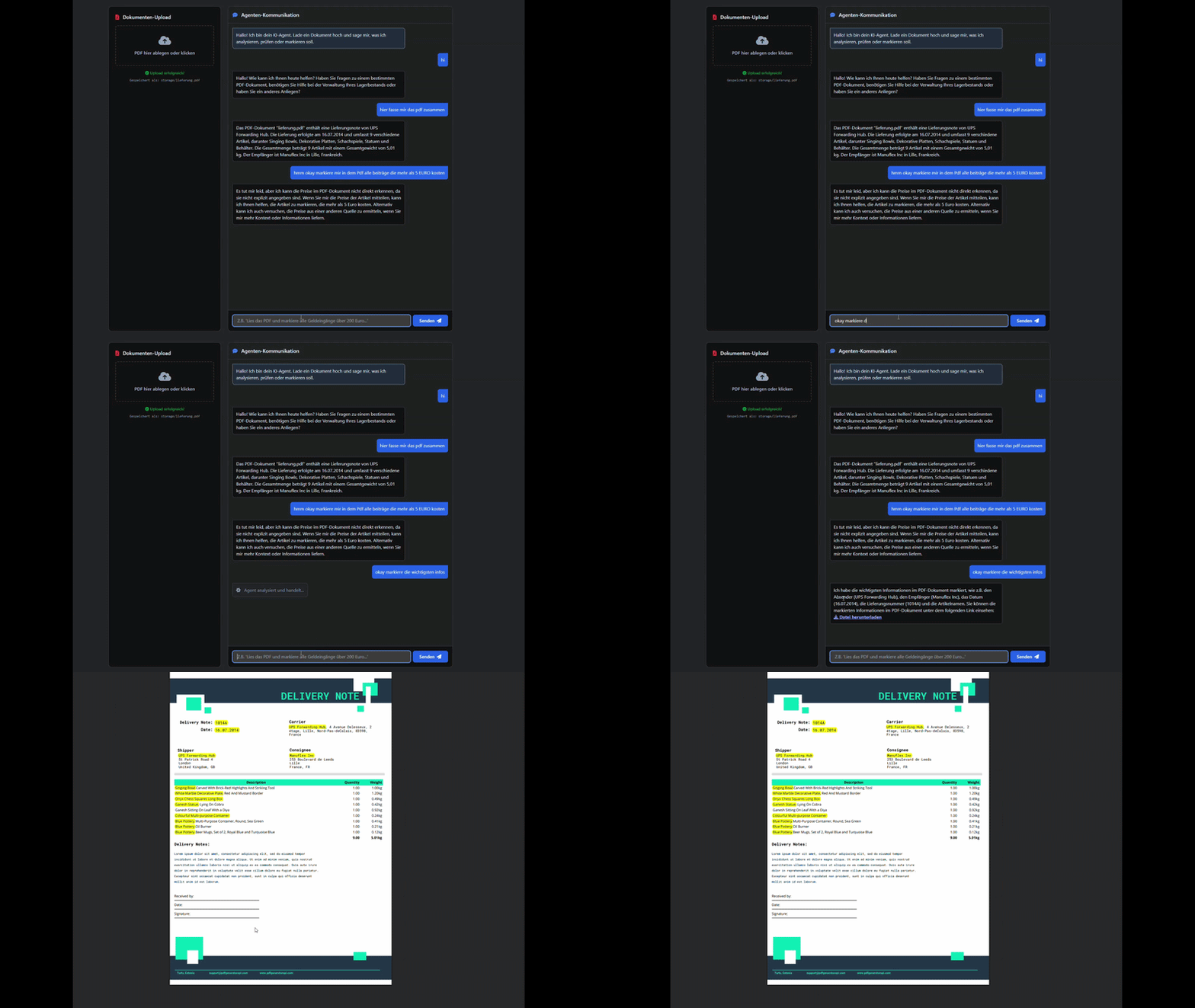

The agent is equipped with a specific set of Python functions (tools) that it can call autonomously based on the reasoning loop. It decides on its own which combination of tools is required to fulfill the user's prompt.
Document Processing Tools:
read_pdf_document(file_path): Extracts raw, unformatted text from uploaded PDF files for contextual analysis.highlight_pdf_text(file_path, search_terms): Takes a list of relevant terms, searches the PDF, highlights them in yellow, and returns a URL to download the newly generated document. It automatically stacks new highlights on top of existing ones.
Database Management Tools (SQLite):
check_inventory_db(part_name): Queries the database to retrieve current stock levels and unit prices for specific items.add_new_inventory_item(part_name, stock_level, price_per_unit): Inserts a completely new component into the database, including automated data type validation.update_inventory_db(part_name, quantity_change): Adjusts the stock level of existing items (e.g., adding incoming deliveries or subtracting consumed parts).delete_inventory_item(part_name): Removes an item completely from the enterprise database.
Use the package manager pip to install the required dependencies. It is highly recommended to use a virtual environment.
# 1. Clone the repository
git clone [https://github.com/aria-blip/LangGraph-Agent-Workflow.git](https://github.com/aria-blip/LangGraph-Agent-Workflow.git)
cd LangGraph-Agent-Workflow

# 2. Create and activate a virtual environment
python -m venv venv
source venv/bin/activate  # On Windows use: .\venv\Scripts\activate

# 3. Install dependencies
pip install -r requirements.txt

# 4. Environment Variables
cp .env.example .env
# Open the .env file and add your GROQ_API_KEY

# To use it
python -m uvicorn main:app --reload
# Once the server is running, navigate to http://127.0.0.1:8000 in your web browser to access the frontend interface.