An end-to-end full-stack notes management application built with TypeScript, React, and Express. Designed for efficiency and privacy, featuring authenticated user workspaces, real-time search, tag filtering, and note state management (active, archived, trash).





| Dashboard | Authentication |
|---|---|
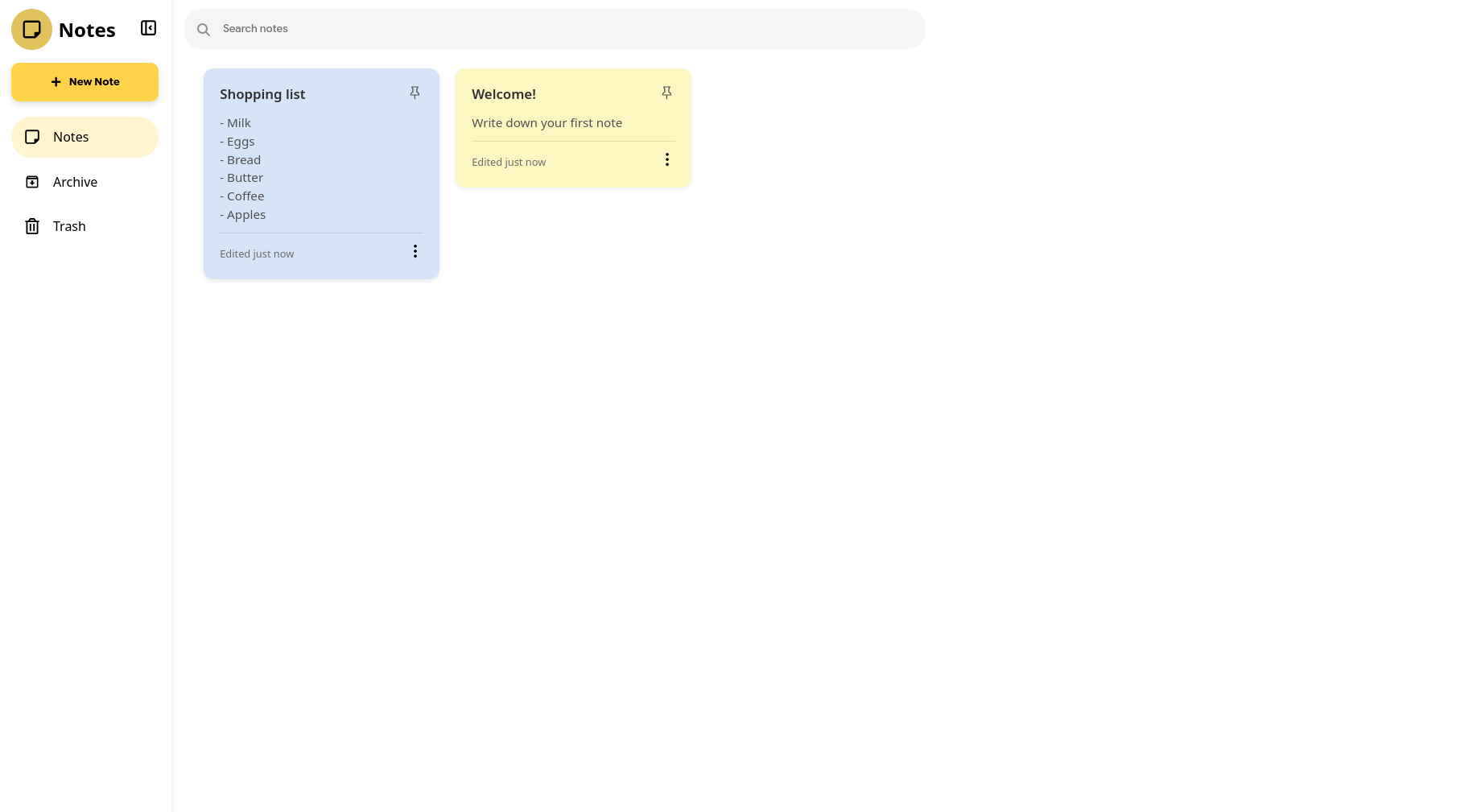 |
 |
- 🔐 Secure Authentication: Full user signup and login workflows protected by server-side authentication middleware and JWT tokens.
- 📝 Rich Note Operations: Create, update, archive, restore, and permanently delete notes seamlessly.
- 🔍 Instant Search & Filters: Fast client-side searching across note content and titles with sidebar view filtering.
- 🏷️ Organized Workspaces: Dedicated views for active notes, archived notes, and trash bin navigation.
- ⚡ End-to-End TypeScript: Type safety guaranteed across the stack from database models to frontend components.
- 🎨 Modular UI Design: Styled using CSS Modules for clean, non-conflicting component styling.
secure-notes-platform/
├── public/
│   └── vite.svg
├── server/
│   ├── controller/
│   │   ├── auth.controller.ts
│   │   └── notes.controller.ts
│   ├── middleware/
│   │   ├── auth.middleware.ts
│   │   └── error.middleware.ts
│   ├── models/
│   │   ├── note.model.ts
│   │   └── user.model.ts
│   ├── routes/
│   │   ├── auth.routes.ts
│   │   └── notes.routes.ts
│   ├── index.ts
│   └── tsconfig.json
├── src/
│   ├── assets/
│   ├── components/
│   │   ├── Logo/
│   │   ├── New Note Button/
│   │   ├── Note Edit View/
│   │   ├── Notes Grid/
│   │   ├── Search bar/
│   │   └── Sidebar/
│   ├── dashboard/
│   │   └── Dashboard.tsx
│   ├── hooks/
│   │   └── useNotes.ts
│   ├── pages/
│   │   ├── AuthPage.tsx
│   │   └── LoadingPage.tsx
│   ├── services/
│   │   └── notesApi.ts
│   ├── App.tsx
│   ├── main.tsx
│   └── types.ts
├── index.html
├── package.json
├── tsconfig.json
└── vite.config.ts
| Category | Technologies |
|---|---|
| Frontend | React 18, TypeScript, Vite, CSS Modules |
| Backend | Node.js, Express, TypeScript, REST API |
| Authentication | Custom Auth Middleware, Password Hashing, Tokens |
| Tooling | ESLint, TypeScript Compiler (tsc) |
- Node.js (v18.0.0 or higher recommended)
- npm (v9.0.0 or higher)
-
Clone the repository:
git clone https://github.com/auysh8/secure-notes-platform.git cd secure-notes-platform -
Install frontend dependencies:
npm install
-
Install backend dependencies:
cd server
npm install
cd ..
-
Start the development servers:
-
Run Backend Server:
cd server npm run dev -
Run Frontend Client (in a separate terminal):
npm run dev
-
-
Access the application: Open your browser and navigate to
http://localhost:5173.
| Command | Description |
|---|---|
npm run dev |
Launches the Vite frontend development server. |
npm run build |
Builds the React frontend application for production. |
npm run lint |
Runs ESLint to check for code quality and syntax issues. |
npm run preview |
Previews the production build locally. |
| Command | Description |
|---|---|
npm run dev |
Runs the Express server in development mode. |
npm run build |
Compiles server TypeScript files to JavaScript. |
npm start |
Runs the compiled server in production mode. |
Contributions are welcome! Please follow these steps:
- Fork the project repository.
- Create your feature branch (
git checkout -b feature/AmazingFeature). - Commit your changes (
git commit -m 'Add some AmazingFeature'). - Push to the branch (
git push origin feature/AmazingFeature). - Open a Pull Request.
This project is licensed under the MIT License. See the LICENSE file for details.