
A standalone client of Twitch Plays Pokemon, that can be imported into OBS as browser source. The source game is pokemon red
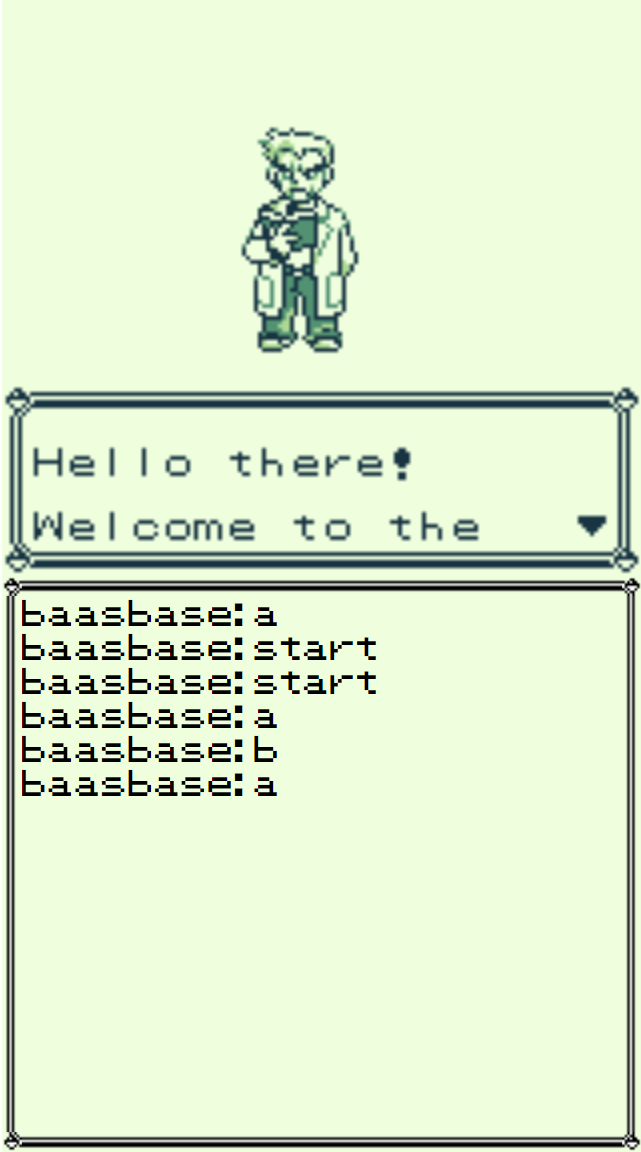
- Download TPP.html
- Open it using any text editor (notepad, notepad++, Atom, etc..)
- Locate the oauth token and your twitch username at the top
- Change Baasbase into your twitch username, make sure to put it between the single quotes.
- Change the oauth token to the token generated at https://twitchapps.com/tmi/ (you will need to login using the twitch account with which you will be streaming this)
- Save the html file
- Create a new browser source in OBS
- Source is a local file -> the html file you just downloaded and edited
- Width: 640
- Height: 1152
And that's it! You are now free to resize the panel, and use alt+resize to remove the bottom part if you don't want the chat messages to appear on screen
By default, a browser page needs any sort of input from the user to be able to play audio.
So, if you want to enable audio for the gameboy, you should follow a few extra steps:
- Edit TPP.html
- Change var useAudio = false; to var useAudio = true;
- Reload the browser source in OBS, you will now see a button which reads "Start ROM".
- Right click the browser source > Interact.
- OBS will open a new window which is interactable.
- Click the button, it will load the gameboy with sound enabled
- You can close the interactable OBS window
- If you want to adjust the volume of the gameboy (it starts very loud)
- Go to your browser source properties
- Enable Control audio via OBS
- Now you will have a volume slider, but you won't hear the audio
- Right click the volume slider and go to Advanced Audio Properties
- Find your browser source and set Audio Monitoring to Monitor and Output
- Now you can freely adjust the volume of the gameboy!
!save to save the current state of the gameboy.
!delete to delete the save state. Warning: This does not ask for confirmation and can not be undone.
If you load the scene or refresh the browser source it will automatically load the last saved sate.
Warning: Switching scenes or hiding the browser source will NOT automatically save the state. Use !save first to prevent losing progress
Using this is free. However, it would be greatly appreciated if you could credit https://twitch.tv/baasbase somewhere in a twitch panel or on a label on screen. That way you will support me in making more awesome stuff like this ❤
https://twitter.com/baasbase
https://www.youtube.com/channel/UCd5RjtL4EJwoeLJWiofGG3Q
https://ko-fi.com/baasbase
This makes use of gameboy online, by Grant Galitz