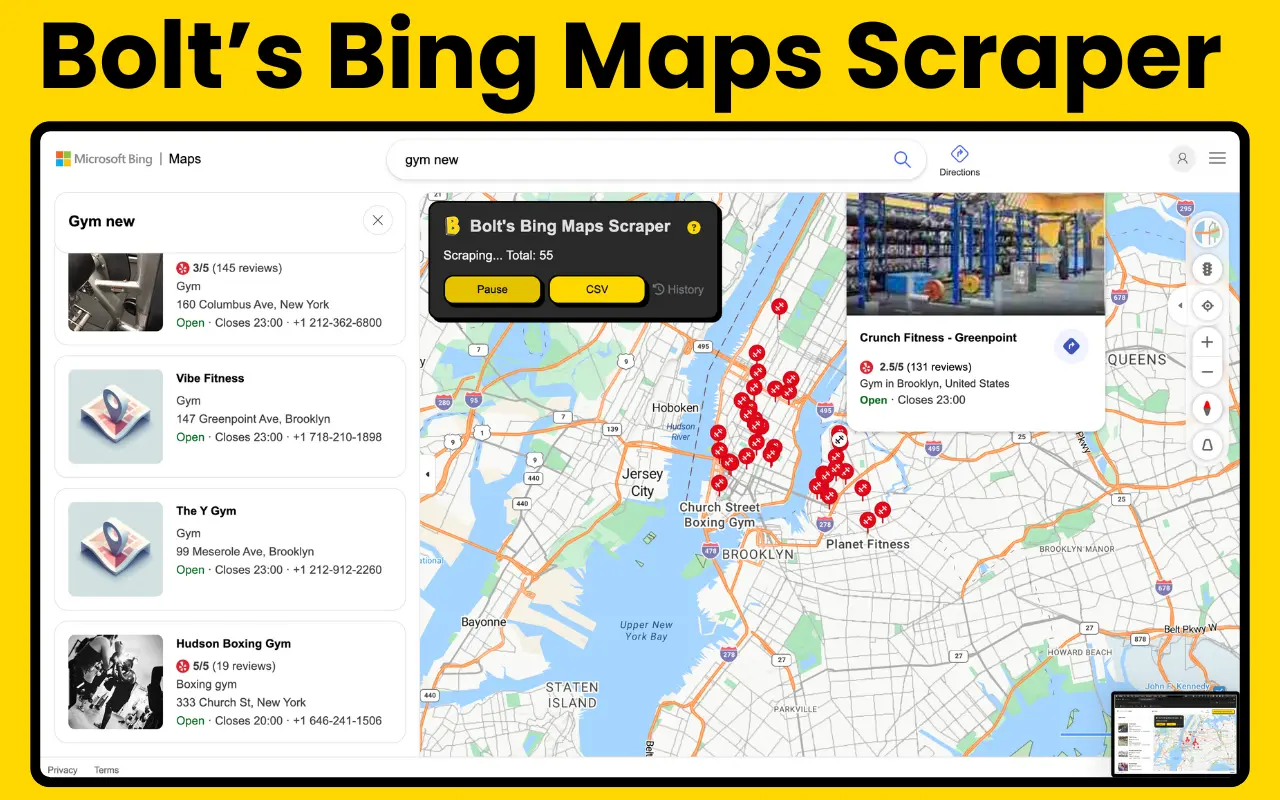
Extract business leads from Bing Maps with our powerful, free-to-use Chrome extension. No API key required.
Bolt's Bing Maps Scraper is designed for users who want high-quality local business data without the complexity of official APIs. Just navigate the map, and let the scraper do the rest.
- ✅ No API Key Required: Works directly with the Bing Maps web interface.
- 🗺️ Map-Based Extraction: Simply move or drag the map to automatically load and scrape more business listings.
- 🚀 Bulk Scraping: Effortlessly handle multiple business categories and locations.
- 📦 CSV Export: Download all your extracted data directly to CSV format for Excel or Google Sheets.
- 🔄 Session Management: Keep track of your scraping history and resume anytime.
- ⚡ Fast & Lightweight: Optimized for speed without affecting your browsing experience.
| Field | Description |
|---|---|
| Business Name | Official name of the business on Bing Maps |
| Phone Number | Direct contact information |
| Website | Linked business URL |
| Full Address | Street, City, State, and Zip code |
| Ratings & Reviews | Customer feedback metrics |
| Opening Hours | If available on the listing |
- Install Extension: Add Bolt's Bing Maps Scraper to Chrome.
- Search on Bing Maps: Navigate to Bing Maps and search for businesses (e.g., "Plumbers in Seattle").
- Start Scraping: Click the extension icon and select "Start".
- Move the Map: Drag or pan the map to new areas to load more listings automatically.
- Export Data: Click "Download" to get your CSV file.
Bing Maps is a goldmine for local business data that is often overlooked.
- Alternative Data Source: Find leads that may not be on Google Maps.
- Up-to-Date Listings: Bing frequently updates its business database.
- Easy Extraction: Our map-based tool makes it incredibly simple to "sweep" an entire city.
© 2026 Bolt Scraper. All rights reserved.