


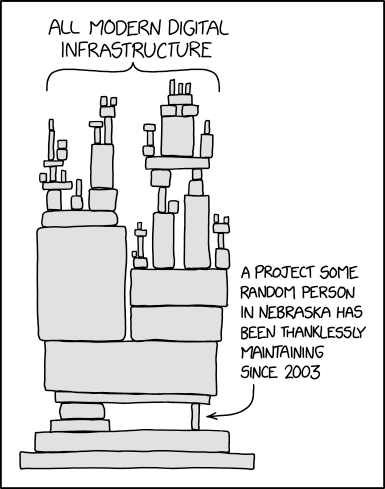
Your desktop runs on the quiet work of thousands of open source maintainers — people you've never met, probably in places you've never been. Some random person in Nebraska has been mass maintaining a project since 2003, and your entire digital life might depend on it. You don't know them, but you owe them.
syld is here to help you give that person some love.
It scans your system's package managers, figures out which open source projects you actually rely on every day, and helps you find ways to contribute back — whether that's code, documentation, bug reports, or just a thank you.
- Package discovery — reads your local package databases directly (no root needed)
- Privacy-first — everything stays on your machine by default, no network calls unless you opt in
- Grouped output — packages are grouped by upstream project so you can see who's behind what
- Systemd integration — set-and-forget periodic scans with a user-level timer (
syld install service) - Hooks — integration with package manager to be reminded on system updates about useful way to contribute (
syld install hooks)
pacman, apt, dnf, Flatpak, Snap, Nix, mise, Homebrew/Linuxbrew, Docker, Podman
Requires Rust (2024 edition) or mise:
git clone https://github.com/bombfork/syld.git
cd syld
cargo build --release
cp target/release/syld ~/.local/bin/The recommended way to get started is the interactive setup wizard:
syld setupThis walks you through configuration, installs the systemd timer and package manager hooks, and runs an initial scan — making syld fully operational in one command.
If you prefer non-interactive or scripted installs, use the individual install commands:
syld install service --frequency weekly --enable   # systemd user timer
syld install hook pacman-post-transaction # pacman ALPM hook (requires sudo)syld follows a three-step workflow: setup → discover → review.
syld setup                         # interactive first-run wizard
syld config set enrich true        # opt in to network enrichment
syld config show                   # view current settings
syld config edit # open config in $EDITOR| Key | Type | Description |
|---|---|---|
enrich |
bool | Enable network enrichment by default |
enrich_jobs |
number | Parallel enrichment threads (default: 4) |
syld                        # scan installed packages (default action)
syld scan                   # same as above
syld scan --limit 50 # show more results (0 for all)syld report # terminal report from last scan (enriches if configured)
syld report --force-refresh # re-fetch enrichment data, bypassing cache
syld report --format json # machine-readable output
syld report --format html # HTML reportPackage manager hooks surface contribution opportunities after transactions. A prior syld scan + syld report (with enrich = true in config) is needed for the hook to have data.
syld hook list                      # show available hooks
syld hook run pacman-post-transaction  # run a hook manually (reads stdin)
syld install hook pacman-post-transaction # install a hooksyld follows the XDG Base Directory Specification:
| Path | Purpose |
|---|---|
~/.config/syld/config.toml |
User configuration |
~/.local/share/syld/ |
Scan history and data |
~/.cache/syld/ |
Enrichment cache |
Example config.toml:
enrich = falseThis project uses mise for tool management and tasks.
mise install          # install toolchain
mise run check        # run all checks (fmt, lint, build, test)
mise run fmt          # auto-format
mise run lint # auto-fix clippy warningssyld respects your privacy:
- Default mode: reads only local package databases. Zero network access.
- Enriched mode (
enrich = truein config): opt-in only. Fetches project metadata from public sources (GitHub, GitLab, Open Collective, Liberapay). No personal data is sent. - No telemetry, no tracking, no accounts.