Warning
This project is currently under development. Please check periodically for changes.
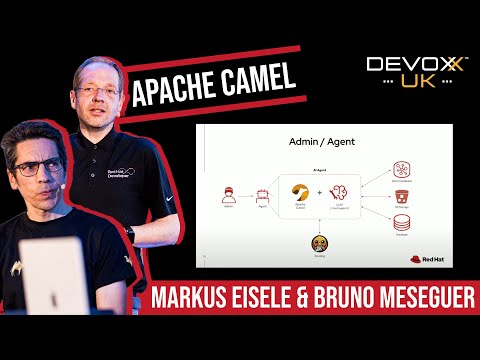
This demo will show you the super powers of combining LLMs and Apache Camel to create processes and tools tools that allow users to use natural language translated into actions against backend systems.
Watch the demo on YouTube:
This repository contains several folders and files to help you get started and understand the project:
-
ansible/
Contains Ansible playbooks and configuration files for automating the deployment and undeployment of the demo environment. -
camel/
Source code for the main Camel logic of the demo, including scripts and modules that power the AI agents and integrations. -
config/
Configuration for the Camel Instance -
demo/
Demo invoices (PDFs), a sample transcript, sample X12 EDI document and the [demo/storyline.md](the complete demo flow) -
deploy/
Schemata for Milvius and the database. -
docs/
Documentation and guides for running and understanding the demo, including step-by-step instructions and additional background information. [docs/README.md](Explains how to set up the demo) [docs/prompts.md](Has example prompts you can use) -
scripts/
Resources to start the demo and the agents. -
README.md
This file. Provides an overview and instructions for using the repository.
You may also find additional files and folders for configuration, examples, or utilities as the project evolves.
- RH OpenShift 4.12.12
- Red Hat build of Apache Camel 4.12
The demo is designed to operate across two connected environments: your local machine, where Camel and LLMs run, and a remote environment hosting all other dependencies. For the best experience, follow the guidelines below to automatically provision the required systems on OpenShift, then run Camel and the LLMs locally.
-
Provision the following RHDP item:
-
Alternatively, if you don't have access to RHDP, ensure you have an OpenShift environment available meeting the pre-requisite product versions (see 'Tested with' section to inspect product versions).
The instructions below assume:
- You either have Docker, Podman or
ansible-playbookinstalled on your local environment. - You have provisioned an OCP instance using RHDP. NOTE: RHDP is the Red Hat Demo Portal. You most likely won't have access to it. If you do, grab a standard OCP instance. If you don't feel free to use any OCP instance you have at your disposal.
-
Clone this GitHub repository:
git clone https://github.com/brunoNetId/ai-agentic-scenario.git
-
Change to root directory of the project.
cd ai-agentic-scenario
-
When running with Docker or Podman
-
Configure the
KUBECONFIGfile to use (where kube details are set after login).export KUBECONFIG=./ansible/kube-demo -
Login into your OpenShift cluster from the
occommand line.oc login --username="admin" --server=https://(...):6443 --insecure-skip-tls-verify=trueReplace the
--serverurl with your own cluster API endpoint. -
Run the Playbook
-
With Docker:
docker run -i -t --rm --entrypoint /usr/local/bin/ansible-playbook \
-v $PWD:/runner \
-v $PWD/ansible/kube-demo:/home/runner/.kube/config \
quay.io/agnosticd/ee-multicloud:2025-02-14  \
./ansible/install.yaml
-
With Podman:
podman run -i -t --rm --entrypoint /usr/local/bin/ansible-playbook \
-v $PWD:/runner \
-v $PWD/ansible/kube-demo:/home/runner/.kube/config \
quay.io/agnosticd/ee-multicloud:2025-02-14  \
./ansible/install.yaml
-
-
-
When running with Ansible Playbook (installed on your machine)
-
Login into your OpenShift cluster from the
occommand line.For example with: \
oc login --username="admin" --server=https://(...):6443 --insecure-skip-tls-verify=true(Replace the
--serverurl with your own cluster API endpoint) -
Set the following property:
TARGET_HOST="lab-user@bastion.b9ck5.sandbox1880.opentlc.com" -
Run Ansible Playbook
ansible-playbook -i $TARGET_HOST,ansible/inventory/openshift.yaml ./ansible/install.yaml
-
If you wish to undeploy the demo, use the same commands as above, but with:
./uninstall.yaml
Instead of:
./install.yaml
Warning
The demo documentation is pending to be improved.
Find more instructions on how to run the demo under the docs folder.