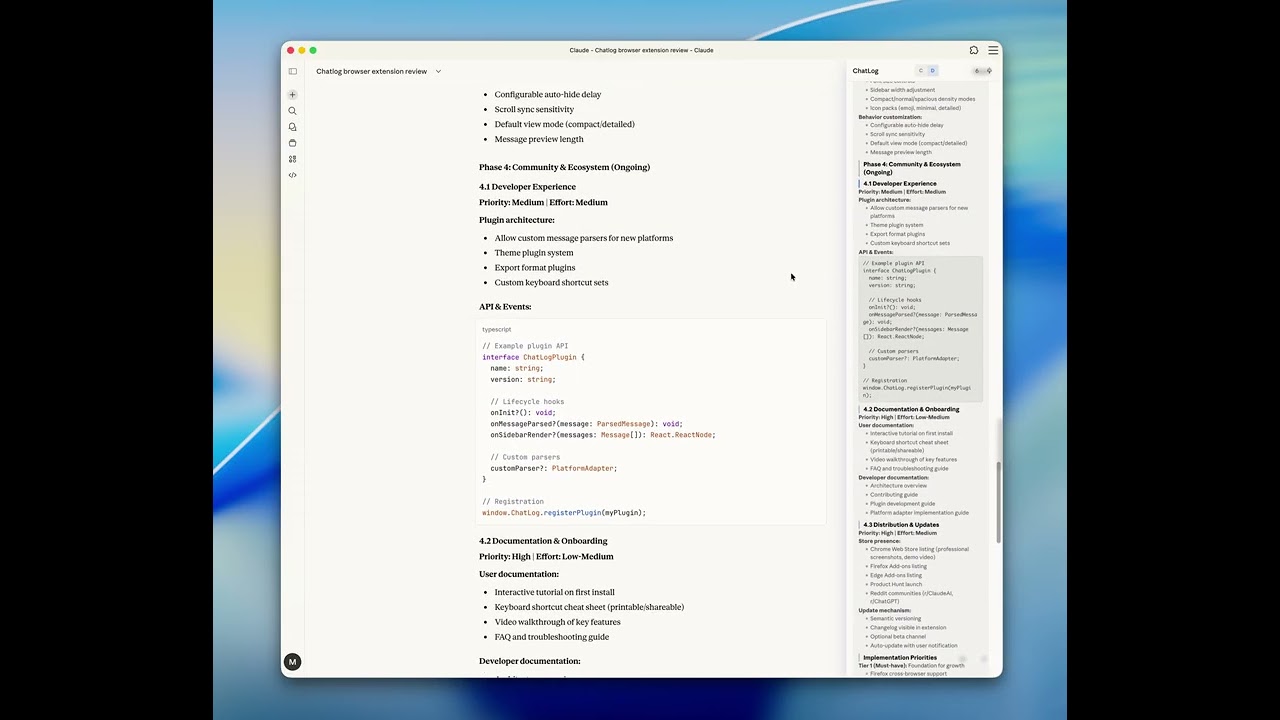
A Chrome extension that adds a structured sidebar to Claude.ai and ChatGPT, giving you an outline view of your conversation.

Claude.ai:
ChatGPT:

-
Conversation outline — Messages are mirrored in a compact sidebar, so you can see the full conversation structure at a glance
-
Scroll sync — The sidebar highlights whichever message or section is currently on screen, and clicking a sidebar item scrolls the main page to it
-
Two display modes — Compact shows a brief preview of each message; Detailed shows full structured content (headings, paragraphs, lists, code blocks, images)
-
Section anchors — In detailed mode, assistant message headings are clickable anchors that jump to that section on the page
-
Branch navigation — When a conversation has branches (edited user messages or regenerated responses), a
Branch < n/n >nav appears so you can switch between them -
Rich content parsing — Extracts headings, paragraphs, lists, code blocks, images, file attachments, and inline formatting (bold, italic, code) from both Claude and ChatGPT DOM structures
-
Broken code block repair — Detects and fixes Claude's broken fence rendering where raw markdown leaks into
<pre>blocks -
Keyboard shortcuts — Navigate your conversation without leaving the keyboard:
Shortcut Action Shift + ↑Jump to previous message / section Shift + ↓Jump to next message / section Shift + ←Scroll history back Shift + →Scroll history forward Shift + TabToggle compact / detailed mode All shortcuts are customizable and can be individually enabled or disabled.
-
Pin / hover — Pin the sidebar open, or let it slide in on hover and hide when you move away
-
Unobtrusive input — The page's chat input fades out when your mouse is in the upper portion of the screen, reappearing as you move down or focus it
-
Dark mode — Follows your system color scheme
-
Persistence — Display mode, pin state, and shortcut config are saved across sessions via
chrome.storage.local
| Platform | User messages | Assistant messages | Branch nav |
|---|---|---|---|
| Claude.ai | yes | yes | yes |
| ChatGPT | yes | yes | yes |
npm install
npm run build
Then load the dist/ folder as an unpacked extension in chrome://extensions (enable Developer mode).
For development with hot reload:
npm run dev- TypeScript, React 19, Vite
- @crxjs/vite-plugin for Chrome extension bundling
- Tailwind CSS 4
- Chrome Manifest V3
Open shortcut settings (gear button) and enable Performance overlay.
When enabled, ChatLog shows live perf stats near the bottom-right toggles and logs periodic summaries ([chatlog:perf] ...) in the page console.
The toggle state is persisted in chrome.storage.local.