






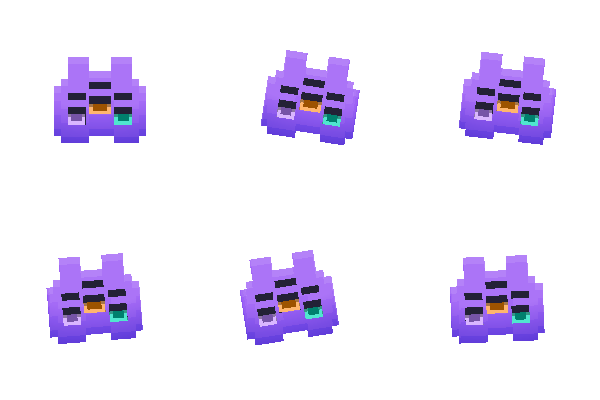
Give it a name. Get a little guy.
Tiny React library for procedural SVG characters (I call them pictos).






pictoguys makes cute little SVG characters out of thin air.
You hand it a number or a word. It hands you back a character: a colored body, some eyes, eyebrows, and (if you want one) a background tile. The same word always makes the exact same character, so "Bloop" is always Bloop, on every device, forever.
Think of it like a profile-picture generator, except:
- the art is real vector SVG (crisp at any size, never blurry),
- there are no image files to download (the parts are baked into the library),
- and the little guys can blink, hop, breathe, and dance.
No design skills needed. You do not draw anything. You just pick a seed.
A picto is one character. That is the whole vocabulary you need.
Every picto is built from a few parts that get mixed and recolored:
| Part | Choices |
|---|---|
| body color | 10 hand-picked colors, plus blended ones |
| body shape | 4 shapes |
| eyes | single, double, or triple |
| eye coloring | plain, two-tone, or rainbow |
| background | 5 tiles |
Pick those yourself, or let a seed pick them for you. Either way you get a picto.
npm install pictoguysFor React components, bring your own react (version 17 or newer). For SVG-only
usage, import from pictoguys/core and React is not loaded. There are zero
runtime dependencies.
| Import path | Use it for |
|---|---|
pictoguys |
React projects that want <Picto />, <PictoField />, plus the core helpers |
pictoguys/react |
Only the single-picto React component <Picto /> and its props |
pictoguys/react-canvas |
Only <PictoField /> (the canvas batch renderer) and its props |
pictoguys/canvas |
The framework-agnostic batch renderer core, no React |
pictoguys/core |
SVG strings, characters, presets, and catalog helpers without React |
pictoguys/rng |
The tiny deterministic RNG only |
Drop this into any React component:
import { Picto } from 'pictoguys'

export default function App() {
  return <Picto seed="Bloop" size={120} />
}
That is it. You just rendered Bloop.
seed can be a word ("Bloop") or a number (7). Same seed, same picto, every
single time. Change the word, get a different friend.
Here is what a handful of names look like. Try your own.
 |
 |
 |
 |
 |
 |
"Bloop" |
"Mochi" |
"Zorp" |
"Waffle" |
"Gizmo" |
"Noodle" |
 |
 |
 |
 |
 |
 |
"Tofu" |
"Bubbles" |
"Sprocket" |
"Pickle" |
"Goose" |
"Wizard" |
Waffle and Bubbles got fancy multi-colored eyes. Lucky.
1. By name (a word). Great for usernames, emails, anything text.
<Picto seed="ada@example.com" />2. By number. Great when you just want "give me number 42".
<Picto seed={42} />3. By hand. Want an exact look? Spell it out. Anything you leave out gets filled in for you.
<Picto
  config={{
    color: 'pink',     // 'blue' 'cian' 'gray' 'green' 'lime'
                       // 'orange' 'pink' 'purple' 'red' 'yellow'
    shape: 2,          // 1, 2, 3, or 4
    eyes: 'triple',    // 'single' | 'double' | 'triple'
    mode: 'triad',     // 'mono' (plain) | 'hetero' (two-tone) | 'triad' (rainbow)
    bg: 4,             // 1 to 5
  }}
/>

Using TypeScript? Import the config type for full autocomplete:
import type { CharConfig } from 'pictoguys'

const cfg: CharConfig = { color: 'blue', eyes: 'double' }Here is the one rule that gives you total control. For every setting:
| You write | You get |
|---|---|
| nothing (omit it) | fully random (picked by the seed) |
| one value | locked to that value |
| an array of values | random, but only from that set |
Mix and match freely. Add a seed (like a user id) and the random parts become
stable per person.
Set your brand once with picto.preset(...), then stamp out users. Each person
keeps your color but gets their own body and face. You can pass a brand hex
straight in, and a matching darker shade is generated for the gradient.
import { picto, Picto } from 'pictoguys'

const brand = picto.preset({ color: '#19c37d' }) // your green

function Avatar({ userId }) {
  const me = React.useMemo(() => brand.character(userId), [userId])
  return <Picto char={me} size={96} />
}


Same brand green. Different bodies and faces. One per user.
Lock the shape and the face, let the color come from the seed:
<Picto
  config={{
    seed: userId,
    shape: 2,          // always this body
    eyes: 'double',    // always this face
    brow: 'double_1',  //   "
    mode: 'mono',      // always plain eyes
    // color is left out, so it is the only thing that changes per user
  }}
/>


Same shape, same plain face. Only the color rolls.
Want variety, but inside guardrails? Pass arrays:
// only ever shapes 1 or 3, only double or triple eyes, only your two greens
<Picto
  config={{
    seed: userId,
    shape: [1, 3],
    eyes: ['double', 'triple'],
    color: ['green', 'lime'],
  }}
/>color accepts an anchor name ('blue'), a brand hex ('#19c37d', auto-gradient),
or an array of either. For full manual control, set both gradient stops yourself
with light and dark. Want to preview the gradient a hex would make?
import { picto } from 'pictoguys'

picto.gradient('#19c37d') // { light: '#19c37d', dark: '#003329' }
picto.gradient(140)       // a gradient for hue 140 degrees
Tip: pass something stable as the
seed(a user id, an email, a username) so the same person always lands on the same picto.
Two ways, pick whichever feels easier.
The easy way: just ask for an animation.
<Picto seed="Gizmo" animate="breath" />Animations available: "blink", "jump", "breath", "dance", "sleeping".
breath, dance, and sleeping loop forever. blink and jump play once.
The hands-on way: tell a specific picto to do something.
First make a picto with picto.character(...), then call methods on it:
import { picto, Picto } from 'pictoguys'

function Mascot() {
  const guy = React.useMemo(() => picto.character('Gizmo'), [])

  return (
    <>
      <Picto char={guy} size={140} />
      <button onClick={() => guy.blink()}>blink</button>
      <button onClick={() => guy.dance()}>dance</button>
      <button onClick={() => guy.sleep()}>sleep</button>
      <button onClick={() => guy.stop()}>chill</button>
    </>
  )
}guy.blink() // one blink
guy.jump() // one hop
guy.breath() // breathe (loops)
guy.dance() // dance (loops)
guy.sleep() // sleep with Zs (loops)
guy.stop() // freezeHeads up for beginners:
guy.blink()works by poking the<Picto char={guy} />on screen. If that picto is not currently rendered, the call simply does nothing (no crash, no error, just a no-op). So render it first, then animate it.
One picto? Reach for <Picto>. A whole wall of them (a leaderboard, a member
directory, a sticker sheet, hundreds or thousands of avatars)? That is where
<PictoField> comes in.
<PictoField> draws many pictos onto a single <canvas>, and it can keep
hundreds to thousands of them moving at 60fps. It is the recommended way to
render multiple pictos. <Picto> is not going anywhere and is not deprecated;
it is simply the right tool for one or a few pictos (or when you specifically
want real DOM nodes). Both draw the same art and play the same animations, so
you can mix them freely.
Hand it an array of characters and it lays them out for you:
import { picto, PictoField } from 'pictoguys'

// build as many little guys as you like
const chars = React.useMemo(
  () => Array.from({ length: 500 }, (_, i) => picto.character(i)),
  [],
)

export default function Wall() {
  return <PictoField chars={chars} size={64} height="70vh" />
}
That is a 500-picto grid that scrolls smoothly. By default <PictoField> owns
its own scroll viewport (an overflow:auto box sized by height, default
'70vh') and only ever draws the pictos you can actually see, so the count
barely matters.
Lay them out your way. By default they auto-flow into a grid. Pass cols to
fix the column count, or pass an explicit array of top-left positions:
<PictoField chars={chars} cols={10} gap={16} />
<PictoField chars={chars} layout={[{ x: 0, y: 0 }, { x: 80, y: 0 }, /* ... */]} />
Animate the whole field at once. The easy way is the declarative animate
prop, which plays one animation on every picto:
<PictoField chars={chars} animate="breath" /> {/* the whole crowd breathes */}The hands-on way is the imperative handle. <PictoField> forwards a ref to a
renderer you can poke directly. The animation target is either a single
Character from your chars array or the literal 'all':
import { picto, PictoField } from 'pictoguys'
import type { PictoRenderer } from 'pictoguys'

function Crowd() {
  const ref = React.useRef<PictoRenderer>(null)
  const chars = React.useMemo(
    () => Array.from({ length: 300 }, (_, i) => picto.character(i)),
    [],
  )

  return (
    <>
      <PictoField ref={ref} chars={chars} size={64} />
      <button onClick={() => ref.current?.blink('all')}>everyone blink</button>
      <button onClick={() => ref.current?.dance(chars[0])}>just the first one dances</button>
      <button onClick={() => ref.current?.stop('all')}>chill</button>
    </>
  )
}
The handle exposes blink, jump, breath, dance, sleep, stop, and a
general play(target, name) (pass name: null to stop), plus start(),
dispose(), and a metrics() peek. (Note: the looping animation string is
'sleeping', but the method is sleep().)
Both <Picto> and <PictoField> take a variant prop:
| Variant | Look |
|---|---|
'fancy' |
The original look: gradient body plus soft shadows. Default. |
'flat' |
Drops the body gradient and the body shadow (the eye shadows stay). Cheaper to paint, which is handy across a big grid. |
<Picto seed="Bloop" variant="flat" />
<PictoField chars={chars} variant="flat" />   {/* lighter paint for huge fields */}
fancy is the default everywhere, so leave it off if you want the classic look.
- 100+ pictos? Use
<PictoField>(canvas), not a pile of<Picto>s. One canvas with culling beats hundreds of DOM nodes. - Reach for
variant="flat"on very large grids. It skips the gradient and shadow, so each tile is cheaper to paint. - Reuse seeds. Identical characters share one cached sprite, so a grid full of repeats is nearly free to draw.
- Let
<PictoField>own its scroller via theheightprop (default'70vh'). Only passscrollParentRefwhen the field must scroll inside an existing scroll container you already control. - Animate via the ref (
'all'or a single character) or theanimateprop. Both routes share the renderer's per-character clock. - The canvas pixels match the SVG at the rendered size, so a
<PictoField>tile and a<Picto>of the samesizelook identical. - Keep
<Picto>(DOM/SVG) for single avatars or anywhere you need real DOM nodes, CSS styling, or accessibility hooks on the element itself.
The batch renderer has a framework-agnostic core under pictoguys/canvas. Give
createPictoRenderer a <canvas> and drive it yourself:
import { createPictoRenderer, canvasSupported } from 'pictoguys/canvas'
import { picto } from 'pictoguys/core'

if (canvasSupported) {
  const canvas = document.querySelector('canvas')!
  const renderer = createPictoRenderer({ canvas, size: 64, variant: 'flat' })

  renderer.setItems([
    { char: picto.character('Bloop'), x: 0, y: 0 },
    { char: picto.character('Mochi'), x: 80, y: 0 },
  ])
  renderer.start()
  renderer.breath('all')
  // ...later: renderer.dispose()
}
createPictoRenderer is always safe to call: on the server or anywhere without a
canvas it returns a harmless no-op, and canvasSupported lets you fall back to
<Picto> when you need to.
<PictoField> accepts these. Only chars is required.
| Prop | Type | Default | What it does |
|---|---|---|---|
chars |
Character[] |
— | The pictos to draw, one tile each, in order. Required. |
size |
number |
64 |
Tile width and height, in pixels. |
variant |
'fancy' | 'flat' |
'fancy' |
Body look (see above). |
background |
boolean |
false |
Draw a background tile behind each picto. |
layout |
'grid' | {x,y}[] |
'grid' |
Auto-flow grid, or explicit top-left positions. |
cols |
number |
auto | Grid columns. Omit to derive from the canvas width. |
gap |
number |
12 |
Gap between grid tiles, in pixels. |
animate |
"blink" | "jump" | "breath" | "dance" | "sleeping" | null |
null |
Play one animation on every picto. |
height |
number | string |
'70vh' |
Height of the self-owned scroll viewport. |
scrollParentRef |
RefObject<HTMLElement> |
none | Advanced: scroll inside your own container instead. |
dpr |
number |
auto | Device-pixel-ratio override. |
maxCacheBytes |
number |
256 MB | Soft sprite-cache size cap. |
style |
CSSProperties |
none | Applied to the inner <canvas>. |
className |
string |
none | Applied to the outer wrapper <div>. |
<Picto> accepts these. Everything is optional.
| Prop | Type | Default | What it does |
|---|---|---|---|
seed |
number | string |
0 |
Build a picto from a number or a word. |
config |
CharConfig |
none | Build a picto from exact settings. |
char |
Character |
none | Use a picto you already made (wins). |
size |
number |
120 |
Width and height, in pixels. |
background |
boolean |
false |
Set true to add a background tile. |
animate |
"blink" | "jump" | "breath" | "dance" | "sleeping" |
none | Play an animation on loop or once. |
variant |
"fancy" | "flat" |
"fancy" |
Body look: flat drops the gradient/shadow. |
Any normal <span> prop works too (className, style, onClick, and so on),
because that is what <Picto> renders into.
Rendering a crowd of pictos? See Rendering many pictos for
<PictoField>, the canvas batch renderer.
Pictos are see-through by default, so they sit nicely on top of anything. Want a colored tile behind one instead? Flip one switch:
<Picto seed="Bloop" />              {/* bare, the default */}
<Picto seed="Bloop" background />   {/* with a background tile */}

A picto is just an SVG string under the hood, so you can grab that string and do whatever you want with it (emails, server rendering, saving to a file).
import { picto } from 'pictoguys/core'

const svg      = picto.character('Bloop').svg()                  // bare (default)
// -> "<svg viewBox=\"0 0 40 40\" ...>...</svg>"

const withTile = picto.character('Bloop').svg({ background: true }) // add a tile
const prefixed = picto.character('Bloop').svg({ uid: 'a_' })     // custom id prefix
You can also read what a picto turned out to be:
const guy = picto.character('Bloop')
guy.config
// { color: 'gen319', shape: '4', eyes: 'single', mode: 'mono', ... }
The svg() output is deterministic, and every id inside is prefixed, so you can
drop many pictos into one page without their gradients or filters fighting.
The seeded randomness that powers picto lives on its own tiny path, with none of the character art attached. Handy if you only want stable, repeatable random numbers:
import { mulberry32, hashSeed } from 'pictoguys/rng'

const random = mulberry32(hashSeed('any-string'))
random() // a number 0..1, the same every time for that string
Importing pictoguys/rng pulls in well under 1 KB. Importing the full library
includes the character art (that art is the whole point, so it ships with it).
- Your seed goes through a small, predictable shuffler.
- The shuffle picks a color, a shape, eyes, eyebrows, and a background.
- Those SVG parts get recolored in OKLCH color space (so the colors always look nice together, not muddy) and stitched into one SVG.
- React drops that SVG on the page. Animations are just smooth CSS transforms on the body or the eyes.
Same seed in means same picto out. No randomness leaks, no surprises.
Is it really the same picto every time? Yes. "Bloop" is Bloop on your laptop, your phone, and your friend's machine.
Do I need to download or host any images?
No. The parts are inside the package. One npm install and you are done.
Can I get a totally specific look?
Yes, use config={{ ... }} and set exactly what you want.
How big is it? The art data is around 120 KB before gzip. It compresses well, and it is the actual content of the library, so there is nothing to fetch separately.
MIT. Go make a thousand little guys.
