Add custom example for background effects.#45
Add custom example for background effects.#45harshithpabbati wants to merge 6 commits intodaily-demos:mainfrom
Conversation


|
@harshithpabbati is attempting to deploy a commit to the Daily Team on Vercel. A member of the Team first needs to authorize it. |
 harshithpabbati
changed the title
harshithpabbati
changed the title
|
This pull request is being automatically deployed with Vercel (learn more). examples – ./custom/live-transcription🔍 Inspect: https://vercel.com/daily-co/examples/8m6EMBPoCCk3sksG8qwNBvYxkwV7 |

 jessmitch42
left a comment
jessmitch42
left a comment
jessmitch42
left a comment
There was a problem hiding this comment.
Added some feedback. Will do a full review when those changes are included. Looking good so far, though
| yarn | ||
| yarn workspace @custom/background-effects dev | ||
| ``` | ||
|
|
There was a problem hiding this comment.
I followed the README and hit this error while testing.
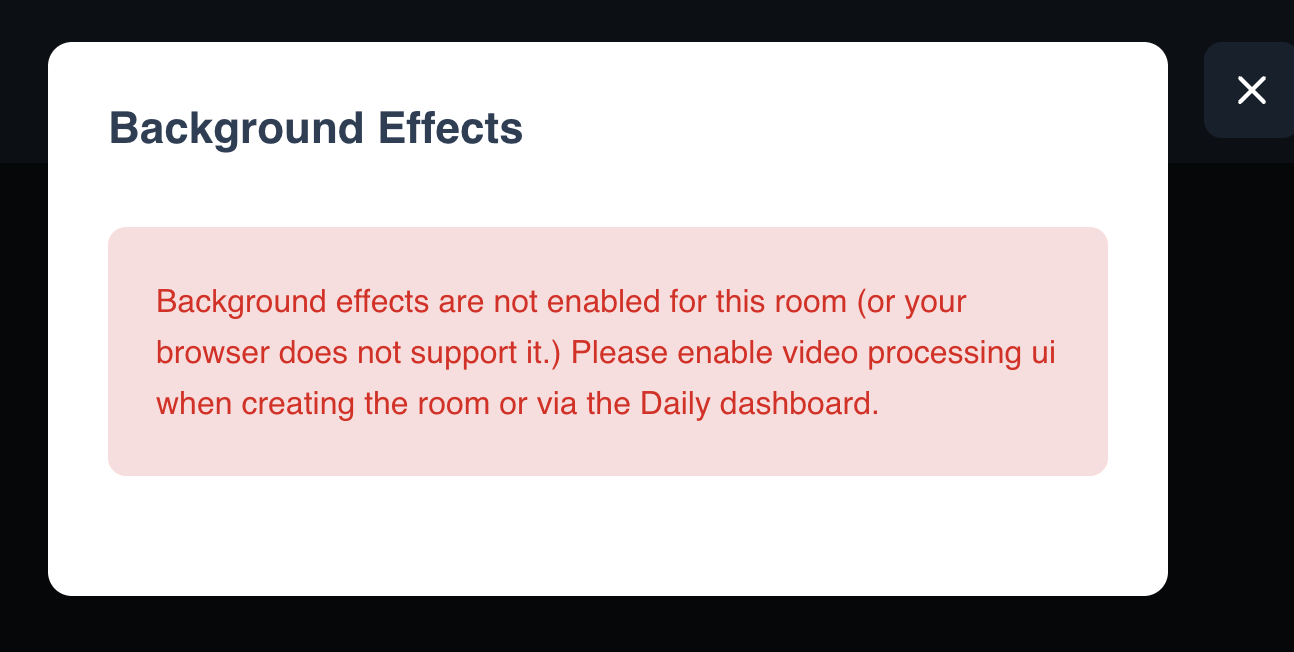
Super helpful error to display but we want to avoid devs following the instructions and still getting errors.
I think it would be good to include instructions in the README for creating a room with the background effects feature turned on (my suggestion would be right below "Getting started"). You can say something like:
"This demo requires a Daily room with the enable_video_processing_ui room config option turned on. This can be done via Daily's REST API or the Daily dashboard."
There was a problem hiding this comment.
I noticed you're checking the domain setting too, so we should explicitly include those as options as well. For any of these demos, we want to say as much as possible in the README about how it works so the reader doesn't have to learn from digging through the code. :)
"This demo requires a Daily room or domain with the enable_video_processing_ui option turned on. This can be done via Daily's REST API or the Daily dashboard."
custom/background-effects/README.md
Outdated
| ## What does this demo do? | ||
|
|
||
| - Use [updateInputSettings](https://docs.daily.co/reference/daily-js/instance-methods/update-input-settings) to add effects to your background | ||
| - Implements a custom `<Tray />` that adds Background effects option to the tray. |
There was a problem hiding this comment.
I would word this a bit differently. "Adds a button to a custom video call controls tray to update background effects in the call." We want to focus on the feature itself (the "what" rather than the "how)
| Please note: this demo is not currently mobile optimised | ||
|
|
||
| ### Getting started | ||
|
|
There was a problem hiding this comment.
General note since I think this applied to other examples as well: any of the demos that require a Daily room to use the demo (e.g. the demo doesn't make a room for you) should have instructions on how to make a Daily room. Might be good as a sub-task to add that. I suggested some text below that can be reworked for other demos too.. we basically just want to help people know how to make rooms (i.e. the REST API or dashboard)
| {!supportsVideoProcessing ? ( | ||
| <Well variant="error"> | ||
| Background effects are not enabled for this room (or your browser does not | ||
| support it.) Please enable video processing ui when creating the room or via |
There was a problem hiding this comment.
"ui" should be capitalized -> "UI"
| const browserSupportsVideoProcessing = browser.platform.type === 'desktop'; | ||
| if (browserSupportsVideoProcessing) { | ||
| setSupportsVideoProcessing( | ||
| roomConfig?.tokenConfig?.enable_video_processing_ui ?? |
There was a problem hiding this comment.
we can set this on the room config too so you'll need to check roomConfig.config.enable_video_processing_ui too. Right now, I have a room with it turned on and I'm getting the error modal that my room isn't compatible for this feature.
There was a problem hiding this comment.
I don't believe this is actually a valid token option, so it looks like that can be removed. (Unless it's included in the token config?? I don't think it is so please double check.)
2 participants


Related to #DEV-1220
This PR adds the background effects example.