TelegramMail is a Telegram-based email tool built on top of aiotdlib that allows you to send and receive emails directly in Telegram without switching to traditional email clients. This project is designed for personal use, with each client managed and used by a single user.
- Lightweight
- Cross-platform support (via Telegram), one configuration works across all platforms
- Email information and attachments are stored in Telegram, enjoying Telegram's permanent cloud storage
- Even if you lose access to your email account (e.g., after leaving a company), you can still view historical emails
- Can implement AI-related features using LLM APIs
- If there are many recipients (especially large BCC lists), it may send multiple emails in batches
- No WYSIWYG editor for composing (currently authored in Markdown)
- Add multiple email accounts
- Receive emails and forward to Telegram
- Delete emails
- Compose new emails
- Fetch emails on schedule
- Manually refresh emails
- Reply to emails
- Forward emails
- Receive emails from folders other than INBOX
- Fetch all emails
- Set signature for each email account
- Display email folder information
- Summarize emails using LLM
- Label emails using LLM
- Write emails using LLM
- Search emails
- Extract important links from emails (via LLM)
- Telegram Bot Token (obtained via @BotFather)
- Telegram App ID, Telegram App Hash (need to apply)
Why do we need Telegram App ID instead of just using Telegram Bot?
- Telegram Bot cannot delete messages older than 48 hours
- Telegram Bot cannot listen to message deletion events
- (Optional) OpenAI-compatible LLM API for AI features such as email summarization and label classification
Windows is not yet supported for local development. If you need Windows support, please compile TDLib library files yourself (or use WSL/Docker).
-
Clone the repository:
git clone https://github.com/dale0525/telegramail.git cd telegramail -
Create configuration file:
cp .env.example .env
-
Edit the
.envfile and fill in your configuration:TELEGRAM_API_ID=your_telegram_api_id_here TELEGRAM_API_HASH=your_telegram_api_hash_here TELEGRAM_BOT_TOKEN=your_telegram_bot_token_here # Optional TDLib settings TELEGRAM_CHAT_EVENT_LOG_TIMEOUT=30 # increase if you see TimeoutError when scanning deleted topics # Optional LLM settings ENABLE_LLM_SUMMARY=0 # set to 1 to enable LLM analysis (summary + labels + links) LLM_SUMMARY_THRESHOLD=200 # if email content is longer than this threshold, use LLM analysis OPENAI_BASE_URL=your_openai_base_url_here OPENAI_API_KEY=your_openai_key_here OPENAI_EMAIL_SUMMARIZE_MODELS=first_model_to_summarize_email_content,second_model_to_summarize_email_content,... # if the first model fails, try the second one -
Init development environment:
# Install dependencies and setup TDLib libraries pixi install --locked pixi run init -
Start the application:
# Start development server pixi run dev -
Check i18n:
pixi run i18n
If you want a lightweight Docker setup on macOS (without Docker Desktop), you can run Docker Engine inside a Lima VM and keep all VM state under this repo’s .pixi/ directory.
-
Install Lima (the only system prerequisite):
brew install lima
-
Initialize the project-scoped Docker engine (data dir:
.pixi/lima):pixi run container-init
-
Use Docker / Compose via pixi (does not touch
~/.limaor~/.docker):pixi run docker -- version pixi run docker -- ps pixi run compose -- version pixi run compose -- up -d pixi run compose -- down
Optional environment variables (tune resources / instance name):
TELEGRAMAIL_LIMA_INSTANCE(defaulttelegramail-docker)TELEGRAMAIL_LIMA_CPUS(default2)TELEGRAMAIL_LIMA_MEMORY(GiB, default2)TELEGRAMAIL_LIMA_DISK(GiB, default20)
The project includes automated TDLib library management for cross-platform development:
- Automatic Setup: The setup_tdlib.py script automatically detects your platform and configures the appropriate TDLib libraries
- Separate Libraries: Creates separate library files for bot and user clients (required by aiotdlib limitation)
- Cross-Environment: Works consistently in both development and production/container environments
On Linux, the TDLib shared library also depends on runtime libraries such as the C++ runtime, OpenSSL, zlib (installed via pixi/conda), and LLVM libunwind (
libunwind.so.1), which needs to come from your system packages (Debian/Ubuntu:libunwind-14, or any package that provideslibunwind.so.1).
Platform Support:
- ✅ macOS: Automatic setup from included ARM64 library
- ✅ Linux: Automatic setup for both AMD64 and ARM64
⚠️ Windows: Manual TDLib compilation required (or use WSL/Docker)
Use Docker Compose for production deployment with pre-built images from Docker Hub:
-
Create deployment directory:
mkdir telegramail && cd telegramail
-
Download Docker Compose configuration:
curl -O https://raw.githubusercontent.com/dale0525/telegramail/main/docker-compose.yml
curl -o .env https://raw.githubusercontent.com/dale0525/telegramail/main/.env.example
-
Edit the
.envfile. See [Local Development](#Local Development) for details. -
Create data directory and set permissions:
mkdir data && chmod -R 755 data -
Deploy:
docker-compose up -d
If you want to build the image from source instead:
docker build -t telegramail .. The project'sDockerfileinstalls dependencies usingpixi.toml+pixi.lockto keep dev/prod dependencies aligned.
/start- First-time startup command, will guide users to log in to their Telegram account and add their first email account/help- Display help information/accounts- Manage added email accounts or add new ones/check- Manually check for new emails/compose- Compose a new email (creates a Draft topic)
- Use the
/accountscommand and select "Add new account" - Follow the prompts to select your email service provider, then enter your email address, password/App-specific password, and Alias (for display only). If you choose a custom email service, you'll need to additionally enter IMAP and SMTP server, port, and whether to use SSL. Currently, pre-defined configs include:
- Gmail
- Outlook/Hotmail
- Yahoo
- iCloud
- Zoho Mail
- AOL
- GMX
- QQ Mail
- Netease
- Tencent Exmail
- Alimail
- Yandex
- Linux DO
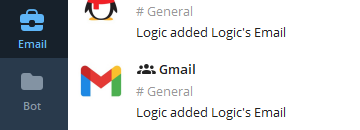
- Telegramail will create a group in Telegram named after your Alias, and add a folder named Email
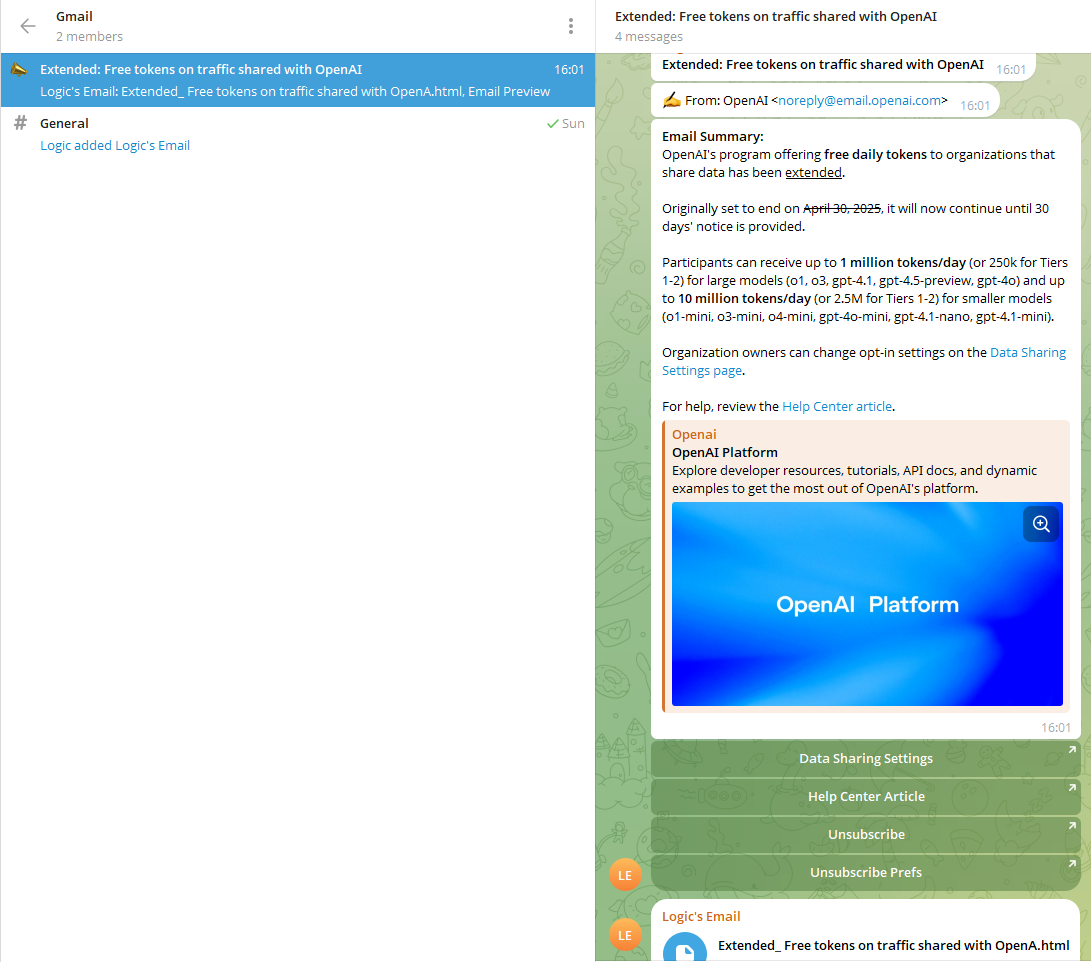
TelegramMail delivers new emails to the Telegram group named after your email account Alias. Each email is presented as a Forum Topic, including:
- Email subject, sender, and recipient information
- Email summary (if LLM is configured)
- Email body
- If in HTML format, sent as an HTML file
- If in plain text format, sent directly as plain text
- Attachments
Default mode is MAIL_RECEIVE_MODE=hybrid (recommended): it uses IMAP IDLE for near real-time delivery and keeps POLLING_INTERVAL as safety polling.
hybrid: near real-time (typically seconds to tens of seconds) + safety pollingidle: IMAP IDLE only (low latency, no polling safety net)polling: periodic polling only (latency around0 ~ POLLING_INTERVAL)
Common settings:
POLLING_INTERVAL: polling interval in seconds, default300IMAP_IDLE_TIMEOUT_SECONDS: single IDLE wait timeout in seconds, default1740IMAP_IDLE_FALLBACK_POLL_SECONDS: short polling interval when IDLE is unsupported, default30IMAP_IDLE_RECONNECT_BACKOFF_SECONDS: initial reconnect backoff in seconds for IDLE failures (exponential), default5
To monitor additional IMAP folders, set TELEGRAMAIL_IMAP_MONITORED_MAILBOXES (comma-separated), e.g. INBOX,Archive,Spam.
You can also set per-account overrides via /accounts → select an account → IMAP Folders (includes “Detect folders” + an interactive picker).
You can set multiple per-account signatures via /accounts → select an account → Signature. Signature content is authored in Markdown and rendered to HTML at send time.
Use the /check command to manually check for new emails for all added email accounts
Use the /accounts command, then click on the email account you want to manually fetch emails for, and then click the "Manual Fetch Email" button
If you want to delete an email, just delete the corresponding Topic in Telegram. Telegramail will search for deleted topics every 3 minutes, clean the database and delete related emails from the mail server.
TelegramMail uses Draft topics for composing, replying, and forwarding:
- Compose new email
- Send
/composeinside an account group (in any topic, e.g. “General”). In group chats Telegram may auto-complete it as/compose@YourBot— both work. It creates a new Draft topic and pins a Draft card message (Send/Cancel). - The interactive prompts are sent inside the newly created Draft topic (not the source topic where you typed
/compose). In theTo/Cc/Bccsteps, you can use contact picker buttons (multi-select + Save) or type addresses manually (comma-separated).Cc/Bccstill support/skip.
- Send
- Reply / Forward
- Each email thread has an “Actions” message with Reply / Forward buttons. Click to create a Draft in the same thread.
- Edit inside Draft topic
/from: open a From-identity selector (for alias scenarios)/from b@example.com: set From identity directly/to ...,/cc ...,/bcc ...: set recipients. You can enter addresses directly (multiple addresses are comma-separated, e.g./to a@example.com, b@example.com; same for/ccand/bcc). You can also run/to,/cc,/bcc(or add a keyword) to open contact picker and select multiple contacts before tapping Save./subject ...: set subject/signature: open signature selector (choose specific/default/none)/signature none: disable signature for this send;/signature default: use account default signature- Body: send normal text messages; they are appended to the email body (Markdown supported)
- Attachments: send files/photos/audio in the Draft topic; they will be attached to the email; use
/attachmentsto manage/remove attachments
- Send
- Click Send on the Draft card to send; Cancel to discard
- If this draft does not explicitly override signature behavior, TelegramMail uses the account default signature
- Signature choice is persisted: TelegramMail remembers the signature strategy used in the last successful send for that account (specific/default/none), and reuses it for the next new draft
Draft body is authored in Markdown. When sending, TelegramMail includes:
text/plain: original Markdowntext/html: rendered HTML from Markdown
If you've configured LLM-related parameters in .env, you can use AI-related features. Current features include:
- Using LLM to summarize email content (summary, priority, action items, deadline, and key contacts).
- Using LLM to classify email labels (
category) with built-in classes:task,meeting,financial,travel,newsletter,system,social,other. - Using LLM to extract important links from emails (for example, unsubscribe links).
- Use
/labelinside Telegram to filter recent emails by label, then locate/reply/forward directly. - Prompt is located at app/email_utils/llm.py.
Translation texts are located in the app/i18n folder. You can add translations for your target language and set DEFAULT_LANGUAGE to your language in the .env file.
- Due to instability of LLM output, AI analysis (summary/labels/links) may contain invalid JSON or HTML tags that cannot be parsed by Telegram, which can cause message sending failure. If you want to use this feature, try more reliable models.
This project is licensed under the GPL License - see the LICENSE file for details