Hands-free AI agentic orchestrator powered by Flutter genUI
Create and deploy OpenClaw agents using only voice — no coding, no typing required. clawfree combines voice-first interaction with Opus 4.6's real-time UI streaming for a fully hands-free experience meeting users where they are: on-the-go, hands-full, eyes-busy.
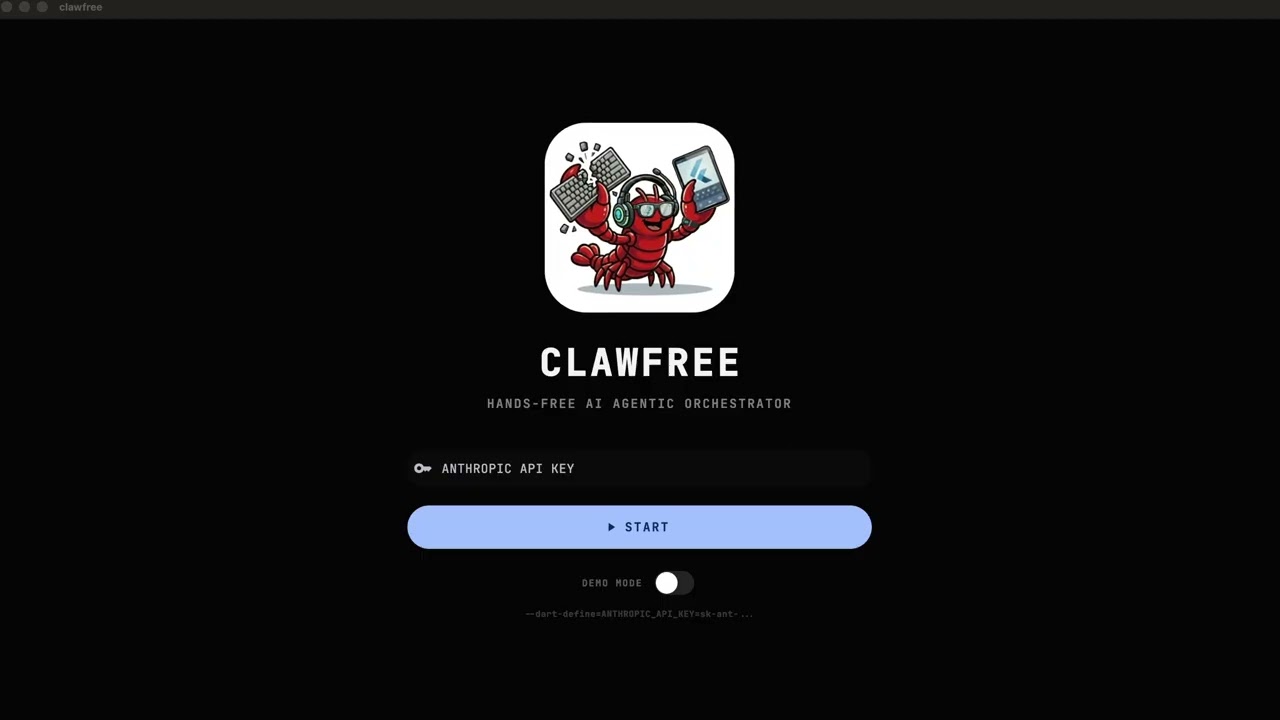
- Speak -- voice commands on Apple Watch while jogging, iPhone while commuting, iPad at the coffee shop, or Mac at your desk
- See -- Opus 4.6 generates context-adaptive interfaces in real-time: itineraries, interactive maps, flight and lodging comparisons — all voice-triggered
- Refine -- continue speaking to adjust; Opus adapts layout complexity to screen size, interaction patterns to input method, information density to attention context
- Deploy -- save and your agent is live on OpenClaw, connected to 18+ messaging channels
Voice Input (STT)
    │
Flutter genUI Client ──── A2UI protocol ──── OpenClaw Gateway
    │                                             │
Surface widgets                              Opus 4.6
    │                                        (reasoning +
Voice Output (TTS)                           UI generation)
- Flutter genUI v0.9 renders dynamic UI from A2UI JSON at runtime
- OpenClaw provides the AI gateway with 18+ messaging channels, tool execution, and agent management
- Opus 4.6 acts as contextual UI architect — simultaneously reasons about what to present and how, streaming structured A2UI JSON interlaced with natural language, adapting to device and context
- Flutter >= 3.35.7 (stable channel)
- Docker & Docker Compose (for web/gateway)
- Anthropic API key (or use demo mode)
Deploy clawfree + OpenClaw together on any Docker-compatible cloud provider (Railway, Render, Zeabur, etc.):
- Fork this repository.
- Set environment variables on your cloud provider:
ANTHROPIC_API_KEY— your Anthropic API keyGATEWAY_TOKEN— a secret token for device pairing (e.g.,my-secret-123)
- Deploy using Docker Compose:
cd infra && docker compose -f docker-compose.prod.yml up -d
- Open the generated URL — the Onboarding Assistant starts automatically.
The production stack runs three services:
- frontend — Flutter Web served by Nginx (port 8080), proxies
/apito the gateway - openclaw — OpenClaw gateway v2026.2.9 with daemon and non-interactive mode (port 18789)
- redis — State persistence for agents and configuration
All services include health checks for zero-downtime orchestration.
The Onboarding Assistant guides you through setup with zero typing:
- Quick Start — pre-configured defaults (OpenClaw v2026.2.9, Opus 4.6, internal gateway) are presented. Say "Confirm" to launch, or "Custom" to change settings.
- Pairing — scan the QR code with your iPhone to pair devices. Say "Finished" when done.
- Ready Home — you land in the home dashboard. Say "Create a new agent" to start building, or "Manage OpenClaw" for system settings.
- Open the clawfree web dashboard.
- Say "Pair my device" or click the Pair button.
- Scan the QR Code with your iPhone (uses
clawfree://pair?token=...universal link). - The iPhone app automatically configures itself to use your private OpenClaw gateway.
- Your Apple Watch syncs settings from the iPhone automatically.
Once onboarding is complete, manage everything by voice:
| Command | What it does |
|---|---|
| "Create a new agent" | Switch to agent builder mode |
| "Update OpenClaw" | Upgrade to latest stable version |
| "Check gateway status" | Show connectivity, latency, channel health |
| "Update my API key" | Securely rotate Anthropic/gateway tokens |
| "Restart Telegram bridge" | Restart specific messaging containers |
| "Show me the last error" | Display recent gateway log entries |
| "Clear all agents" | Reset agent store for a fresh start |
| "Pair a device" | Show QR code for mobile/watch sync |
| "Connect existing" / "Link my gateway" | Connect to an existing OpenClaw gateway (URL + token) |
git clone https://github.com/dart-technologies/clawfree.git
cd clawfree
flutter pub get
flutter run -d macos --dart-define=DEMO_MODE=true# macOS (direct API)
flutter run -d macos --dart-define=ANTHROPIC_API_KEY=sk-ant-...
# Chrome (requires gateway)
cd infra && docker compose up -d && cd ..
flutter run -d chromemake help # Show all targets
make demo # Run in demo mode (no API key)
make run # Run on macOS with API key
make test # Run all tests
make test-e2e-ui # Run high-fidelity UI automation (macOS, 5x timeout)
make record-demo # Record E2E demo to MP4 with audio (BlackHole 2ch)
make record-demo-silent# Record E2E demo to MP4 (video only)
make analyze # Run Dart analyzer (0 issues)
make icons # Regenerate macOS + watchOS app icons
make sim-boot # Boot paired iPhone + Watch simulators
make sim-install # Build and install on iPhone+Watch simulator
make sim-run # Launch app on iPhone+Watch simulator
make qa # Launch Zero-to-One QA stack
make stop # Stop all Docker services and clear volumes
make health # Check full stack health
make gateway # Start CORS gateway (Docker)
make clean # Clean build artifactsFull-stack QA of the onboarding flow:
make stop                                          # 1. Reset environment
export ANTHROPIC_API_KEY=sk-ant-...                # 2. Set credentials
export GATEWAY_TOKEN=qa-pairing-secret-456
make qa                                            # 3. Launch stack (builds frontend + gateway + redis)
# Wait 10-20s for containers to initialize
make health                                        # 4. Verify system health
docker compose -f infra/docker-compose.prod.yml logs -f openclaw  # 5. Monitor logs
# 6. Open http://localhost:8080 and walk through onboardingflutter test # 516 tests
flutter analyze # 0 issueslib/src/
├── core/ # AI client, chat session, interaction router, prompt library
│ ├── chat_session.dart # Session state + generation
│ ├── gateway_client.dart # HTTP client for OpenClaw gateway (/health, /agents, /sessions, /onboard, POST /agents)
│ ├── health_poller.dart # Periodic health polling → HealthState
│ ├── interaction_router.dart # A2UI event routing (sealed InteractionResult)
│ ├── watch_sync_service.dart # Apple Watch sync via MethodChannel + debounce
│ ├── prompt_library.dart # System prompt text (onboarding + connect-existing path)
│ └── ... # AI client, surface manager, agent store, orchestrator
├── ui/
│ ├── chat/ # Decomposed chat widgets
│ │ ├── chat_input_bar.dart # Platform-adaptive input + voice + send
│ │ ├── chat_message_bubble.dart # Messages + context menu + animations
│ │ ├── chat_message_list.dart # List + empty state + suggestion chips
│ │ ├── chat_surface_panel.dart # Side panel + surface indicator
│ │ └── chat_surface_view.dart # Surface + error boundary + shimmer
│ ├── chat_screen.dart # Slim orchestrator (~267 lines)
│ ├── clawfree_assets.dart # Asset path constants
│ ├── clawfree_icons.dart # Platform-adaptive icon registry
│ └── theme.dart # Material 3, light/dark, Apple adaptive
└── voice/
├── voice_controller.dart # STT↔TTS coordination
├── voice_service_factory.dart # Service creation
└── ... # STT/TTS interfaces + platform implementations
test/ # 516 tests (unit + widget + e2e)
infra/
├── docker-compose.yml
├── .env.local # ANTHROPIC_API_KEY (gitignored)
└── gateway/ # Dual-proxy: Anthropic API + OpenClaw management
- Streaming generation -- Opus 4.6 streams text + A2UI JSON simultaneously
- Self-correction -- invalid A2UI JSON triggers automatic retry with feedback
- Platform-adaptive theming -- Cupertino on iOS/macOS, Material on Android/web
- Adaptive layout -- phone (single column) / tablet+desktop (side-by-side at 900px+)
- Multi-turn refinement -- update existing UIs via follow-up requests (updateComponents)
- Message animations -- slide-up entrance, shimmer loading skeletons, voice pulse
- Error recovery -- retry button on failures, error boundary for render crashes
- Demo mode -- 12 cached responses covering creation, refinement, and dashboard flows
- Voice enabled -- real STT/TTS on native platforms (iOS, macOS, Android); mocks on web/demo
- Agent store -- in-memory CRUD with auto-save from form submissions, export with copy
- Live gateway health -- periodic polling with 5-section health mapping (GWAY, LLM, CHAN, TOOL, VOX)
- Connect existing gateway -- skip onboarding by linking to a running OpenClaw instance (URL + token)
- Agent sync -- automatically imports agents from gateway on connect
- Remote agent creation -- saved agents are deployed to OpenClaw gateway via POST /agents (fire-and-forget)
- QR pairing -- scan a gateway QR code to pair iPhone, with deep link handling and gateway validation
- Apple Watch sync -- real-time agent count, health level, and mic state pushed to WatchCompanion via WatchConnectivity
- Onboarding architecture diagram -- interactive modal with 5-station pipeline visualization, animated marching-ant connectors, syntax-highlighted JSON code blocks, and adaptive mobile/desktop layouts; shown once on first launch via SharedPreferences
Built for the Built with Opus 4.6 hackathon (Feb 10-16, 2026).
- Michael Chow -- Flutter genUI, infrastructure
- Roy Lin -- Voice interactions, OpenClaw integration
MIT