


pytest-htmlx is a plugin for pytest that generate beautiful and customizable HTML reports for your pytest test suite with ease.
This package automatically creates a detailed HTML report after running your tests, helping you better visualize test results, errors, and logs.
Install it via pip:
pip install pytest-htmlxSimply run your tests with the --htmlx flag:
pytest --htmlxThis generates a report named report.html in the current directory.
To specify a custom report file path:
pytest --htmlx=results/my-report.html- Interactive, modern HTML report
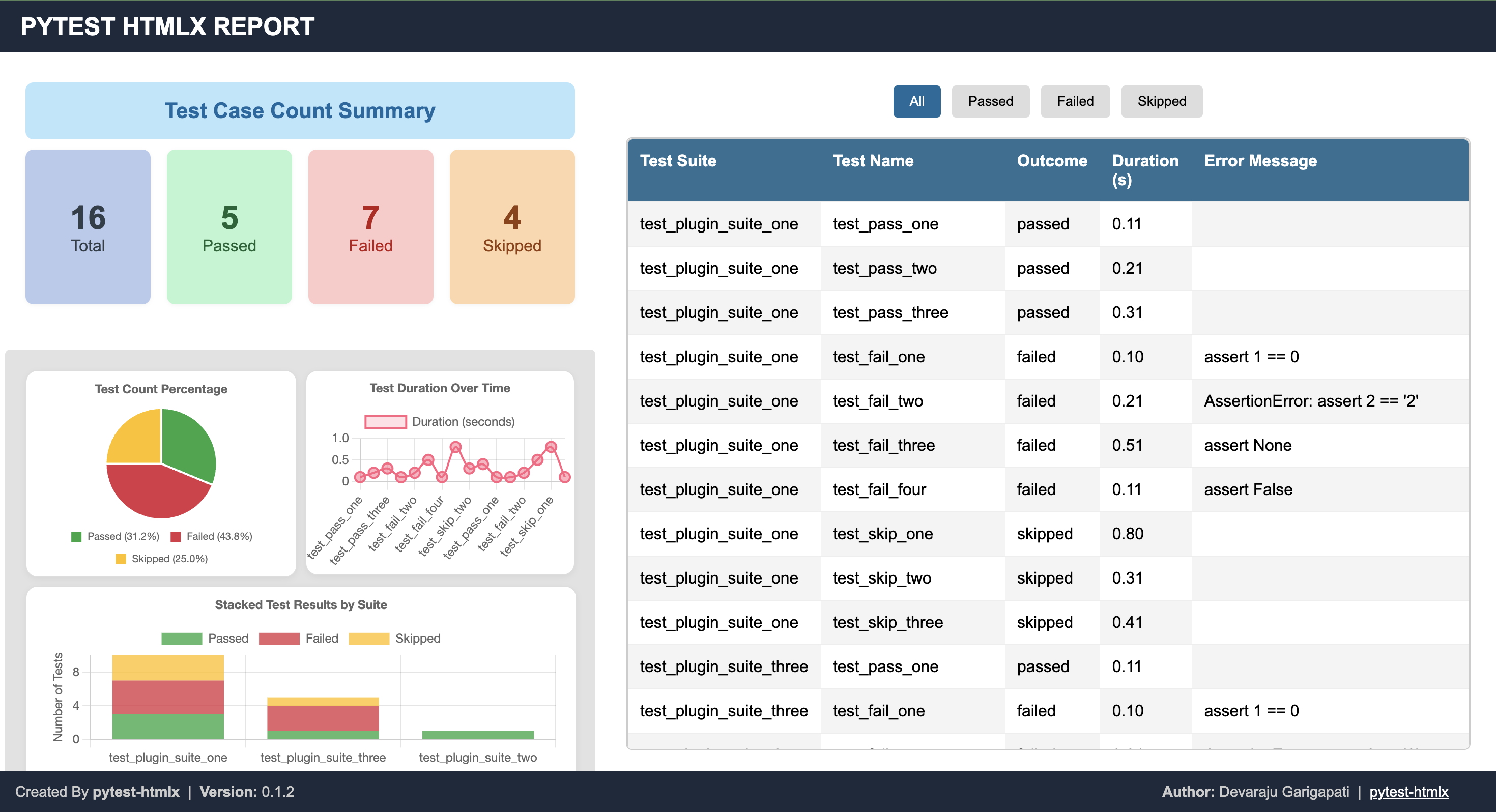
- Summary of passed/failed/skipped tests
- Stack traces and log capture
We’re working on exciting new capabilities for pytest-htmlx to make test reporting even more powerful:
- 📷 Screenshot Support for UI Tests — automatically capture and embed screenshots for Selenium, Playwright, or other UI automation test failures.
- 📝 Test Log Embedding — include detailed per-test logs inside the HTML report for easier debugging without switching between the terminal and report.
- 📊 Rich Visualizations — add trend charts and test run metrics over time.
💡 Feature suggestions are always welcome — submit ideas via our GitHub Issues.
Below is an example of what the HTML report looks like:
This project is licensed under the MIT License.
Pull requests are welcome! For major changes, please open an issue first to discuss what you would like to change.
- PyPI: https://pypi.org/project/pytest-htmlx/
- Source Code: https://github.com/devarajug/pytest-htmlx
- Issues: GitHub Issue Tracker