




Running an AI agent with direct access to your host machine is risky. An agent could inadvertently or maliciously:
- Install dangerous packages (
npm install some-malware) - Execute destructive commands (
rm -rf /,pkill) - Run sensitive operations (
git push --force,db:migrate)
Using an isolated container provides critical benefits:
- Security: Protects your host machine by keeping the agent's file system changes and processes separate from your environment.
- Integrity: Ensures a clean, reproducible workspace with all dependencies installed from scratch.
- Flexibility: Makes it easy to experiment with untrusted code or dependencies and then discard the container when finished.
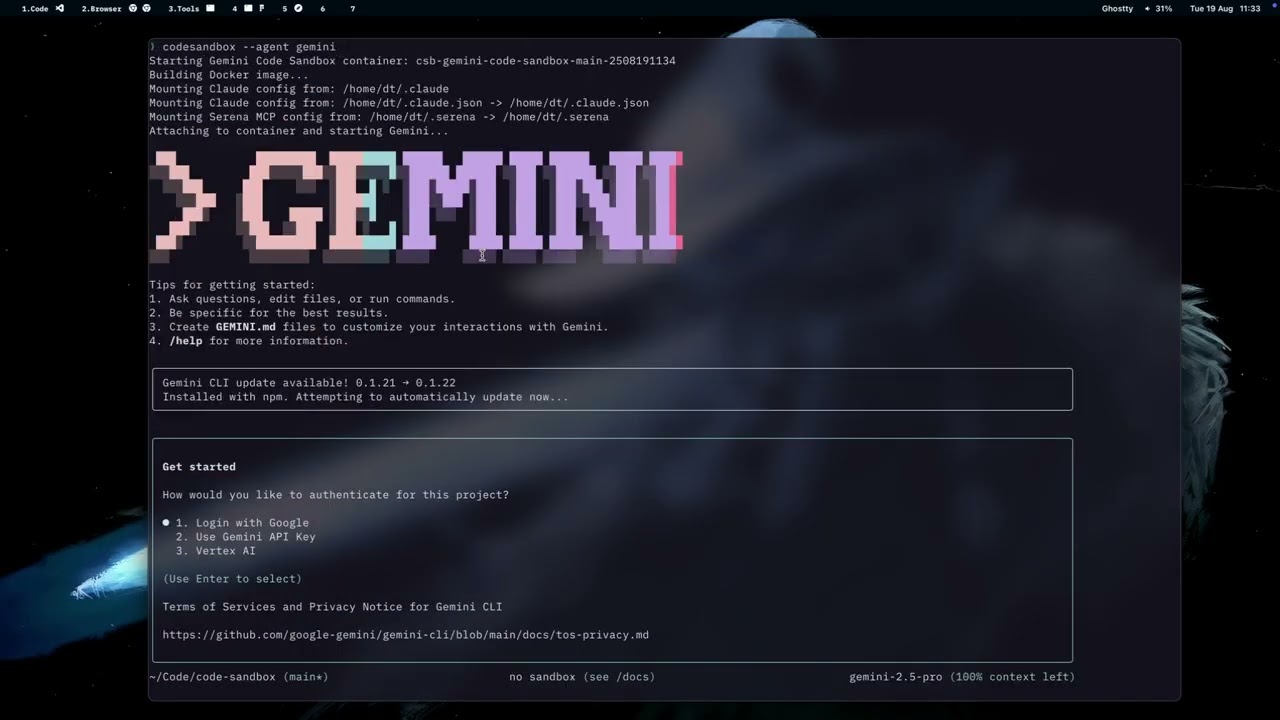
- Multi-Agent Support: Compatible with Claude, Gemini, Codex, Qwen, and Cursor development agents
- Automatic Workspace Mounting: Seamlessly mounts your current directory to same path with the host machine in the container, including
node_modulesso agents can run npm scripts immediately - Configuration Management: Automatically copies and applies your agent configurations
- Language Tooling: Detects common project languages and installs missing package managers like Cargo, npm, pip, Composer, Go, or Bundler
- Docker 20.10+ (running and accessible to your user)
- Go 1.21+ (only required for building from source)
- Git
- Linux, macOS (Intel or Apple Silicon), or Windows via WSL2 + Docker Desktop
cdinto the project you want to explore.- Run
agentsandbox. - The tool builds a fresh Ubuntu container, mounts the current directory at
/workspace, copies your agent configuration (for example~/.claude), and launches the default agent.
brew tap thaodangspace/agentsandbox
brew install agentsandboxgo install github.com/thaodangspace/agentsandbox/cmd/agentsandbox@latestgit clone https://github.com/thaodangspace/agentsandbox.git
cd agentsandbox
make build
# or: go build -o bin/agentsandbox ./cmd/agentsandbox
sudo cp bin/agentsandbox /usr/local/bin/ # optionalDownload the latest release for your platform from the Releases page.
agentsandboxagentsandbox --agent qwen
agentsandbox --agent gemini
agentsandbox --agent cursoragentsandbox --add-dir /path/to/reference/repoagentsandbox --continue # resume the last container for this directory
agentsandbox ls # list containers tied to the current directory
agentsandbox ps # list every running sandbox across directoriesagentsandbox --shelldocker exec -it <container-name> /bin/bashThe container name appears in the startup log (format: agentsandbox-{project_dir}).
- Base image: Ubuntu 22.04
- User:
ubuntu(sudo-enabled) - Mounted workspace:
/workspace - Tooling: curl, wget, git, build-essential, python3, nodejs, npm
- Agents: Claude Code pre-installed (others start when requested)
Agent Sandbox automatically looks for Claude configuration in ~/.claude or $XDG_CONFIG_HOME/claude. Global settings live at ~/.config/agentsandbox/settings.json, for example:
{
    "auto_remove_minutes": 60,
    "skip_permission_flags": {
        "claude": "--dangerously-skip-permissions",
        "gemini": "--yolo",
        "qwen": "--yolo",
        "cursor": "--yolo"
    },
    "env_files": [
        ".env",
        ".env.local",
        ".env.development.local",
        ".env.test.local",
        ".env.production.local"
    ]
}
Environment files listed under env_files are shadowed by empty overlays inside the container so secrets never leave your host machine.
agentsandbox cleanup        # remove containers created from the current directory
docker rmi agentsandbox-image- Fork the repository and clone your fork:
git clone https://github.com/thaodangspace/agentsandbox.git cd agentsandbox - Build and test:
make build make test make fmt make lint - Build for multiple platforms:
make build-all # or use GoReleaser for full release: goreleaser release --snapshot --clean - Push your branch and open a pull request with a clear description, linked issues, and validation steps.
- Docker not found: confirm Docker Desktop/daemon is running and you are in the
dockergroup. - Permission errors: re-log after adding yourself to the
dockergroup or run with elevated privileges. - Agent fails to launch: use
docker exec -it <container-name> <agent>to inspect the container and logs.
Licensed under the MIT License. See LICENSE for full text.
Made with ❤️ by the Agent Sandbox contributors.