通过纯JS代码的方式去使用A-Frame。 A-Frame是个非常棒的WebVR构建框架。基于这个框架,我们可以通过标准的HTML标签和属性就可以定义场景,实体和对应的属性。不过,通过这种方式,在控制3D模型的时候非常不方便。 A-Frame-By-Code将提供通过JS代码的方式去构建场景和控制3d物体。 A-Frame-By-Code是A-Frame的一个扩展,通过它,你可以:
- 通过代码的方式,从一个实体中添加或者移除另外一个实体
- 通过代码的方式,可以随时添加资源
- 支持多场景切换
- 通过代码,可以更加轻松的实现模板功能,布局功能等
只要在aframe.min.js之后引用本库即可:
<script src="https://aframe.io/releases/1.0.4/aframe.min.js"></script>
<script src="https://faace.github.io/aFrameByCode/dist/aFrameByCode.min.js"></script>请点击这个链接。
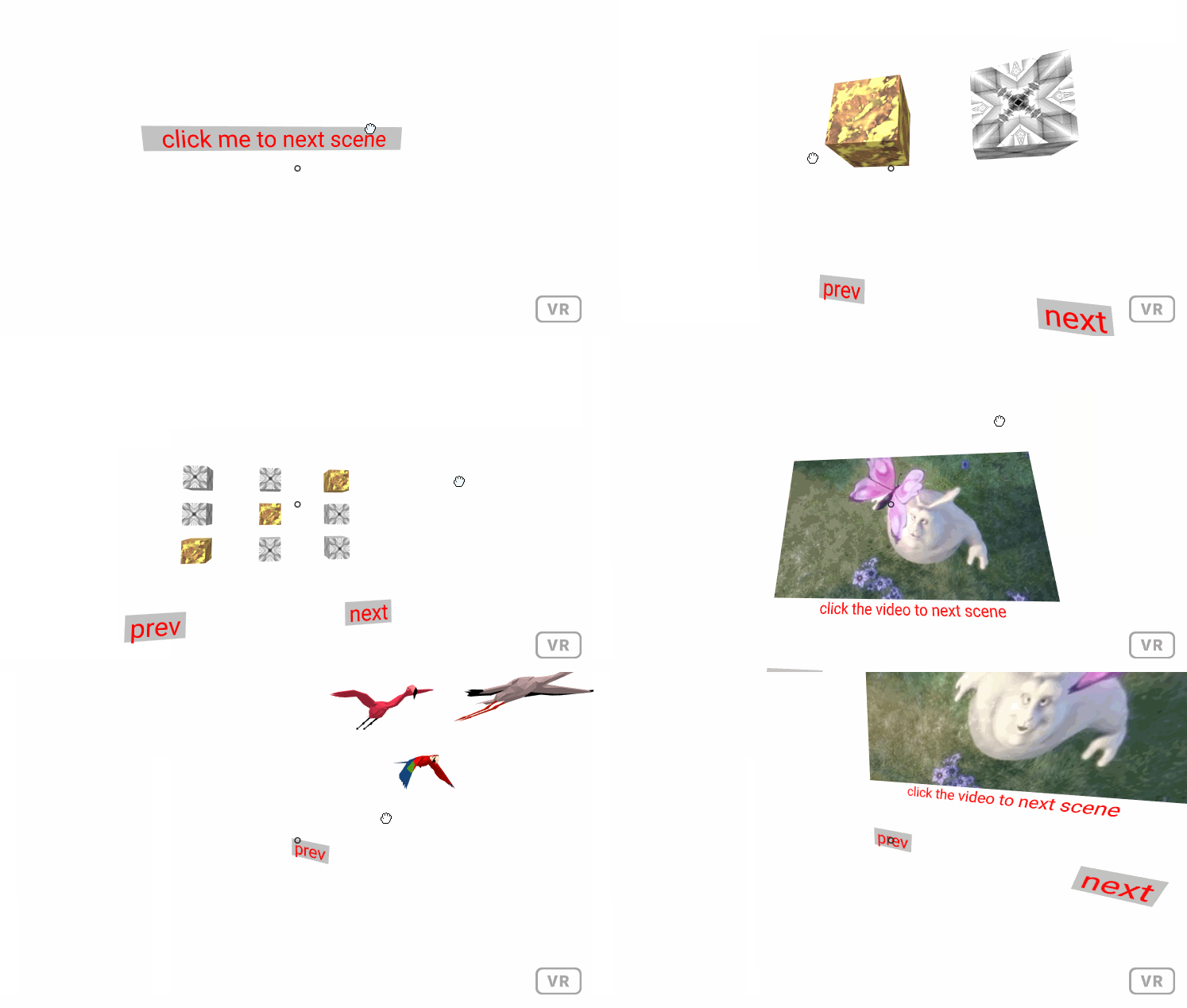
直接上代码:
AFRAME.createAScene({
    id: 'scene1', // scene's id
    attributes: {}, // will add to a-scene's attibutes
    onInit: function (scene) {
        // optional function
        // add entities here
    },
    onLoaded: function() {
        // optional function
        // do something when all things are loaded
    },
    onRemove:function() {
        // optional function
        // clean something you need
    }
});
这里 可以查看一个简单的例子。
<!DOCTYPE html>
<html lang="en">

<head>
    <meta charset="UTF-8">
    <meta name="viewport" content="width=device-width, initial-scale=1.0">
    <title>A demo of A-Frame-By-Code</title>
    <script src="https://aframe.io/releases/1.0.4/aframe.min.js"></script>
    <script src="https://faace.github.io/aFrameByCode/js/aFrameByCode.js"></script>
</head>

<body>
    <script>
        AFRAME.createAScene({
            id: 'scene1',
            onInit: function (scene) {
                scene.addEntities({
                    'a-box': { position: "-1 0.5 -3", rotation: "0 45 0", color: "#4CC3D9" },
                    'a-sphere': { position: "0 1.25 -5", radius: "1.25", color: "#EF2D5E" },
                    'a-cylinder': { position: "1 0.75 -3", radius: "0.5", height: "1.5", color: "#FFC65D" },
                    'a-plane': { position: "0 0 -4", rotation: "-90 0 0", width: "4", height: "4", color: "#7BC8A4" },
                    'a-sky': { color: "#ECECEC" },
                });
            },
        });
        AFRAME.loadScene('scene1'); // load the scene
    </script>
</body>

</html>

通常,我们会把默认的实体放在场景的初始化函数onInit中创建。当然,也可以在后期的任何时候,任何地方(例如component组件中)来添加实体。 添加实体有多种方式:
- 最简单的添加方式
scene.addAnEntity('a-box', {
    position: '0 1 -3',
});- 通过一个对象添加
scene.addAnEntity({
    tag: 'a-box',
    attibutes: {
        position: '0 1 -3',
        color: 'blue',
    }
});- 添加实体的时候,顺便指定id
scene.addAnEntity({
    tag: 'a-box#box1', // the string after # of the value is its id
    attibutes: {
        position: '0 1 -3',
        color: 'blue',
    }
});- 一次性添加多个实体
scene.addEntities({
    'a-box': {
        position: '-1 1 -3',
        color: 'blue',
    },
     'a-box#box2': {
        position: '0 1 -3',
        color: 'red',
    },
     'a-box#box3': {
        position: '1 1 -3',
        color: 'blue',
    }
});- 直接添加html格式的实体
scene.addEntities(`
    <a-box position="-1 0.5 -3" rotation="0 45 0" color="#4CC3D9"></a-box>
    <a-sphere position="0 1.25 -5" radius="1.25" color="#EF2D5E"></a-sphere>
    <a-cylinder position="1 0.75 -3" radius="0.5" height="1.5" color="#FFC65D"></a-cylinder>
    <a-plane position="0 0 -4" rotation="-90 0 0" width="4" height="4" color="#7BC8A4"></a-plane>
    <a-sky color="#ECECEC"></a-sky>
`);资源会随着场景的创建而创建。
- 我们可以在定义场景的时候同时定义需要加载的资源
AFRAME.createAScene({
    id: 'scene4',
    assets: {
        'img#texture1': './imgs/texture1.jpg',
        'a-asset-item#parrot': './models/parrot.glb',
    },
    onInit: function (scene) {
        // ...
    },
});- 我们可以通过scene.assets来使用资源的相关功能
scene.assets.add('video', { // tag, attributes
    id: 'v',
    src: './videos/v.mp4',
    preload: 'auto',
    loop: 'true',
    playsinline: 'true',
});- 给资源添加tag和id
scene.assets.add('a-asset-item#parrot', '../models/parrot.glb'); // (tag#id, src), #id is optional- 一次性添加多个资源
var assets = {
    'img#texture1': './imgs/texture1.jpg',
    'img#texture2': './imgs/texture2.jpg',
};
scene.assets.addList(assets);
如果我们是在onInit函数中通过scene.assets来添加资源,那么我们是不需要调用load函数来正真加载。 但是,如果我们在其他地方添加资源,那么就需要我们自己调用load函数。
var scene = AFRAME.extCurrScene;
var assets = scene.assets;
assets.add('a-asset-item#stork', '../models/stork.glb').load(function () {
    // a callback function when the asset is loaded.
});多个场景可以同时定好,也可以在后期需要的时候动态定义。 接着,我们可以通过组件'f-click-to-scene'或者使用AFRAME.loadScene来切换场景。 注意:定义场景的时候并不会记载资源,只有在loadScene的时候才会正真加载资源
AFRAME.createAScene({
    id: 'scene1',
    onInit: function (scene) { // create anything in the functions
        scene.addAnEntity('a-box', {
            position: '0 1 -3',
            color: 'blue',
            'f-click-to-scene': 'scene: scene2'
        });
    },
});

AFRAME.createAScene({
    id: 'scene2',
    onInit: function (scene) { // create anything in the functions
        scene.addAnEntity('a-box', {
            position: '0 1 -3',
            color: 'red',
            'f-click-to-scene': 'scene: scene1'
        });
    },
});
AFRAME.loadScene('scene1'); // load the scene
网页打开的时候,需要指定默认场景,这里有两种方式来定义默认场景:
- 代码方式:
AFRAME.loadScene('scene1'); - 标签方式:
<body scene="scene1">...</body>
是的,aFrameByCode支持动画,而且支持动画的各种组合。 一个动画可以多次使用,也可以给不同的实体同时使用。一个是可以同时使用多个动画。
动画有一些方式:
- fadeOut/fadeIn/fadeTo:改变透明度
- move/moveTo/moveBy:改变位置
- scale/scaleTo/ScaleBy:改变缩放
- rotation/rotationTo/rotationBy:改变旋转
- color/colorTo/colorBy:改变颜色
- delay:暂停多少毫秒
- cb:回调函数
- sequence:多个动画依次运行
- spawn:多个动画同事运行
主要的动画还支持这些功能:repeat/repeatForever/reserve.
例子请点击这里。
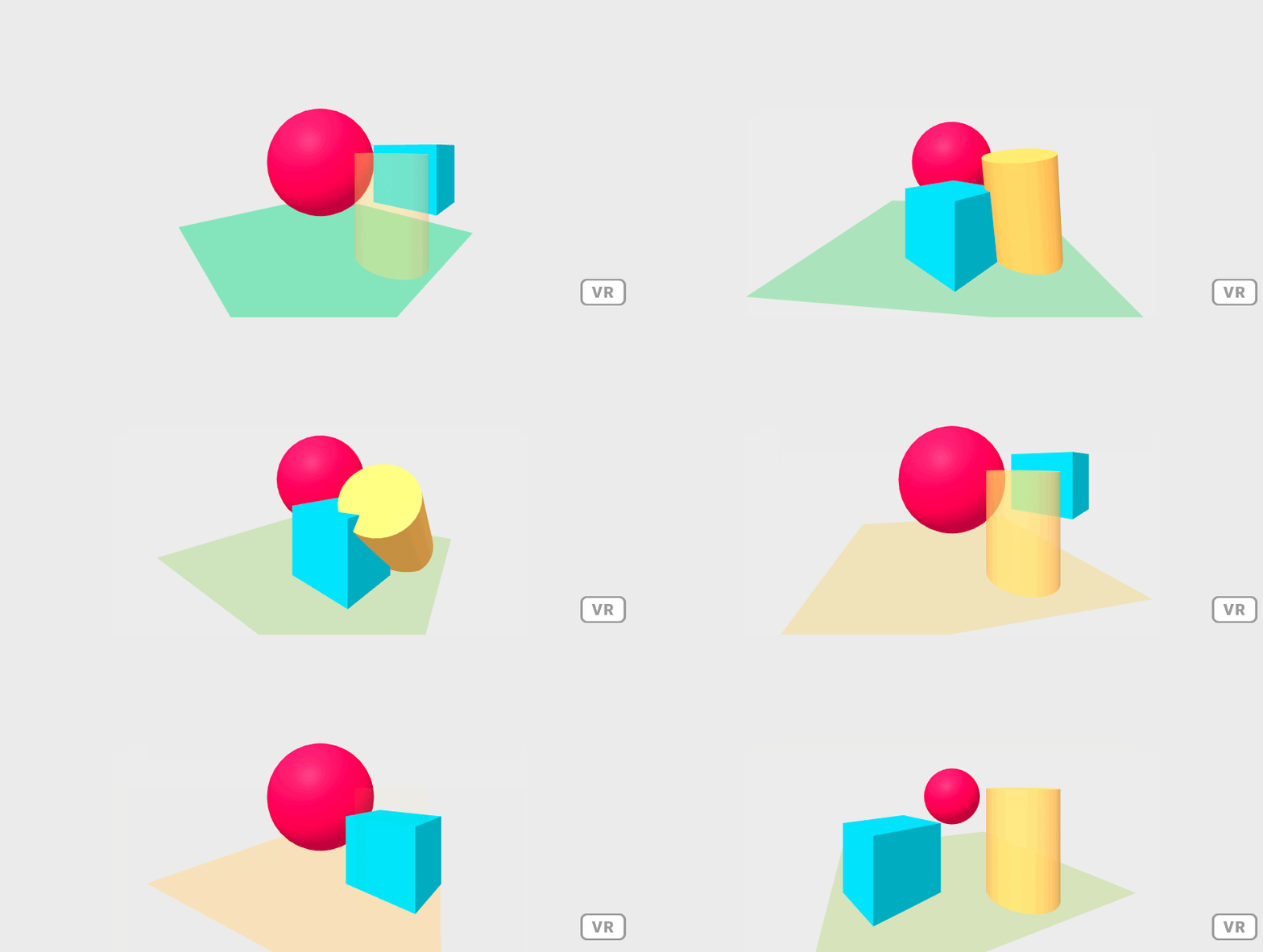
使用方式:
var box = scene.addAnEntity('a-box', { position: "-1 0.5 -3", rotation: "0 45 0", color: "#4CC3D9" });
var sphere = scene.addAnEntity('a-sphere', { position: "0 1.25 -5", radius: "1.25", color: "#EF2D5E" });
var cylinder = scene.addAnEntity('a-cylinder', { position: "1 0.75 -3", radius: "0.5", height: "1.5", color: "#FFC65D" });
var plane = scene.addAnEntity('a-plane', { position: "0 0 -4", rotation: "-90 0 0", width: "4", height: "4", color: "#7BC8A4" });
var sky = scene.addAnEntity('a-sky', { color: "#ECECEC" });

var anim1 = AFRAME.anim();
anim1.sequence(
    anim1.scale(1000, { x: 1, y: 1, z: 1 },{ x: 0.5, y: 0.5, z: 0.5 }),
    anim1.scaleTo(1000, { x: 1, y: 1, z: 1 }),
    anim1.scaleBy(1000, { x: 1, y: 0, z: 0 }),
);
cylinder.animRun(anim1);


var anim2 = AFRAME.anim();
anim2.sequence(
    anim2.rotationBy(1000, { x: 45, y: 45, z: 45 }).repeat(2).reverse(),
    anim2.fadeTo(1500, 0).repeat(2).reverse(),
).repeatForever();
cylinder.animRun(anim2);

var anim3 = AFRAME.anim();
anim3.sequence(
    anim3.cb(function () {
        console.log('start')
    }),
    anim3.moveTo(1000, { x: 1, y: 0.5, z: -3 }),
    anim3.moveBy(1000, { x: 1, y: 1, z: -1 }).repeat(2).reverse(),
    anim3.cb(function () {
        console.log('end');
        sphere.animRun(anim1);
    }),
    anim3.moveTo(1000, { x: -1, y: 0.5, z: -3 }),
).repeatForever();
box.animRun(anim3);

var anim4 = AFRAME.anim();
anim4.spawn(
    anim4.colorBy(5000, { r: 100, g: 0, b: 0 }).repeatForever().reverse(),
    anim4.rotationBy(1000, { x: 0, y: 360, z: 0 }).repeatForever(),
);
plane.animRun(anim4);支持全局范围的事件系统,当你调用registerComponent,registerGeometry,registerSystem,registerShader,registerPrimitive和createAScene函数时, 你可以在任何函数使用this.on/this.ons来注册事件,你可以通过this.off/this.offs来注销事件。否则,系统会在对应的对象释放的时候自动注销
如果你监听了一个事件,那么你必须写一个事件处理函数(格式必须是on+事件名)来处理它,也可以写无能函数onAnyEvent来接收所有事件。
你可以通过调用this.emit(eventName, eventData)来发射事件。
例子请点击这里。
以下是使用范例:
AFRAME.registerComponent('counter', {
    schema: {
        step: { type: 'int', default: 1 }
    },
    init: function () {
        this.on('Counter'); // listen the "Counter" event.
    },
    onCounter: function (event) { // define a handle function for the "Counter" event, the function name should be on+EventName
        var num = event.data.num;
        this.el.setAttribute('value', Math.floor(num / this.data.step));
    }
});

AFRAME.createAScene({
    id: 'scene1',
    onInit: function (scene) {
        scene.addEntities({
            'a-text#mid': { position: '0 2 -4', value: "0", color: "green", counter: '' },
        });

        var num = 0;
        setInterval(function () {
            this.emit('Counter', { num: ++num }); // send the "Counter" event
        }.bind(this), 1000);
    },
});
AFRAME.loadScene('scene1');