Conversation


Pinning for now env to python 3.7 - that's the default used by Binder right
now, and I'm seeing some odd errors with 3.8 and the widgetsnbextension conda
package, that I don't have time to debug.  We can relax this later.

|
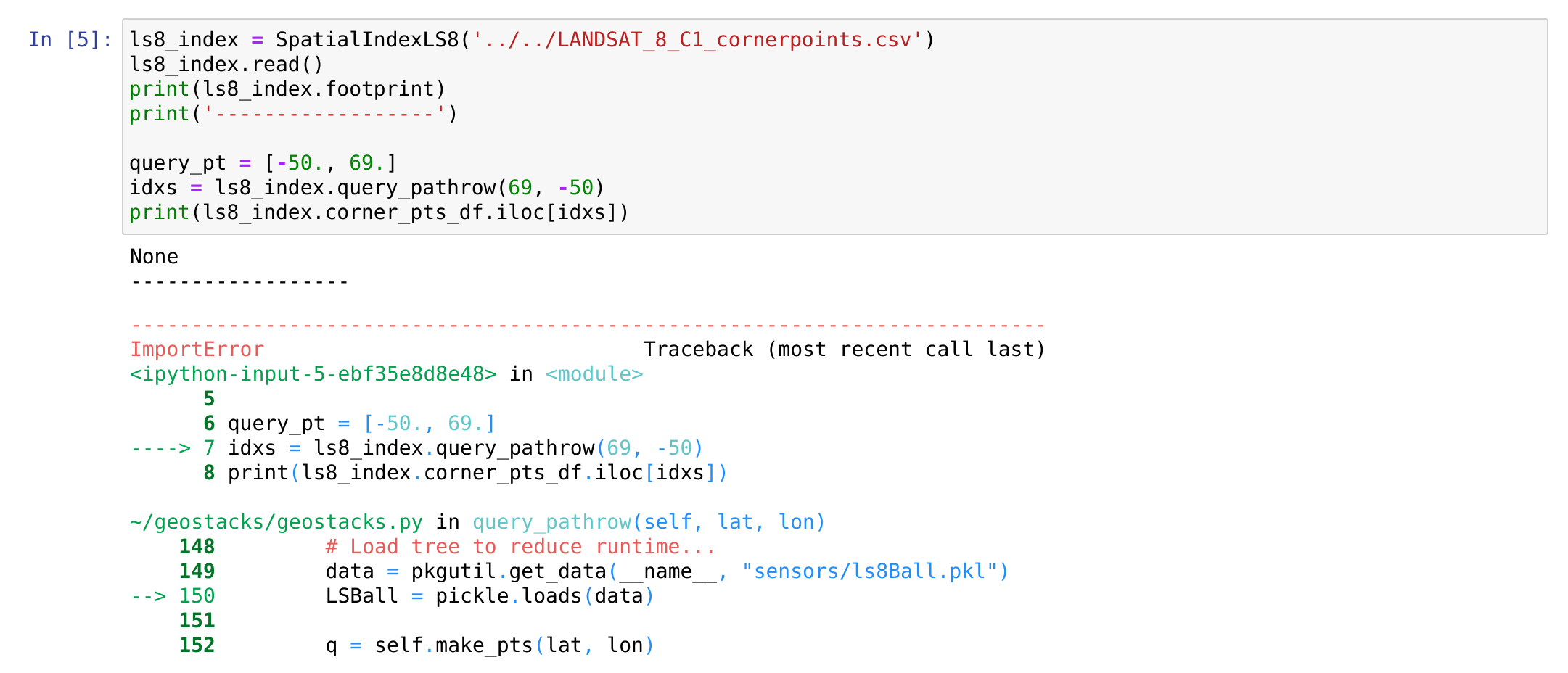
Thanks @fperez this is super helpful! Just to make sure that binder uses I tried to run
|


|
@fperez does joblib have the same issues as pickle? I used to use that for object persistence, and it's a light dependency |

|
Seems close to working... running into a strange scipy error. Trying to Incompatibility between scipy and numpy versions maybe?? Trying to downgrade scipy to see if things change... |
|
no idea on this-- the import errors all trace back to scipy. Minimal test of building the binder, launching, and then trying to import scipy fails. Anything that depends on scipy will also fail... so sklearn can't be imported either. Maybe a coliision between |

|
@espg curious why you removed the yaml install? It's needed for |
I don't think that's the issue... The older scipy version pin is causing weird conflicts with numpy.
|
This scipy issue is extremely puzzling and hard to debug... I can manually fix the problem by updating scipy, but that shouldn't be needed. No clue why we're getting a seemingly broken scipy from the install, but so be it... I'm going to try to add the scipy update to the postBuild, crossing fingers. |
An attempt to fix the strange scipy import problem we're seeing.
|
Ok, just recording here the problem - reading the binder build log line by line, I realized that #$$%#% pypy is getting installed!! For god knows what reason I can't fathom, we're getting pypy 3.7 replacing the system python!!! That changes things in a bad way - pypy doesn't fully support C extensions as complex as Scipy yet (they've made progress, but it's just not there) and so this is causing our problems. Now we just need to figure out why we're getting pypy in there. Very bizarre... The and with that, we're screwed. That pulls in the following changes (each line pair is the before/after): We're losing cpython 3.7.10 and getting instead the pypy build! We need to prevent that from happening, not sure how yet. Just leaving this here as breadcrumbs. |
|
Pinging @consideRatio in case you have any ideas here? |
|
Note that @wolfv kindly pointed out in the binder gitter channel that this is actually a bug in mamba :) We'll work around it for now... |
I'm puzzled by this - installing yaml works fine at the cmd line, and keeping it in the environment file works intermittently. No idea what's going on.
|
Ok folks, I think I got it to work... Whew. The build is super slow right now with all those updates, but at least it works. Crashing now :) |
|
@fperez huge thank you for getting things to build! I'm equally confused by the yaml strangeness, and why it needs to be removed...especially since the |

|
Yes, I don't understand the yaml issue either. Sometimes it passes, sometimes it fails, and I have no idea... There's also two yaml packages for python, the one you BTW, recording here @wolfv's suggestion on gitter that it's possible to pin CPython by using the syntax |


|
Sorry for the trouble with mamba, hopefully we can sort out this slight incompatibility soon. Basically conda uses a "track_feature" to de-prioritize the pypy packages. However that mechanism hasn't been fully integrated into libsolv yet. We'll have to tackle this asap |
|
Hi folks, just wanted to get back to you to mention that I've been trying to address the Also I tried your environment. If attempting to create a fresh environment from your yaml file right now, mamba will (unfortunately) still trip up. I think the reason is some subtle incompatibility between defaults and conda-forge (all conda-forge python packages require an extra "python_abi" package) and somehow that makes libsolv spin in infinite circles. There are some ways to fix that, though:
I think for your situation with binder it's fine though, since the python version is already "fixed" by the previous installation. I've opened an issue on mamba to track this infinite looping: mamba-org/mamba#1044 -- hopefully we can resolve that at some point, too :) |
4 participants


This is the Binder Link to use to test this PR, as it points to the correct branch, NOT the one in the main README.
I made a binder folder and setup.py file so we can install geostacks normally. We can document this better later, but for now I think it will do.
Note that I changed the EC notebook to remove the path hacks, opting instead for a proper dev install with
pip install -e .. That's in the binder, and we can add that to the README later...I'm leaving this as a PR for @espg @whyjz to be able to see my changes, but I suggest merging it ASAP so we have a working binder quickly...