A 1Password-grade desktop vault that lives in your system tray — and never sends a single secret anywhere.





Your passwords are in a .txt file, a browser, or a sticky note. The "fix" is renting a cloud vault and trusting a vendor with the keys to your entire life — a vendor that gets breached, changes pricing, or mines your metadata.
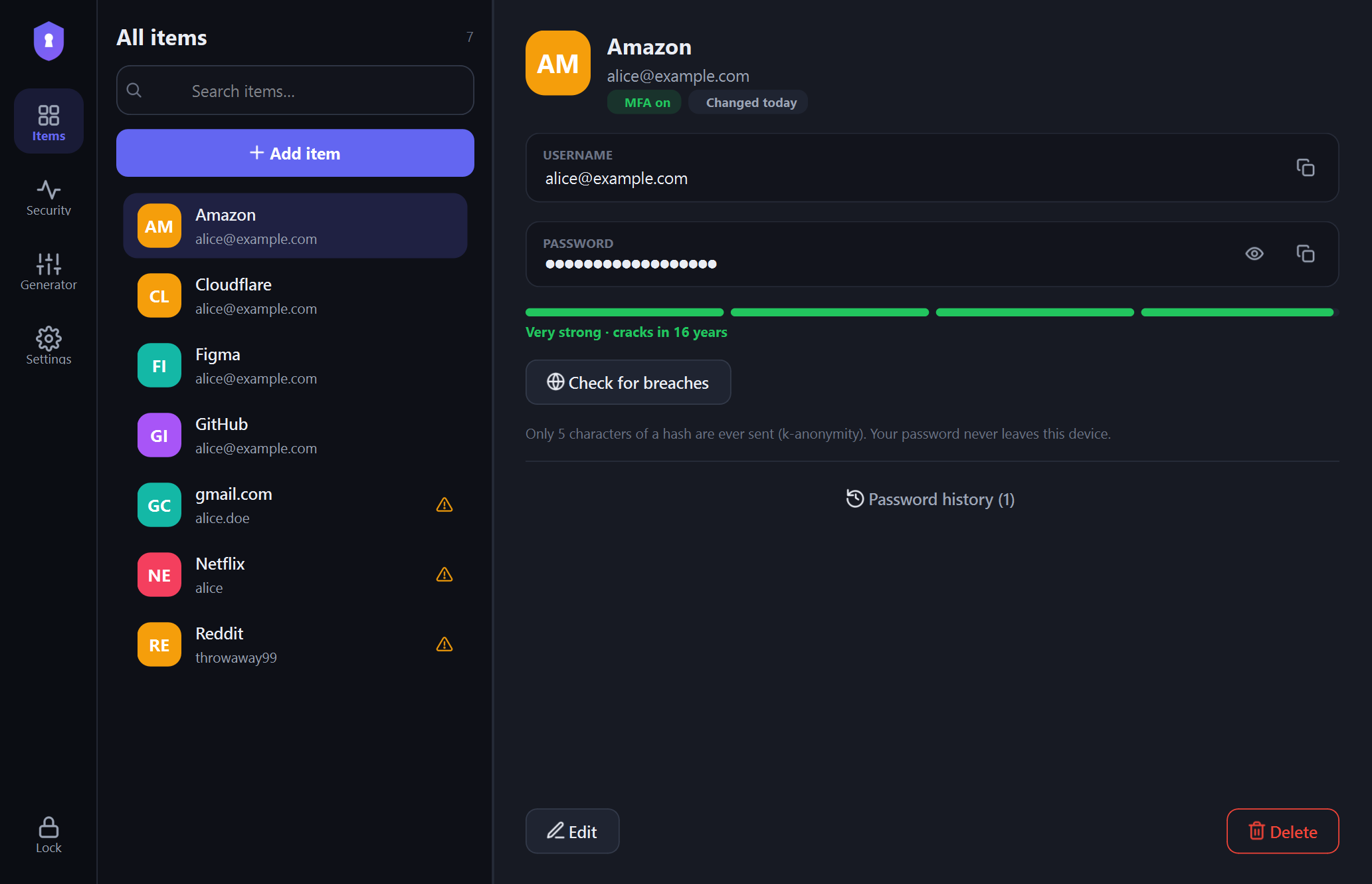
NoMorePwn deletes that trade-off. Your vault is one encrypted SQLite file on your disk. The key is derived from your master password and never touches disk, never leaves RAM, never leaves your machine.
| NoMorePwn | Cloud managers | Browser "save password" | A passwords.txt |
|
|---|---|---|---|---|
| Your secrets leave your device | ❌ Never | ✅ Always | ✅ Synced | ❌ (but plaintext!) |
| Account / subscription | None | Required | Google/MS account | None |
| Works fully offline | ✅ 100% | ✅ | ||
| Encryption | Argon2id + AES-256-GCM | Vendor-controlled | OS keychain | 🤡 None |
| Detects file tampering | ✅ GCM + SHA-256 sweep | ❌ Opaque | ❌ | ❌ |
| Automatic encrypted backup | ✅ Every change, offline | ✅ (their servers) | ❌ | ❌ |
| Breach check without leaking | ✅ k-anonymity (5 chars) | ✅ / varies | ❌ | |
| Auditable | ✅ Read it in an afternoon | ❌ Closed source | ❌ | — |
| Cost | $0, forever | $36+/yr | Free-ish | Free |
In one line: the polish and UX of a paid password manager, with the threat model of an air-gapped file — and you can read every line of crypto yourself.
1. Unlock once. Argon2id stretches your master password into an in-memory key; a tamper sweep verifies every ciphertext. 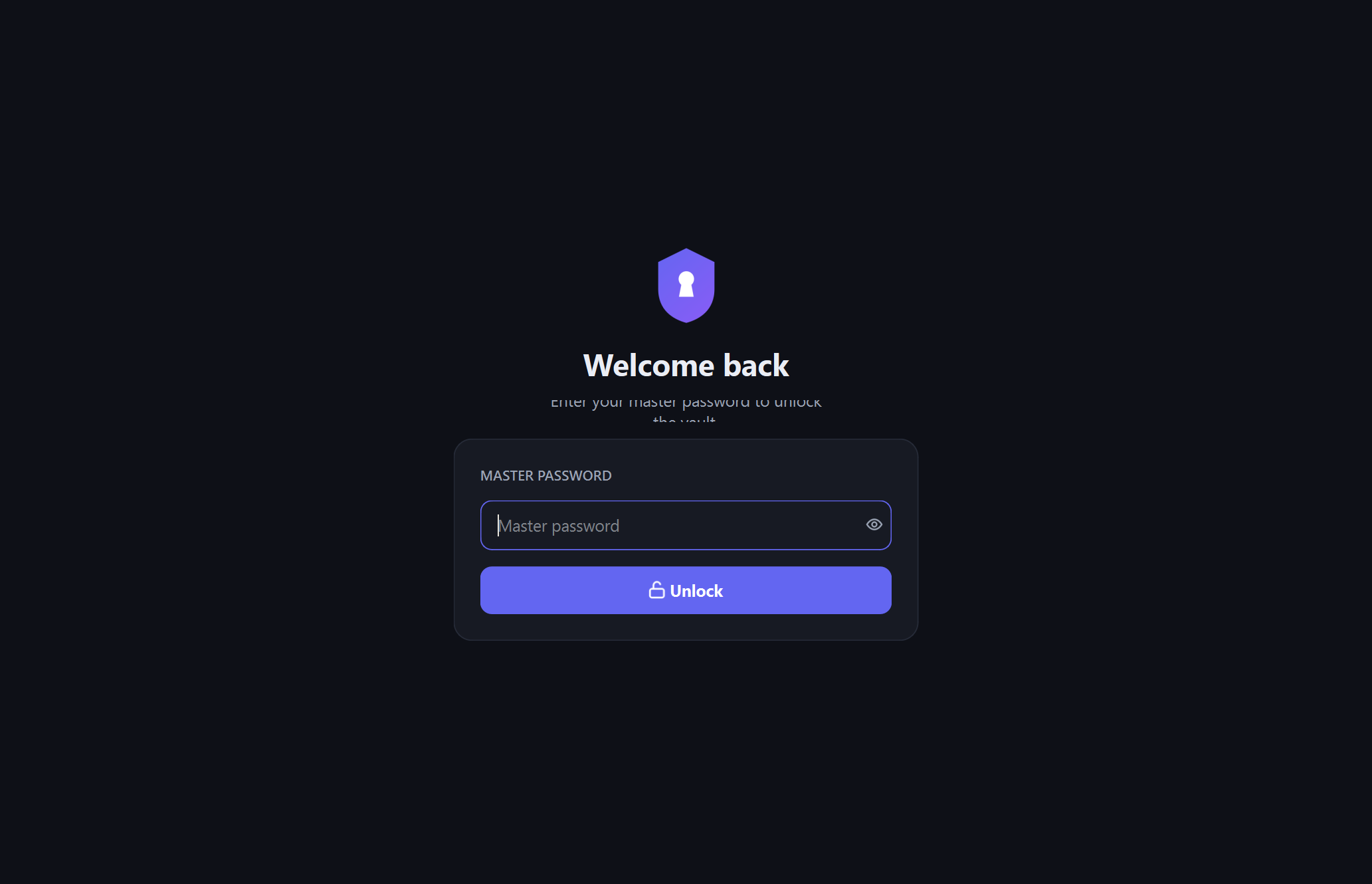 |
2. Find anything instantly. Two-pane vault, live search, MFA badges, password age at a glance. |
3. Know your weak spots. A live security score with weak, reused, stale, and MFA-less accounts surfaced automatically. 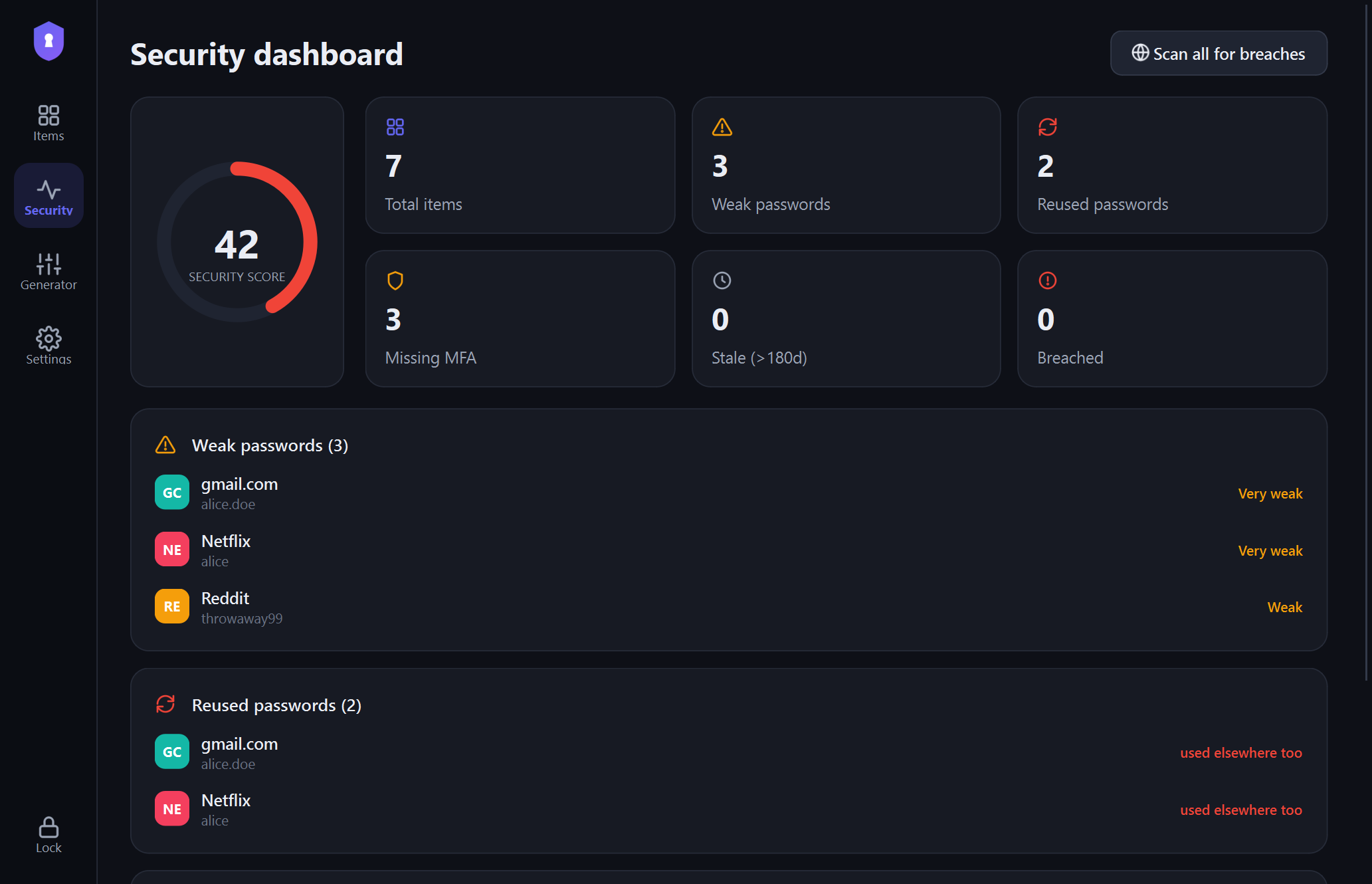 |
4. Generate unbreakable secrets. CSPRNG passwords or memorable passphrases, scored live. 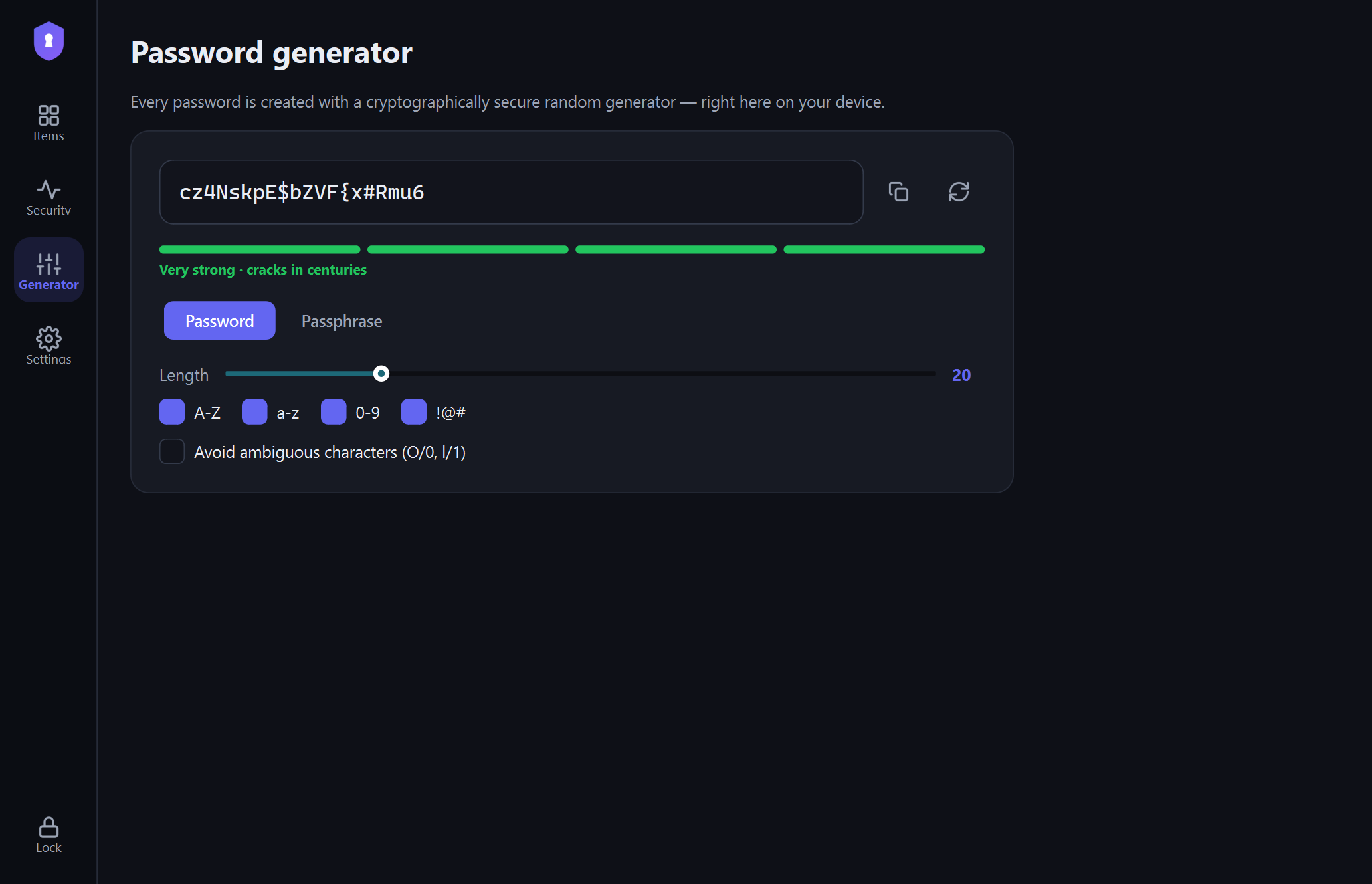 |
5. Close ≠ exposed. Hit ✕ and choose: stay in the tray, or quit — it locks either way. 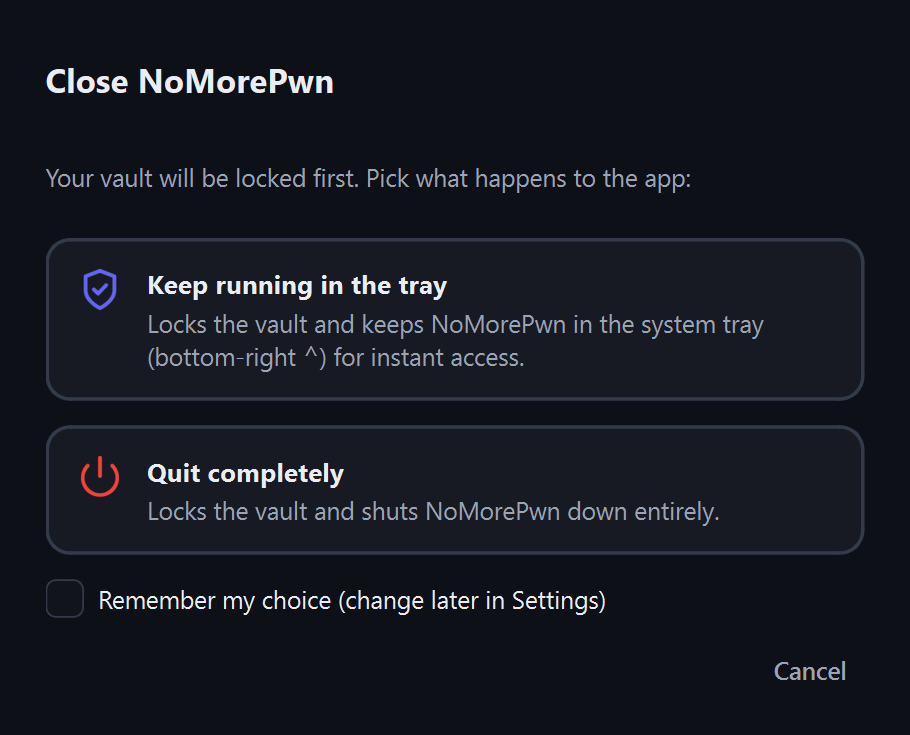 |
6. Make it yours. Auto-lock, clipboard wipe, launch-at-startup, dark and light. 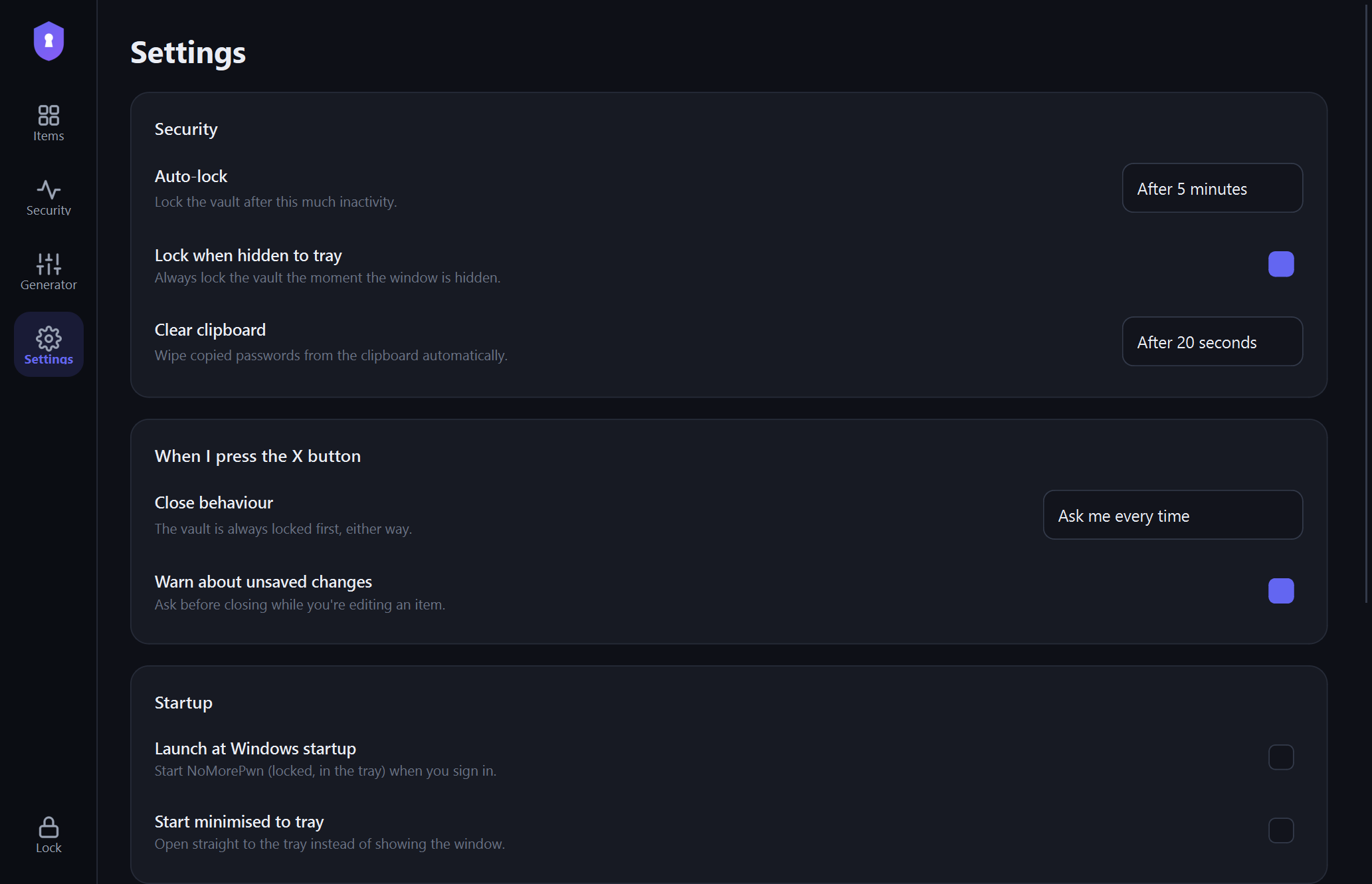 |
The fast way (no Python, no terminal):
Run it. Pick a master password. Done. (No admin rights needed. Every push to main ships a fresh build.)
Prefer zero install? Grab
NoMorePwn-portable.exefrom the same page — one file, double-click, runs.
Or run from source:
# Prereqs: Python 3.10+   (Windows, macOS, or Linux)
git clone https://github.com/grloper/NoMorePwn-Password-Manager
cd NoMorePwn-Password-Manager

pip install -r requirements.txt   # PySide6, cryptography, argon2-cffi, zxcvbn

python NoMorePwn.py               # 🚀 launch the app
python NoMorePwn.py --tray        # or start hidden in the tray, locked
Build your own .exe:
pip install -r requirements-build.txt
pyinstaller build/NoMorePwn.spec --distpath dist --noconfirm   # -> dist/NoMorePwn.exe
ISCC build/installer.iss # -> dist/NoMorePwn-Setup.exe (needs Inno Setup 6)🧊 Lives in your system tray, not your taskbar.
Runs as a background service in the notification area (that ⌃ arrow, bottom-right). Left-click to open, right-click to lock or quit — one click away, zero desktop clutter.
🔒 Locking you can't screw up. Auto-locks on inactivity, locks the instant it hides, and the ✕ button always asks — stay in the tray or quit completely — locking the vault in both cases. No path leaves an unlocked vault sitting around.
🔑 Zero-knowledge by construction.
Argon2id (64 MiB, t=3, p=4) derives a 256-bit key that exists only in RAM; every field is sealed with AES-256-GCM under a fresh nonce and row-bound AAD. Your vault.db is useless to anyone without your master password — including you, if you forget it.
🕵️ Tamper-evident storage. Every ciphertext and history entry carries a SHA-256 checksum and a GCM auth tag, re-verified on every unlock. If anything edits your vault outside the app you're told immediately — and forgery is cryptographically impossible without the key.
🩺 A security dashboard that actually acts. Scores your vault 0–100 and surfaces weak, reused, stale, and MFA-less accounts by decrypting locally — then optionally checks every password against HaveIBeenPwned via k-anonymity (only 5 characters of a SHA-1 hash ever leave your device).
🎲 Generator with a conscience.
CSPRNG-backed (secrets, never random) passwords and passphrases with live zxcvbn scoring — plus a clipboard that wipes itself after 20s so your password doesn't linger.
🗂 Groups that file themselves.
Sort entries into groups — pick from Email, Gaming, Banking & Finance, Work and more, or type your own. Add gmail.com or steampowered.com and the right group is suggested automatically from a catalogue of 116 known services (it only ever suggests, and never re-files something you already grouped). Each group is a labelled section you can collapse with a click, search matches group names, and a search always reaches inside collapsed groups so a match can never hide. Group labels are stored as plaintext metadata beside the service name — convenient to filter, so don't put secrets in them.
👥 One login or two, without the mess. Plenty of sites take either a username or an email. Add an optional alternate login and both are first-class: shown, copyable, and searchable. It stays hidden until you ask for it, so the common one-identifier case stays a two-field form. The username box also autocompletes from identifiers already in your vault — most people reuse a handful of addresses across dozens of sites, and it offers the most-used first.
🧯 Typos caught before they lock you out. A password ending in a stray space is the classic copy-paste slip, and saving it silently means the login just fails later with no clue why. NoMorePwn spots leading/trailing whitespace, shows you the invisible character, and asks — it never trims your password for you, because that space might be real.
💾 Backups you never have to think about.
Every change refreshes a sealed .nmpbak copy (5 generations kept), flushed before the vault locks so nothing is ever lost. Point it at Dropbox/OneDrive and your backup syncs offsite as ciphertext — optionally locked behind a separate passphrase, so the backup file stays useless even to someone holding your master password.
Python 3.10+ · PySide6 (Qt 6) native UI · SQLite as a dumb ciphertext container · cryptography (AES-256-GCM) · argon2-cffi (Argon2id) · zxcvbn (offline strength) · PyInstaller + Inno Setup packaging · GitHub Actions for one-push releases.
- By default your master password is the only key. You may optionally mint a Recovery Kit (Settings → Recovery, or
scripts/recovery_tool.py) — an out-of-band file that escrows your key. It never touchesvault.dbor a backup, so it works only together with the recovery secrets you store yourself. Lose your password and the kit and the vault is unrecoverable — there is no server to reset it, and the kit is a master-password-equivalent, so guard it like one. The optional kit + authenticator mode also requires an authenticator seed, so a stolen kit alone opens nothing. - The vault file is safe to lose, not safe to hand out: secrets are unbreakable without your passphrase, but service names and usernames are visible metadata.
- No software protects an unlocked vault from malware already running as you. Lock when you step away — NoMorePwn does it for you.
- There are exactly two outbound requests in the desktop app's codebase, both listed here: the opt-in HIBP range query (5 hex characters of a SHA-1), and the update check against the GitHub Releases API. Nothing else in the app touches the network, and no vault data is involved in either.
- The optional browser extension is a separate trust surface. The guarantee above is about the desktop app. The extension runs in your browser with broad host access and reads login-form fields to capture credentials — so a compromised extension build, or cross-site scripting on a login page, could expose a credential in the browser, before it ever reaches NoMorePwn. That is the cost of capturing logins in a browser at all, not the desktop app phoning home: the shipped extension makes no web requests and talks to the app only over a local pipe.
- Updates are verified but not code-signed. The app downloads a release installer over HTTPS and checks its SHA-256 before asking you to install it. That catches corruption and a swapped asset — it does not protect against a compromised GitHub account, since whoever can publish a release can publish a matching checksum. Turn updates off in Settings → Updates if you'd rather install manually.
Deep dive: docs/ARCHITECTURE.md — threat model, key lifecycle, tamper evidence, and the three-ring SQL-injection defense.
%APPDATA%\NoMorePwn\vault.db (encrypted) + settings.json (non-secret prefs)
backups\vault-backup.nmpbak(sealed auto-backup, plus.1,.2… generations). PointNOMOREPWN_DATAanywhere else — an encrypted volume, a USB stick — and it just works.
Your Recovery Kit (.nmpkit), if you made one, lives wherever you saved it —
deliberately not here, so a copy of this folder never contains a way back in.
You may also see vault.db.v1-premigration. When a new version needs to change the database
layout, NoMorePwn parks an untouched copy of the old file beside it before upgrading, and never
deletes it. It is a normal encrypted vault — as safe (and as sensitive) as vault.db itself, and
openable with the same master password. Keep it until you're confident the upgrade went fine; you
can delete it any time after that.
Backups run themselves. Settings → Encrypted backups lets you change the folder (put it in a synced cloud folder for free offsite backup), how many generations to keep, and whether the backup opens with your master password (default) or a separate backup passphrase.
To get your passwords back — Settings → Restore or import…:
- Import missing items — adds entries the current vault doesn't have. Never overwrites.
- Replace my whole vault — restores the backup exactly (a safety copy is saved first).
Same thing from the terminal, for scripted/offsite copies:
python scripts/backup_tool.py export --out vault.nmpbak   # zero-knowledge blob
python scripts/backup_tool.py restore vault.nmpbak        # ...restore it anywhere
python scripts/import_notepad.py passwords.txt # bulk-import a plaintext fileThere is no reset button — but you can prepare one in advance. A Recovery Kit
escrows your master key into a small out-of-band file (never into vault.db), so
a forgotten password is recoverable if you made a kit first:
python scripts/recovery_tool.py create-kit --out my.nmpkit               # kit + recovery code
python scripts/recovery_tool.py create-kit --out my.nmpkit --mode kit+totp # also an authenticator seed
python scripts/recovery_tool.py recover my.nmpkit # recover, then set a new passwordkit— recovery needs the kit file and the recovery code (store them apart).kit+totp— recovery also needs the authenticator seed you saved at setup, so a stolen kit alone can't open the vault. The desktop app shows a scannable QR (and the CLI prints one in the terminal) so you can add it to Google Authenticator/Authy, plus the seed in text. The rotating 6-digit codes aren't what protects you — the seed, stored separately, is; seedocs/design/vault-key-recovery.md.
The desktop app offers to set this up the moment you create a vault, with a step-by-step prompt — so recovery is a one-time decision at the start, not something you discover after you're already locked out.
Recovery rewrites the whole vault under your new password (a <vault>.pre-rekey
copy is saved first). The kit is a master-password-equivalent — protect it like one.
python -m unittest discover tests -v # crypto, tamper evidence, validation, generator, SQLi policyIncludes a test that fails the build if dynamic SQL ever appears in the data layer.
If NoMorePwn saved you from a passwords.txt — or from another subscription — give it a ⭐. One click, and it's the single biggest thing that helps others find it.
Even better: open an issue with what you'd want next, or send it to the one friend you know reuses the same password everywhere.
PRs genuinely welcome — the codebase is small, documented, and hackable.
- Fork & branch —
git checkout -b feat/your-idea - Keep the tests green —
python -m unittest discover tests -v - Respect the security rules — parameterized SQL only, validate at the boundary, never log or persist plaintext secrets
- Open the PR — describe the why; screenshots for UI changes are 💯
Good first issues: cross-platform tray polish (macOS/Linux), TOTP support, CSV / 1Password import, encrypted-backup UI, i18n.
Built for people who'd rather own their secrets than rent them.