See every branch of your ChatGPT conversations.
一眼看清 ChatGPT 对话的每一条分支。
Chrome Web Store | Official Website | Privacy Policy
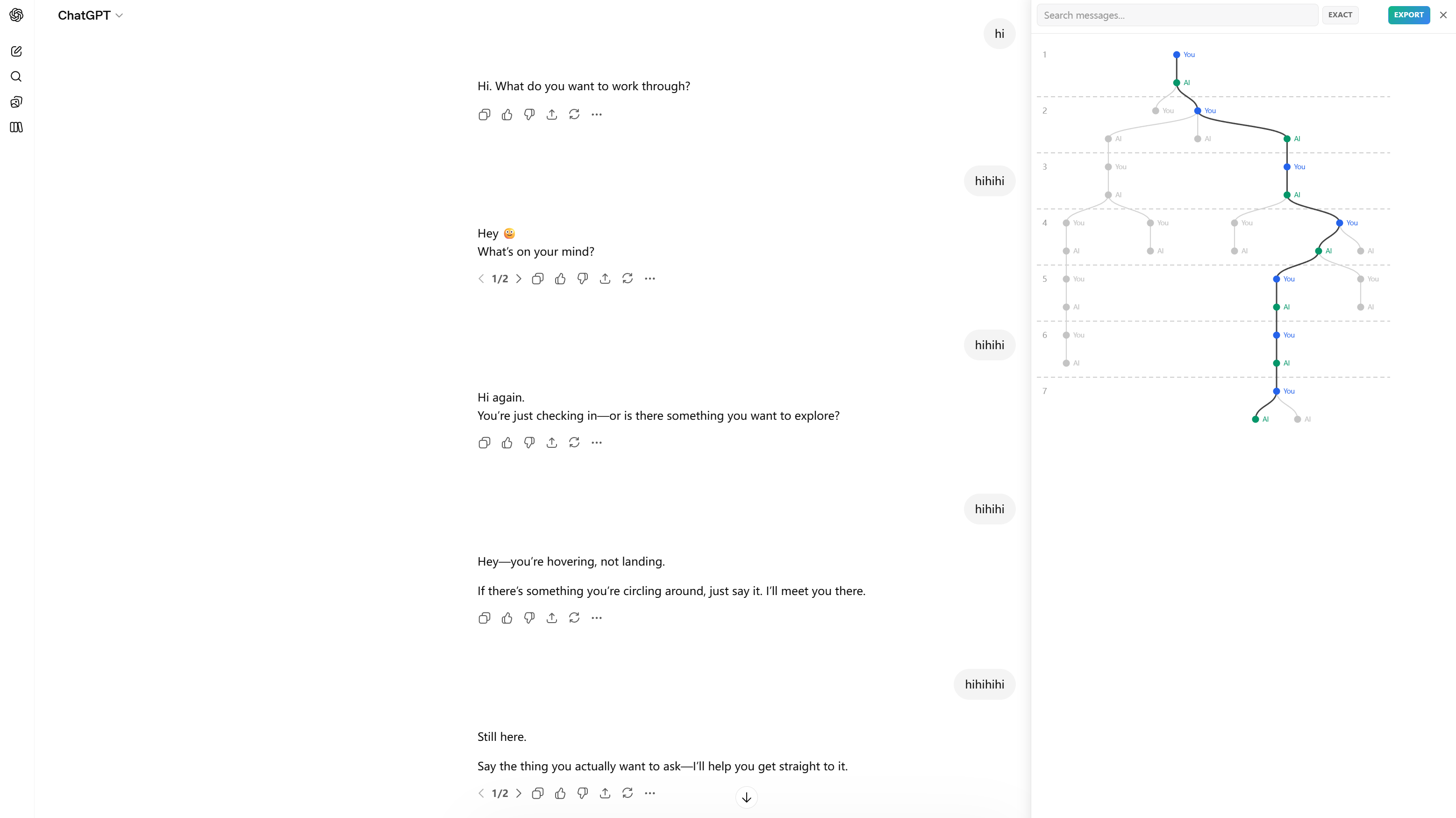
Every time you edit a message or regenerate a response in ChatGPT, a new branch is created — but ChatGPT only shows tiny < 1/2 > arrows. After a few edits, you completely lose track of where things are.
每次在 ChatGPT 中编辑消息或重新生成回复时,都会创建一个新的分支——但 ChatGPT 只用小小的 < 1/2 > 箭头来展示。编辑几次后,你就完全找不到之前的内容了。
ChatTree reveals the full conversation tree as an interactive diagram, so you can see all branches, jump to any message, and never lose your work.
ChatTree 把完整的对话树以交互式图表的形式展示出来,让你看到所有分支、跳转到任意消息,再也不会丢失你的工作。
| Feature | 功能 |
|---|---|
| Interactive tree visualization | 交互式树状可视化 |
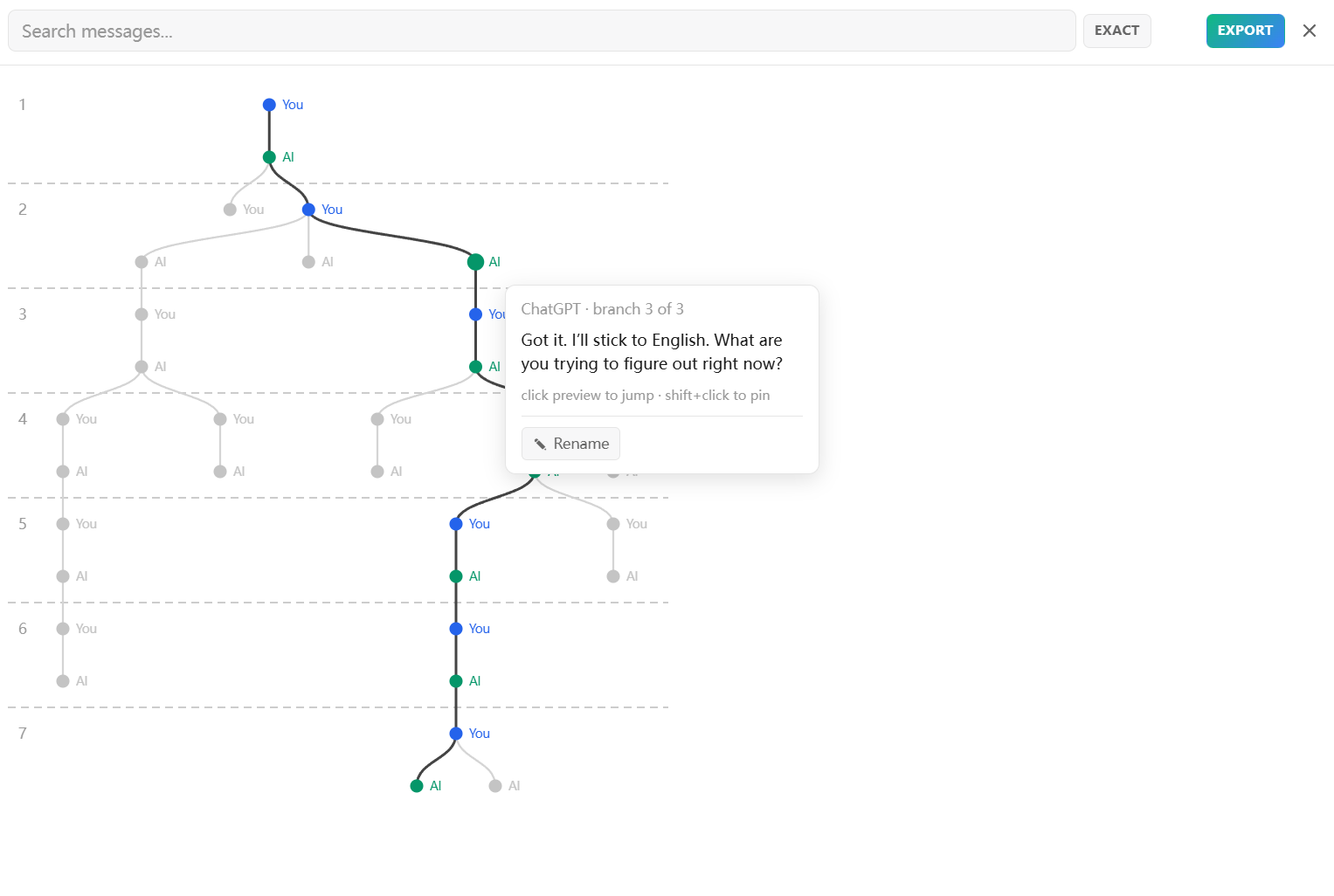
| Color-coded user (blue) & AI (green) nodes | 用户(蓝色)和 AI(绿色)节点颜色区分 |
| Active path highlighting | 当前路径高亮 |
| Click any node to jump | 点击节点跳转到对应消息 |
| Branch switching via DOM navigation | 通过 DOM 导航切换分支 |
| Basic text search | 基础文本搜索 |
| Collapsible long segments | 折叠长线性段 |
| Hover preview cards | 悬停预览卡片 |
| Scroll tracking ring | 滚动跟踪圆环 |
| Auto-refresh when AI responds | AI 回复完成自动刷新 |
Upgrade to ChatTree Pro for advanced features:
升级到 ChatTree Pro 获取高级功能:
| Feature | 功能 |
|---|---|
| Node rename with 8 color labels | 节点重命名 + 8 种颜色标签 |
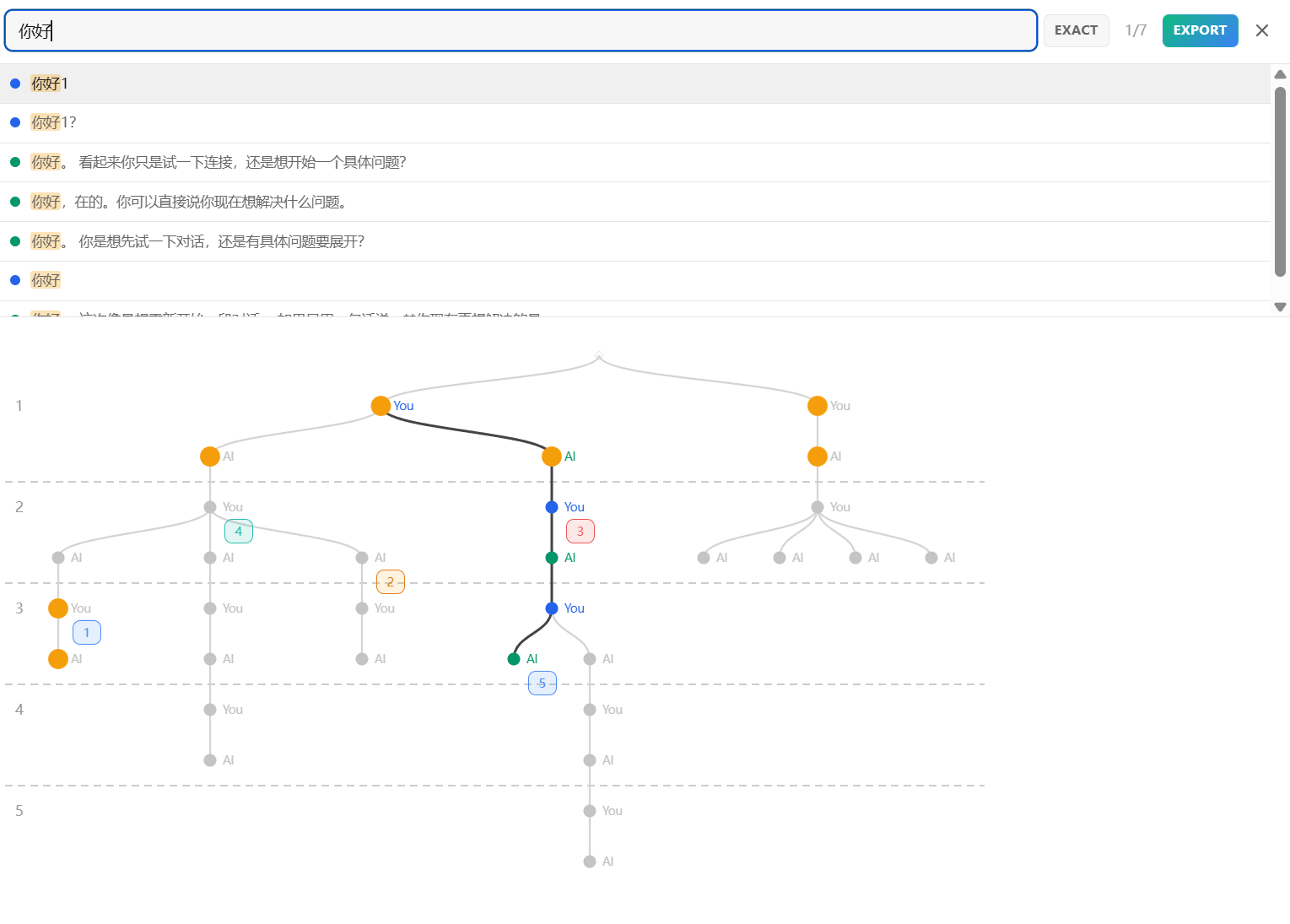
| Fuzzy search with context snippets | 模糊搜索 + 上下文片段 |
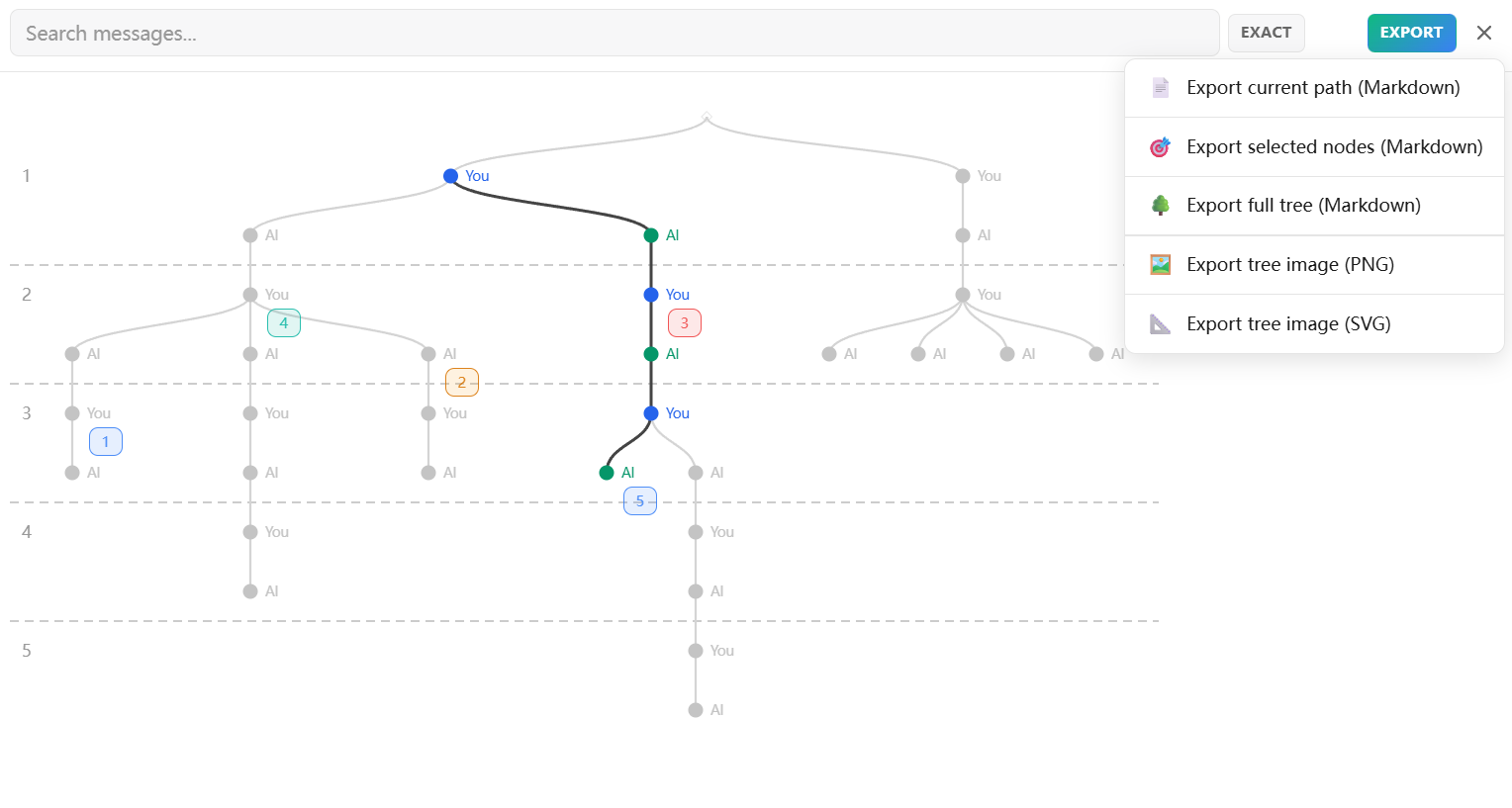
| Export Markdown (full tree / selected / path) | 导出 Markdown(整棵树 / 选定节点 / 当前路径) |
| Export PNG / SVG tree images | 导出 PNG / SVG 树状图 |
| 5 color themes + custom picker | 5 套主题色 + 自定义配色 |
| Tree & Labels | Export Menu | Search Results |
|---|---|---|
 |
 |
 |
Install ChatTree (coming soon)
git clone https://github.com/guoy0701/ChatTree.git
cd ChatTree/ChatTree-extension
npm install
npm run build
Then in Chrome:
- Open
chrome://extensions - Enable Developer Mode (top right)
- Click Load unpacked → select the
ChatTree-extensionfolder
然后在 Chrome 中:
- 打开
chrome://extensions - 开启右上角的开发者模式
- 点击加载已解压的扩展程序 → 选择
ChatTree-extension文件夹
content-script.js           # Entry point / 入口
  adapters/chatgpt.js       # ChatGPT data access / 数据获取
  core/tree.js              # Tree data structure / 树数据结构
  core/layout.js            # d3-hierarchy layout / 布局计算
  core/search.js            # Text search / 文本搜索
  ui/panel.js               # Sidebar panel / 侧边栏面板
  ui/tree-render.js         # SVG rendering / SVG 渲染
  ui/preview-card.js        # Hover cards / 悬停卡片
  ui/search-box.js          # Search input / 搜索输入框
  ui/styles.css             # Styles (prefixed .cgt-) / 样式
Tech stack: Vanilla JS, d3-hierarchy (~12KB), esbuild, Chrome Extension Manifest V3. No React, no frameworks.
- Claude.ai adapter support
- Local tree caching for instant panel load
- Keyboard shortcuts
- More export formats
- No data collection, no tracking, no analytics / 不收集数据,不追踪,无分析
- Conversations never leave your browser / 对话内容不离开你的浏览器
- Full Privacy Policy / 完整隐私政策
If ChatTree helps you, please give it a star! It helps others discover the project.
如果 ChatTree 对你有帮助,请给个 Star!这能帮助更多人发现这个项目。
| WeChat / 微信 | wbgy0701 |
| WeChat Official / 微信公众号 | bihuanshijie |
| Email / 邮箱 | guoy0701@gmail.com |
| GitHub | @guoy0701 |
| Website / 官网 | chattree.goutoujunshi.cn |
MIT