A Kubernetes pod diagnostic agent for homelabs, built with kagent.
Pod + Likar (Ukrainian for "Doctor") = your cluster's first aid kit after a reboot.
PodLikar scans your k3s/Kubernetes cluster and tells you what's broken and why. It's designed for homelab environments where nodes restart often, hardware is modest, and things break in ways that production clusters don't usually see.
Three modes:
health check— full scan of nodes, pods, storage. Reports issues by severity.diagnose <pod>— deep dive into a specific broken pod with root cause analysis.heal <pod>— deletes a pod to force Kubernetes to recreate it (only for controller-managed pods).
Example output after a reboot:
Nodes: 3/3 Ready ✓
Storage: 8/8 PVCs Bound ✓
Pods: 86 healthy, 6 unhealthy

Issues:
CRITICAL:
- podlikar-test/oom-victim — OOMKilled, exceeded memory limit
- podlikar-test/app-waiting-for-db — cannot connect to database

WARNING:
- podlikar-test/probe-fail — liveness probe failing
- podlikar-test/bad-entrypoint — command not found

Recommended actions:
1. Fix oom-victim memory limits
2. Check database availability for app-waiting-for-db
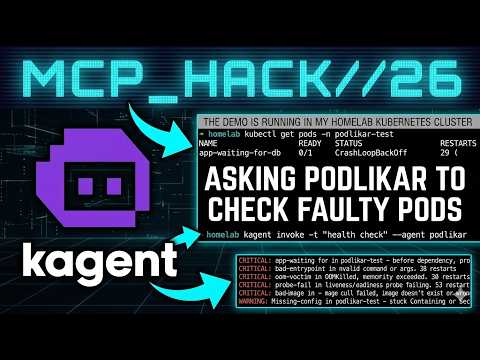
Watch a short live demo video on YouTube (click on the picture):


- A Kubernetes or k3s cluster
- kagent installed (v0.7+ tested)
- An Anthropic API key (for Claude Haiku)
# set your API key
export ANTHROPIC_API_KEY="sk-ant-..."

# install kagent if you haven't already
helm install kagent-crds oci://ghcr.io/kagent-dev/kagent/helm/kagent-crds \
  --namespace kagent --create-namespace

helm install kagent oci://ghcr.io/kagent-dev/kagent/helm/kagent \
  --namespace kagent \
  --set providers.default=anthropic \
  --set providers.anthropic.apiKey=$ANTHROPIC_API_KEY

# deploy podlikar
kubectl apply -f podlikar-agent.yaml

# run it
kagent invoke -t "health check" --agent podlikarpodlikar-agent.yaml # the agent — this is the whole thing
ollama-model-config.yaml # optional: config for local LLM via Ollama
test-scenarios/
deploy-all.sh # deploys all test pods at once
01-oomkilled.yaml # pod that exceeds its memory limit
02-bad-entrypoint.yaml # pod with invalid command
03-imagepull-backoff.yaml # pod referencing nonexistent image
04-probe-failure.yaml # nginx with misconfigured liveness probe
05-missing-configmap.yaml # pod referencing missing ConfigMap
06-dependency-ordering.yaml # app that starts before its database
Want to see it work? Deploy the broken pods:
chmod +x test-scenarios/deploy-all.sh
./test-scenarios/deploy-all.sh

# wait 30 seconds for failures to show up, then:
kagent invoke -t "health check" --agent podlikar

# or diagnose a specific pod:
kagent invoke -t "Why is oom-victim crashing in podlikar-test?" --agent podlikar
Clean up when done:
kubectl delete namespace podlikar-testPodLikar supports local models via Ollama. Apply the config:
kubectl apply -f ollama-model-config.yamlThen update the agent to use it:
kubectl patch agent podlikar -n kagent --type merge \
  -p '{"spec":{"declarative":{"modelConfig":"ollama-model-config"}}}'
Fair warning: I tested llama3.2 (3B), phi3, and qwen2 on CPU-only hardware and they all timed out trying to handle the MCP tool responses. Local LLMs can reason about k8s data fine — they just need GPU acceleration for interactive tool orchestration. See the blog post for the full writeup on this.
To switch back to Claude:
kubectl patch agent podlikar -n kagent --type merge \
-p '{"spec":{"declarative":{"modelConfig":"default-model-config"}}}'PodLikar is a declarative kagent agent — no custom code, just a YAML with a system prompt and a list of MCP tools. The prompt went through three iterations to get token usage down from 46K to 12K (details in the blog post).
It uses 6 MCP tools from kagent's built-in tool server:
k8s_get_resources— list pods, nodes, PVCsk8s_describe_resource— pod details + eventsk8s_get_pod_logs— container logsk8s_get_events— namespace events (used sparingly, it's expensive)k8s_get_resource_yaml— full spec when neededk8s_delete_resource— pod restart (heal mode only)
The agent is read-only by default. Write operations (pod delete) only trigger when you explicitly ask it to heal or restart a pod. It also checks the pod is managed by a controller before deleting — standalone pods get a warning instead.
Beyond standard k8s issues (OOMKilled, CrashLoopBackOff, ImagePullBackOff), PodLikar recognises:
- Stuck Terminating pods after ungraceful shutdown
- Longhorn volume Multi-Attach errors
- Cold-boot dependency ordering (app before DB)
- Resource pressure on limited hardware
- Stale DNS when CoreDNS isn't ready yet
- Certificate/clock skew after long downtime
Built and tested on:
- 3-node k3s cluster (2x Intel NUC + 1x Proxmox VM on Mac Mini)
- Longhorn for storage
- kagent v0.7.17
- Claude Haiku (claude-haiku-4-5-20251001)
- Ollama on a separate Proxmox VM (CPU-only, used for local LLM experiments)
Full writeup covering the prompt engineering journey, token optimisation, and local LLM experiments: igorbond.info/posts/podlikar