
A macOS app that runs parallel AI computer use agents in local VMs

Hivecrew is a native macOS app that runs AI computer use agents in dedicated virtual machines. It's like having N white collar employees, each with a computer.
Dispatch tasks from a central dashboard, watch agents work autonomously, and step in to guide them whenever needed—all while keeping your host system completely isolated and safe.
Our Mission: Make AI agents practical for real work by ensuring they are:
- Parallel: Run multiple agents simultaneously
- Auditable: Track every action agents take
- Safe: Isolate agents from your host system
- Transparent: Monitor agent behavior in real time
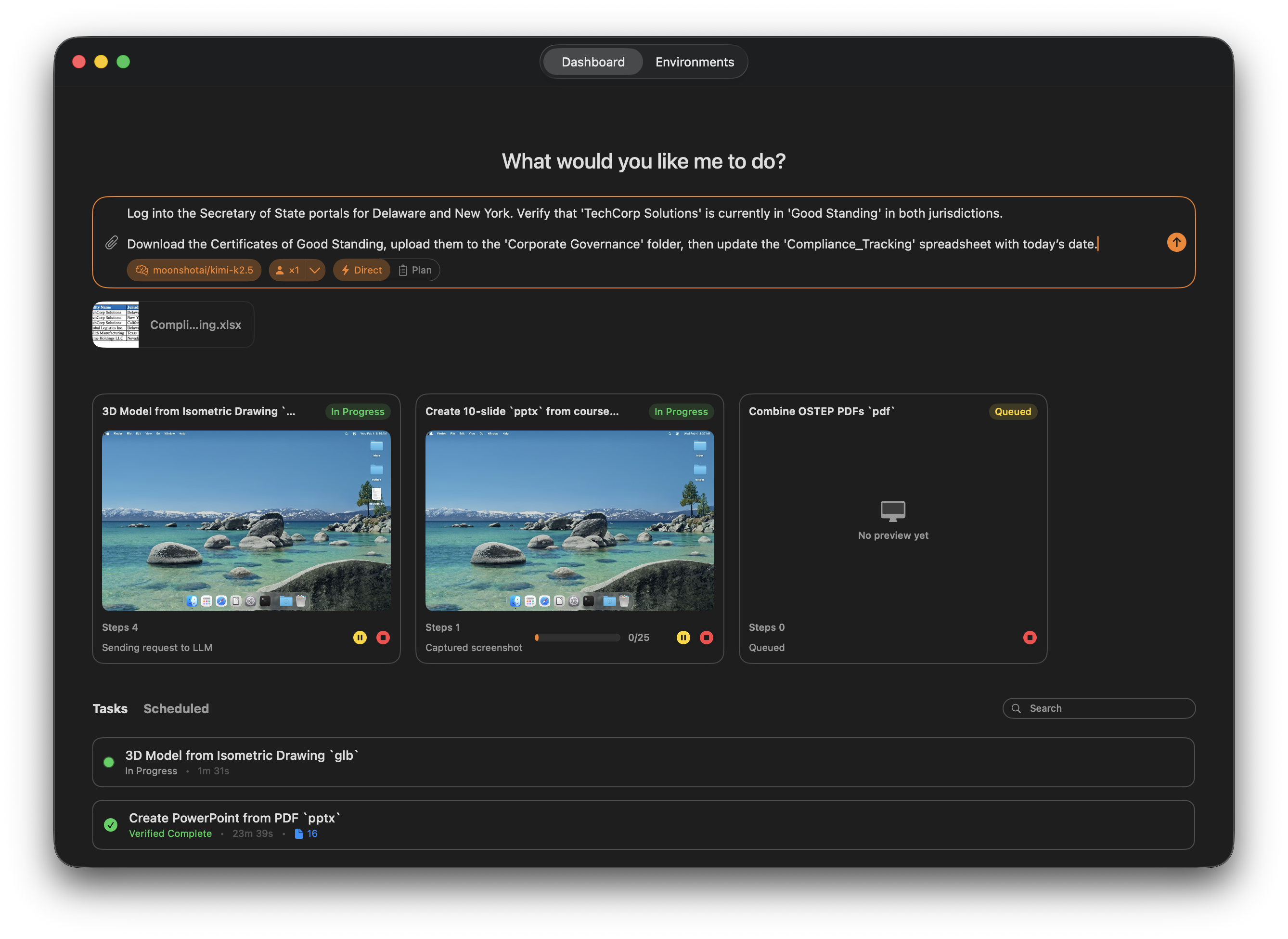
Click to watch the demo video
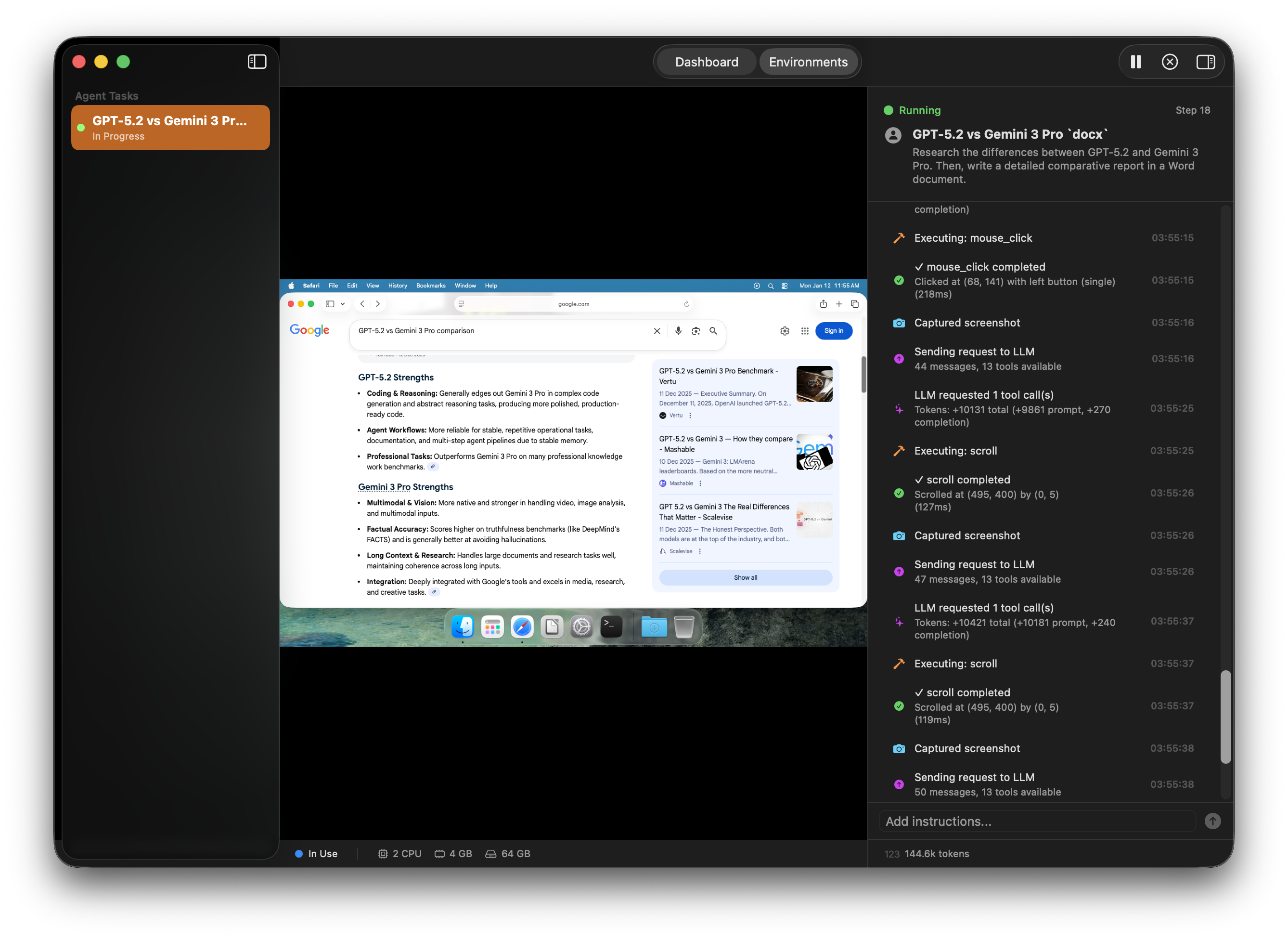
- Natural Language Tasks: Describe what you want done in plain language; agents handle the rest
- File Attachments: Attach input files using @ mentions or drag-and-drop, and specify output directories for deliverables
- Batch Execution: Run multiple copies of the same task (1x, 2x, 4x, 8x) across parallel agents
- Task Queue: Queue tasks for later and monitor status (queued, running, completed, failed)
- Parallel Research and Execution: Spawn focused subagents for research, data gathering, and verification while the main agent continues the task
- Specialized Workflows: Delegate subtasks like competitor scans, documentation lookups, or multi-source comparisons to targeted subagents
- Inter-Agent Messaging: Agents can send messages to each other (point-to-point or broadcast) that are automatically delivered into the recipient's context
- Faster Convergence: Combine results from multiple subagents to reduce back-and-forth and reach decisions sooner
- Agent Swarms: Leverage's Kimi-K2.5's training for agent swarms
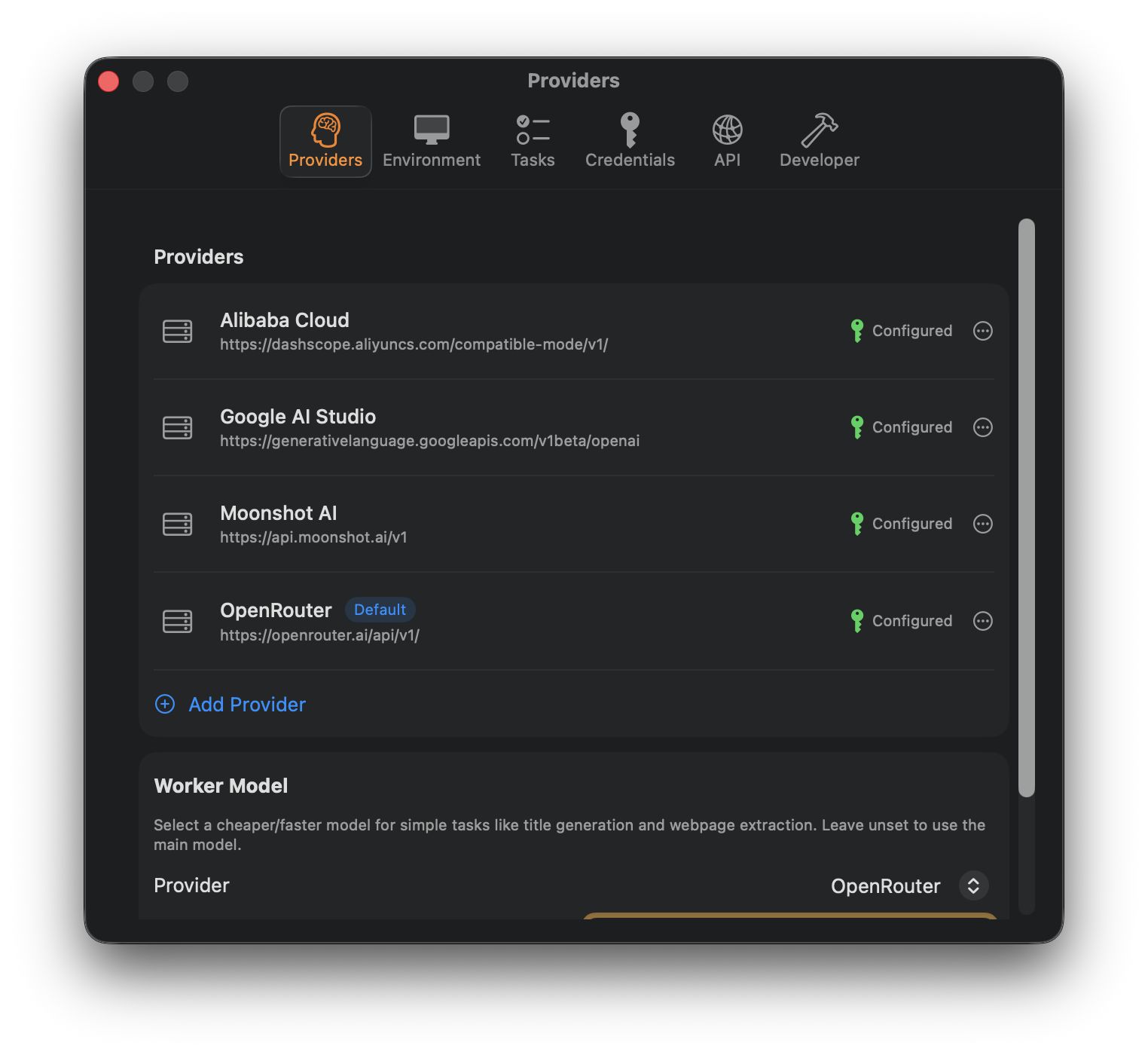
- Multi-Provider: Works with Anthropic, OpenAI, OpenRouter, and any OpenAI-compatible API
- Per-Task Selection: Choose which provider and model to use for each task
- Local LLMs: Connect to local LLM servers with custom base URLs
- Recommended Provider: We suggest using OpenRouter for easy switching between different models with a single API key
| Model | Best For | Notes |
|---|---|---|
| Kimi K2.5 | Most general tasks | Best balance between cost and performance |
| Claude Sonnet 4.5 | Screen interaction tasks | Only recommended for tasks requiring heavy clicking, pointing, and visual navigation (e.g., completing UI tests of a web app) |
- Full Isolation: Each agent runs in its own macOS VM—your host system stays protected
- Network Control: Configure per-VM network access (internet, offline, or host-only)
- Timeouts & Limits: Set task timeouts and iteration limits
- Emergency Stop: Instantly halt any agent at any time
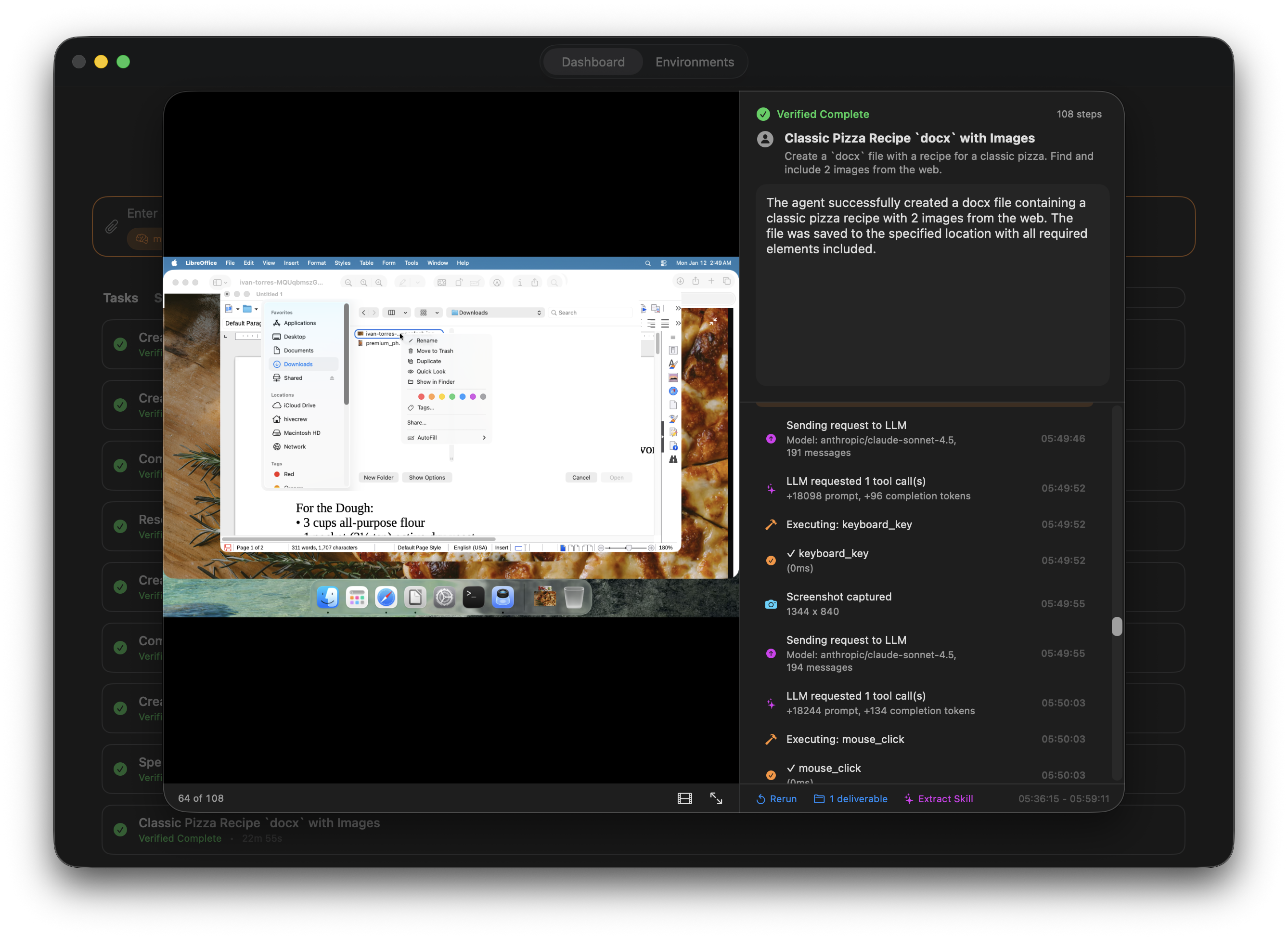
- Live Monitoring: Watch agents work in real time with live screenshots and activity streams
- Reasoning Traces: View streamed reasoning tokens from models with extended thinking capabilities
- Session Traces: Review detailed step-by-step traces with synchronized screenshots after completion
- Video Export: Export session traces as video for documentation or review
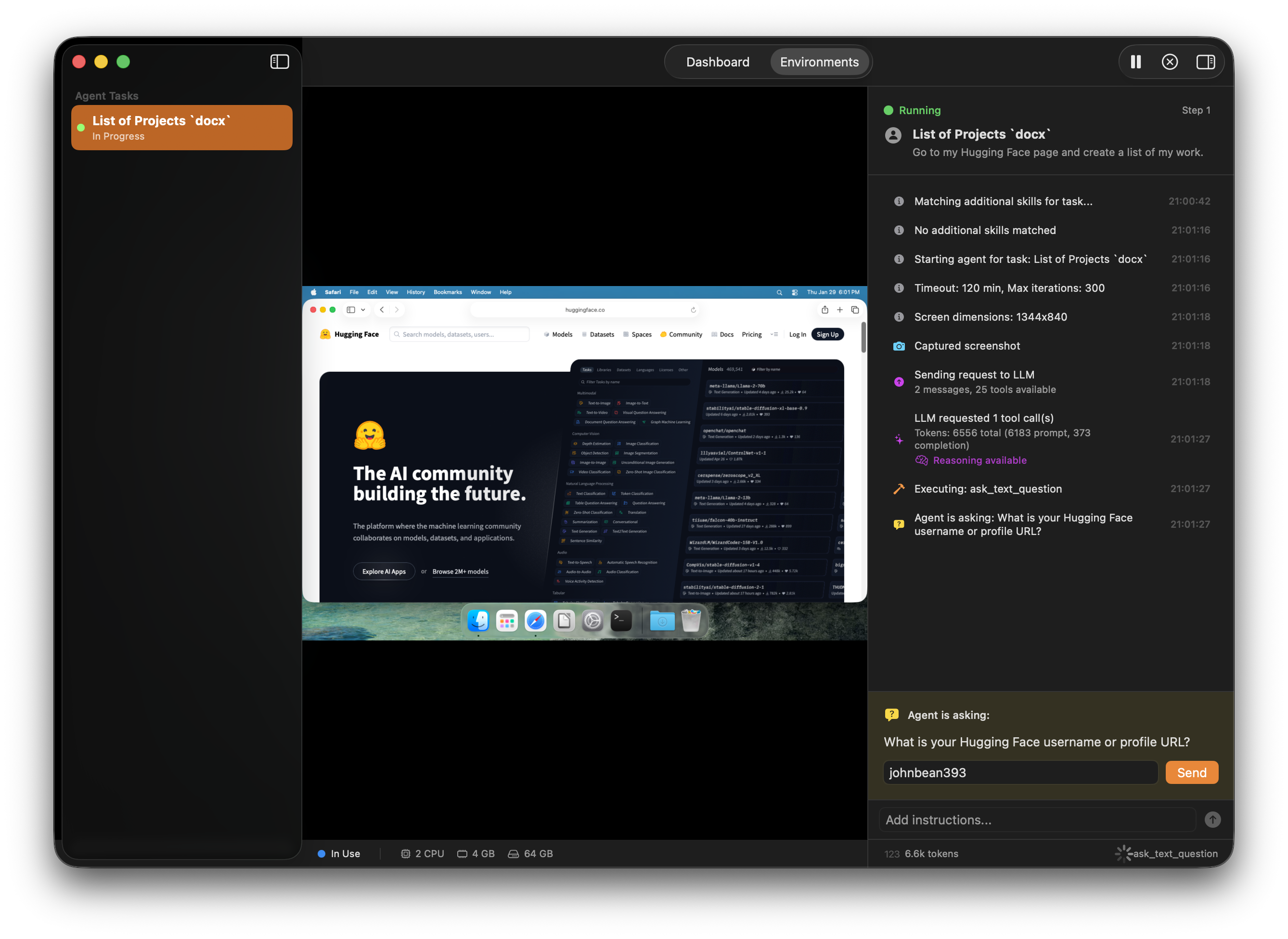
- Take Control: Pause any agent, use your mouse and keyboard directly, then resume
- Answer Questions: Respond to agent questions via text or multiple choice when they need guidance
- Add Instructions: Inject clarifying instructions mid-task without restarting
- Approve Actions: Review and approve/deny tool permission requests
- Plan Before Executing: Toggle Plan mode to have agents create a detailed execution plan before starting work
- Visual Plan Review: Review plans with interactive Mermaid diagrams and structured checklists
- Edit & Approve: Modify the plan, add steps, or reject and regenerate before the agent begins execution
- Streamed Planning: Watch the plan generate in real time with live reasoning updates
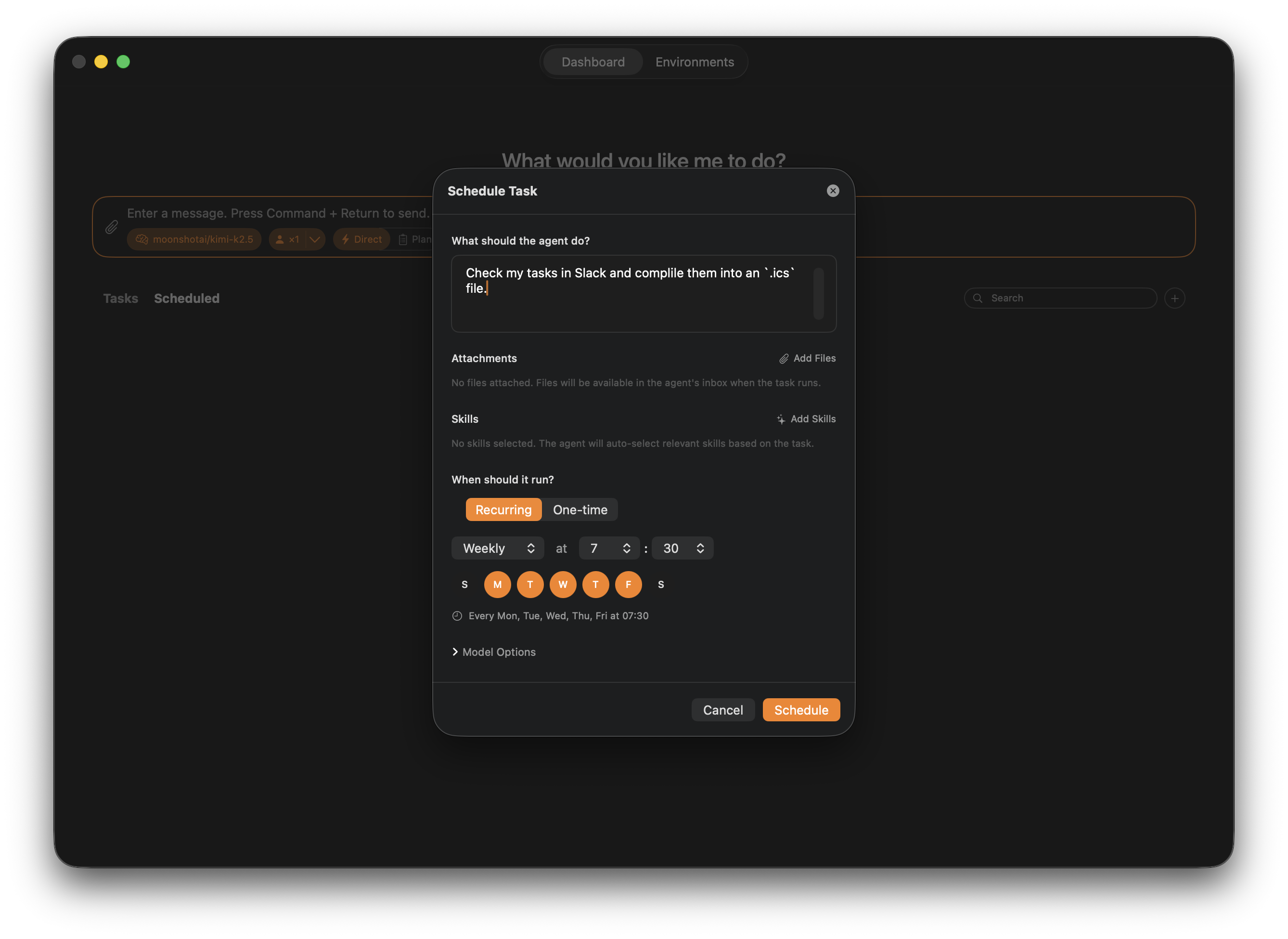
- One-Time & Recurring: Schedule tasks for a specific time or set up daily, weekly, or monthly recurrence
- Automatic Notifications: Get notified when scheduled tasks start running
- Manual Trigger: Instantly run any scheduled task on demand
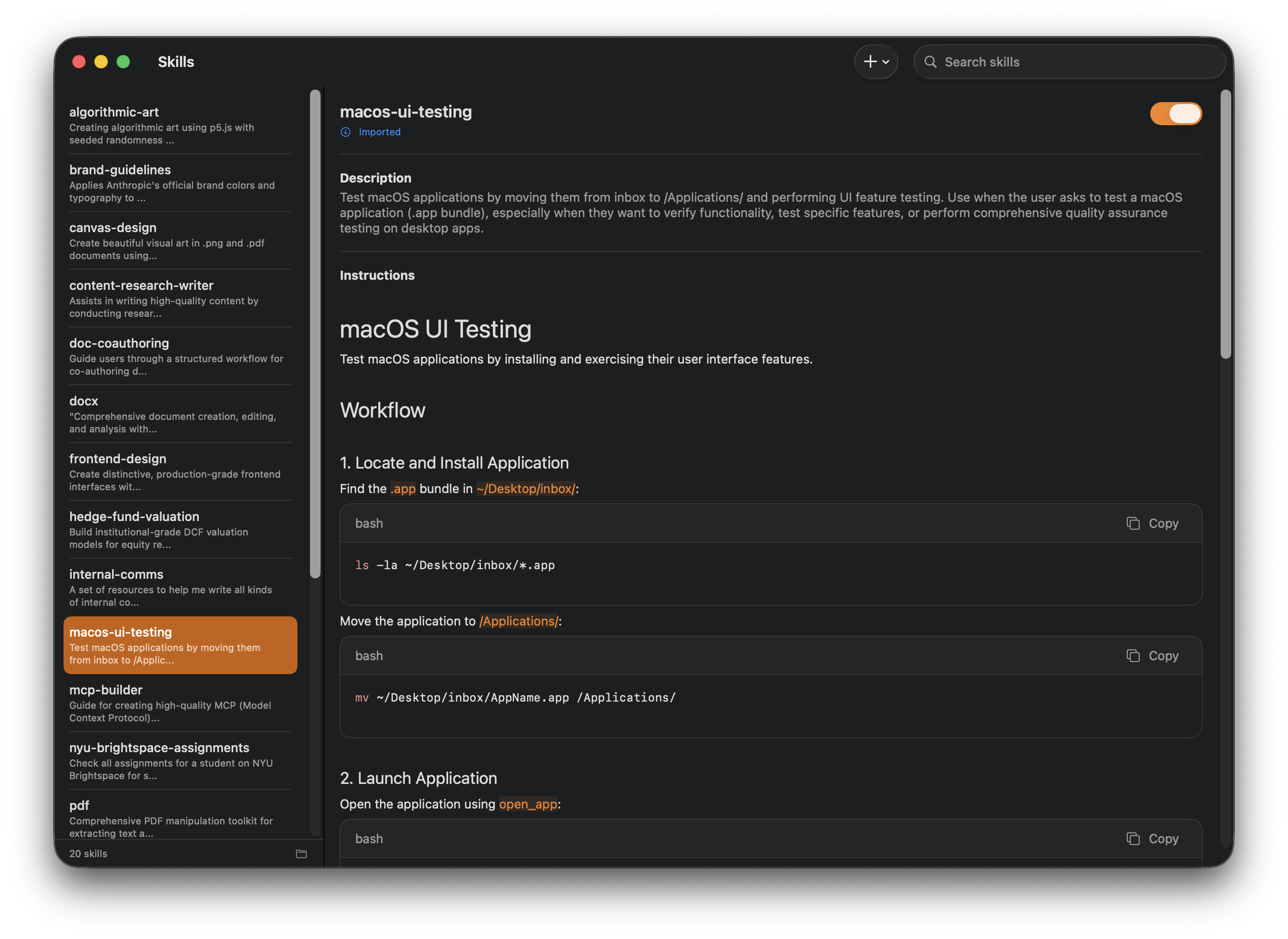
- Pre-Built Skills: Browse and apply skills for common tasks (web research, document processing, webapp testing)
- Skill Discovery: Skills are automatically matched to tasks based on your description
- Import Skills: Add skills from GitHub repositories or local directories
- Extract Skills: Create new skills from successful task completions
- Model Context Protocol: Connect agents to external tools and services via the MCP standard
- Multiple Transports: Configure servers using Standard I/O (local processes) or HTTP (remote servers)
- Custom Configuration: Set commands, arguments, working directories, and environment variables per server
- Enable/Disable: Toggle individual MCP servers on or off without removing their configuration
- Built-in Tool: Agents can generate images on demand during task execution
- Multiple Providers: Supports OpenRouter and Gemini image generation APIs
- Reference Images: Generate variations or edits using reference images as input
- Secure Storage: Store login credentials safely in Keychain
- On-Demand Access: Credentials are passed to agents only when needed via secure tokens
- CSV Import: Bulk import credentials from CSV files
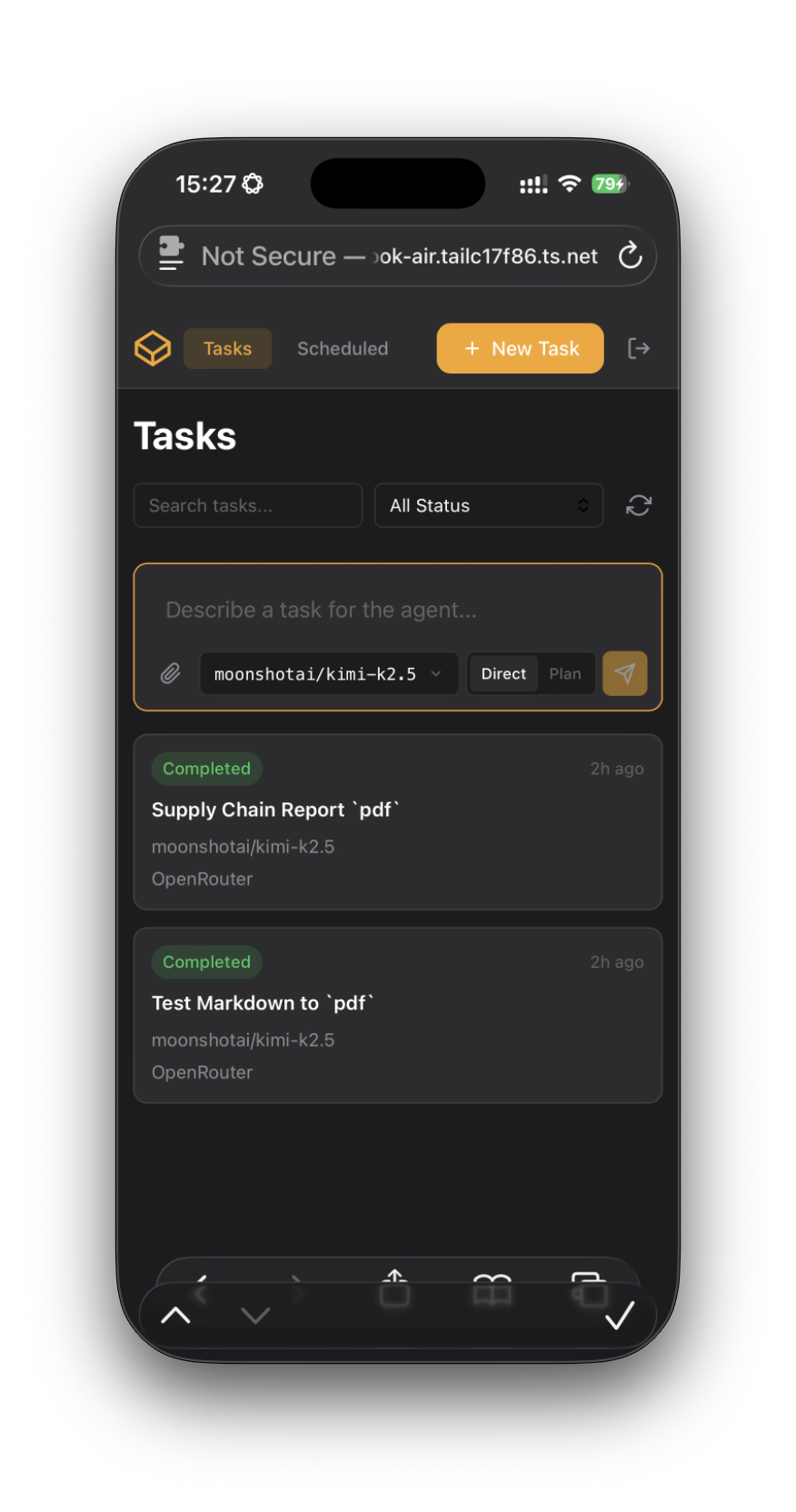
- Remote Access: Built-in web UI lets you manage agents from any browser. Pair with a service like Tailscale to securely access Hivecrew running via your phone from anywhere in the world
- Full Task Management: Create, plan, monitor, pause, resume, cancel, rerun, and delete tasks directly from the browser
- REST API: Control Hivecrew programmatically—create tasks, manage schedules, upload files, and download results
- Python SDK: Use the
hivecrewpackage for easy integration with Python workflows
- macOS Sequoia (15.0) or later
- Apple Silicon Mac (M1 or newer)
- At least 16GB RAM recommended for running concurrent agents
- ~64GB free disk space per VM
- Download the latest release from the releases page
- Double-click the downloaded
Hivecrew.dmgfile to mount the disk image - Drag the
Hivecrewapp icon to yourApplicationsfolder - Run the
Hivecrewapp
- Clone the repository:
git clone https://github.com/johnbean393/Hivecrew.git
cd Hivecrew- Open the workspace:
open Hivecrew.xcworkspace- Download and place the
cloudflaredbinary:
# Download the latest macOS ARM64 release
curl -L -o cloudflared.tgz https://github.com/cloudflare/cloudflared/releases/latest/download/cloudflared-darwin-arm64.tgz
tar xzf cloudflared.tgz
mv cloudflared Hivecrew/Hivecrew/Resources/cloudflared/
chmod +x Hivecrew/Hivecrew/Resources/cloudflared/cloudflared
rm cloudflared.tgz- Build and run from Xcode (requires signing with appropriate entitlements)
Note: The Virtualization framework requires specific entitlements that must be granted via provisioning profiles or notarization. The cloudflared binary is not included in the repository due to its size — see Hivecrew/Hivecrew/Resources/cloudflared/README.md for details.
Hivecrew includes a REST API for programmatic task control. Enable it in Settings → API and generate an API key.
pip install hivecrewExample: Automated UI Testing
from hivecrew import HivecrewClient

client = HivecrewClient()  # Uses HIVECREW_API_KEY env var

result = client.tasks.run(
    description="""
    Test the login flow:
    1. Open Safari and go to https://staging.example.com
    2. Click "Sign In" and enter test@example.com / testpass123
    3. Verify the dashboard loads and shows "Welcome back"
    4. Take a screenshot and save it to the outbox
    """,
    provider_name="OpenRouter",
    model_id="anthropic/claude-sonnet-4.5",
    output_directory="./test-results",
    timeout=600.0
)

if result.was_successful:
    print(f"Test passed: {result.result_summary}")
else:
    print(f"Test failed: {result.result_summary}")
Example: Scheduled Task with File Attachments
from hivecrew import HivecrewClient
from datetime import datetime, timedelta

client = HivecrewClient()

# Schedule a weekly report task with input files attached
schedule = client.schedules.create(
    title="Weekly Sales Report",
    description="""
    Process the attached sales data files:
    1. Open the CSV files and analyze the data
    2. Create a summary report with key metrics
    3. Generate charts for revenue trends
    4. Save the report as PDF to the outbox
    """,
    provider_name="OpenRouter",
    model_id="anthropic/claude-sonnet-4.5",
    files=["./data/sales_q1.csv", "./data/sales_q2.csv"],
    recurrence={
        "type": "weekly",
        "days_of_week": [2],  # Monday (1=Sunday, 7=Saturday)
        "hour": 9,
        "minute": 0
    }
)

print(f"Scheduled task created: {schedule.id}")
print(f"Next run: {schedule.next_run_at}")
See the hivecrew-python repository for full documentation.
Contributions are welcome! Areas where help would be particularly valuable:
- Additional automation tools and capabilities
- UI/UX improvements
- Testing and reliability
- Documentation
MIT License