Core-V Wally SoC (extended Core-V Wally)
I've extended Core-V Wally core/SoC (https://github.com/openhwgroup/cvw) with additional components. on some FPGA boards I have available.
- 32/64 bits CPUs
- Yocto-based Linux images
- Open IPs: SDHCI, USB, Ethernet, VGA, SPI, DDR2, DDR3, etc.
Repo: https://github.com/juanschroeder/cvw/tree/cvwsoc
Build:
cd fpga/generator
make TARGET
Where TARGET can be:
- genesys2soc: Normal 64-bit Genesys 2 target
- genesys2socrv32: RV32 variant
- genesys2socrv32min: Smaller RV32 variant
- genesys2socrv32w64: RV32 variant with 64-bit bus
- nexysa7soc: Nexys A7 build
- etc
Remarks:
- Bitstream (.bit) will be generated in a subfolder. You can flash it with Vivado or with openFPGAloader.
- It's better to do a 'make cleanIP' (or cleanAll) between builds
- For the moment debugging can be done with Vivado ILA. JTAG debugging and Manta tracing will come at some point.
cd fpga/generatorxc7
make docker-bit
Software images are Yocto based and can be generated using this Kas based project: https://github.com/juanschroeder/kas-cvwsoc. See README for more details.
Asciinema of boot process over serial:

It was tested in the fastes known configuration, with open source components:
- 18-19 fps at 320x240
- CPU: RV32GC with 64-bits bus (XLEN=32, AHBW=64) @ 55 MHz
- DDR: UberDDR3 controller
- Storage: SD card on SDHCI
- USB: OHCI 1.1 (with issues)
- Ethernet: LiteEthernet
- etc
Remarks:
- There are still memory coherency issues with USB on RV32 so it's not 'live' demo.
Console:
# fbdoom -iwad /usr/share/games/doom/freedm.wad -timedemo demo4
Starting D_DoomMain
                               FDoom 0.1
Z_Init: Init zone memory allocation daemon.
zone memory: 0x95047010, 600000 allocated for zone
Using /mnt/.fdoom.tar/ for configuration and saves
V_Init: allocate screens.
M_LoadDefaults: Load system defaults.
saving config in /mnt/.fdoom.tar/default.cfg
W_Init: Init WADfiles.
 adding /usr/share/games/doom/freedm.wad
 adding demo4.lmp
 couldn't open demo4.lmp
Playing demo demo4.lmp.
Using /mnt/.fdoom.tar/savegame/ for savegames
===========================================================================
                                FreeDM
===========================================================================
 FDoom is free software, covered by the GNU General Public
 License.  There is NO warranty; not even for MERCHANTABILITY or FITNESS
 FOR A PARTICULAR PURPOSE. You are welcome to change and distribute
 copies under certain conditions. See the source for more information.
===========================================================================
I_Init: Setting up machine state.
M_Init: Init miscellaneous info.
R_Init: Init DOOM refresh daemon - ...............................................
P_Init: Init Playloop state.
S_Init: Setting up sound.
D_CheckNetGame: Checking network game status.
startskill 2  deathmatch: 0  startmap: 1  startepisode: 1
player 1 of 1 (1 nodes)
Emulating the behavior of the 'Doom 1.9' executable.
HU_Init: Setting up heads up display.
ST_Init: Init status bar.
I_InitGraphics: framebuffer: x_res: 320, y_res: 240, x_virtual: 320, y_virtual: 240, bpp: 16, grayscale: 0
I_InitGraphics: framebuffer: RGBA: 5650, red_off: 11, green_off: 5, blue_off: 0, transp_off: 0
I_InitGraphics: DOOM screen size: w x h: 320 x 200
I_InitGraphics: Auto-scaling factor: 1
101-key keyboard found.
Using keyboard on /dev/tty0.
Ready to read keycodes. Press Backspace to exit.
timed 3623 gametics in 6945 realtics (18.258459 fps)
See the video:
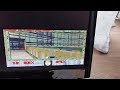
Console: (using old Buildroot image => This will be updated soon)
# /usr/bin/doom-short-demo.sh
Starting D_DoomMain
                            FDoom 0.1
Z_Init: Init zone memory allocation daemon.
zone memory: 0x7fffbd887010, 600000 allocated for zone
Using /mnt/.fdoom.tar/ for configuration and saves
V_Init: allocate screens.
M_LoadDefaults: Load system defaults.
saving config in /mnt/.fdoom.tar/default.cfg
W_Init: Init WADfiles.
adding /usr/share/games/doom/doom1.wad
adding /usr/share/games/doom/bounce1.lmp
Playing demo /usr/share/games/doom/bounce1.lmp.
Using /mnt/.fdoom.tar/savegame/ for savegames
===========================================================================
                            DOOM Shareware
===========================================================================
FDoom is free software, covered by the GNU General Public
License.  There is NO warranty; not even for MERCHANTABILITY or FITNESS
FOR A PARTICULAR PURPOSE. You are welcome to change and distribute
copies under certain conditions. See the source for more information.
===========================================================================
I_Init: Setting up machine state.
M_Init: Init miscellaneous info.
R_Init: Init DOOM refresh daemon - ...................
P_Init: Init Playloop state.
S_Init: Setting up sound.
D_CheckNetGame: Checking network game status.
startskill 2  deathmatch: 0  startmap: 1  startepisode: 1
player 1 of 1 (1 nodes)
Emulating the behavior of the 'Doom 1.9' executable.
HU_Init: Setting up heads up display.
ST_Init: Init status bar.
I_InitGraphics: framebuffer: x_res: 320, y_res: 240, x_virtual: 320, y_virtual: 240, bpp: 16, grayscale: 0
I_InitGraphics: framebuffer: RGBA: 5650, red_off: 11, green_off: 5, blue_off: 0, transp_off: 0
I_InitGraphics: DOOM screen size: w x h: 320 x 200
I_InitGraphics: Auto-scaling factor: 1
101-key keyboard found.
Using keyboard on /dev/tty0.
Ready to read keycodes. Press Backspace to exit.
timed 558 gametics in 2845 realtics (6.864675 fps)
Remark: for now audio would need to be with a USB audio card (not tested, drivers not in the Kernel build).
Boards supported and/or planned :
- Supported:
- Digilent Nexys A7-100T (does not fit in an A35T)
- Genenesys 2
- Coming soon:
- Qmtech Kintex-7
Necessary extra hardware:
- Digilent micro SD card PMOD (Nexys A7; will be removed soon)
- USB PMOD
- https://github.com/Dolu1990/pmod_usb_host_x4/tree/main
- https://github.com/nand2mario/usb_host_pmod
- This store made it avaiable for purchase in 2025 when I requested it (no stock now?): https://miusecntech-muselab.aliexpress.com/store/5940159?
- Optional: USB keyboard (tried Logitech wireless Keyboard)
- Remark: Qmtech Kintex-7 board will need more PMOD stuff.
Features:
- u-boot support
- on-board Ethernet support in u-boot. Network boot not tested but
- framebuffer in Linux at 320x240
- fbdoom and some demos in the image
- USB 1.1 host
- Ethernet
- On-board RMII Ethernet working
- Some USB Ethernet devices supported (tested: TP-Link UE300 10/100/1000 LAN (ethernet mode) [Realtek RTL8153])
- on-board VGA (4 bits)
- SDHCI SD card storage
Remarks:
- Apart from some unnecessary IPs, all used components are open source (Nexys A7 build still needs to be updated).
- USB does not work yet in u-boot in some targets
I don't have an Arty A7 board, so the work was done on a Nexys A7 board: openhwgroup/cvw#1613
Repo/branch for gateware and software: https://github.com/juanschroeder/cvw/tree/cvwsoc
Gateware:
fpga/generator# make nexysa7
Buildroot: use 'wally_nexysa7_defconfig'
It allows running different combinations of simulation/emulation, boot stages and boot media.
General remarks:
- Main Makefile: sim/Makefile.cvwsoc. Much of it is LLM generated so not the most readable.
- All boot stages are possible to run: bootrom, OpenSBI, u-boot, Kernel, userspace.
- Only RAM and a potential 'Dummy' peripheral are added to the Verilator testbench for now. Any extra peripheral to be tested can be connected as the 'dummy' peripheral (this needs DTB override and potentially other changes in the binaries/images).
- Simulation is slow. Skip stages when possible.
- Yocto images: for simulation, images in corresponding Yocto 'deploy' folder are used.
- Depending on the target you'll need different images.
- The images must be in the expected deploy folder.
- You should override CVWSOC_DEPLOY_ROOT for this purpose.
$(CVWSOC_DEPLOY_ROOT)/$ (CVWSOC_MACHINE) is the 'deploy' folder for the corresponding machine
- RV32 (32-bits) can be selected by setting RV32=1. By default RV32=0
- The 'linux' images skip u-boot by adding a 'stup' that jumps directly to Linux.
- Runs without BOOTROM=1 (default) add a stub at reset address (0x1000) that jumps to OpenSBI. Disabled by default. Bootrom run not possible in QEMU but possible in Verilator.
- Remark: There is an issue with u-boot and when starting from bootrom. To be fixed.
- Boot from SD card (SDHCI=1). When enabled it would use the 'wic' image generated in Yocto. Without SD card preloaded ramdisk is used.
- Not all combinations have been tested and not all possible combinations work.
- Tracing Verilator simulation is possible. Traced signals must be at the 'top' level of the tetstench
- Serial interaction with the verilated run is possible. There's a /dev/pts/NN device created at runtime for this purpose. There is a one character delay issue that still has to be fixed
Different combinations are possible using Yocto images all of them work for 32 and 64 bits CPUs using variables passed to the Makefile when needed:
- Boot 'virt/virt32' image in QEMU 'virt' RV32/RV64 targets
- Boot running in Verilator testbench.
- Preloaded images:
- Generate 'preloaded' image to use later: speed up simulation by preloading all RAM contents.
- This is the default for Verilator runs.
- Boot preloaded image in QEMU
- Trace verilation run: TRACE=1, TRACE_MODE=sv (to be improved)
- Some things can make sense to override for testing
- override DTB in Verilator run (overwrites content in preloaded image)
- Override u-booot DTB in Verilator run
- override DEPLOY folder
- etc
- bus width (AHBW=64)
- Trace filename prefix
- etc
Test Yocto OpenSBI and Kernel generated image in QEMU:
$ make -f sim/verilator/Makefile.cvwsoc clean qemu-linux RV32=0
The same but including u-boot:
$ make -f sim/verilator/Makefile.cvwsoc clean qemu-uboot
Run Linux verilation for RV64 with SD card emulation, starting from bootrom and overriding OpenSBI/Linux DTB on 'Verilator' runtime stage. 'fpgagenessys2soc' config is used:
$ make -f sim/verilator/Makefile.cvwsoc clean run-cvwsoc-linux RV32=0 SDHCI=1 CVWSOC_VERILATOR_DTB=/tmp/wally-virtsoc-linux.dtb.dts.dtb BOOTROM=1 CONFIG=fpgagenesys2soc TRACE=1 TRACE_MODE=sv
Future plans:
- Lots of cleanup needed
- OpenXC7 build improvements (currently at 12.5 MHz)
- Nexys A7:
- Add DAC for Doom audio (with limited on-board option)
- Add SDHCI support
- Genesys 2:
- audio support
- HDMI support
- mini display
- Boards:
- Qmtech Kintex-7 support
- GateMate board?
- Other smaller FPGA boards
- Remove all remaining Xilinx dependencies
- JTAG debug interface?
- Renode co-simulation
- Other IPs: watchdog, gigabit Ethernet, USB 3.0
- Other PMODs:
- display
- HDMI?
- Refactor top files for better customisation
- CPU frequency speedup
- etc
- Core-V Wally: https://github.com/openhwgroup/cvw
- LiteEth: https://github.com/enjoy-digital/liteeth
- SpinalHDL USB OHCI host: https://spinalhdl.github.io/SpinalDoc-RTD/master/SpinalHDL/Libraries/Com/usb_ohci.html
- PULP project: https://github.com/pulp (VGA, CDC, XBAR, adapters, etc)
- Opencores: opencores.org, https://github.com/klyone/opencores-ip (UART, SD card model for simulation, etc)
- SDHCI: https://github.com/Freakness109/sdhci/
- AHBl-to-AXI4 bridge: https://github.com/juanschroeder/ahbl-to-axi4 (custom)
- LiteDRAM: https://github.com/enjoy-digital/litedram, https://github.com/enjoy-digital/litex
- UberDDR3: https://github.com/AngeloJacobo/UberDDR3
- Verilator: https://github.com/verilator/verilator
- QEMU: https://github.com/qemu/QEMU
- Manta: https://github.com/fischermoseley/manta
- OpenXC7: https://github.com/openxc7
- Renode: https://github.com/renode/renode
- etc