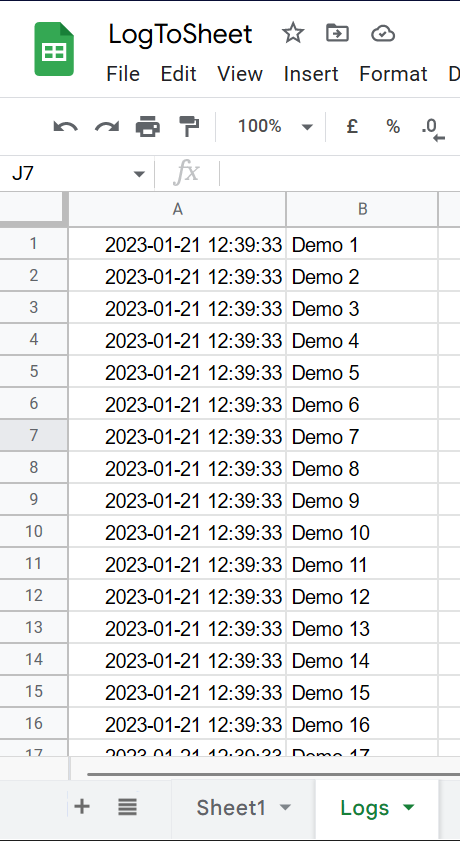
Lightweight in-sheet logging for Google Sheets. Intended to provide spreadsheet users with contextual information without having to navigate to Apps Script logs.
Initialize a new instance of LogToSheet. The constructor accepts an options object. At a minimum you must provide the sheet name via the sheet option.
You can also optionally override the timestamp time zone with the timeZone option.
Optionally pass a spreadsheetId to log to a specific spreadsheet instead of the active one.
You can also optionally override the timestamp time zone with the timeZone option or configure how many logs are buffered before they are automatically flushed with the maxBuffer option.
const log = new LogToSheet({
  sheet: "Logs",
  // optional: timezone used for timestamps
  timeZone: "America/Los_Angeles",
  // optional: log to a specific spreadsheet
  spreadsheetId: "your-spreadsheet-id"
  // optional: maximum number of entries to buffer before flush
  maxBuffer: 1000
});
Insert new logs by calling the insert method with 1 argument which is the value to log.
You can also log with standard levels using info, debug, warn, and error.
log.insert("My first log");
log.info("App started");
log.debug("Debug details");
log.warn("Something looks off");
log.error("Something failed");
Output the logs to the sheet by calling flush. flush will attempt to create
the output sheet if it does not already exist. flush is also automatically
invoked when more than the configured maxBuffer value (default 500) entries have been queued.
log.flush();
Log entries written with the level methods contain 3 columns: the timestamp, the level, and the message. Entries written with insert() continue to produce 2 columns (timestamp and message).
const log = new LogToSheet({
    sheet: "Logs",
    timeZone: "America/Los_Angeles",
    spreadsheetId: "your-spreadsheet-id"
});

for(let i = 1; i <= 100; i++) {
  log.debug(`Processing ${i}`);
}

log.info('All done');
log.flush();