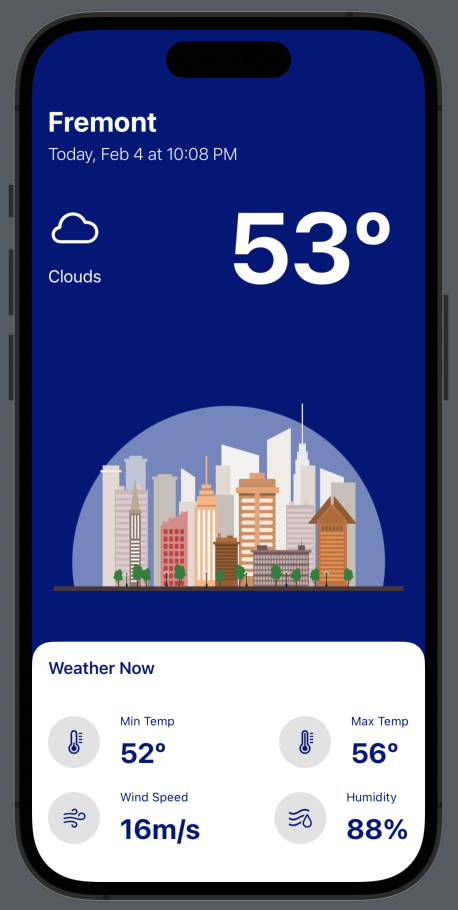
Weather is an iOS app using SwiftUI that allows a user to view the Weather using their location to get weather data from the OpenWeather API.
Some of the main features include:
- Users can share their current location using a prompted button
- Users are able to view the weather in Fahernheit
- Users can view the minimum temperature, maximumn temperature, wind speed, and humidity
- iOS 16.0 or later
- iPhone 8, iPhone SE (2nd Generation), or newer
To install and set up the app on your own device, follow these steps:
- Xcode 11 or later
To clone the repository, open a terminal and enter the following command:
git clone https://github.com/kabirdhillon7/Weather
Open the Weather.xcodeproj file in Xcode. Make sure that the Weather scheme is selected, and then click the "Run" button to build and run the app.
Before you can use the app, you will need to set up your API keys. To do this, follow these steps:
- Go to https://openweathermap.org and sign up for an API key.
- In Xcode, open the
WeatherManager.swiftfile and replacekeywith the API key you received.
If you have any questions or feedback, you can reach me through the following channels:
- GitHub: @kabirdhillon7
- LinkedIn: Kabir Dhillon