
Terminal-first account switcher for Codex CLI with ChatGPT login profiles and usage limits.
Download the macOS app: Codex-Switch-v0.1.0.dmg
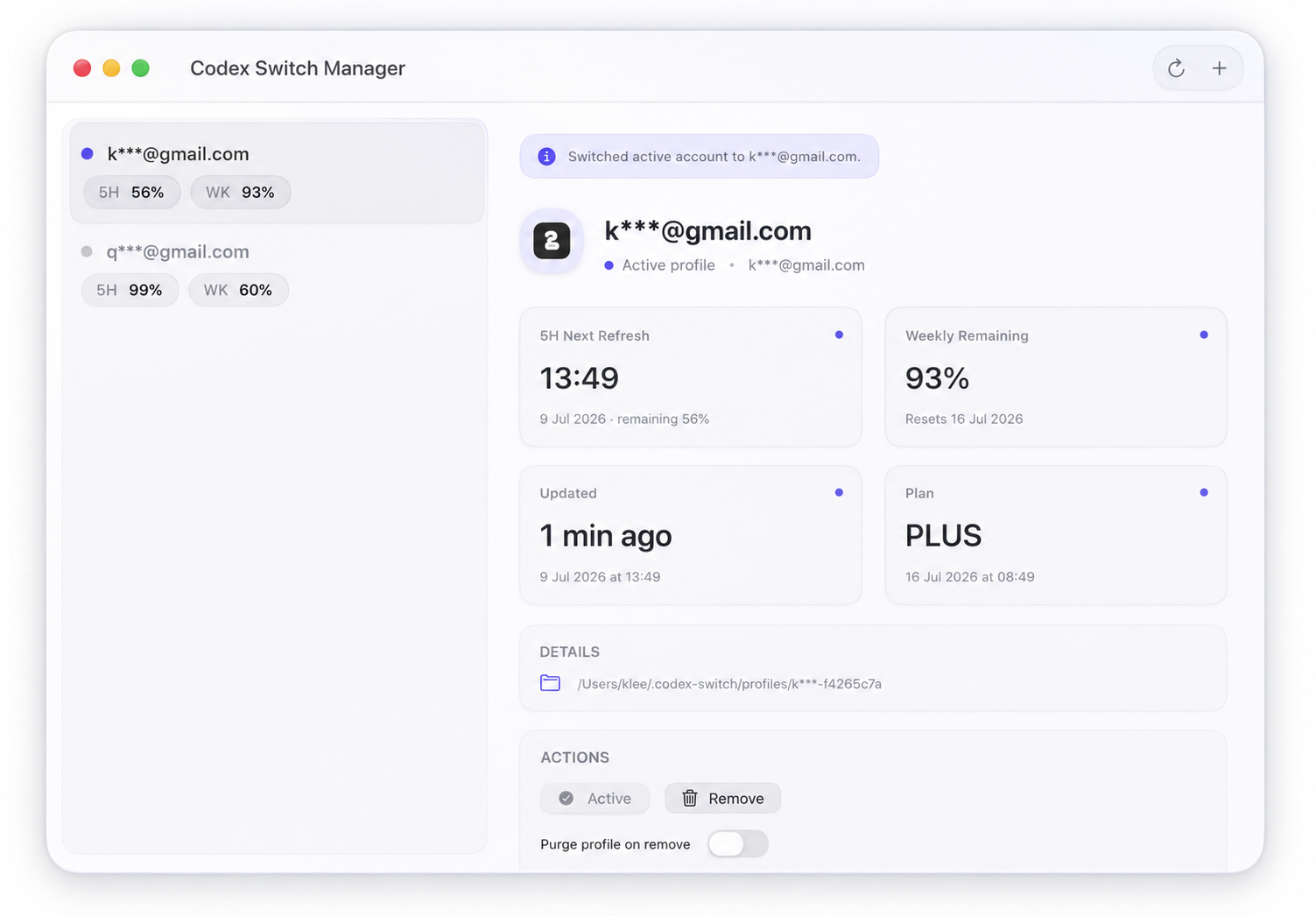
- Manage multiple ChatGPT-authenticated Codex profiles.
- Show current account, 5-hour usage, and weekly usage.
- Switch the active account used by
~/.codex/auth.json. - Run in command mode or interactive TUI mode.
- Auto-link the currently logged-in Codex account from
~/.codex/auth.json. - Show account email from
id_tokenwhen available.
- macOS
- Codex CLI installed and available in
PATH - Bun 1.2+
bun add -g @klee3721/codex-switch
codex-switch --help
You can also run it without a persistent install:
bunx @klee3721/codex-switch --helpcodex-switch: open the TUI.codex-switch add --label <name>: add an account via directcodex loginChatGPT browser auth.codex-switch add --label <name> --device-auth: use device-code auth for headless terminals.codex-switch remove <id-or-label> [--purge]: remove account metadata, optionally deleting the profile folder.codex-switch use <id-or-label>: switch the active Codex account.codex-switch status [--json]: print account and usage status.codex-switch refresh [--all] [--account <id-or-label>]: refresh usage.codex-switch doctor: run environment and profile diagnostics.codex-switch link-current: sync the current~/.codex/auth.jsonaccount into managed profiles.
codex-switch fetches limits from backend usage endpoints (/wham/usage or /api/codex/usage). If a live usage call fails, the app marks data as stale/error and falls back to the latest local Codex session rate-limit snapshots when available.
~/.codex-switch/state.json: account metadata and usage snapshots.~/.codex-switch/profiles/<account-id>/auth.json: per-account Codex auth files.~/.codex-switch/backups/: backups of replaced~/.codex/auth.jsonfiles.
Managed directories are created with 0700 permissions and managed state/auth files are written or copied with 0600 permissions on supported POSIX systems. These files contain sensitive account data; do not commit or share them. See SECURITY.md for details.
The native SwiftUI menu bar app lives in apps/macos/. It reuses the TypeScript core through dist/cli.js bridge ... instead of duplicating account logic.
bun install
bun run build
bun run build:macos
swift run --package-path apps/macos
To build a local app bundle:
bun run build:macos:app
open "apps/macos/dist/Codex Switch.app"
If the app cannot locate the repository root automatically, launch it with CODEX_SWITCH_REPO_ROOT=/absolute/path/to/codex-switch.
git clone https://github.com/klee3721/codex-switch.git
cd codex-switch
bun install
bun run build
bun run dev
Before opening a pull request:
bun run typecheck
bun run test
bun run pack:dry-run- Update
versioninpackage.json. - Run
bun install --frozen-lockfile. - Run
bun run test. - Run
bun run pack:dry-runand confirm only package metadata, docs, anddist/are included. - Publish with
npm publish --access public.
prepack builds dist/ so the published package includes the CLI entrypoint even though build output is not committed.
A: add account.D: remove selected account.Enter: switch to selected account.R: refresh selected account usage and account status checks.Q: quit.
401/403orrelogin_required: run the add/login flow again for that account.staleusage: backend endpoint failed; tryrefreshor re-login.errorwith unsupported/deactivated wording: account is blocked; re-login may not fix it.codexcheck fails after switch: runcodex login statusdirectly to inspect your local setup.
MIT. See LICENSE.