A full-featured dating app with a premium, sleek dark-mode UI inspired by the best modern mobile apps. Built entirely with Flutter, Firebase, and Cloudinary.
Click to Play the Demo
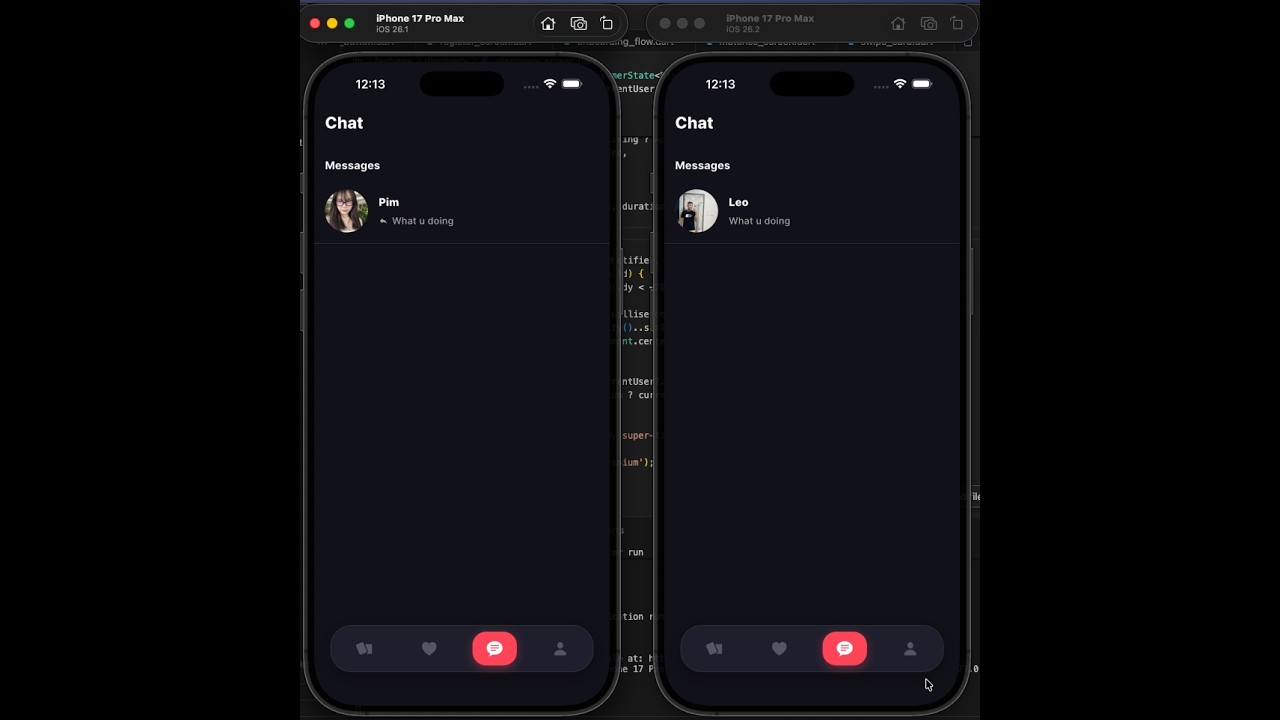
- Sleek Aesthetic: Fully custom glassmorphic bottom navigation, gorgeous gradient buttons, custom SVG icons, and a premium dark mode design.
- Discovery: Custom stackable swipe cards featuring high-quality images, clean gradient overlays, active indicators, and bio snippets.
- Premium Tier: Gated "Super Like" functionality and a blurred "Who Liked You" screen, driving users to a sleek subscription paywall.
- Robust Profile Editing: A heavily customized profile editor with tabs for 'Edit' and 'Preview', multi-image uploading via dotted-borders, and beautifully designed bottom sheet pickers for attributes like interests, pronouns, and height.
- Real-time Match & Chat: Immediate "Match" overlays on mutual likes, leading to real-time chat powered by Firestore streams.
- Rich User Profiles: Scrollable detailed profiles with extensive photo galleries, emoji-decorated "Looking For" tags, pill-shaped tags for interests, and detailed attributes (height, pronouns).
Since sensitive keys are .gitignore'd, you must supply your own Firebase configuration:
- Go to console.firebase.google.com
- Create a project and enable Authentication (Email/Password) & Cloud Firestore
- Generate
lib/firebase_options.dartusing the Flutterfire CLI.
- Create a free account at cloudinary.com
- Go to Settings → Upload → Upload presets and add an unsigned preset.
- Update
lib/core/constants/app_constants.dartwith your keys:class AppConstants { static const String cloudinaryCloudName = 'your-cloud-name'; static const String cloudinaryUploadPreset = 'your-preset-name'; }
flutter pub get
flutter runBuilt cleanly using Riverpod for robust state management and GoRouter for seamless, type-safe navigation and auth guarding.
lib/
├── main.dart                   # Entry point, Firebase init, splash handling
├── app.dart                    # MaterialApp + GoRouter bootstrap
├── firebase_options.dart        # Auto-generated FlutterFire config
│
├── core/
│   ├── constants/              # AppConstants (Cloudinary keys, etc.)
│   ├── theme/                  # AppTheme, AppColors, text styles
│   └── router/                 # GoRouter config & auth redirect guards
│
├── models/                     # AppUser, Match, Message data models
│
├── services/
│   ├── auth_service.dart        # Firebase Auth (email + Google Sign-In)
│   ├── firestore_service.dart   # All Firestore reads/writes
│   ├── cloudinary_service.dart  # Image upload via Cloudinary REST API
│   └── notification_service.dart# FCM + local notifications
│
├── providers/                   # Global Riverpod providers
│
└── features/
    ├── splash/                  # Animated splash / auth gate
    ├── auth/                    # Login & registration screens
    ├── onboarding/              # Multi-step profile setup flow
    ├── home/                    # Shell scaffold & bottom nav
    ├── discovery/               # Swipe card stack & user detail view
    ├── matches/                 # Mutual matches grid
    ├── chat/                    # Real-time messaging interface
    ├── premium/                 # Paywall & "Likes You" grid
    ├── profile/                 # Profile editor with tabs & pickers
    └── shared/                  # Reusable widgets (cards, chips, etc.)
| Category | Technology |
|---|---|
| Framework | Flutter 3.x |
| Architecture | Riverpod |
| Navigation | GoRouter |
| Database | Cloud Firestore |
| User Auth | Firebase Auth |
| Media Hosting | Cloudinary API |
| Gestures | appinio_swiper |