





BlankSlate is a drop-in UIView extension for showing empty datasets whenever the view has no content to display.



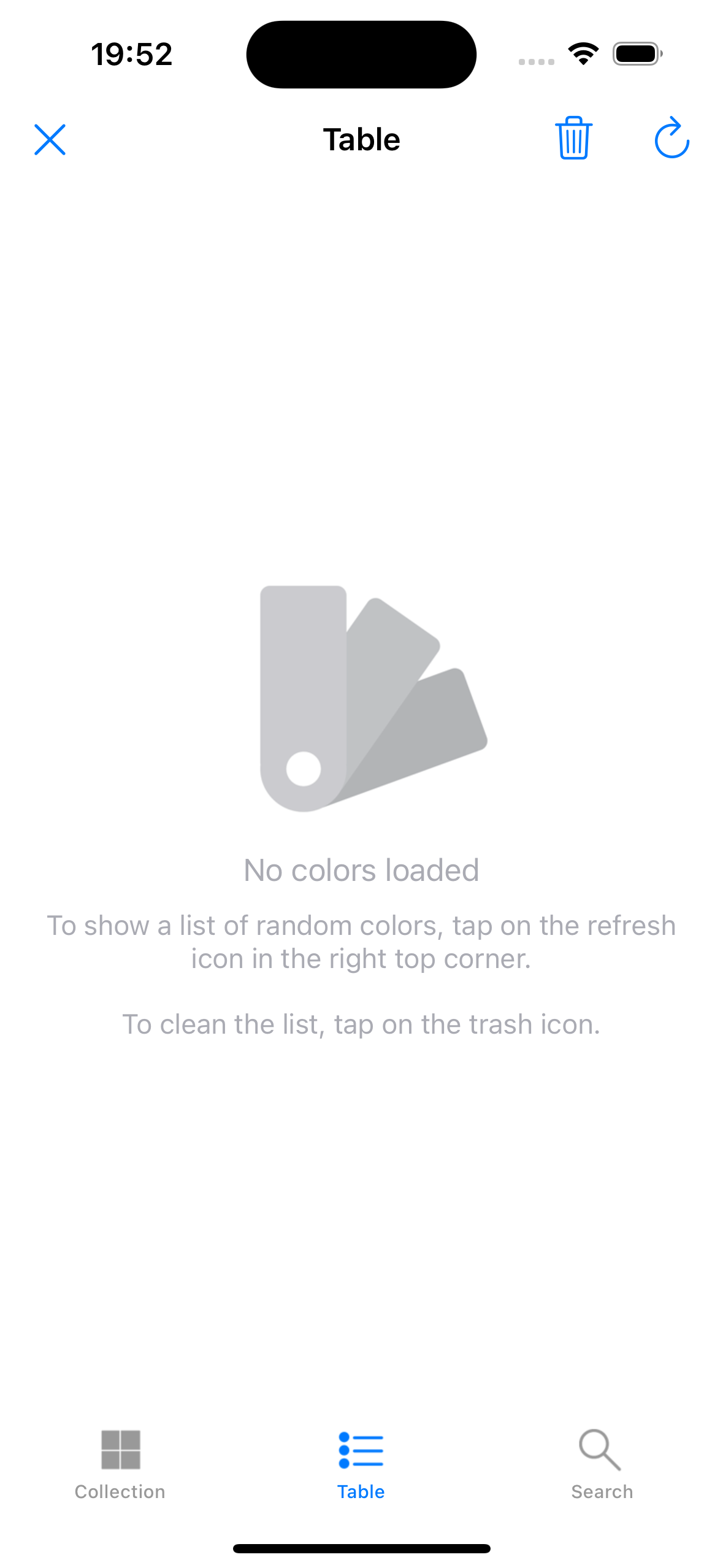
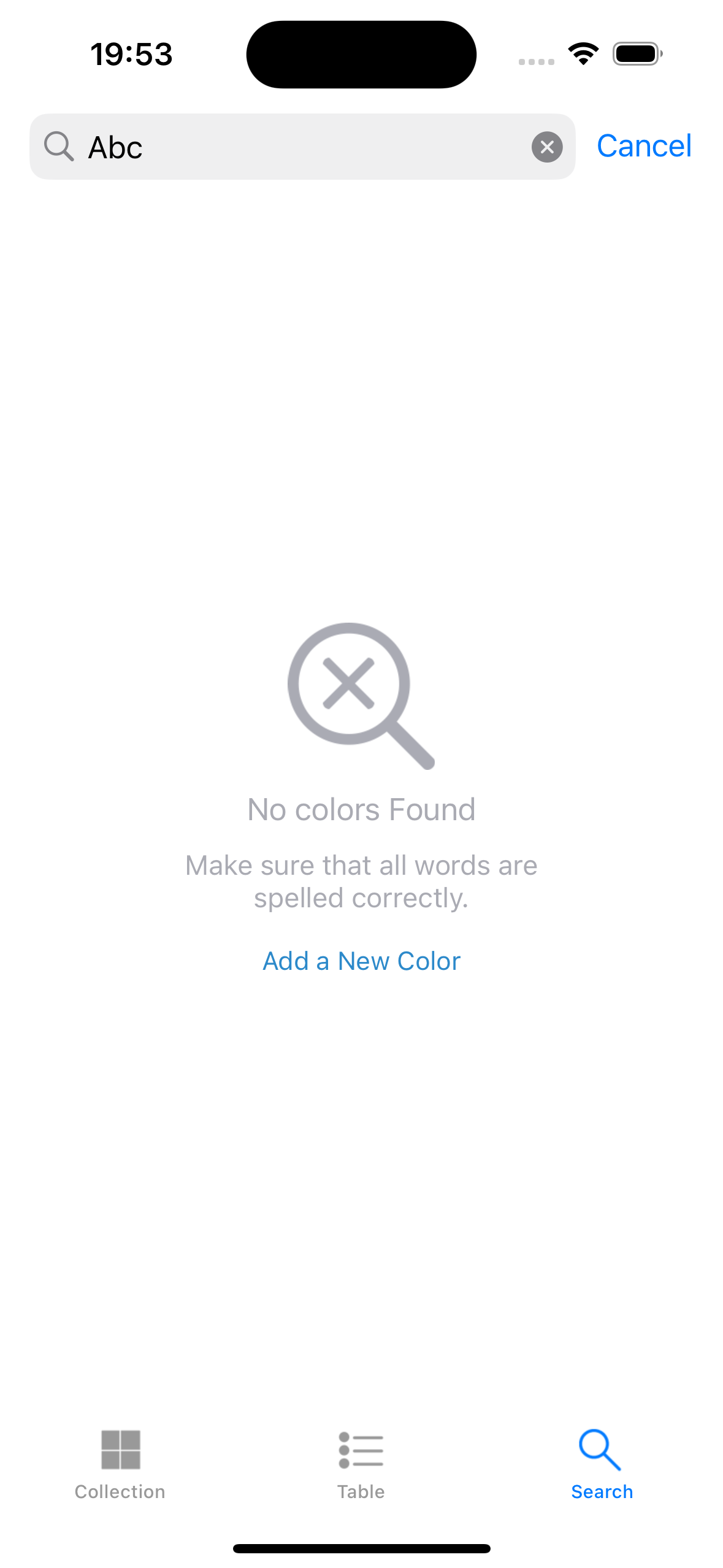
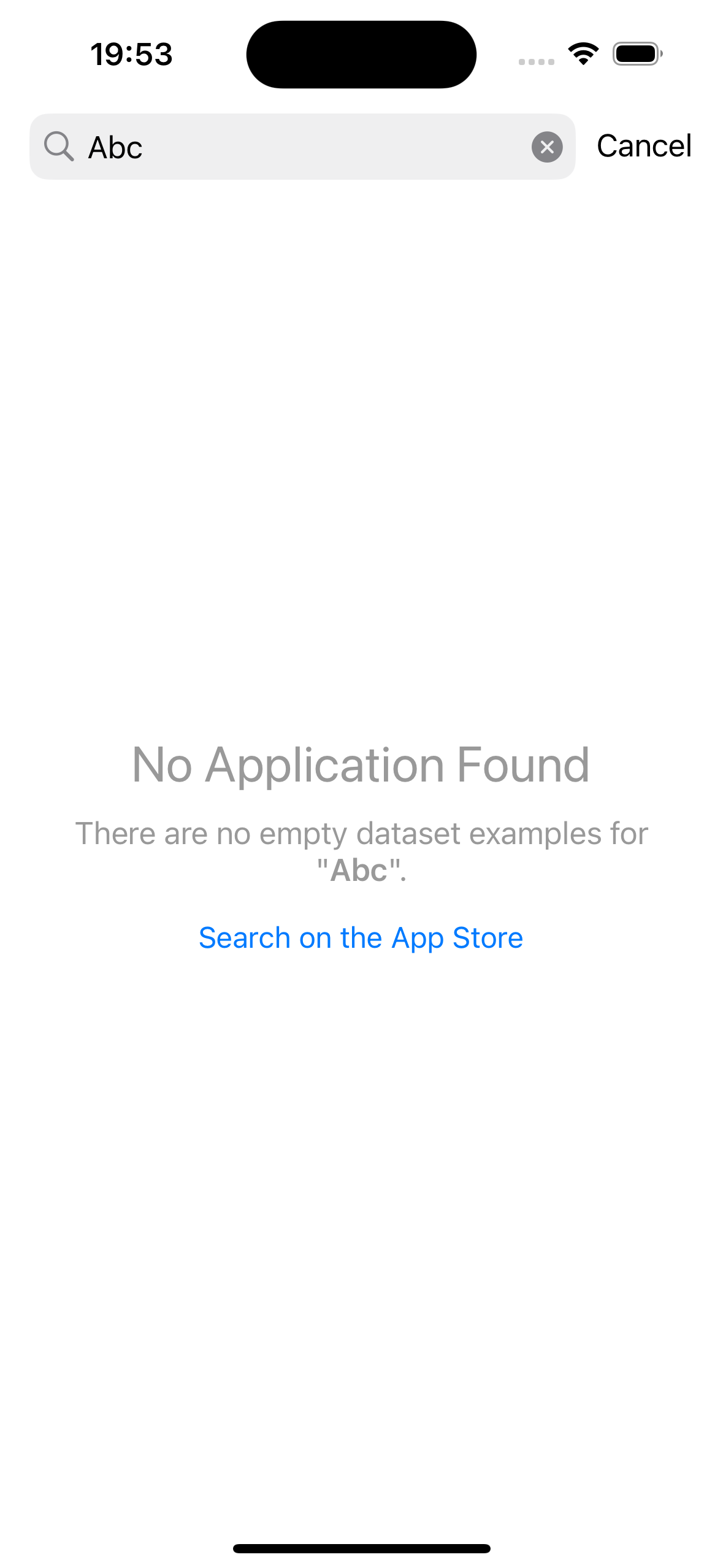
- iOS 13.0+
- tvOS 13.0+
- visionOS 1.0+
- Xcode 15.0+
- Swift 5.9+
If you are using the Swift Package Manager, add a dependency to your Package.swift file and import the BlankSlate library into the desired targets:
dependencies: [
    .package(url: "https://github.com/liam-i/BlankSlate.git", from: "0.7.1")
],
targets: [
    .target(
        name: "MyTarget", dependencies: [
            .product(name: "BlankSlate", package: "BlankSlate")
        ])
]If you are using Xcode, then you should:
- File > Add Package Dependencies...
- Add
https://github.com/liam-i/BlankSlate.git - Select "Up to Next Minor" with "0.7.1"
Tip
For detailed tutorials, see: Apple Docs
If you're using CocoaPods, add this to your Podfile:
source 'https://github.com/CocoaPods/Specs.git'
# Or use CDN source
# source 'https://cdn.cocoapods.org/'
platform :ios, '13.0'
use_frameworks!

target 'MyApp' do
  pod 'BlankSlate', '~> 0.7.1'
end
And run pod install.
Important
CocoaPods 1.13.0 or newer is required.
If you're using Carthage, add this to your Cartfile:
github "liam-i/BlankSlate" ~> 0.7.1And run carthage update --platform iOS --use-xcframeworks.
Conform to BlankSlate.DataSource to provide empty state content, then assign it to your view:
import BlankSlate

class MyViewController: UITableViewController, BlankSlate.DataSource, BlankSlate.Delegate {
    override func viewDidLoad() {
        super.viewDidLoad()
        tableView.bs.setDataSourceAndDelegate(self)
    }

    // MARK: - BlankSlate.DataSource

    func image(forBlankSlate view: UIView) -> UIImage? {
        UIImage(named: "empty_placeholder")
    }

    func title(forBlankSlate view: UIView) -> NSAttributedString? {
        NSAttributedString(string: "No Data", attributes: [
            .font: UIFont.systemFont(ofSize: 20, weight: .medium),
            .foregroundColor: UIColor.secondaryLabel
        ])
    }

    func buttonTitle(forBlankSlate view: UIView, for state: UIControl.State) -> NSAttributedString? {
        guard state == .normal else { return nil }
        return NSAttributedString(string: "Reload", attributes: [
            .font: UIFont.systemFont(ofSize: 16, weight: .semibold),
            .foregroundColor: UIColor.systemBlue
        ])
    }

    // MARK: - BlankSlate.Delegate

    func blankSlate(_ view: UIView, didTapButton sender: UIButton) {
        // Handle retry
        loadData()
    }
}
The empty dataset displays automatically by observing reloadData() calls — no manual reload needed for UITableView and UICollectionView.
For common loading/empty/error patterns, use the built-in StatusDrivenDataSource:
let statusDS = BlankSlate.StatusDrivenDataSource(view: tableView)
statusDS.onRetry = { [weak self] in self?.loadData() }

// Trigger state changes:
tableView.bs.reload(with: .loading)   // Shows spinner
tableView.bs.reload(with: .success)   // Shows "No Data" if table is empty
tableView.bs.reload(with: .failure) // Shows error + retry buttonFor non-table/collection views, call reload() manually:
let scrollView = UIScrollView()
scrollView.bs.dataSource = self
scrollView.bs.reload()           // Evaluate and show/hide blank slate
scrollView.bs.dismiss() // Manually remove blank slateimport BlankSlate
List(items) { item in
ItemRow(item: item)
}
.blankSlate(isEmpty: items.isEmpty, title: "No Items", detail: "Pull to refresh")func transition(forBlankSlate view: UIView) -> BlankSlate.Transition {
.fadeIn(duration: 0.3) // or .slideUp, .slideDown, .scale, .bounce
}func alignment(forBlankSlate view: UIView) -> BlankSlate.Alignment {
.center(.offset(y: -50)) // 50pt above center
}
func layout(forBlankSlate view: UIView, for element: BlankSlate.Element) -> BlankSlate.Layout {
.init(edgeInsets: UIEdgeInsets(top: 20, left: 16, bottom: 20, right: 16))
}For the complete API reference, see the source documentation in Sources/DataSource.swift and Sources/Delegate.swift.
To run the example project, first clone the repo, then cd to the root directory and run pod install. Then open BlankSlate.xcworkspace in Xcode.
- Thanks a lot to Ignacio Romero Zurbuchen for building DZNEmptyDataSet - all ideas in here and many implementation details were provided by his library.
BlankSlate is available under the MIT license. See the LICENSE file for more info.