Movie Master is a web-based application that allows customers to make accounts and purchase tickets for movie showings across different theaters and branches. It aims to solve the problem of having a variety of different theater websites to check to find the right movie by consolidating all the theater information in one place. Users are able to filter showings by city name, and theater and branch name. Users can sign up to create an account and then log in to purchase tickets. All users can view movies and add tickets to their cart, but only logged users with stored payment information can proceed to checkout. System administrators have access to the underlying database the application is built on, and can add and/or delete any values stored in the database. This allows admins to populate the database with new movie information and ticket options for customers to purchase. Once a ticket is purchased using stored customer payment information, the ticket is removed from selection to prevent multiple users from buying the same ticket. The front end of the application was built using an angular framework and the backend was designed using an ASP.NET core REST API. Stored procedures were used anytime a customer directly queried the database with free input to prevent SQL injection attacks. Other stored procedures for specialized queries such as searching by a city name were also created to allow for full functionality of the web application.
A full report for this project is included here, titled "MovieMaster Final Report.pdf"
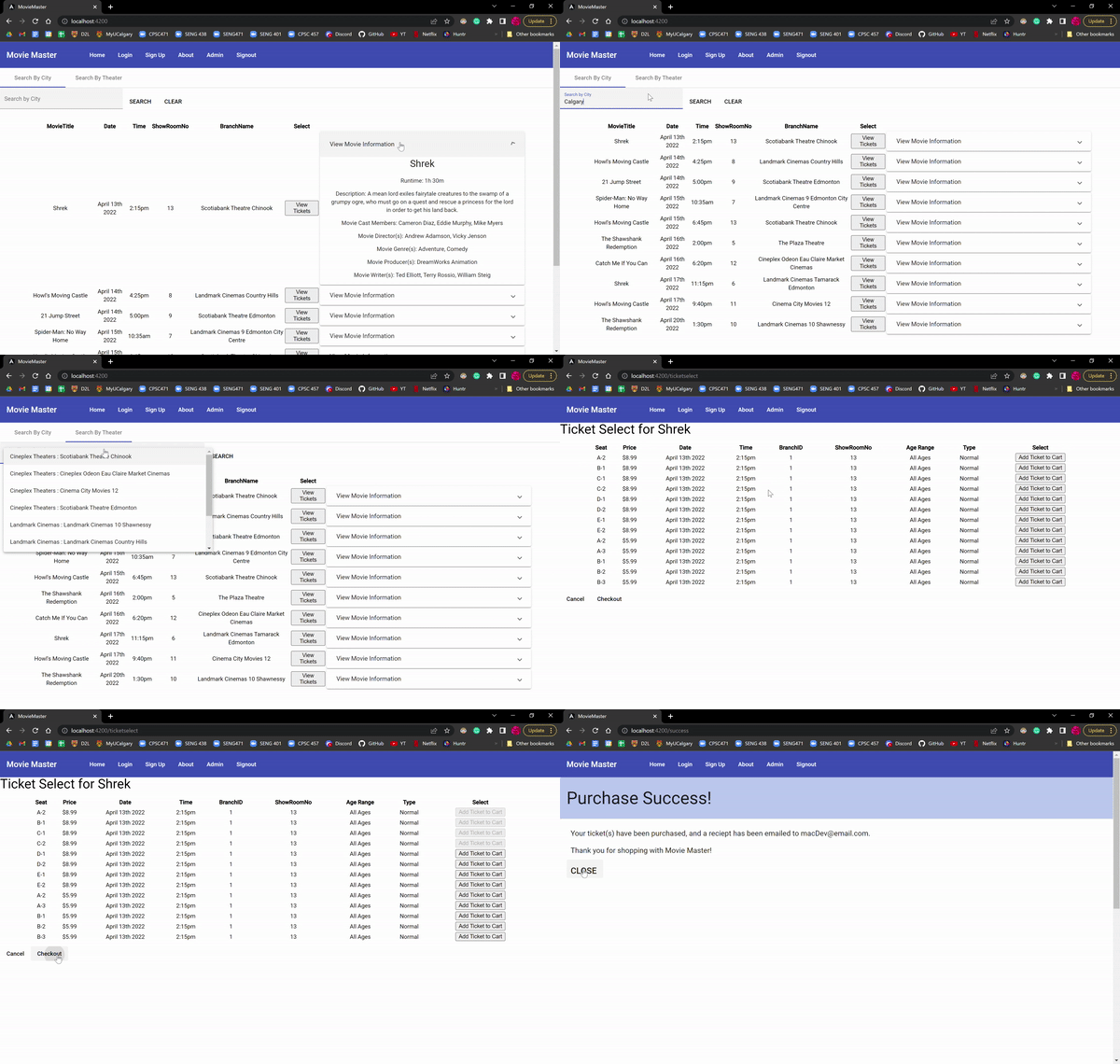
The front end requires a 32-bit windows version of NodeJS version 16.13.1. To install a node modules folder you will want to run the command "npm install" once navigated to the installed project folder. Then you can enter "npm start". Next run “ng serve” to start the frontend, and navigate to http://localhost:4200/ to view the website.
The database was constructed using Microsoft SQL Management Studio. A .sql script file is provided in the git repository at titled MovieMasterScript.sql. This file can be used to generate the database along with all the stored procedures used. Finally, the RESTful API was created using the .NET 6.0 Web API framework in Visual Studios 2022. To run this, open the MovieMasterAPI.sin file located in the MovieMasterAPI folder. You may have to go to the AppSettings.json file and change the DevConnection string so it contains the connection string for your SQL server. Then run the solution. A web page will open up at http://localhost:5167. Once all this is done the web application can be used as intended.
- Jared Assen (https://github.com/JaredAssen)
- Madeline Mazurek (https://github.com/madelinemazurek)