



A Rust library and demo app that implements Apple-style liquid / frosted glass UI effects using Iced and custom WGPU shader pipelines.
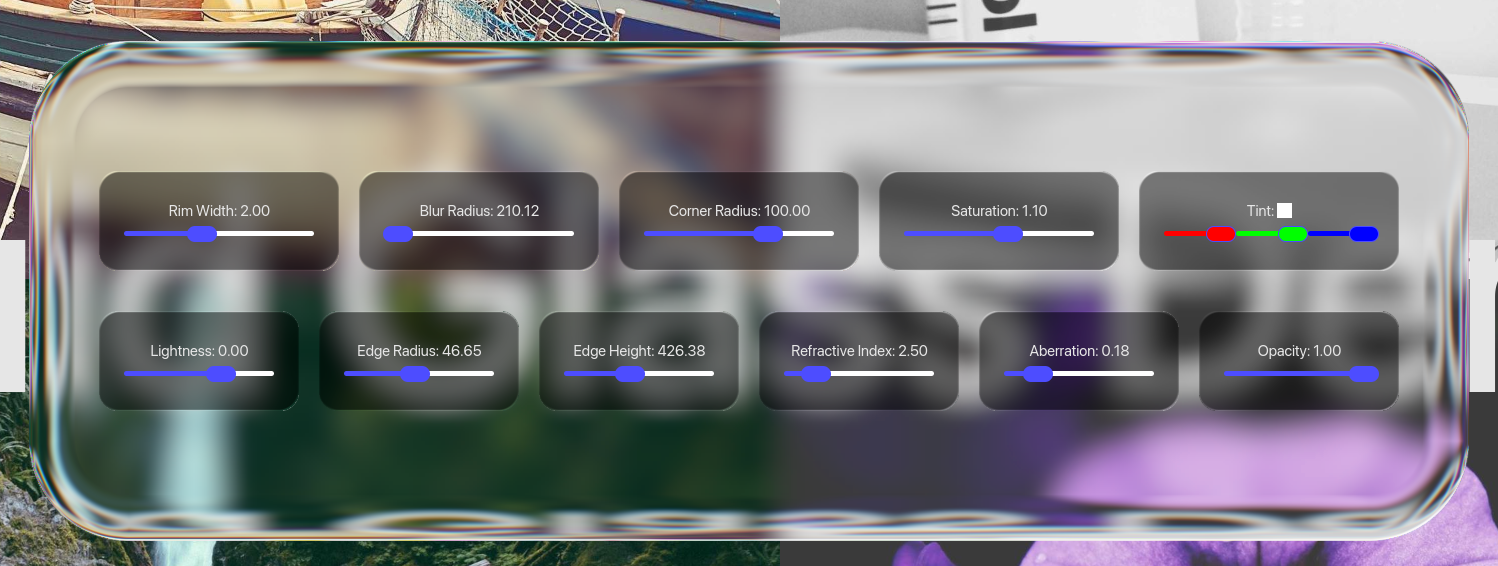
Configurable liquid glass effects

Renders in real time
Animated with iced's built-in animation system

Blend multiple containers using glass_stack
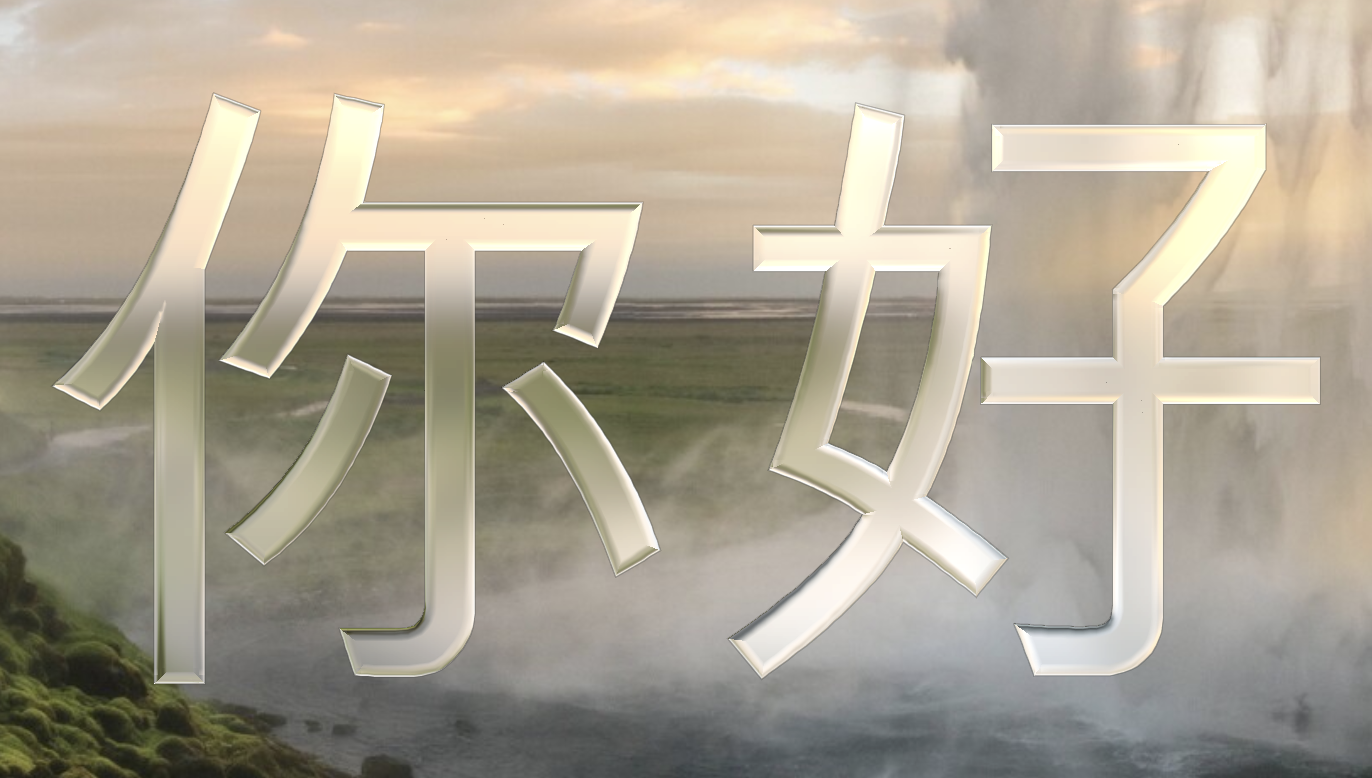
With the rewrite of the refraction math using signed distance functions, it is now possible to render text with refraction. This is rendered using cosmic-text, freetype-rs and msdfgen-rs. Each glyph is rasterized into an MSDF atlas on first use and cached for subsequent frames. The SDF is then used in the fragment shader both for inside/outside testing and to drive the refraction and rim-light effects, giving text the same glass appearance as iced_glass::widget::container.
Font selection is not possible at this time. This will be added before the feature is completed- GPU textures are a bit wasteful to simplify the implementation. Hopefully this will get fixed
Due to starting from acontainerwidget, the interface is slightly different than the originaltextwidget. This will be addressed
This crate is meant to be a drop-in replacement for existing iced widgets, making it possible to add extra styling for liquid glass-like effects.
impl Ui {

    // view using regular container
    fn view(&self) -> Element<'_, Message> {
        iced::widget::container(
            self.content()
        )
        .into()
    }

    // same view using iced_glass, with styling options
    fn glass_view(&self) -> Element<'_, Message> {
        iced_glass::widget::container(
            self.content()
        )
        .glass_style(|_theme| iced_glass::Style {
            blur_radius: 10.0, // gaussian blur
            saturation: 0.8, // add or remove saturation from background texture
            lightness: -2.0, // tint glass lighter or darker in exposure steps
            edge_radius: 20.0, // bevel radius of container
            edge_height: 100.0, // accentuate refraction by adding depth
            refractive_index: 1.5, // amount of refraction
            chromatic_aberration: 0.1, // spread in refraction index for red/blue channels
            rim_width: 2.0, // rim highlight
            opacity: 1.0, // select opacity, useful for fade-in effects
            edge_type: EdgeType::GlassEdge // choose between refractive glass edges or smooth fade-in

        })
        .into()
    }
}iced_glass captures the framebuffer region behind a widget, applies a separable Gaussian blur, then composites a final fragment pass that adds:
- Frosted glass blur with configurable radius
- Refraction — Snell's-law-based UV offsets that simulate light bending through a glass surface
- Saturation and lightness grading (dark/tinted glass via linear-space exposure)
- Rim highlights — angle-dependent edge glow along the rounded-rect SDF
- Rounded corners and opacity controls
All rendering happens on the GPU via WGSL shaders (fragment.wgsl / text.wgsl for the composite pass, gaussian.wgsl for the separable blur, downsample.wgsl for downsampling before blurring, and upsampling after blurring).
The library exposes four custom Iced widgets:
| Widget | Description |
|---|---|
iced_glass::widget::container |
A drop-in container with glass effect. Supports all standard container properties (padding, alignment, clipping) plus glass parameters: blur_radius, saturation, lightness, edge_radius, edge_height, refractive_index, rim_width, opacity. |
iced_glass::widget::slider |
An Iced-compatible slider whose handle renders with the glass primitive while dragging. Exposes edge_radius, edge_height, and refractive_index for the handle effect. |
iced_glass::widget::text |
A drop-in text widget that renders glyphs using MSDF (Multi-channel Signed Distance Field) textures and the same glass shader pipeline as the container. Supports all standard text properties (size, font, line_height, shaping, wrapping, alignment) plus glass parameters: blur_radius, saturation, lightness, edge_radius, edge_height, refractive_index, rim_width, opacity. |
iced_glass::widget::stack |
A drop-in replacement for the stack widget with a glass effect. Makes it possible to blend multiple elements together with a coherent glass effect. |
More widgets are planned to be added.
- Add support for tinted glass
This might move the opacity selector into the style of the widget.For now, opacity remains as a standalone option, since it works a bit differently than tinting.- For now, only flat colors are available when tinting, and they are configured by adding a background to the element
- Add downsampling and upsampling to improve blur performance
- Add
Buttonwidget with default styling - Add
Togglewidget with default styling - Add
Textwidget with default styling - Add configurable chromatic aberration
- Add timing metrics for GPU shader stages
- This has been tested locally, but it requires enabling feature flags on device creation in iced.
The most expensive rendering step is the blur pass. Initially, this was done as a single 2D sampling render pass. Currently, blurring is handled through downsampling + separated gaussian blur + upsampling, which greatly improves performance while blurring. The actual liquid glass sampling stage is quite cheap, since it only samples a single pixel after doing some math. Even with chromatic aberration, it will remain relatively cheap.
The main bottleneck in terms of performance for these widgets is the amount of render passes issued. Since each component keeps track of its own background textures, and gaussian blurring is done through the use of mipmaps, there are up to 11 render passes per widget. And each widget is rendered separately, which issues a lot of render passes if multiple liquid glass element are in the same view. There are no current plans to improve performance. As long as there are fewer than 20 liquid glass elements on the screen at a given time, performance should be excellent.
Here is a benchmark from the scene defined in examples/basic/src/main.rs, running on an M1 Macbook Pro:
downsample: 485.19µs
h_blur: 480.44µs
v_blur: 483.40µs
upsample: 402.96µs
fragment: 333.28µs
total: 2185.27µs
fps: 457.61
| Crate | Purpose |
|---|---|
iced |
GUI framework (custom fork with wgpu, image, advanced, svg, tokio features) |
iced_wgpu |
Low-level WGPU integration for custom shader primitives |
wgpu |
GPU abstraction layer |
bytemuck |
Safe transmutes for uniform buffers |
num-traits |
Numeric trait bounds for the slider |
itertools |
Used to simplify text rendering pipeline |
tracing |
Tracing support enabled on native and WASM |
msdfgen |
Used for font rendering |
notosans |
Packaged font that works well with MSDF |
freetype-rs |
Provides glyph positioning during rendering |
etagere |
Packages glyph textures into a texture atlas |
cosmic-text |
Provides text layout |
cargo run -p basic| Platform | Core glass widgets (container, slider, stack) |
text feature |
|---|---|---|
| Linux | ✅ | ✅ |
| macOS | ✅ | ✅ |
| Windows | ✅ | ❌ |
| WASM | ❌ | ❌ |
The text feature pulls in msdfgen-sys, which doesn't ship prebuilt FFI bindings for Windows and whose pinned bindgen 0.63 panics on modern libclang's _Complex _Float16 builtin. Until msdfgen-sys upgrades, the text feature is unsupported on Windows. The core glass widgets work everywhere.
WASM support is planned for a future release.
Note: This project depends on a custom iced fork (
latestbranch) for the shader primitive API. Currently, it is not possible to read from the background texture during rendering, which is needed for an effect like this. I'm aiming to get the changes merged into iced in the future (iced-rs/iced#3316).