Formula navigation and evaluation for YAML engineering formulas and C/C++ constants inside Visual Studio Code.
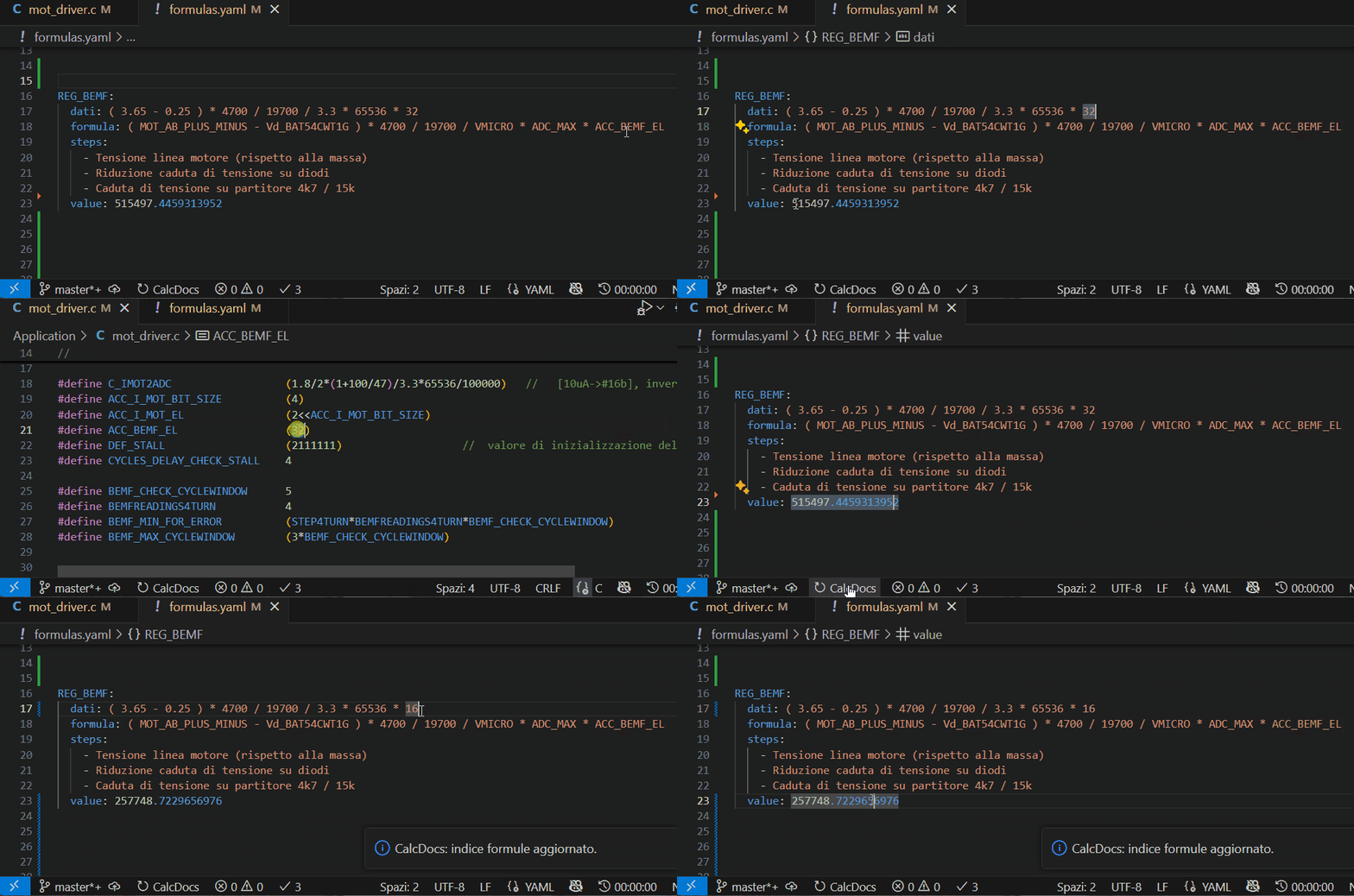
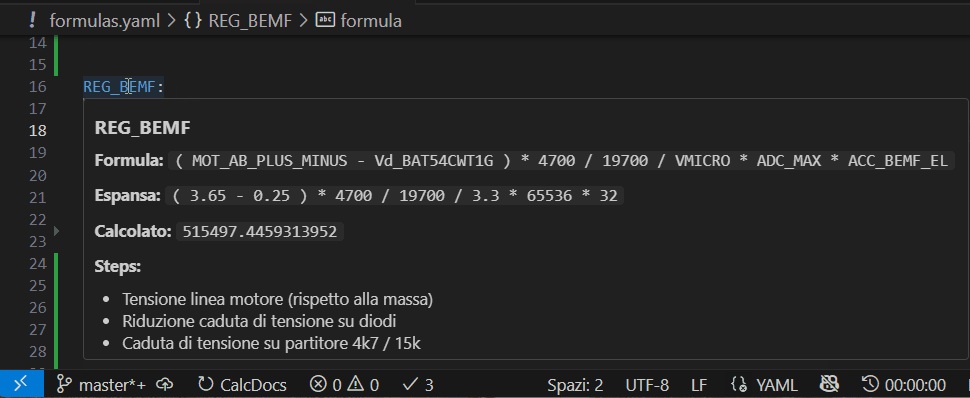
CalcDocs helps firmware, embedded, and software teams keep technical formulas, documentation, and source code aligned directly inside the editor.
- Hover over formula symbols in YAML, C, and C++ files
- Go to Definition for:
- formula keys defined in
formulas*.yaml/formulas*.yml - numeric
#defineandconstsymbols in C/C++
- formula keys defined in
- Formula expansion using known values
- Automatic refresh of YAML formulas
- Numeric evaluation when a formula can be fully resolved
- Automatic update of YAML fields (
datiandvalue) - Periodic background analysis of the workspace
- Quick refresh command available in the status bar
Example YAML formula file:
MAX_SPEED:
  formula: RPM * WHEEL_RADIUS * 0.10472
  unit: m/s
  steps:
    - Read RPM from sensor
    - Convert RPM to rad/s
  value: 12.5

RPM:
  value: 1000

WHEEL_RADIUS:
  value: 0.2
When hovering on MAX_SPEED or RPM, CalcDocs provides:
- expanded formula
- current values
- navigation to symbol definition
CalcDocs: Force formula refresh Rebuilds the formula index and updates YAML values CalcDocs: Set scan interval Configures periodic background analysis Status bar refresh Quick manual refresh of formulas
Supported formula files:
- formula*.yaml
- formulas*.yml
Supported code files:
- .c
- .h
- .cpp
- .hpp
Customizable ignored folders Extension activation occurs when opening a YAML file in the workspace.
CalcDocs is useful when engineering formulas, documentation, and source code constants must stay synchronized.
It helps teams:
- reduce context switching
- quickly understand formulas
- navigate between documentation and code
- debug engineering calculations faster
- vscode
- yaml formulas
- engineering formulas
- embedded development
- c/cpp constants
- formula evaluation
- hover documentation
- go to definition
Contributions are welcome, especially for:
parser improvements
- diagnostics
- testing
- developer experience
If you find this extension useful, consider sponsoring the project to support its development.

Planned improvements:
- YAML schema validation
- more robust expression parsing
- automated tests for YAML write-back
- configurable include/exclude paths
- improved multi-root workspace support
