This is a full-stack application that allows users (restaurant staff) to create and manage customer reservations and tables at a restaurant.
Project Link: {link}
Frontend: Javascript, React, HTML, CSS, Bootstrap Backend: Node, Express, Knex, PostgreSQL, ElephantSQL, DBeaver
| URL | HTTP METHOD | DESCRIPTION |
|---|---|---|
| "/reservations" | GET | Lists all reservations |
| "/reservations" | POST | Creates a new reservation |
| "/reservations/:reservationId" | GET | Reads a specific reservation by its id |
| "/reservations/:reservationId" | PUT | Updates a specific reservation by its id |
| "/reservations/:reservationId/status" | PUT | Updates the status of a specific reservation by its id |
| "/tables" | GET | Lists all tables |
| "/tables" | POST | Creates a new table |
| "/tables/:tableId/seat" | PUT | Seats a reservation at a specific table |
| "/tables/:tableId/seat" | DELETE | Finishes an occupied table |
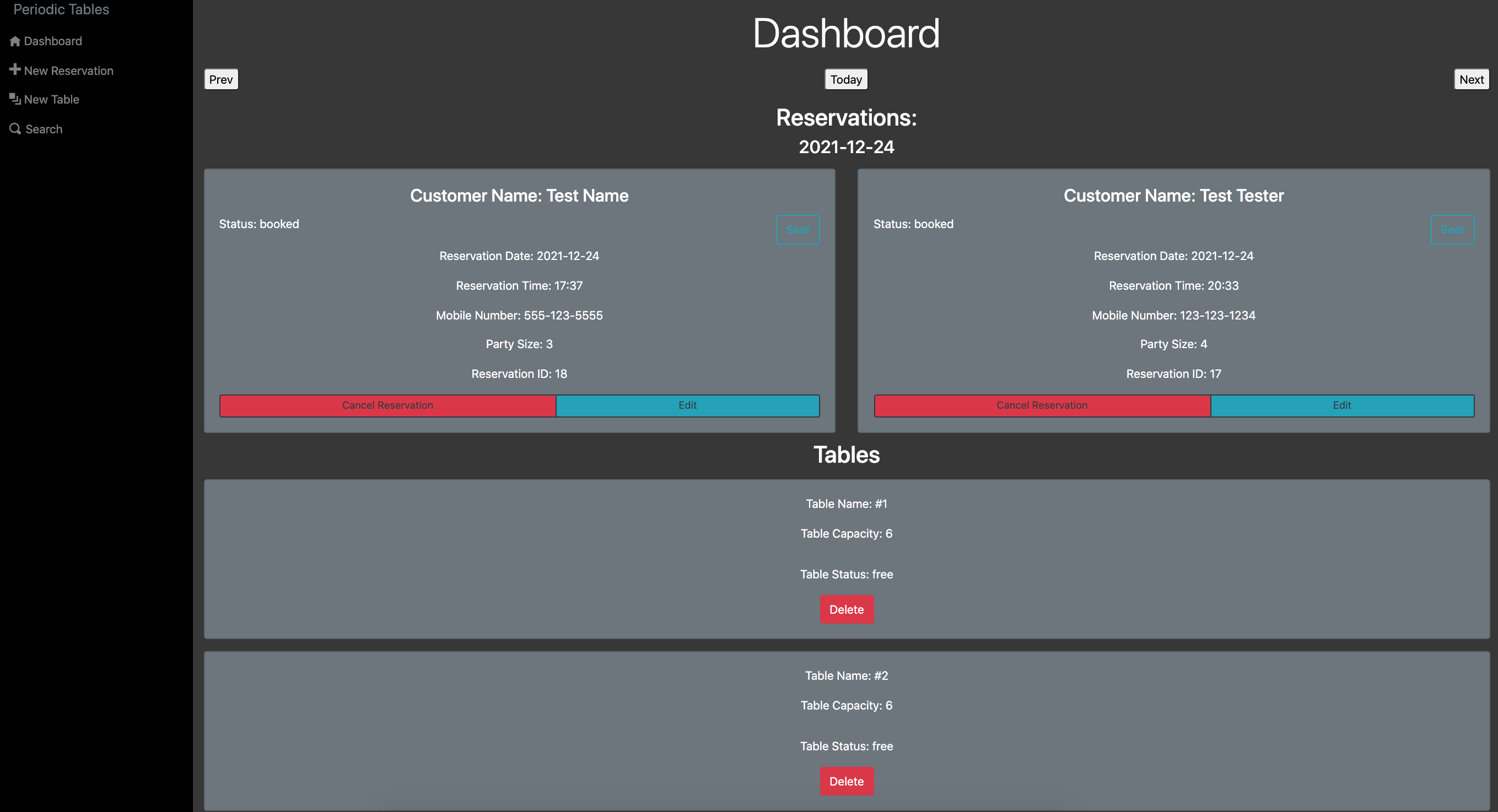
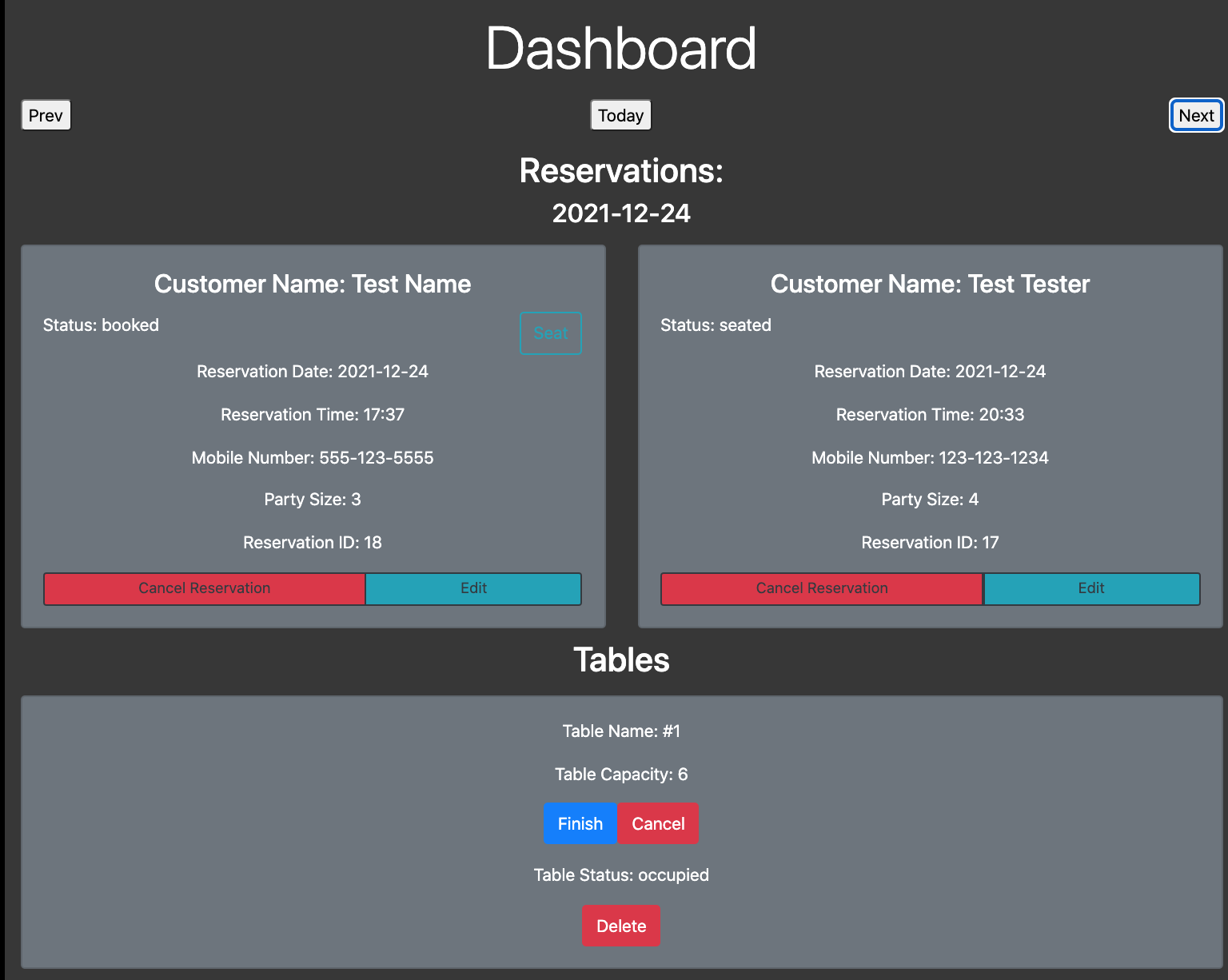
On the dashboard page, you will see the details displayed for all tables and reservations on a specific date. When the customer arrives at the restaurant and is ready to be seated, you can click the 'Seat' button to find an open table. For each reservation, you can make changes by clicking 'Edit', or you can cancel the reservation by clicking 'Cancel'.
Each table will display its name, capacity, and status, along with a button that allows the user to delete the table.
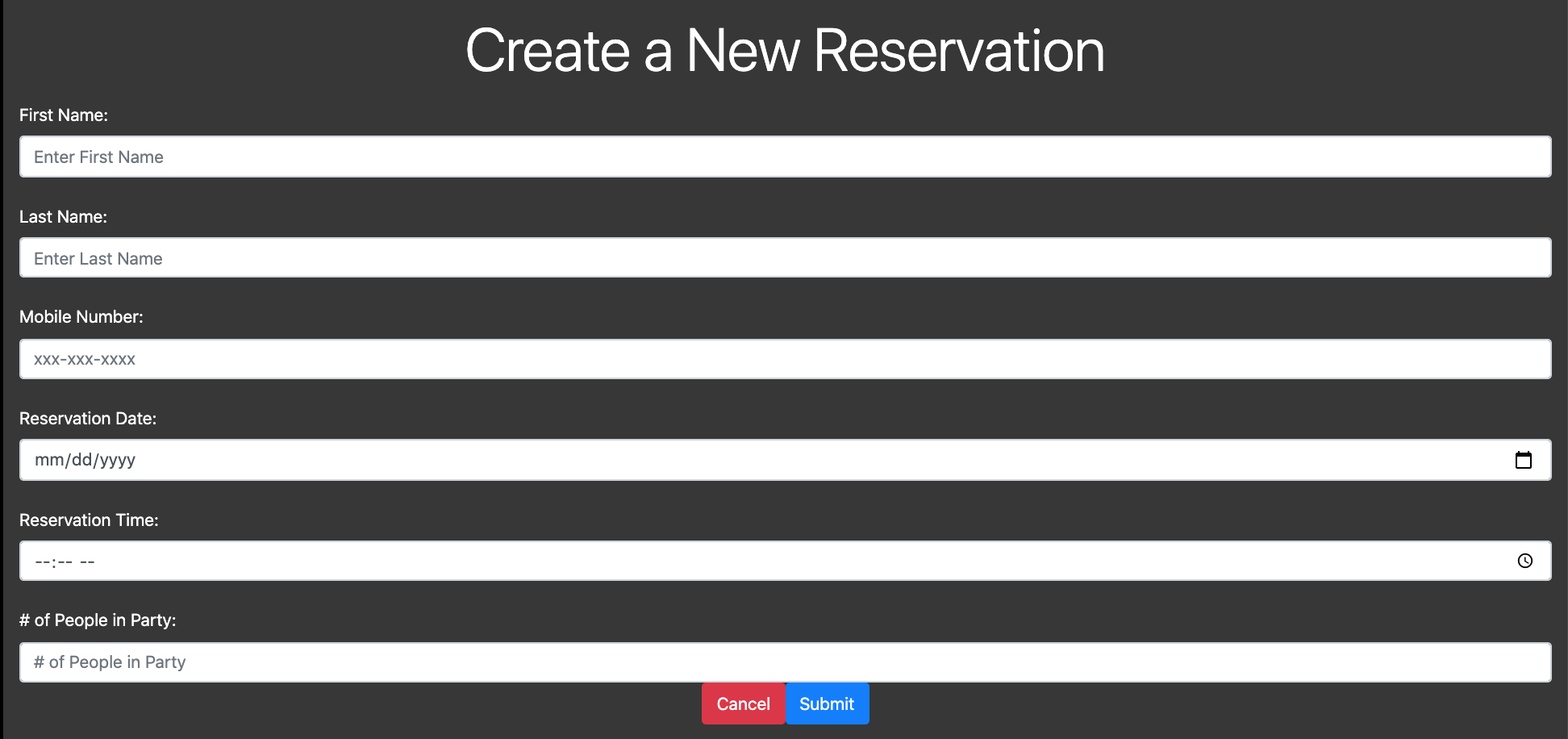
From the menu, navigate to the new reservation page by clicking on 'New Reservation'. Fill out the form then click submit. You will then be taken back to the dashboard page where you can view the reservation you just created. The dashboard will display all reservations for that date.

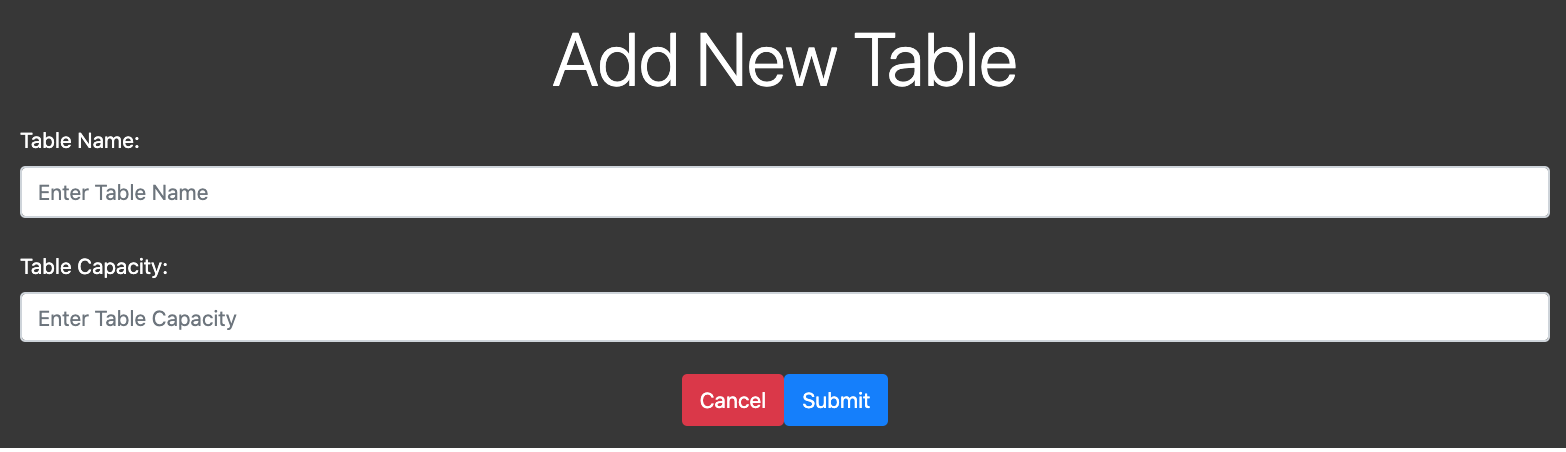
From the menu, navigate to the new table page by clicking on 'New Table'. Fill out the form then click submit. You will then be taken back to the dashboard page where you can view all of the tables at the restaurant.
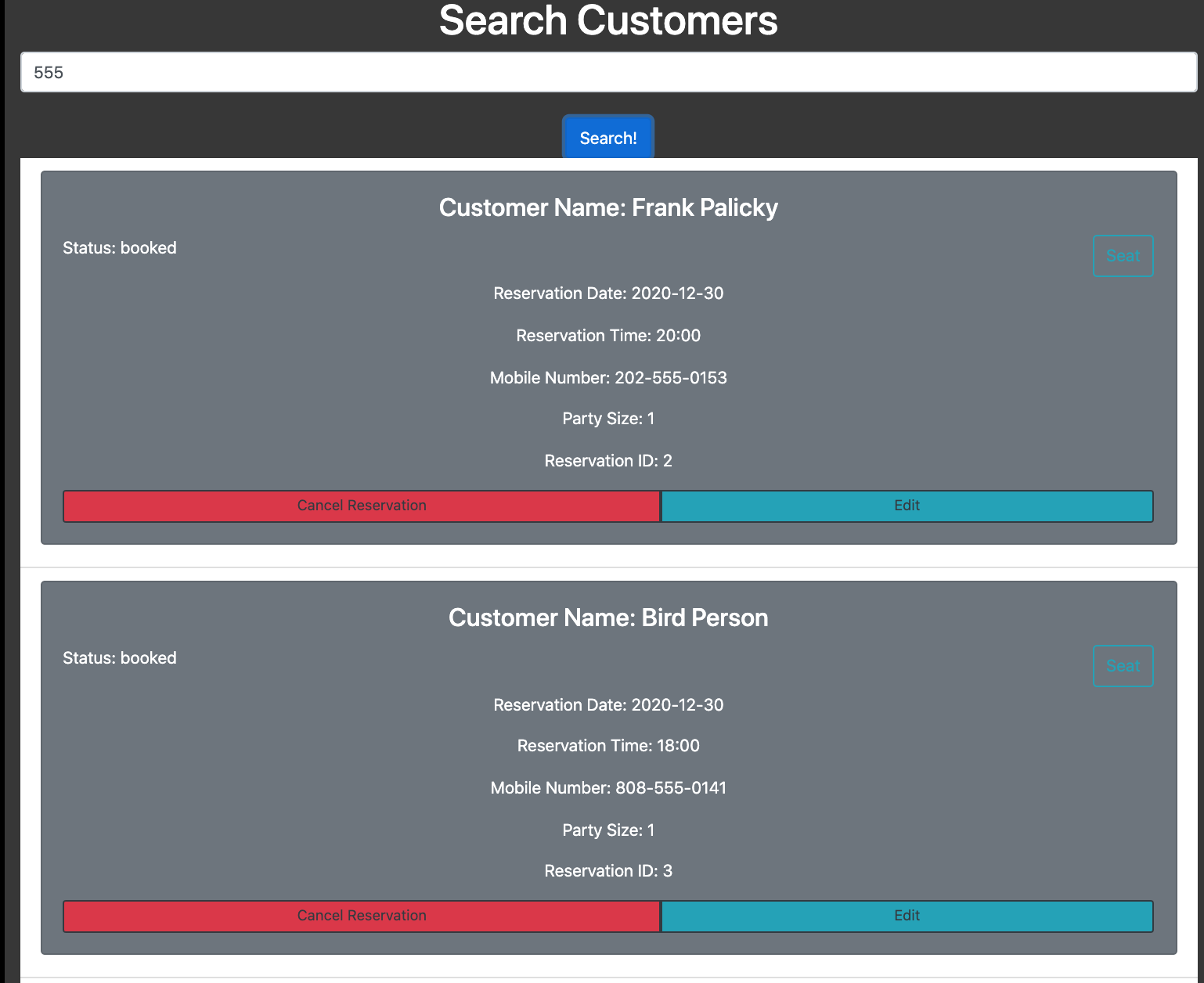
From the menu, navigate to the search customer page by clicking on 'Search'. Enter a partial or whole phone number of a customer, then click search. This will display all customers that exist in the database that match the phone number.
- Fork and clone this repository.
- Run cp ./back-end/.env.sample ./back-end/.env.
- Update the ./back-end/.env file with the connection URL's to your ElephantSQL database instance.
- Run cp ./front-end/.env.sample ./front-end/.env.
- Include your backend connection within ./front-end/.env (defaults to http://localhost:5000)
- Run npm install to install project dependencies.
- Run npm run start to start the server.