


A direct-mode Terminal UI framework for Elixir/BEAM, inspired by BubbleTea (Go) and Ratatui (Rust).
TermUI leverages BEAM's unique strengths—fault tolerance, actor model, hot code reloading—to build robust terminal applications using The Elm Architecture.
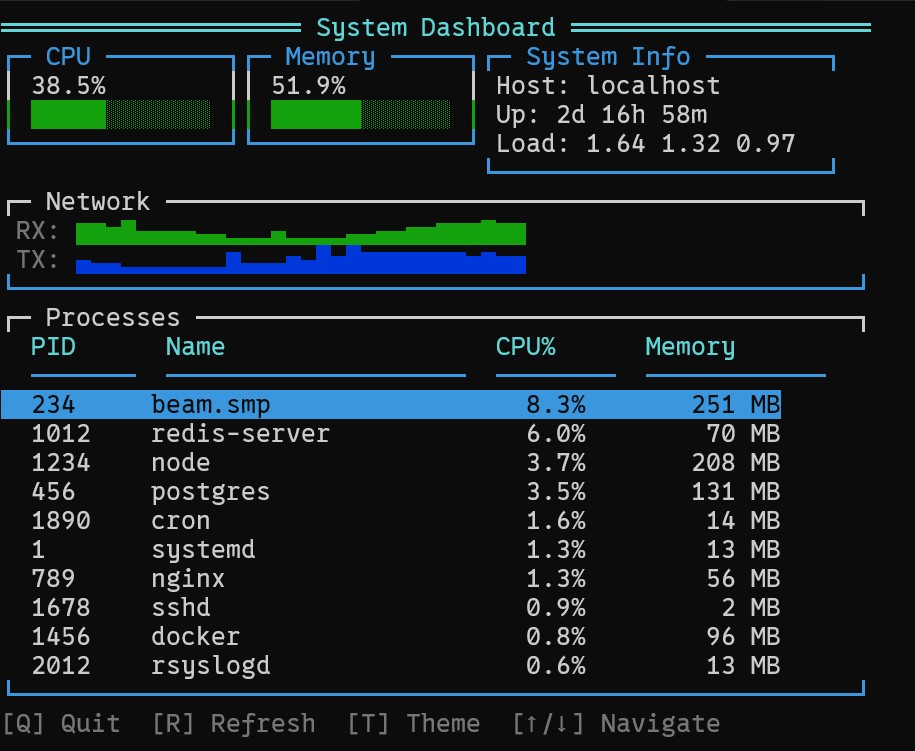
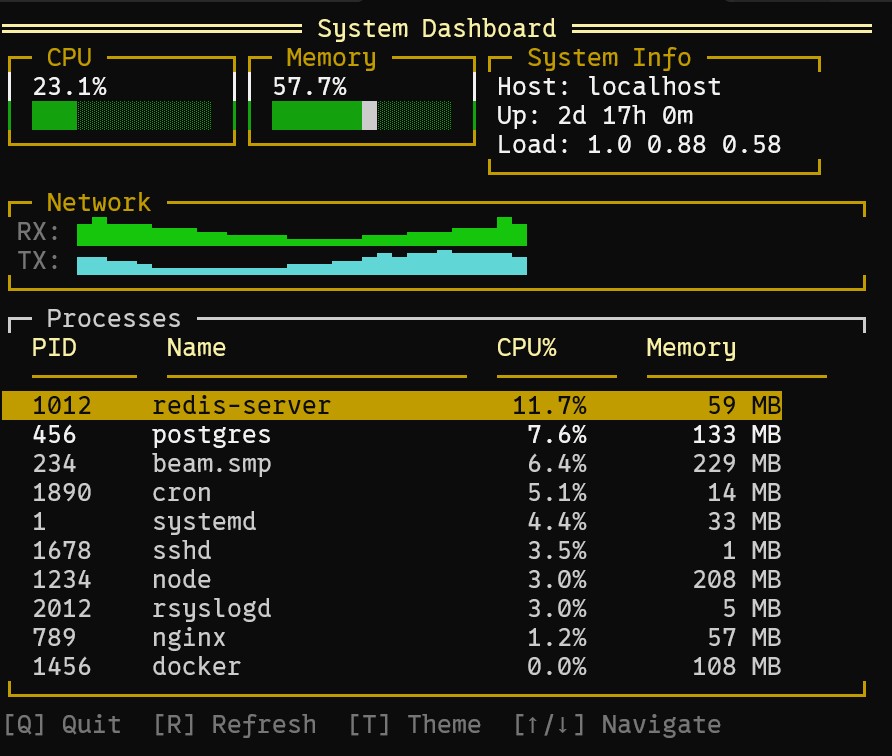
- Elm Architecture - Predictable state management with
init/update/view - Rich Widget Library - Gauges, tables, menus, charts, dialogs, and more
- Efficient Rendering - Double-buffered differential updates at 60 FPS
- Themable - True color RGB support (16 million colors)
- Cross-Platform - Linux, macOS, Windows 10+ terminal support
- OTP Integration - Supervision trees, fault tolerance, hot code reload
- IEx Compatible - Run TUI applications directly in IEx for interactive development
TermUI applications work directly in IEx with no code changes. This is perfect for:
- Interactive debugging and development
- Admin tools and dashboards in production IEx sessions
- Prototyping and testing TUI interfaces
# In your IEx session
iex> TermUI.Runtime.run(root: MyApp.Counter)
# Use arrow keys, press Q to quit, returns to IEx promptTermUI uses Erlang's :io.get_chars/2 for input instead of Elixir's IO module wrapper. This bypasses IEx's input interception, allowing TUI applications to receive keyboard input directly.
You can detect if your application is running in IEx:
iex> TermUI.iex_mode?()
true

iex> TermUI.running_mode()
:iex
Force IEx-compatible mode via configuration:
# config/config.exs
config :term_ui,
  iex_compatible: true
Or via environment variable:
export TERM_UI_IEX_MODE=true- Arrow keys work immediately - No need to press Enter for navigation
- All keyboard shortcuts work - Including Tab, Enter, Escape, function keys
- Clean shutdown - Terminal state is restored when the app exits
- IEx remains responsive - The TUI app can be exited to return to IEx prompt
| Widget | Description |
|---|---|
| Gauge | Progress bar with color zones |
| Sparkline | Compact inline trend graph |
| Table | Scrollable data table with selection and sorting |
| Menu | Hierarchical menu with submenus |
| TextInput | Single-line and multi-line text input |
| Dialog | Modal dialog with buttons |
| PickList | Modal selection with type-ahead filtering |
| Tabs | Tabbed interface for switchable panels |
| AlertDialog | Modal dialog for confirmations with standard button configurations |
| ContextMenu | Right-click context menu with keyboard and mouse support |
| Toast | Auto-dismissing notifications with stacking |
| Viewport | Scrollable view with keyboard and mouse support |
| SplitPane | Resizable multi-pane layouts for IDE-style interfaces |
| TreeView | Hierarchical data display with expand/collapse |
| FormBuilder | Structured forms with validation and multiple field types |
| CommandPalette | VS Code-style command discovery with fuzzy search |
| BarChart | Horizontal/vertical bar charts for categorical data |
| LineChart | Line charts using Braille characters for sub-character resolution |
| Canvas | Direct drawing surface for custom visualizations |
| LogViewer | High-performance log viewer with virtual scrolling and filtering |
| StreamWidget | GenStage-integrated widget with backpressure support |
| ProcessMonitor | Live BEAM process inspection with sorting and filtering |
| SupervisionTreeViewer | OTP supervision hierarchy visualization |
| ClusterDashboard | Distributed Erlang cluster monitoring |
Add term_ui to your dependencies in mix.exs:
def deps do
  [
    {:term_ui, "~> 0.2.0"}
  ]
enddefmodule Counter do
use TermUI.Elm
alias TermUI.Event
alias TermUI.Renderer.Style
def init(_opts), do: %{count: 0}
def event_to_msg(%Event.Key{key: :up}, _state), do: {:msg, :increment}
def event_to_msg(%Event.Key{key: :down}, _state), do: {:msg, :decrement}
def event_to_msg(%Event.Key{key: "q"}, _state), do: {:msg, :quit}
def event_to_msg(_, _), do: :ignore
def update(:increment, state), do: {%{state | count: state.count + 1}, []}
def update(:decrement, state), do: {%{state | count: state.count - 1}, []}
def update(:quit, state), do: {state, [:quit]}
def view(state) do
stack(:vertical, [
text("Counter Example", Style.new(fg: :cyan, attrs: [:bold])),
text("", nil),
text("Count: #{state.count}", nil),
text("", nil),
text("↑/↓ to change, Q to quit", Style.new(fg: :bright_black))
])
end
end
# Run the application
TermUI.Runtime.run(root: Counter)| Guide | Description |
|---|---|
| Overview | Introduction to TermUI concepts |
| Getting Started | First steps and setup |
| Elm Architecture | Understanding init/update/view |
| Events | Handling keyboard and mouse input |
| Styling | Colors, attributes, and themes |
| Layout | Arranging components on screen |
| Widgets | Using built-in widgets |
| Terminal | Terminal capabilities and modes |
| Commands | Side effects and async operations |
| Advanced Widgets | Navigation, visualization, streaming, and BEAM introspection widgets |
| Guide | Description |
|---|---|
| Architecture Overview | System layers and design |
| Runtime Internals | GenServer event loop and state |
| Rendering Pipeline | View to terminal output stages |
| Event System | Input parsing and dispatch |
| Buffer Management | ETS double buffering |
| Terminal Layer | Raw mode and ANSI sequences |
| Elm Implementation | Elm Architecture for OTP |
| Creating Widgets | How to build and contribute widgets |
| Testing Framework | Component and widget testing |
The examples/ directory contains standalone applications demonstrating each widget:
| Example | Description |
|---|---|
| alert_dialog | Confirmation dialogs with standard buttons |
| bar_chart | Horizontal and vertical bar charts |
| canvas | Free-form drawing with box/braille characters |
| cluster_dashboard | Distributed Erlang cluster monitoring |
| command_palette | VS Code-style command discovery |
| context_menu | Right-click context menus |
| dashboard | System monitoring dashboard with multiple widgets |
| dialog | Modal dialogs with buttons |
| form_builder | Structured forms with validation |
| gauge | Progress bars and percentage indicators |
| line_chart | Braille-based line charts |
| log_viewer | Real-time log display with filtering |
| menu | Nested menus with keyboard navigation |
| pick_list | Modal selection with type-ahead |
| process_monitor | Live BEAM process inspection |
| sparkline | Inline data visualization |
| split_pane | Resizable multi-pane layouts |
| stream_widget | Backpressure-aware data streaming |
| supervision_tree_viewer | OTP supervision hierarchy |
| table | Scrollable data tables with selection |
| tabs | Tab-based navigation |
| text_input | Single and multi-line text input |
| toast | Auto-dismissing notifications |
| tree_view | Hierarchical data with expand/collapse |
| viewport | Scrollable content areas |
# Run any example
cd examples/dashboard
mix deps.get
mix termui.run- Elixir 1.15+
- OTP 28+ (required for native raw terminal mode)
- Terminal with Unicode support
MIT License - see LICENSE for details.