A native shopping list application for AsteroidOS smartwatches. Manage multiple shopping lists directly from your wrist using the handwriting keyboard, with full swipe gestures and the remorse timer safety net you know from the rest of the system.
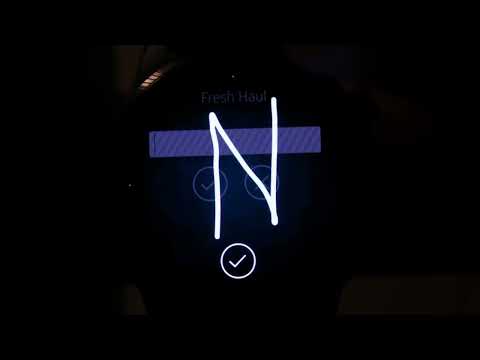
- Vertically scrolling item list with tap-to-toggle checkboxes
- Items are grouped under colour-coded category headers sorted by aisle order
- Within each category, items are sorted alphabetically at all times
- Checked items fade and strike through in place — they never move or reorder
- Category headers dim when all items in that category have been checked, giving a clear at-a-glance overview of which sections of the store are done
- Pull past the bottom of the list with a deep overscroll to reload from disk — useful after switching lists on another device or sideloading an updated file. A refresh icon briefly appears below the header to confirm the reload
Shopper ships with ten colour-coded categories matching a typical supermarket aisle layout:
| Category | Colour |
|---|---|
| Produce | Green |
| Dairy | Yellow |
| Meat & Fish | Terracotta |
| Bakery | Tan |
| Frozen | Ice Blue |
| Pantry | Grey |
| Drinks | Steel Blue |
| Household | Purple |
| Snacks | Amber |
| Baby & Pet | Pink |
Each category header shows a #N sort position prefix so you can reason
about the aisle order at a glance. Long-press any category header to rename
it or change its position in the sort order.
Items without a category are shown below all category groups, sorted alphabetically, with no header row.
- Tap the Add Item button at the bottom of the list to add a new item
- The handwriting keyboard opens automatically — just write the item name
- Swipe right on the text field page to reach the Category page and assign the item to a category using the cycler
- Confirm on any page to save — category assignment is optional
Long-press any existing item to open the edit dialog:
- Item name page — rename the item using the handwriting keyboard
- Category page — reassign the category; the background colour previews the selection
- Move to Haul page — transfer the item to a different list; the current list is pre-selected and confirming with no change is a no-op
- Delete page — delete the item protected by a three-second remorse timer; tap anywhere during the countdown to cancel
The edit dialog uses a horizontal snapping page layout with one control per page. A PageDot row at the bottom indicates the current page. Overscrolling past the first or last page gives tactile feedback that no further pages exist. The page header updates to reflect the current page context.
Confirming on any page of the edit dialog preserves the list scroll position exactly. The view never jumps.
Items can be moved to any other list directly from the edit dialog without leaving the shopping view. Open the edit dialog with a long-press, swipe to the Move to Haul page, and tap through the available lists. Confirming removes the item from the current list and appends it to the target list.
The default Starter Pack list is only available as a move target when you are currently on it — items can leave the Starter Pack but nothing can be moved into it from other lists.
The Check All Items / Uncheck All Items footer button toggles between both states depending on whether any items are currently checked. Useful for marking everything done at the end of a trip or resetting the list for the next shop.
Create as many named lists as needed — one per store, one per household member, one per occasion. Each list is an independent file and fully isolated from the others.
- Tap All My Hauls in the footer to open the list manager
- The list manager shows a progress bar behind each row indicating checked items vs total, and a checked/total fraction label
- Tap any list to switch to it and return immediately to the shopping view
- Long-press a list to rename or delete it via the edit dialog
- The last opened list is restored automatically on next launch
- Create new lists from the Fresh Haul footer button
The app ships with a pre-filled default list demonstrating two items per
category. It is clearly marked as a demo list with a warning in the footer.
The Starter Pack can be cleared but will be recreated in its original state
on reinstall or if a fresh default-shopper.txt is sideloaded. It should be
deleted once you have created your own lists.
Shopper uses the standard AsteroidOS LayerStack for navigation.
- Swipe from the left edge to go back from the list manager or edit dialog
- In the edit dialog, swipe left and right to move between pages
- Confirming or cancelling an edit dismisses the dialog automatically
- The right-edge indicator on the shopping list hints at the list manager
- The left-edge indicator on the list manager hints at the back gesture
Lists are stored as plain UTF-8 text files under the XDG user data path:
/home/ceres/.local/share/asteroid-shopper/<listName>-shopper.txt
Each line represents one item. The format is:
±CategoryName:itemName
or for uncategorized items:
±itemName
+ means checked (in cart), - means unchecked. Example:
-Produce:Bananas
+Dairy:Milk
-Pantry:Olive Oil
+Coffee
The file is written on every state change. Items without a prefix are treated as unchecked on first load for backwards compatibility with pre-2.2 files.
| Language | Status | Theme |
|---|---|---|
| English | Complete | Haul — casual shopping-culture vocabulary |
| German | Complete | Zettel — paper shopping slip metaphor |
| French | Complete | Community contribution |
Default category names are translated via qsTrId() so first-launch categories
appear in the device locale automatically.
File IO is handled by a small C++ singleton registered under
org.asteroid.shopper. Rather than accepting arbitrary paths it accepts only
list names and constructs the XDG data path internally, preventing accidental
writes outside the app data directory. The API is:
bool    exists(const QString &listName)
QString readFile(const QString &listName)
bool    writeFile(const QString &listName, const QString &content)
The XDG data directory is created automatically on first write. The
implementation is API-compatible with asteroid-skedaddle's FileHelper
for future consolidation into qml-asteroid.
main.qml owns all state and data functions. Three ListModel objects drive
the UI:
shoppingModel— the raw item list for the active list, populated from filelistsModel— the list of available lists with item and checked countsflatModel— the display model built bybuildFlatModel(), interleaving category header rows and item rows in aisle sort order
buildFlatModel() is the single update entry point after any shoppingModel
mutation. For in-place edits (name or category change on an existing item)
updateItemInPlace() patches both models directly without a clear/rebuild,
preserving contentY.
A QtObject named appStyle in main.qml centralises all repeated
style constants — row heights, font sizes, separator and press colors — so
global visual changes require a single edit.
Shopper is built with CMake and Qt 5.15 QML targeting AsteroidOS 2.0.
# Via devtool in an AsteroidOS build environment
devtool modify asteroid-shopper
bitbake asteroid-shopper
The recipe lives in
meta-asteroid-community
under recipes-asteroid/asteroid-shopper/.
src/
  main.qml                — Application root, all data, state and functions
  ShoppingListPage.qml    — Item list view
  AllListsPage.qml        — List manager view
  EditDialog.qml          — Item and list add/edit/delete dialog
  CategoryEditDialog.qml  — Category rename and reorder dialog
  RowSeparator.qml        — Reusable 1px separator anchored to parent bottom
  resources.qrc           — Qt resource manifest
GNU Lesser General Public License v2.1 — see LICENSE
Copyright (C) 2025-2026 Timo Könnecke (moWerk)