Dashboard and data provider for your record label (in early development stage)
$ sudo add-apt-repository "deb http://download.virtualbox.org/virtualbox/debian trusty contrib"
$ wget -q https://www.virtualbox.org/download/oracle_vbox.asc -O- | sudo apt-key add -
$ sudo apt-get update
$ sudo apt-get install -y virtualbox-4.3 dkms$ sudo apt-get install vagrantDev environment in the examples below is in /home/username/dev, so if you have it different, just be sure to change paths.
We use slightly modified rails-dev-box vagrant box as an development VM - check documentation there if you have any concerns.
$ git clone git@bitbucket.org:moonleerecords/moonode.git ~/dev/moonode$ cd ~/dev/moonode
$ vagrant up
$ vagrant ssh$ bundle
$ rake db:create
$ rake db:migrate$ bin/rails server -b 0.0.0.0Application will then be available at http://localhost:3000
$ rake db:migrate RAILS_ENV=test
$ rake test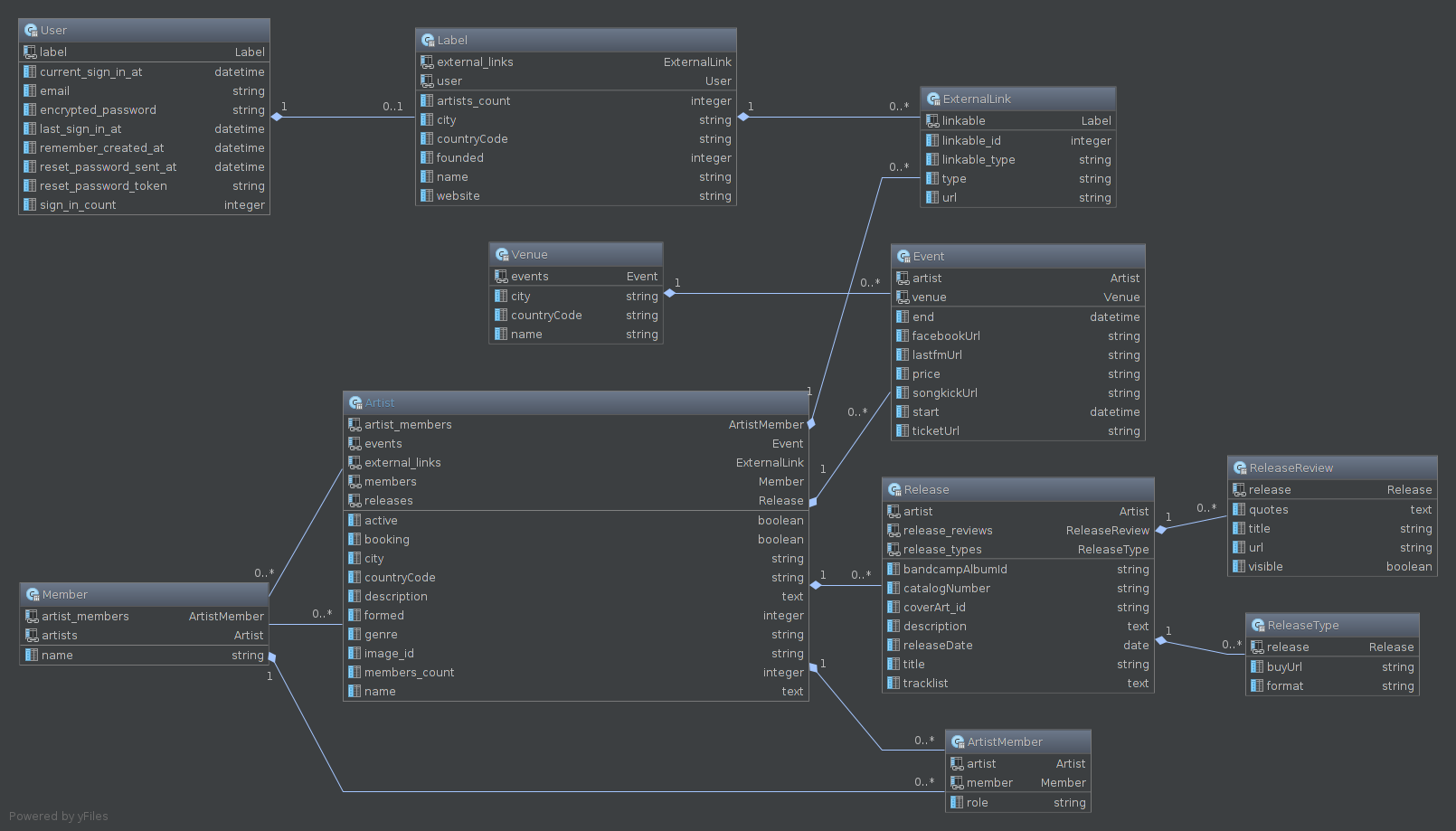
- check http://www.rubyonrails365.com/7-must-have-gems-to-install-on-any-project/?utm_content=bufferf9e5b&utm_medium=social&utm_source=twitter.com&utm_campaign=buffer
- views cleanup
- clear coffescripts
- use https://github.com/norman/friendly_id
- default values - for example - actively playing
- update forms - for example, to add a releaseType on release page
- admin lte