 |
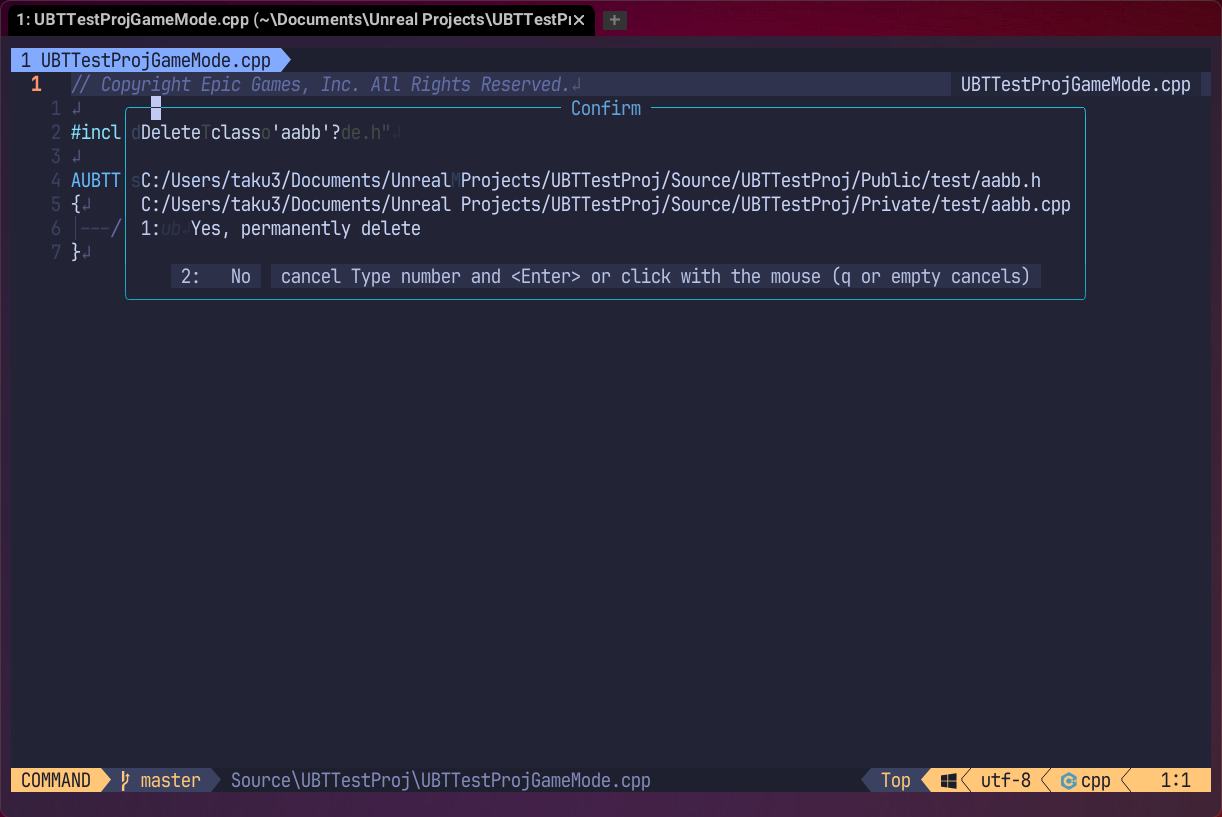 |
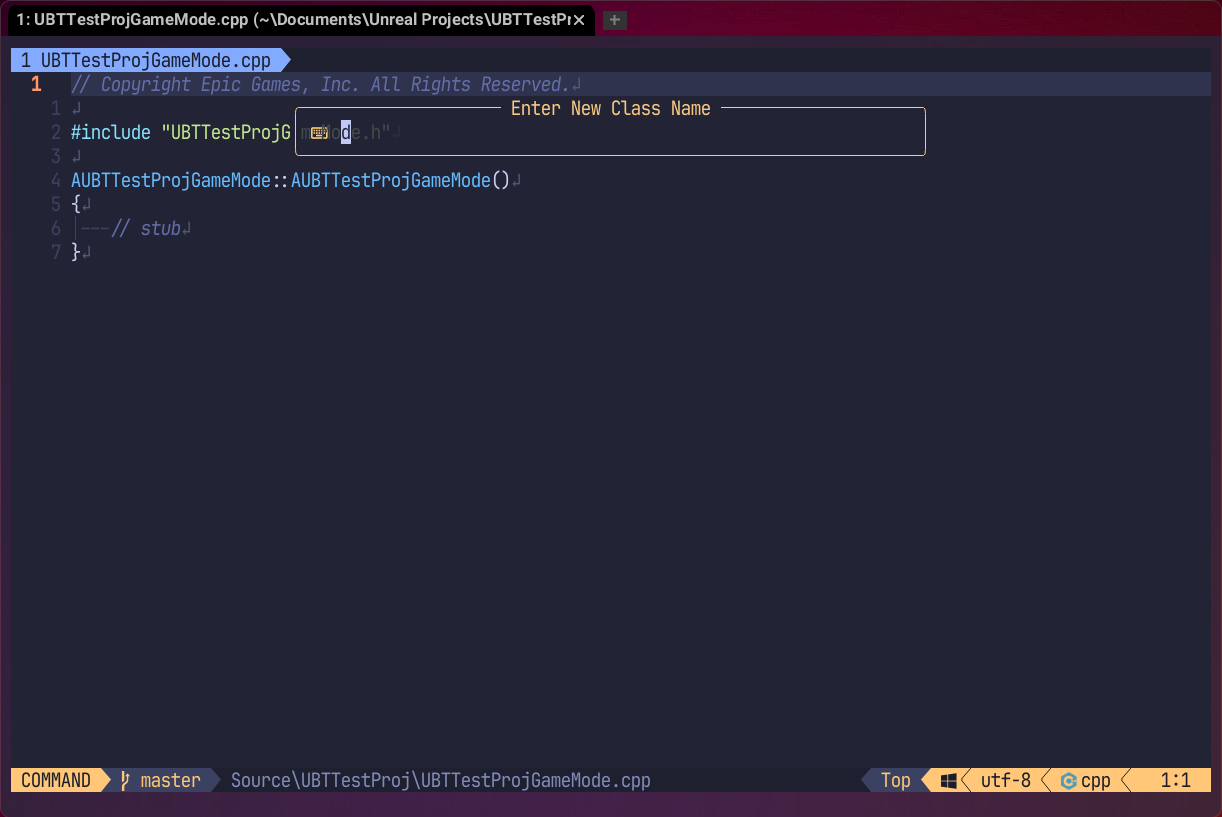
UCM.nvim is a Neovim plugin designed to streamline the management of Unreal Engine C++ classes. It allows you to create, switch, rename, delete, and generate implementation code for C++ classes directly from Neovim, following project-specific rules.
- Data-Driven Architecture:
- Centrally manage project-specific folder structures (e.g.,
Public/Privateseparation) and class creation rules viaconf.lua. - Class creation, renaming, deletion, and header/source switching are executed based on these robust rules.
- Note: Operations are file-system based. Renaming class symbols within the code should be handled by your LSP.
- Centrally manage project-specific folder structures (e.g.,
- Seamless UI Integration:
- Intelligent Implementation Generation:
- The
:UCM copy_impcommand automatically generates the C++ implementation stub for the function declaration under the cursor. - It intelligently strips
UFUNCTIONmacros,virtual/overridekeywords, and default arguments (= 0.f), while automatically adding the class scope andSuper::calls where appropriate.
- The
- Rider-like Code Generation:
:UCM create_impl: Instantly creates a function implementation in the.cppfile from a declaration in the.hfile. Automatically addsSuper::calls for overrides.:UCM create_decl: Generates a function declaration in the.hfile from an implementation in the.cppfile.:UCM add_struct: Interactively inserts a newUSTRUCTdefinition. Can optionally fetch base struct suggestions from the project usingUEP.
- Smart Includes:
- Automatically calculates the correct relative
#includepath (from modulePublicorClassesfolders) for the current file or a selected class and copies it to the clipboard.
- Automatically calculates the correct relative
- Macro Wizard:
- Provides an intelligent completion wizard for Unreal Engine reflection macros (
UPROPERTY,UFUNCTION, etc.). - Allows interactive multi-selection of appropriate specifiers (e.g.,
EditAnywhere,BlueprintReadWrite) to insert directly into your code.
- Provides an intelligent completion wizard for Unreal Engine reflection macros (
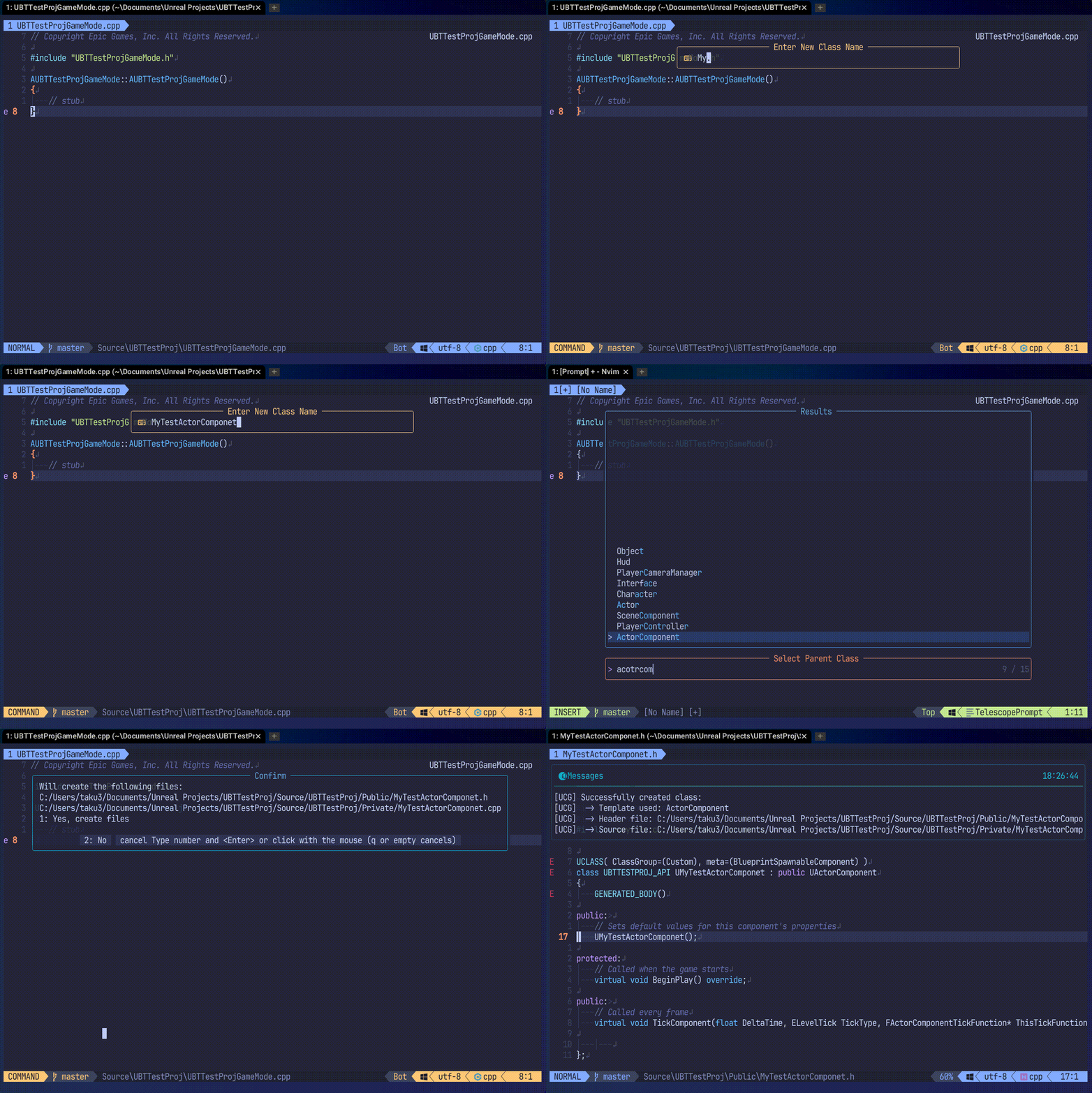 :UCM new Command
|
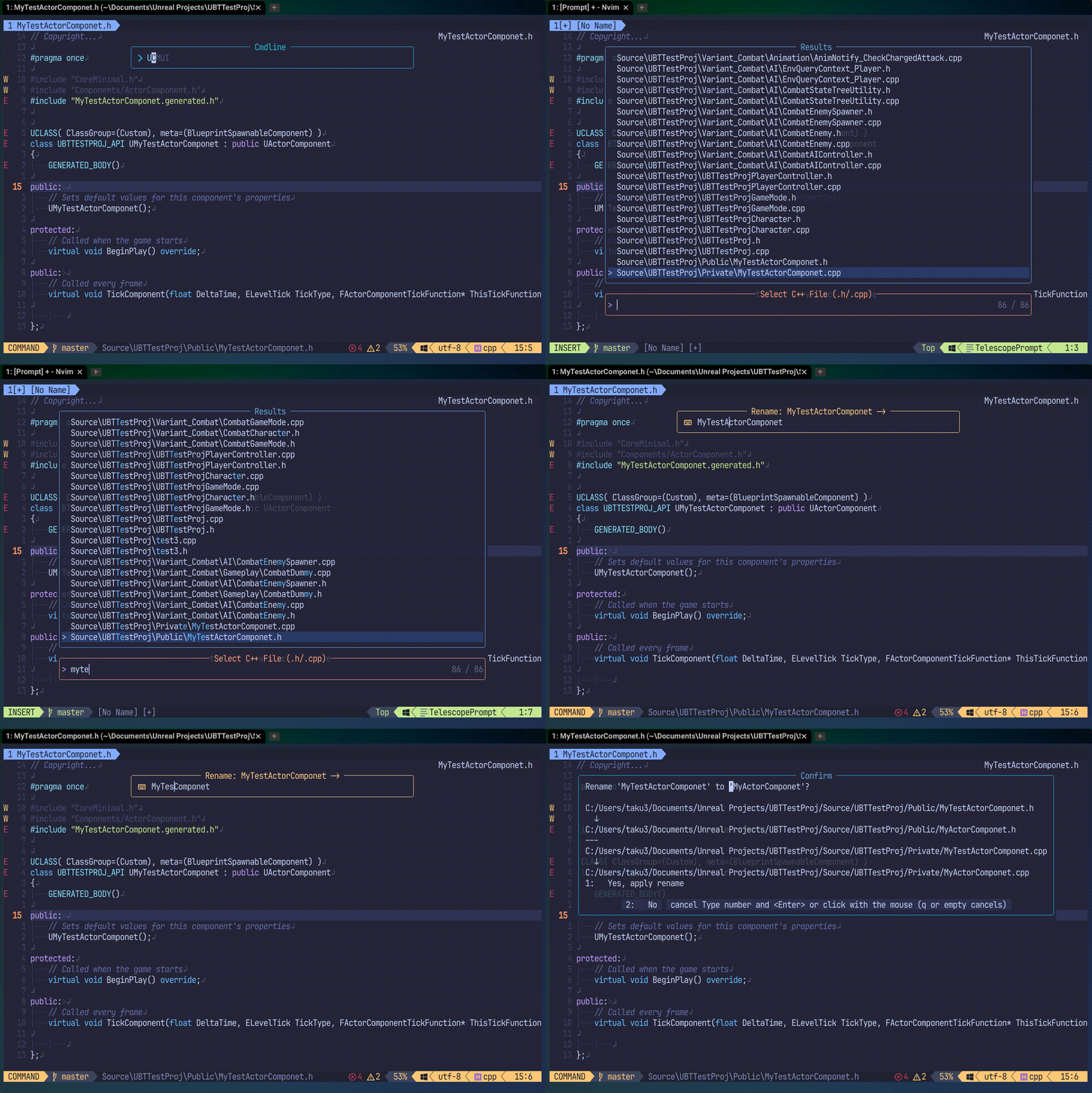 :UCM rename Command
|
- Neovim v0.11.3 or higher
- UNL.nvim (Required)
- Optional (Strongly recommended for an enhanced UI experience):
- telescope.nvim
- fzf-lua
- fd (Required when using
Telescopeorfzf-luaUI)
Install with your favorite plugin manager.
return {
  'taku25/UCM.nvim',
  dependencies = {
    "taku25/UNL.nvim", -- Required!
    -- Optional UI backends
    "nvim-telescope/telescope.nvim",
    "ibhagwan/fzf-lua",
  },
  opts = {
    -- Configure as you see fit
  },
}You can customize the plugin's behavior by passing a table to the opts field.
opts = {
  -- Select the UI frontend to use
  -- "auto": Automatically selects in the order of priority: Telescope -> fzf-lua -> native
  -- "telescope": Prioritizes Telescope (requires fd)
  -- "fzf-lua": Prioritizes fzf-lua (requires fd)
  -- "native": Uses the standard vim.ui (fd is not required)
  ui_frontend = "auto",

  -- Whether to show a confirmation UI when running the :UCM new command
  confirm_on_new = true,

  -- Copyright header for new header files
  copyright_header_h = "// Copyright...",
  -- Copyright header for new source files
  copyright_header_cpp = "// Copyright..",

  -- Default parent class for :UCM new when omitted
  default_parent_class = "Actor",

  -- Templates for class creation
  template_rules = {
    {
      name = "Object",
      priority = 0,
      parent_regex = ".*", -- Default for any UObject
      template_dir = "builtin",
      header_template = "UObject.h.tpl",
      source_template = "UObject.cpp.tpl",
      class_prefix = "U",
      uclass_specifier = "",
      base_class_name = "Object",
      direct_includes = { '"UObject/Object.h"' },
    },
  },
  -- Rules for finding the corresponding source/header file
  folder_rules = {
    -- Basic Public <-> Private mapping
    { type = "header",  regex = "^[Pp]ublic$", replacement = "Private" },
    { type = "source",  regex = "^[Pp]rivate$", replacement = "Public" },
    { type = "header",  regex = "^[Cc]lasses$", replacement = "Sources" },
    { type = "source",  regex = "^[Ss]ources$", replacement = "Classes" },

    -- Example of an asymmetric rule
    -- { regex = "^Headers$", replacement = "Private" },
    -- { regex = "^Private$", replacement = "Headers" },
  },
}" Directly create a new class.
:UCM new <ClassName> <ParentClass> [TargetDir]
" Directly delete a class file (extension is optional).
:UCM delete <Relative/Path/To/File>
" Directly rename a class file (extension is optional).
:UCM rename <Relative/Path/To/File> <NewName>
" Move a class to a new directory.
:UCM move <Source/File/Path> <Target/Dir>
" Switch between the header (.h) and source (.cpp) file.
:UCM switch
" Generates the implementation code for the function declaration under the cursor and copies it to the clipboard.
:UCM copy_imp
" Copy the correct relative #include path for the current file to the clipboard.
:UCM copy_include
" Pick a class from the project list and copy its #include path.
:UCM copy_include!
" Insert specifiers for the current macro context (e.g. UPROPERTY).
:UCM specifiers
" Force open the macro type selector (UPROPERTY/UFUNCTION/etc) and insert specifiers.
:UCM specifiers!
" Show a flat list of symbols (functions, properties, etc.) in the current file for quick navigation.
:UCM symbols
" Interactively insert a new USTRUCT definition (can select parent struct via UEP)
:UCM add_struct
### Class/Struct Creation Commands
#### `:UCM new`
Create a new class or struct. Lets you interactively select a parent from both classes and structs in your project.
:UCM new [TargetDir]
If no arguments are provided, a UI will prompt for the name and parent (class or struct).

#### `:UCM new_class`
Create a new class. Lets you select only from classes as the parent.
:UCM new_class [TargetDir]
If no arguments are provided, a UI will prompt for the class name and parent class.

#### `:UCM new_struct`
Create a new struct. Lets you select only from structs as the parent.
:UCM new_struct [TargetDir]
If no arguments are provided, a UI will prompt for the struct name and parent struct.

" Create function implementation in source (.cpp) from declaration in header (.h) (Rider-like)
:UCM create_impl

" Create function declaration in header (.h) from implementation in source (.cpp) (Rider-like)
:UCM create_decl
You can use the UCM.api module to integrate with file explorers like Neo-tree.
Please check the documentation for all APIs via :help ucm.
opts = {
  close_if_last_window  = true,
  -- Example Neo-tree key mapping settings
  filesystem = {
    use_libuv_file_watcher = true,
    window = {
      mappings = {
        ["<leader>n"] = function(state)
          local node = state.tree:get_node()
          require("UCM.api").new_class({ target_dir = node.path })
        end,
        ["<leader>d"] = function(state)
          -- Just pass the path from Neo-tree as an argument!
          local node = state.tree:get_node()
          require("UCM.api").delete_class({ file_path = node.path })
        end,
        ["<leader>r"] = function(state)
          local node = state.tree:get_node()
          require("UCM.api").rename_class({ file_path = node.path })
        end,
      },
    },
  },
},Unreal Engine Related Plugins:
- UnrealDev.nvim
- Recommended: An all-in-one suite to install and manage all these Unreal Engine related plugins at once.
- UNX.nvim
- Standard: A dedicated explorer and sidebar optimized for Unreal Engine development. It visualizes project structure, class hierarchies, and profiling insights without depending on external file tree plugins.
- UEP.nvim
- Analyzes .uproject to simplify file navigation.
- UEA.nvim
- Finds Blueprint usages of C++ classes.
- UBT.nvim
- Use Build, GenerateClangDataBase, etc., asynchronously from Neovim.
- UCM.nvim
- Add or delete classes from Neovim.
- ULG.nvim
- View UE logs, LiveCoding, stat fps, etc., from Neovim.
- USH.nvim
- Interact with ushell from Neovim.
- USX.nvim
- Plugin for highlight settings for tree-sitter-unreal-cpp and tree-sitter-unreal-shader.
- neo-tree-unl
- Integration for neo-tree.nvim users to display an IDE-like project explorer.
- tree-sitter for Unreal Engine
- Provides syntax highlighting using tree-sitter, including UCLASS, etc.
- tree-sitter for Unreal Engine Shader
- Provides syntax highlighting for Unreal Shaders like .usf, .ush.
MIT License
Copyright (c) 2025 taku25
Permission is hereby granted, free of charge, to any person obtaining a copy of this software and associated documentation files (the "Software"), to deal in the Software without restriction, including without limitation the rights to use, copy, modify, merge, publish, distribute, sublicense, and/or sell copies of the Software, and to permit persons to whom the Software is furnished to do so, subject to the following conditions:
The above copyright notice and this permission notice shall be included in all copies or substantial portions of the Software.
THE SOFTWARE IS PROVIDED "AS IS", WITHOUT WARRANTY OF ANY KIND, EXPRESS OR IMPLIED, INCLUDING BUT NOT LIMITED TO THE WARRANTIES OF MERCHANTABILITY, FITNESS FOR A PARTICULAR PURPOSE AND NONINFRINGEMENT. IN NO EVENT SHALL THE AUTHORS OR COPYRIGHT HOLDERS BE LIABLE FOR ANY CLAIM, DAMAGES OR OTHER LIABILITY, WHETHER IN AN ACTION OF CONTRACT, TORT OR OTHERWISE, ARISING FROM, OUT OF OR IN CONNECTION WITH THE SOFTWARE OR THE USE OR OTHER DEALINGS IN THE SOFTWARE.