
DP Wizard makes it easier to get started with differential privacy, the addition of calibrated noise to aggregate statistics to protect the privacy of individuals. DP Wizard demonstrates how to calculate DP statistics or create a synthetic dataset from the data you provide.
(If differential privacy is new to you, these slides provide some background, and explain how DP Wizard works.)
Options for running DP Wizard:
- No install online demo: Does not support data upload.
- Install from Docker:
docker run -p 8000:8000 mccalluc/dp-wizard - Install from PyPI:
pip install 'dp-wizard[app]'; dp-wizard - Install from source: See developer instructions.
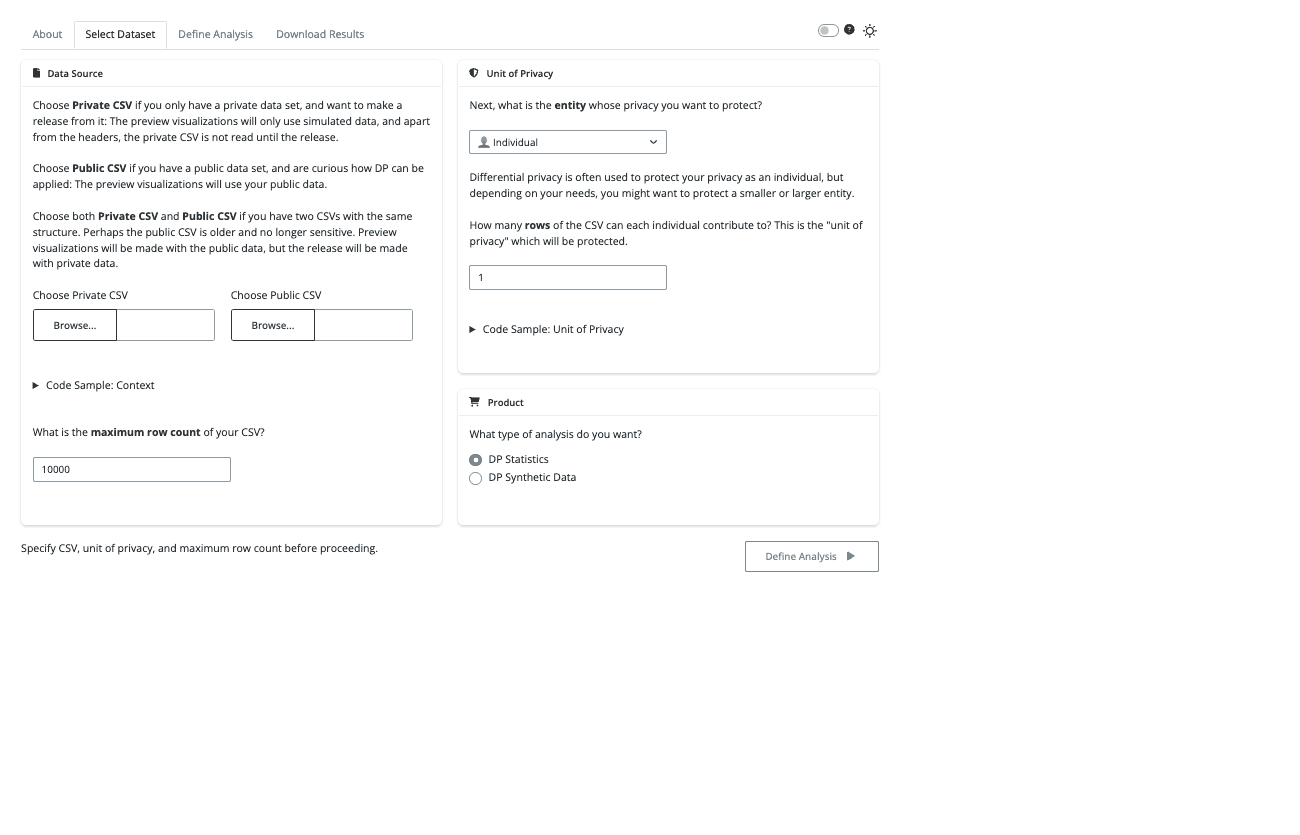
Select Dataset:
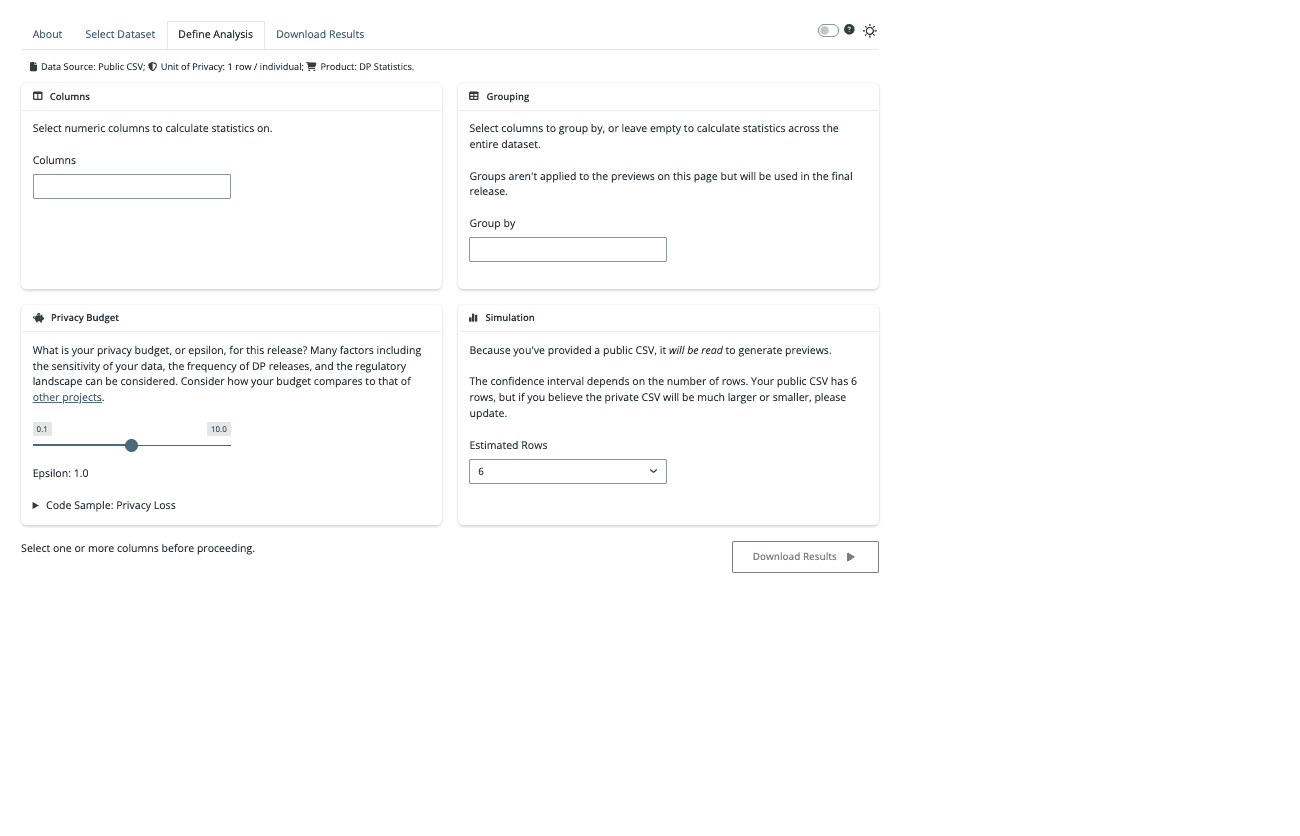
Define Analysis:
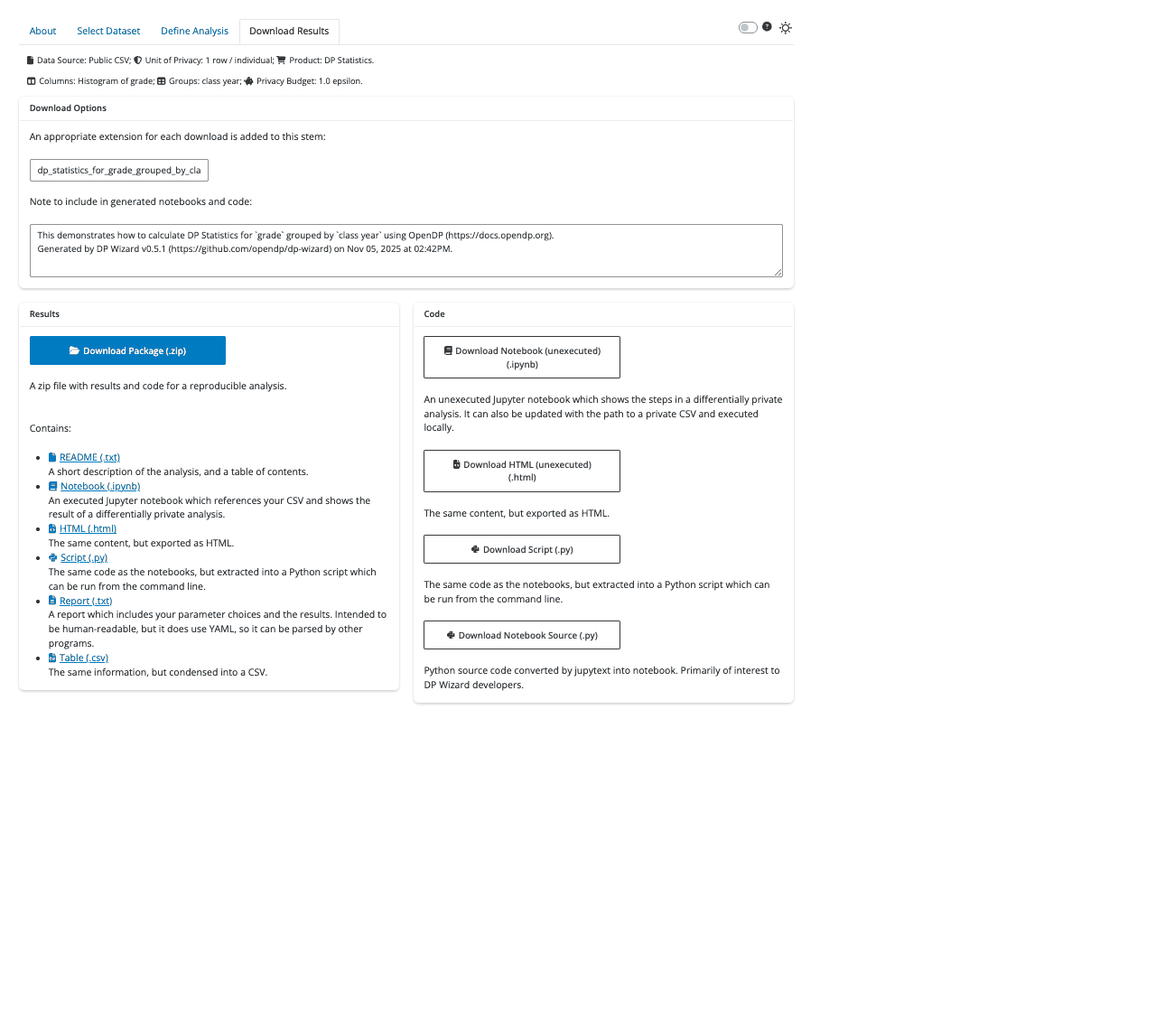
Download Results:
DP Wizard requires Python 3.10 or later.
You can check your current version with python --version.
The exact upgrade process will depend on your environment and operating system.
Install with pip install 'dp_wizard[pins]' and you can start DP Wizard from the command line.
usage: dp-wizard [-h] [--sample | --cloud] [--host HOST] [--port PORT] [--no_browser] [--reload]

DP Wizard makes it easier to get started with Differential Privacy.

options:
  -h, --help    show this help message and exit
  --sample      Generate a sample CSV: See how DP Wizard works without providing your own data
  --cloud       Prompt for column names instead of CSV upload
  --host HOST   Bind socket to this host
  --port PORT   Bind socket to this port. If 0, a random port will be used.
  --no_browser  By default, a browser is started; Enable this for no browser.
  --reload      Enable to watch source directory and reload on changes.

Unless you have set "--sample" or "--cloud", you will specify a CSV
inside the application.

Provide a "Private CSV" if you only have a private data set, and want to
make a release from it: The preview visualizations will only use
simulated data, and apart from the headers, the private CSV is not
read until the release.

Provide a "Public CSV" if you have a public data set, and are curious how
DP can be applied: The preview visualizations will use your public data.

Provide both if you have two CSVs with the same structure.
Perhaps the public CSV is older and no longer sensitive. Preview
visualizations will be made with the public data, but the release will
be made with private data.
There are several ways to contribute. First, if you find DP Wizard useful, please let us know and we'll spend more time on this project. If DP Wizard doesn't work for you, we also want to know that! Please file an issue and we'll look into it.
We also welcome PRs, but if you have an idea for a new feature, it may be helpful to get in touch before you begin, to make sure your idea is in line with our vision:
- The DP Wizard codebase shouldn't actually contain any differential privacy algorithms. This project is a thin wrapper around the OpenDP Library, and that's where new algorithms should be added.
- DP Wizard isn't trying to do everything: The OpenDP Library is rich, and DP Wizard exposes only a fraction of that functionality so the user isn't overwhelmed by details.
- DP Wizard tries to model the correct application of differential privacy. For example, while comparing DP results and unnoised statistics can be useful for education, that's not something this application will offer.
With those caveats in mind, feel free to file a feature request, or email us.
This is the first project we've developed with Python Shiny, so let's remember what we learned along the way.
DP-Wizard will run across multiple Python versions, but for the fewest surprises during development, it makes sense to use the oldest supported version in a virtual environment. On MacOS:
$ git clone https://github.com/opendp/dp-wizard.git
$ cd dp-wizard
$ brew install python@3.10
$ python3.10 -m venv .venv
$ source .venv/bin/activate
You can now install dependencies, and the application itself, and start a tutorial:
$ pip install -r requirements-dev.txt
$ pre-commit install
$ playwright install
$ pip install --editable .
$ dp-wizard --sample
Your browser should open and connect you to the application.
For building the documentation, pandoc is also required. With Homebrew:
$ brew install pandocTests should pass, and code coverage should be complete (except blocks we explicitly ignore):
$ scripts/ci.shWe're using Playwright for end-to-end tests. You can use it to generate test code just by interacting with the app in a browser:
$ dp-wizard # The server will continue to run, so open a new terminal to continue.
$ playwright codegen http://127.0.0.1:8000/
You can also step through these tests and see what the browser sees:
$ PWDEBUG=1 pytest -k test_appIf Playwright fails in CI, we can still see what went wrong:
- Scroll to the end of the CI log, to
actions/upload-artifact. - Download the zipped artifact locally.
- Inside the zipped artifact will be another zip:
trace.zip. - Don't unzip it! Instead, open it with trace.playwright.dev.
PR conventions and the release process are covered in README-TEAM.md.
(See also the CHANGELOG.)
2025-09-23: Blog post for v0.5
2025-08-07: DP Wizard Templates: Code templates and notebook generation
2025-05-07: Slides for 50 minute presentation at 2025 Harvard IT Summit
2025-04-14: Blog post for v0.3
2025-04-11: Slides for 5 minute mini-talk on v0.3.0 at ABSURD (Annual Boston Security Usability Research Day)
2024-12-13: Blog post for initial release
There are a number of other projects which offer UIs for differential privacy.
From OpenDP:
- DP Creator: An earlier project from OpenDP; Can be integrated with Dataverse data repositories.
- PSI: The first DP UI from OpenDP.
From other groups:
- PrivSyn: Uses AIM for synthetic data generation.