Description
Simulation environment and airplane types
Graphical interface
Basic rules
Route calculation algorithm
Implementation details
Handling the input
Screenshots
Τhis application is a simulation of flights carried out by different kinds of planes moving within a predetermined space, which will be the map of the simulation, executing an itinerary between two airports.
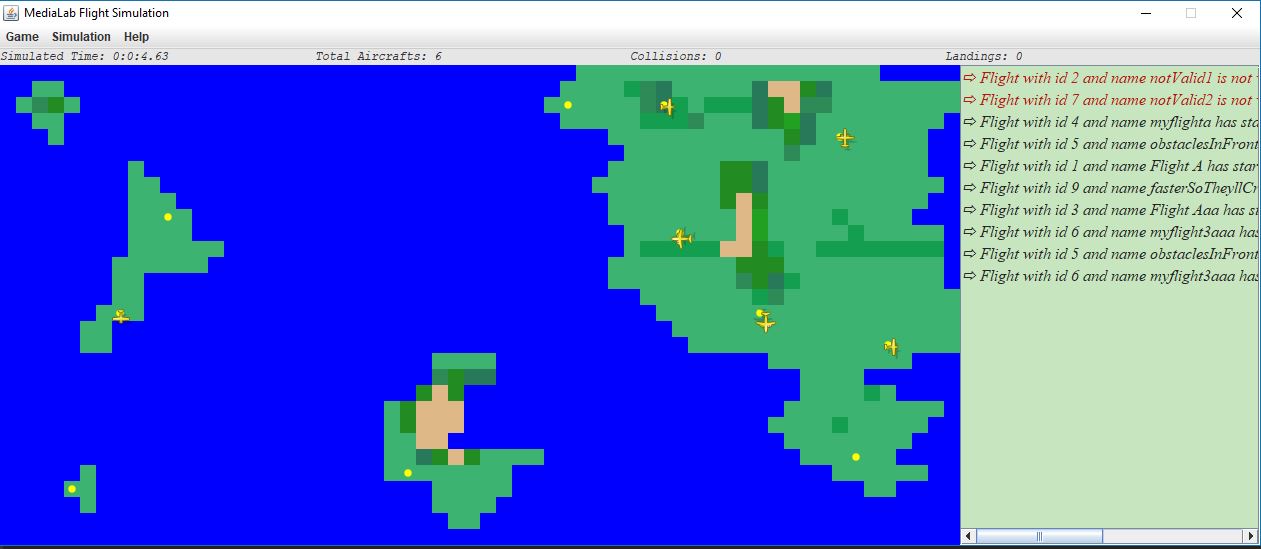
The simulation space is modeled as a 30-line and 60-column grid. At each square of the grid corresponds a point of the simulation space that is characterized, among other things, by the following properties:
- Coordinates X, Y
- Altitude in meters (integer >= 0, with value 0 corresponding to existence sea)
In the context of the implementation, we consider three different types of airplanes: single-motor, turboprop and jet. Operation and performance of each airplane is characterized by a number of parameters:
- Take-off and landing speed
- Maximum flight speed
- Maximum amount of fuel
- Fuel consumption
- Maximum flight height
- Rising / Falling rate
In addition, there are different values and limits depending on the type of airplane summarized in the table below.
| Type | Take-off and landing speed | Maximum flight speed | Maximum amount of fuel | Maximum flight height | Rising/Falling rate | Fuel consumption |
|---|---|---|---|---|---|---|
| Single-Motor | 60 knots | 110 knots | 280 Kg | 8000 feet | 700 ft/min | 3 Kg/nm |
| Turboprop | 100 knots | 220 knots | 4200 Kg | 16000 feet | 1200 ft/min | 9 Kg/nm |
| Jet | 140 knots | 280 knots | 16000 Kg | 28000 feet | 2300 ft/min | 15 Kg/nm |
Some squares of the simulation contains an airport. Every airport is characterized by:
- Unique identifier
- Name
- Category (1 => can only be used by single-motor airplanes, 2 => can be used only by turboprop & jet, 3 => can be used by all types of airplanes)
- Operating mode (open or closed)
- Orientation (north, east, south, west)
Information about the simulation space is provided by a file that contains 30 lines each of which consists of 60 numbers separated by a comma, expressing the altitude (in meters) of the corresponding area. Files with this information should be named "World_MAPID.txt". Information of the available airports is contained in another file that is called "airports_MAPID.txt" each line of which describes an airport as a set of comma-separated values. Moreover, the descriptions of the various flights that will be simulated are described in a file called "flights_MAPID.txt" each line of which describes a flight. More details are in the Handling the input section.
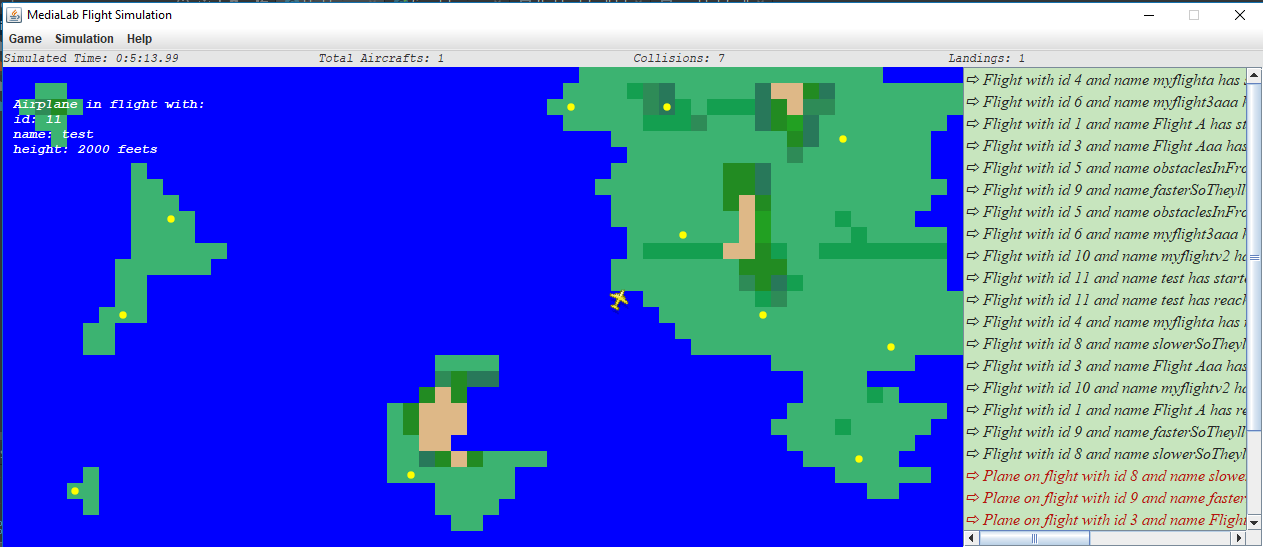
The simulation environment in the graphical interface will be designed as one grid of 30 x 60 columns. Each square, represents a point on the simulation map and will consist of 16 x 16 pixels. Furthermore, we consider different color depictions for each square, based on its altitude.
The routes of the airplanes to be simulated are described in the file "flights_MAPID.txt" (Handling the input). First, the user should press the load button and provide as input the name of the world he would like to load. The given example has the name "default". Once the user selects "Start" from the menu, all flights will be checked in order to simulate only those that have a valid description. These are routes between different open airports and performed with an airplane type that can take off and land from those airports. Furthermore, the parameters specified for flight velocity, available fuel load and the flight height should not exceed the maximum values for the airplane type as defined above.
Every point of the map corresponds to an area of 20x20 nm (nautical miles). Moreover, a 5-second interval corresponds to 1 minute of real time.
About the movement of airplanes:
- Airplanes are moving at the speed of take-off and landing, defined by each type, for the first and the last 10 nm of the flight.
- While at intermediate points, they move steadily at flight speed which is defined in the flight description and which can not exceeds the maximum flight speed defined by the airplane type.
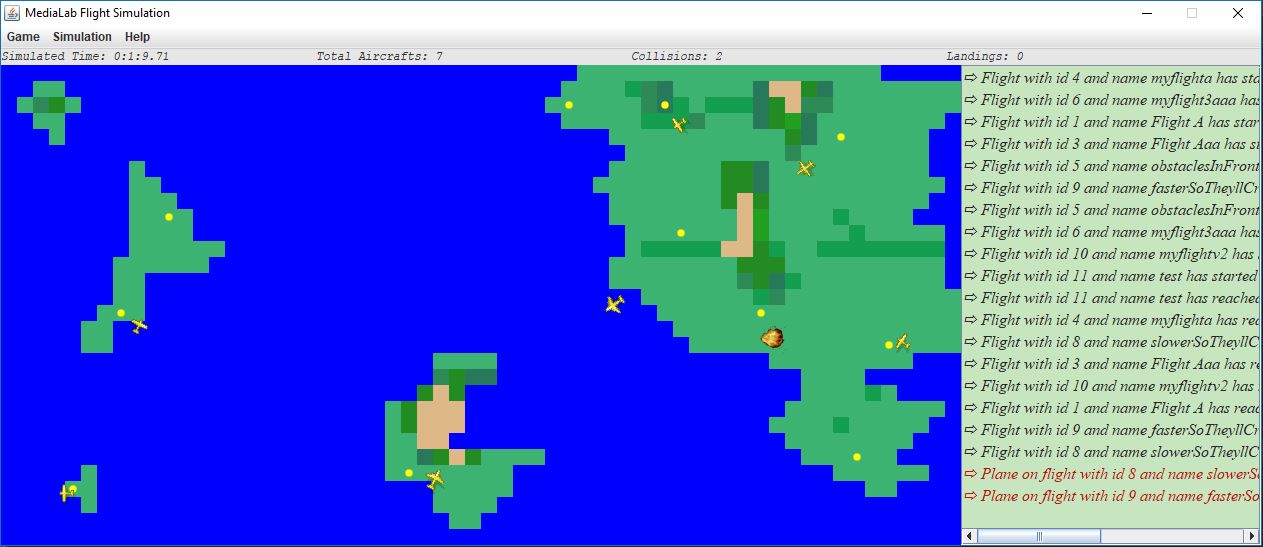
- We think there is a crash between airplanes when they are in less than 2 nm and have a difference in their altitudes less than 500 feet.
- If an airplane is at the same or lower altitude than the one of it's current position then we consider that the flight has been crashed.
A greedy algorithm was used to calculate the paths of the aircrafts. Each flight will possibly change its direction only when it reaches the center of a 20x20 base block. The starting orientation of a plane is the one that its source airport has. Then, to choose the appropriate direction, it calculates which adjacent block with height less than its own (in order to avoid a crash) minimizes its distance from the destination block with the restriction that the plane should not head to the block that it was when it made its previous decision. The destination block was chosen to be the previous square of the destination airport, considering its orientation. This choice ensures that the airplane should land at the destination airport with the appropriate direction. When an aircraft must make a new decision and the only block that will not lead to a crash is the one that it was previously, then it makes a random choice. For the pixels that is in between of two basic blocks, all it does is following the direction given by its previous decision (when it was in the middle of the square).
The main advantage of the above algorithm is that it is heuristic, so it does not require heavy computations. Apart from that, if there are no "obstacles" in front of a plane it mimics the optimal route calculation algorithm. A further advantage is that if the aircraft still recovers height, the maneuver it does in order to avoid the crash will may give the plane the appropriate time to get the height needed in order to get to that block, thus following the optimal route. One negative is that if an airplane has reached the maximum flight height and the obstacles in front follow some specific morphologies, it may make circles and simply wait for its fuel to end.
There are three videos in the "Videos and images" folder that depict three typical examples of the above algorithm. In each video, airplanes are sped up for time saving, and colors are different in order to make the examples more clear. In the video "avoidObstacles" we see an example in which the airplane can overcome the obstacles ahead and successfully reach its destination. In "forcedCrash" we see an example in which the airport has more altitude than the maximum height of the flight, so the plane will be crashed. In the "loop" video we see an example in which the airplane is captured in an infinite loop (until the end of its fuel) due to the morphology of the final obstacles.
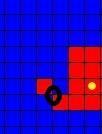
Finally, it is worth noting that in situations as shown in the image below, it is assumed that the airplane can not pass diagonally towards the marked direction.
In the beginning of the simulation, the main class is responsible for making the basic frame and whatever it needs. Then if the load button is pressed, the necessary methods are called to load the simulation map, airports and flights. When the start button is pressed, the main class, creates one thread for each flight. After that, it makes two more threads, one to keep the simulation time with a java timer and one more, the server thread, to act as a beacon responsible for checking flights for collisions. The second one is waiting in a socket so that whenever a request comes, it makes a new thread ("arbitrators") which will communicate with the flight that made the initial request in order to check if it should collide with another flight. When the stop button is pressed, the simulator class is responsible for interrupting its children threads properly and its children theirs respectively.
Each flight is therefore simulated by a thread that has all of the essential attributes with the most basic one, a snapshot of an airplane. Each flight passes through 5 phases. The first phase is considered to be the take-off phase. This phase starts at the beginning of the simulation until the first 10 nautical miles from the starting airport. In the second phase, if the aircraft has not reached the required height, it keeps on gaining height. At the same time, it continues horizontally until it reaches 10 nautical miles away from the destination airport. Then, the third phase begins in which the airplane loses its height (falling rate) and heads toward the airport with the landing speed (horizontally). When the aircraft reaches the destination airport but it is in a higher altitude, it keeps on losing height. When it does, the last phase begins in which the flight is now considered to be successful.
Every such thread when born (from the simulator class), starts a timer in order to wake up itself when it's time for it to start. Then, depending on the phase and the type of the aircraft, every flight chooses the appropriate timer, in order to wake up when it has to make his next move horizontally and/or vertically. Then, it checks whether it should be crushed or not due to its height or its current fuel. When it changes one of its three directions (width, length, height), that thread starts a new thread that acts as a client on the server thread (which is waiting in a socket). It then starts a communication in order to announce its new coordinates. Then, the "arbitrator" thread that "server" made, checks the coordinates of all active threads and then denotes wheter they should collide or not. If that is the case, a specific arbitrator will interrupt properly the flights to be crashed.
The "airports_MAPID.txt" file contains information about all the available airports. Each row contains seven parameters (in the order shown below) separated by a comma and describing an airport:
- Unique airport indentifier
- The next two parameters determine the coordinates of the airport
- Name of the airport
- Airport Orientation: 1 => North, 2 => East, 3 => South, 4 => West
- Type of airport: 1 => Can only be used by single-engine airplanes, 2 => Can be used by turboprop and jet, 3 => Can be used by all types of airplanes
- State of the airport: 1 => Open, 0 => Closed
Example 1,9,10,Test 1,1,1,0: Airport with a unique identifier "4" at position (9,10) and a name "Test 1" with orientation to the north (so the airplanes should take off to the north and must also land in that direction). It is closed and it can only be used by single-motor airplanes.
The "flights_MAPID.txt" file contains flight information that we want to simulate in the next run of the program. Each line describes a flight and includes XXX parameters (in the order shown below) separated by a comma:
- Unique Flight Identifier
- Specifies the time at which you want the flight simulation to start, the value of the parameter corresponds to the simulated time and it is given in minutes. For example, simulating a flight with a value of 5 for the second parameter should begin 25 seconds after the start of the flight simulation process.
- Unique take-off airport ID
- Unique landing gear airport ID
- Flight name
- Type of airplane to be used for flight: 1 => single motor, 2 => turboprop, 3 => jet
- Flight speed in knots (in order for the flight to be valid, it should not exceed the corresponding maximum value for that airplane type)
- Desired flight height in feets (in order for the flight to be valid, it should not exceed the corresponding maximum value for that airplane type)
- Fuel available in kg (in order for the flight to be valid, it should not exceed the corresponding maximum value for that airplane type)
Example 1,0,1,2,Flight Α32,1,100,3000,100: Flight with: the unique identifier "1", a name "Flight A32", between airports with 1 & 2 IDs, should be run on a single-motor airplane. In addition, the flight simulation will begin immediately, and we have determined that the flight speed will be 100 knots, the flight height is 3000 feet, and during the take-off phase the available amount of fuel is 100 kg.
Two aircraft must have a difference of two nautical miles (horizontal) and 500 feet (height) in order not to collide:
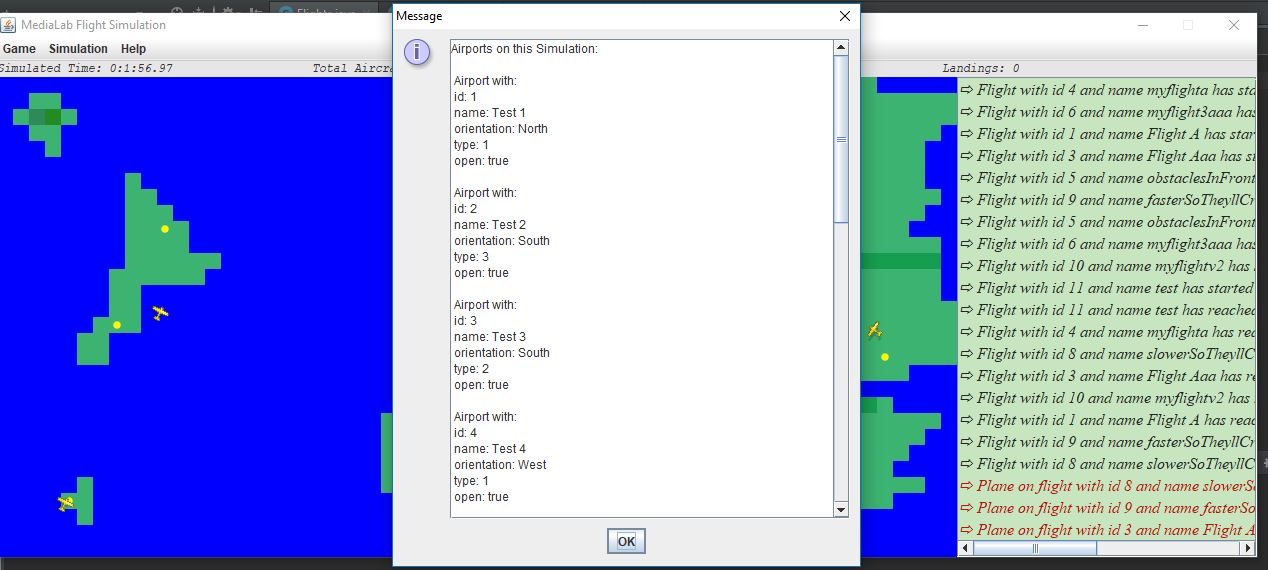
"Online" details for every airport of the simulation:
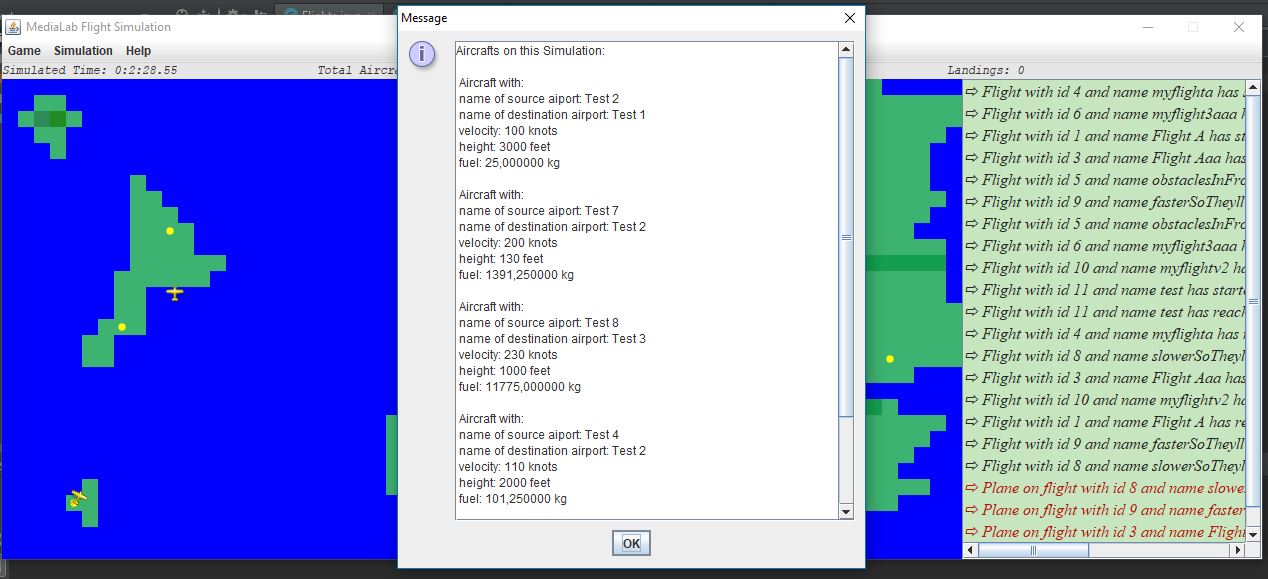
"Online" details for every aircraft of the simulation:
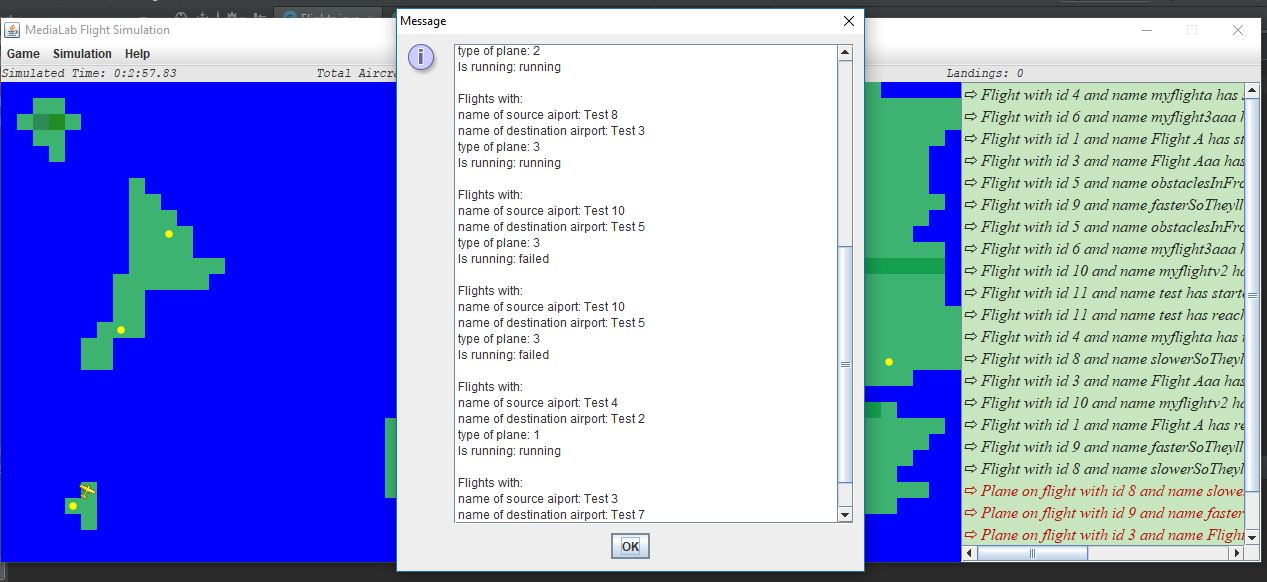
"Online" details for every flight of the simulation:
On mouseover: