Procedural Object Placer and Level Generator is a Unity tool created with the intention of rapidly placing mesh models on various terrains to create random levels. The tool is split into two primary parts: an object placer and a random line generator.
The tool was built to create levels for a game where the user follows a path through a predefined and populated level. Example below.

*This tool can also quickly place a large number of objects following patterns defined by unity colliders.
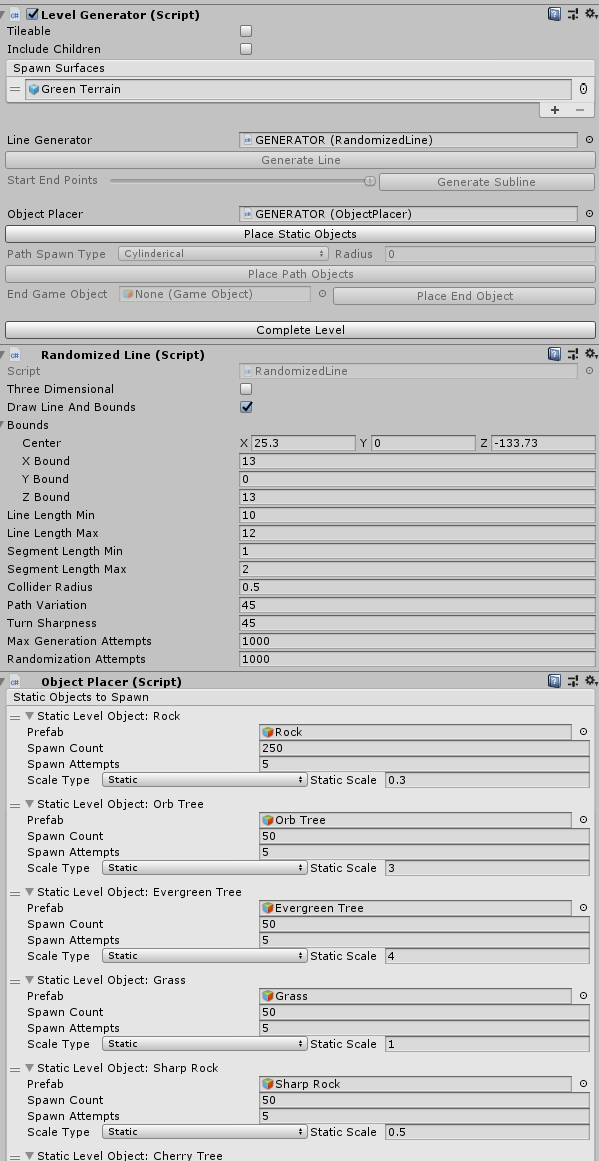
The tool has a built-in custom inspector that allows for easier usage. Many settings defining spawn parameters, line generation, and collider settings are defined in inspector variables
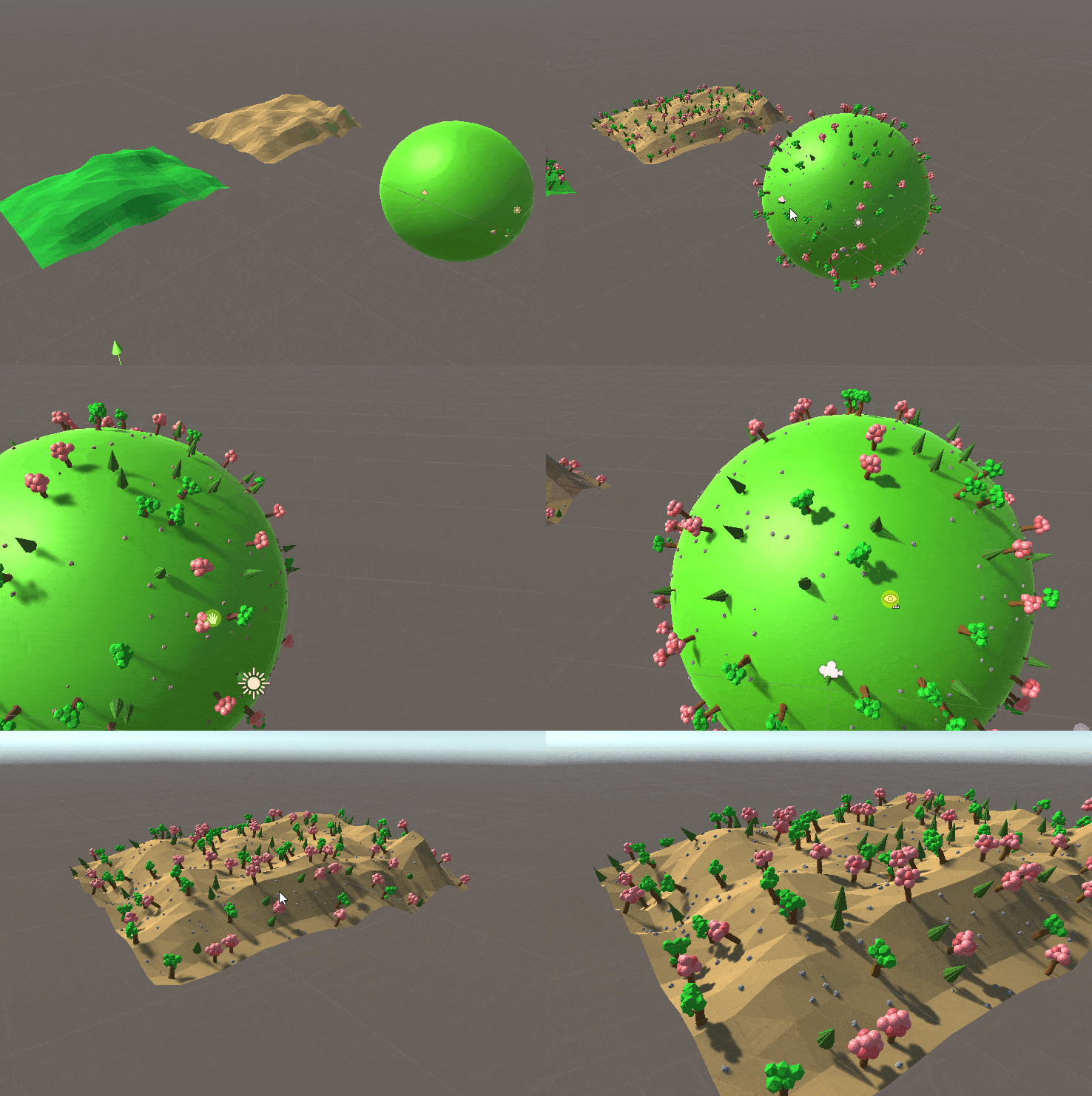
The object placer relies upon the Unity built-in collision system as a means of placing the objects. The system follows the below steps for placement.
- A random triangle on "terrain"/base mesh is selected
- The spawned object is rotated to be flush and stand up on the terrain(to account for objects like trees needing to be oriented up).
- Then relying on the Unity collider system, if any of the objects overlap they go through step 1 and 2 repeatedly until no longer colliding, or exceeding a maximum attempts.
Objects are spawned in batches to allow all the spawn calls to occur together and for all the colliding to be run together. (This is opposed to the method used in reference 1, and is comparatively orders of magnitude faster.)
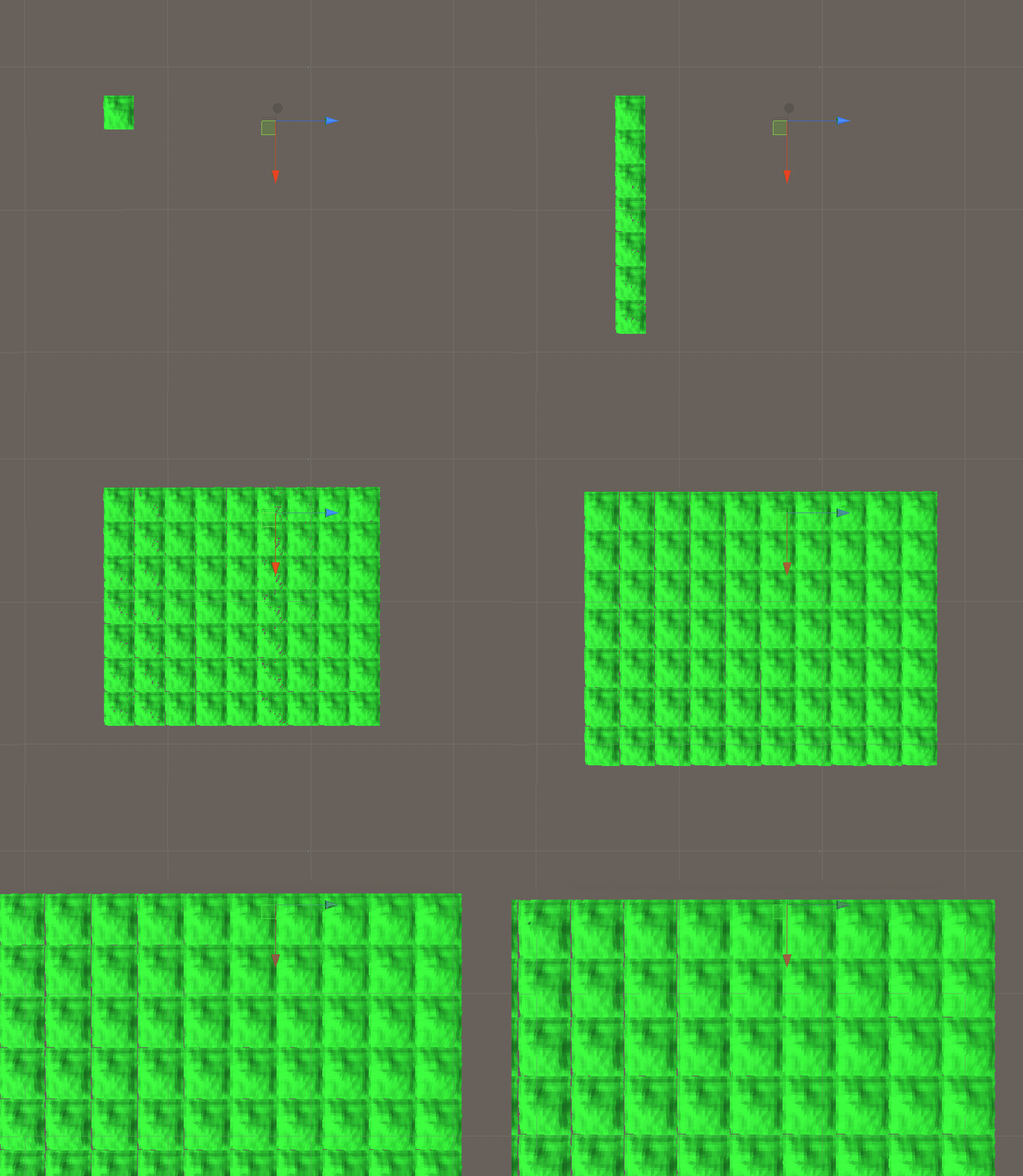
Objects can be spawned on a set of predefined meshes such as those shown in the first image or on a tileable/scalable terrain.
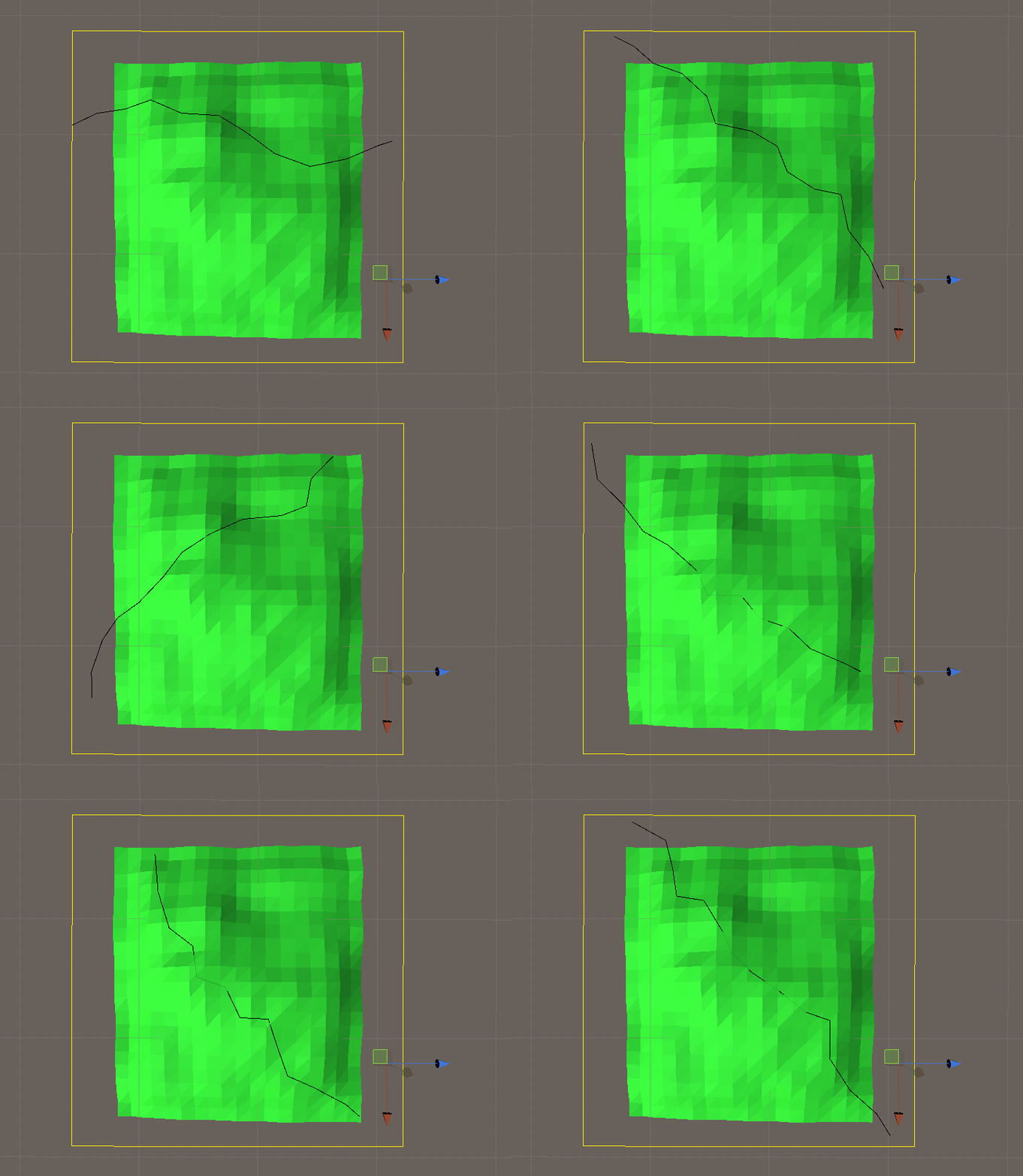
The line generator portion of the tool creates a random 2D or 3D line within a defined space. The system follows the below steps for placement.
- Random start and end positions are selected based on min and max distance for the random line are placed within predetermined bounds. (bounds are an indicator to use by yellow bounding box)
- Random line segments are continually generated according to the defined user parameters until a complete line is formed.
- Colliders are created along the line to make the generator work with the object placers collider driven approach.
- http://pawelstupak.com/colliders-based-placement-tutorial/
This served as the initial inspiration for the project. Was the basis for using a collider based approach to making a tool like this. - https://assetstore.unity.com/packages/3d/environments/low-poly-pack-94605 Art used to demo the project.
- https://www.screentogif.com/ Tool used to create the gifs within the readme.