I would like first to thank gera2ld for his work on ai.nvim, because this plugin is a fork of his work. Without his plugin, there wouldnt be this one. Thank you Gerald for your work.
A Neovim plugin powered by GoogleAI Gemini, OpenAI ChatGPT, and Anthropic Claude to help you write code, with an Ollama-powered prompt rewording command.
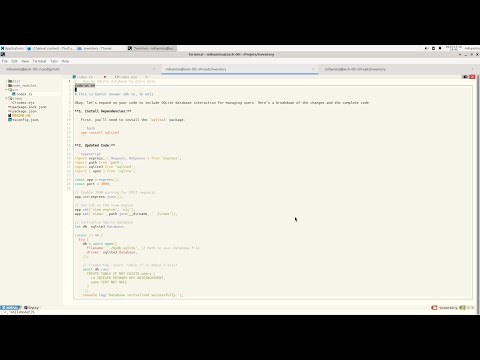
Here is a demo without using the agents:
Here is a demo using the agents:
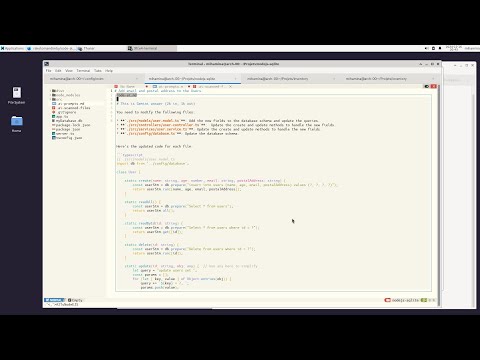
- The plugin resides in Neovim.
- If the agents URLs are defined, it will send the prompt to the agent, which will send it to the corresponding LLM API.
- It scans the files corresponding to the patterns defined in .ai-scanned-files and builds a multi-turn chat from them.
- It sends the multi-turn chat and the prompt to the agents
- It receives the response from the agents and displays it in a popup
- If the agent URL are not defined, it will send the prompt directly to the corresponding LLM API.
- It does not scan any files
- It does not build a multi-turn chat but directly sends the prompt to the LLM API
- It receives the response from the agents and displays it in a popup
You can find the agent in the repository code-ai-agent.
First get API keys from
For usage WITHOUT the agents, don't set the googleai_agent_host, openai_agent_host, or anthropic_agent_host.
For usage WITH the agents, set the googleai_agent_host, openai_agent_host, and anthropic_agent_host to the URLs of the agents.
If you want to use prompt rewording with Ollama, also set ollama_host and ollama_model.
This is the configuration for the plugin:
{
    'rakotomandimby/code-ai.nvim',
    dependencies = 'nvim-lua/plenary.nvim',
    opts = {
        anthropic_model = 'claude-3-7-sonnet-latest',
        googleai_model   = 'gemini-3-flash-preview',
        openai_model    = 'gpt-4o-mini',

        anthropic_api_key = 'YOUR_ANTHROPIC_API_KEY',      -- or read from env: `os.getenv('ANTHROPIC_API_KEY')`
        googleai_api_key  = 'YOUR_GOOGLEAI_API_KEY',       -- or read from env: `os.getenv('GOOGLEAI_API_KEY')`
        openai_api_key    = 'YOUR_OPENAI_API_KEY',         -- or read from env: `os.getenv('OPENAI_API_KEY')`

        anthropic_agent_host = 'http://172.16.76.1:6000',    -- don't set if you don't want to use the agent
                                                             -- if you set, make sure the agents are running
        googleai_agent_host  = 'http://172.16.76.1:5000',    -- don't set if you don't want to use the agent
                                                             -- if you set, make sure the agents are running
        openai_agent_host    = 'http://172.16.76.1:4000',    -- don't set if you don't want to use the agent
                                                             -- if you set, make sure the agents are running
        ollama_host          = 'http://172.16.76.1:11434',   -- optional, used by :AIRewordPrompt
        ollama_model         = 'llama3.2',                   -- optional, used by :AIRewordPrompt
        result_popup_gets_focus = true,

        -- New configuration option to control appending embedded system instructions
        -- If set to false, only user-provided system instructions from `.ai-system-instructions.md` will be used.
        -- Defaults to true for backward compatibility.
        append_embeded_system_instructions = true,

        -- Define custom prompts here, see below for more details
        locale = 'en',
        prompts = {
            javascript_vanilla = {
                command = 'AIJavascriptVanilla',
                prompt_tpl = '${input}',
                result_tpl = '${output}',
                loading_tpl = 'Loading...',
                require_input = true,
                anthropic_model='claude-3-7-sonnet-latest',
                googleai_model='gemini-3-flash-preview',
                openai_model='gpt-4o-mini',
            },
            php_bare = {
                command = 'AIPhpBare',
                prompt_tpl = '${input}',
                result_tpl = '${output}',
                loading_tpl = 'Loading...',
                require_input = true,
                anthropic_model='claude-3-7-sonnet-latest',
                googleai_model='gemini-3-flash-preview',
                openai_model='gpt-4o-mini',
            },
        },
    },
    event = 'VimEnter',
},If you have configured the plugin following the instructions above, you can use the plugin by:
- Selecting a text in normal mode
- Pressing
:to enter the command mode - Typing
AIJavascriptVanillaorAIPhpBareand pressingEnter
To reword a prompt locally through Ollama:
- Select a text in normal mode
- Press
:to enter the command mode - Type
AIRewordPromptand pressEnter
| Option | Type | Default | Description |
|---|---|---|---|
anthropic_model |
string | '' |
The model to use for the Anthropic Claude API. |
googleai_model |
string | '' |
The model to use for the GoogleAI Gemini API. |
openai_model |
string | '' |
The model to use for the OpenAI ChatGPT API. |
anthropic_api_key |
string | '' |
The API key for the Anthropic Claude API. |
googleai_api_key |
string | '' |
The API key for the GoogleAI Gemini API. |
openai_api_key |
string | '' |
The API key for the OpenAI ChatGPT API. |
anthropic_agent_host |
string | '' |
The host URL of the Anthropic Claude agent. |
googleai_agent_host |
string | '' |
The host URL of the GoogleAI Gemini agent. |
openai_agent_host |
string | '' |
The host URL of the OpenAI ChatGPT agent. |
ollama_host |
string | '' |
The Ollama host URL used by :AIRewordPrompt. |
ollama_model |
string | '' |
The Ollama model used by :AIRewordPrompt. |
result_popup_gets_focus |
boolean | false |
Whether the result popup window should get focus when opened. |
upload_url |
string | '' |
URL to upload the AI response content. |
upload_token |
string | '' |
Token used for authenticating uploads. |
upload_as_public |
boolean | false |
Whether the uploaded content should be marked as public. |
append_embeded_system_instructions |
boolean | true |
Controls whether embedded system instructions bundled with the plugin are appended to user system instructions. Set to false to use only user instructions from .ai-system-instructions.md. |
The prompts will be merged into built-in prompts. Here are the available fields for each prompt:
ollama_host and ollama_model are global plugin options used only by :AIRewordPrompt; they are not prompt-level fields.
| Fields | Required | Description |
|---|---|---|
googleai_model |
Yes | The model to use for the GoogleAI Gemini API. Set it to 'disabled' if you don't want to use it. |
openai_model |
Yes | The model to use for the OpenAI ChatGPT API. Set it to 'disabled' if you don't want to use it. |
anthropic_model |
Yes | The model to use for the Anthropic Claude API. Set it to 'disabled' if you don't want to use it. |
googleai_api_key |
Yes | The API key for the GoogleAI Gemini API. |
openai_api_key |
Yes | The API key for the OpenAI ChatGPT API. |
anthropic_api_key |
Yes | The API key for the Anthropic Claude API. |
googleai_agent_host |
No | The host of the GoogleAI Gemini agent. |
openai_agent_host |
No | The host of the OpenAI ChatGPT agent. |
anthropic_agent_host |
No | The host of the Anthropic Claude agent. |
command |
Yes | A user command will be created for this prompt. |
loading_tpl |
No | Template for content shown when communicating with Gemini. See below for available placeholders. |
prompt_tpl |
Yes | Template for the prompt string passed to Gemini. See below for available placeholders. |
result_tpl |
No | Template for the result shown in the popup. See below for available placeholders. |
require_input |
No | If set to true, the prompt will only be sent if text is selected or passed to the command. |
Placeholders can be used in templates. If not available, it will be left as is.
| Placeholders | Description | Availability |
|---|---|---|
${locale} |
opts.locale |
Always |
${input} |
The text selected or passed to the command. | Always |
${output} |
The result returned by the model. | After the request |
MIT License