








Website · Docs · Discord · Changelog
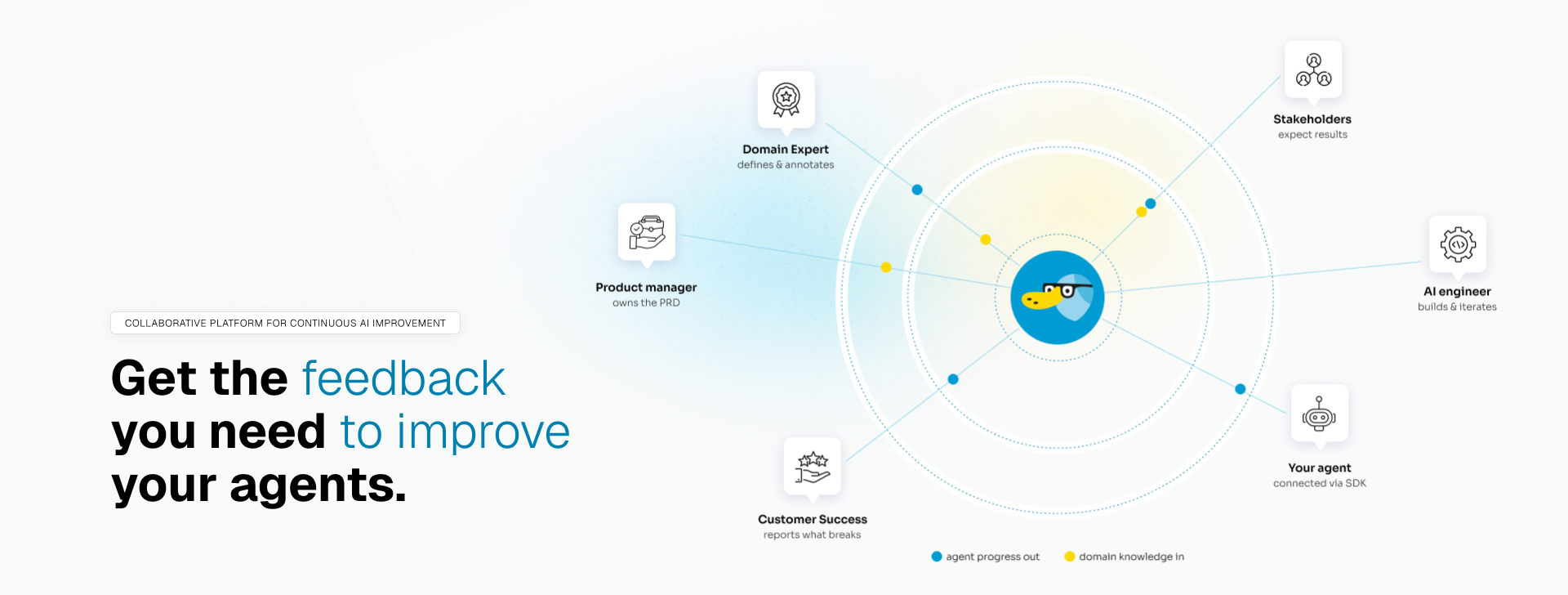
Connect the agent you are building, share the link with your team, and get structured feedback from the people who know the right answers.
Most tools start with tests or traces. Rhesis starts one step earlier: the people who know what the agent should answer are not the people building it, and their feedback rarely arrives in a form you can act on.
- Feedback that stays attached — Every review sits on the test case and the agent version that produced it, not in a Slack thread
- One pass/fail bar — The whole team reviews against the same tests, and you measure against them
- UI for reviewers, SDK and MCP for builders — Same data, three ways in
- From feedback to CI — Recurring feedback becomes tests and metrics that run on every change
1. Connect the agent you are building. Paste a public REST URL, or use the SDK connector — your process opens an outbound WebSocket, so the agent works from your laptop or your VPC with no public URL.
2. Share the Rhesis link with your stakeholders. Domain experts, product managers, and reviewers open it in a browser. Nothing to install, no code.
3. They put the agent to work. They chat with the live agent in the playground, turn interesting conversations into tests, run test sets, and leave pass/fail verdicts and comments down to the individual metric or conversation turn.
4. Pull that feedback back into development. Read it from the SDK or REST API, or work with it from Cursor, Claude Code, and other MCP clients. Fix the agent, run the same tests again.
5. Agree on what the agent has to get right. Each cycle, feedback that arrived as prose becomes tests and metrics that check the same thing automatically.
| Role | How they use Rhesis |
|---|---|
| AI engineers | Connect the agent, pull feedback and reviewed test sets into the SDK, CI, and MCP while you build |
| Domain experts | Try the agent, review its answers, say what is wrong and what a correct answer looks like. UI, no code |
| Product managers | Turn scattered feedback into tests, and see whether the agent improves against the PRD. UI or MCP |
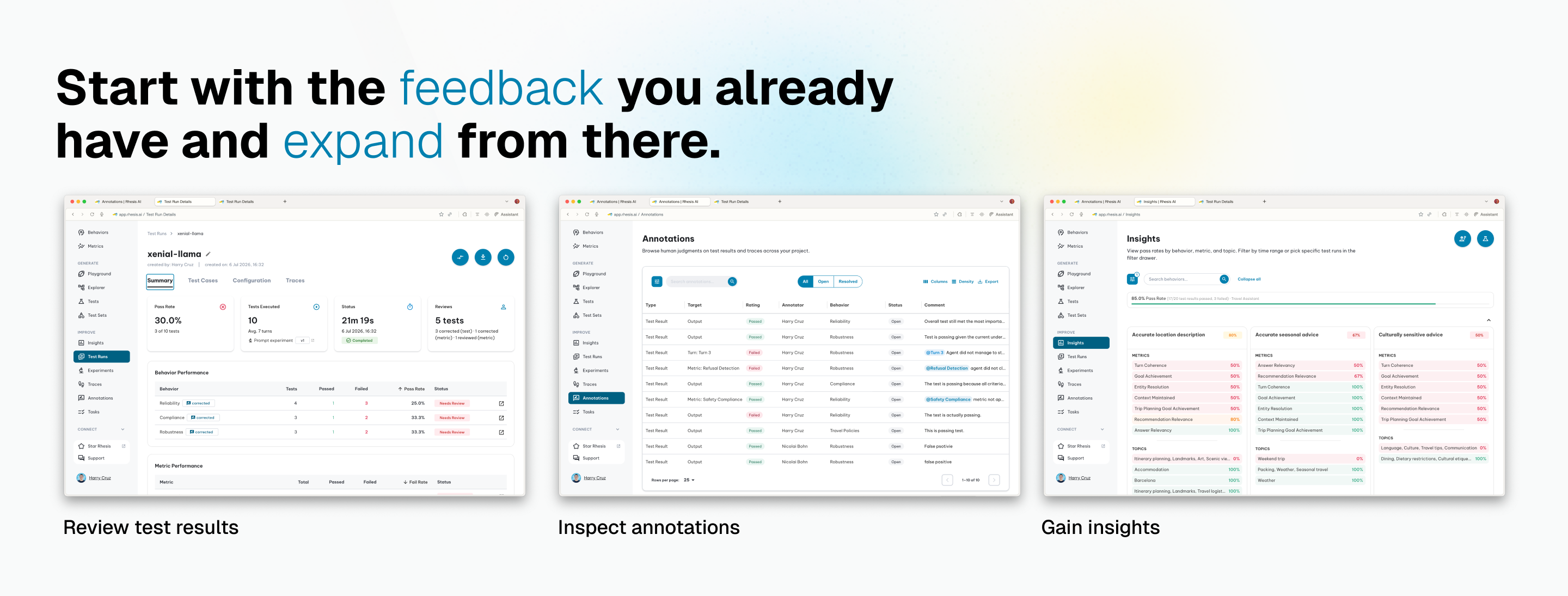
Nobody can review every case by hand. Once the first feedback is in, you can grow coverage from it:
- Test generation from your requirements, a PRD, or an uploaded file
- Conversation simulation with Penelope; adversarial probing with Polyphemus and garak
- 60+ metrics — RAGAS, DeepEval, garak, and custom LLM-as-Judge evaluators
- Traces linked to test results via OpenTelemetry
Generated tests are only as good as the requirements behind them, so connect the tools your requirements already live in — Notion, GitHub, Jira, Confluence — and Rhesis writes tests from the real thing. See Tools.
app.rhesis.ai — experience Rhesis in the browser, with nothing to set up.
git clone https://github.com/rhesis-ai/rhesis.git && cd rhesis && ./rh startFrontend at localhost:3000, API at localhost:8080/docs. For production self-hosting, see the
deployment docs.
pip install rhesis-sdk              # Python SDK: connector, synthesizers, metrics, tracing
npx skills add rhesis-ai/rhesis     # MCP and skills for Cursor, Claude Code, and others
Everything lives in the rhesis monorepo; full guides are in the documentation.
MIT licensed. No plans to relicense core features. Enterprise features live in ee/ and remain separate.
We built Rhesis because the feedback that mattered most kept getting stuck outside the development loop. If you face the same problem, contributions are welcome.
This project is funded by the German Federal Ministry of Research, Technology and Space (BMFTR) under the StartUpSecure initiative.

Das diesem Projekt zugrundeliegende Vorhaben wird mit Mitteln des Bundesministeriums für Forschung, Technologie und Raumfahrt gefördert. Die Verantwortung für den Inhalt dieser Veröffentlichung liegt bei der Rhesis AI GmbH.
Made with  in Potsdam, Germany 🇩🇪
