
Community plugins for LineSolv — a natural-language calculator desktop app.
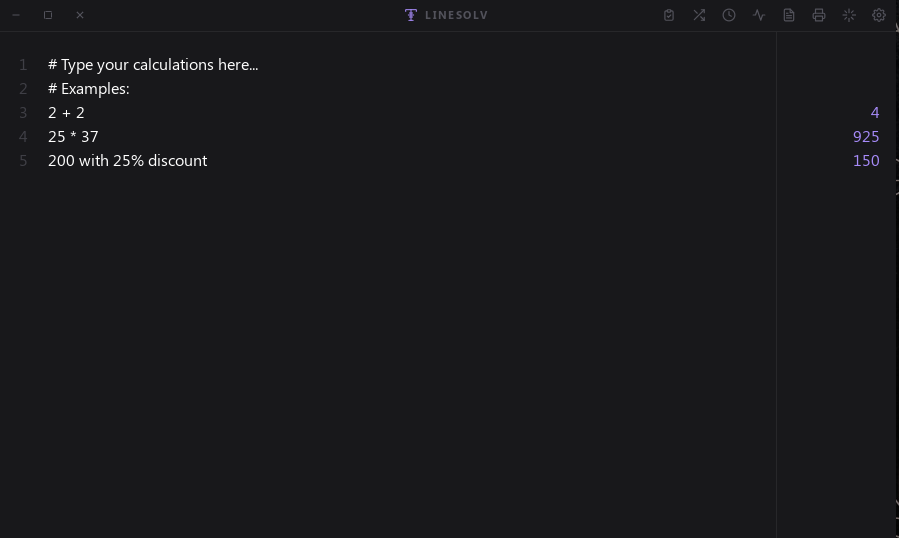
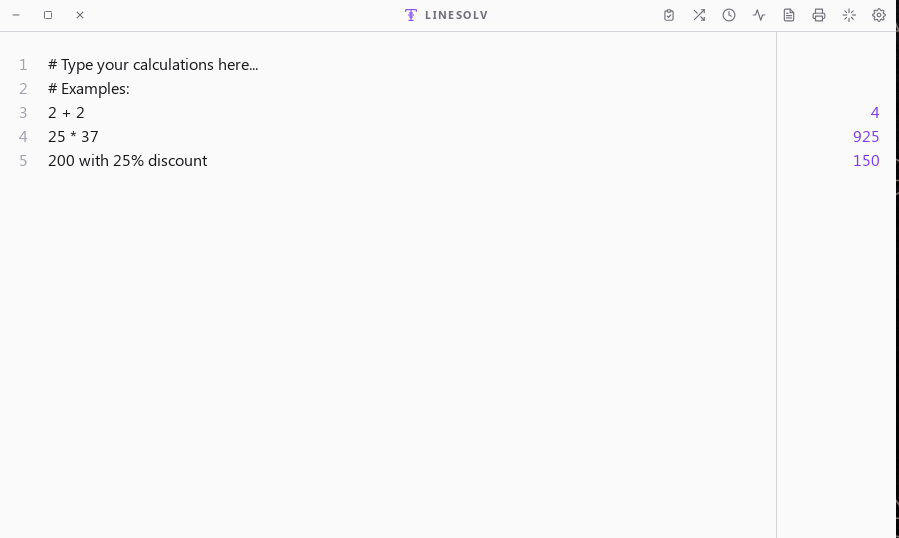
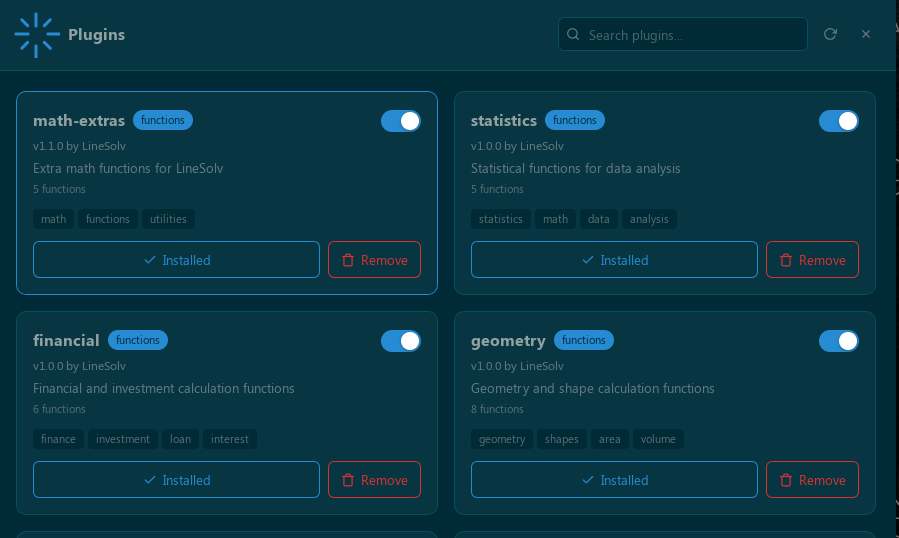
LineSolv plugins extend the calculator with custom functions, themes, and constants — all without writing any code. Plugins are pure data manifests (plugin.json) that define math expressions, color themes, or named constants.
| Type | What It Adds | Example |
|---|---|---|
| Functions | Custom math functions | circle_area(5), compound_interest(1000, 0.05, 10) |
| Themes | Color themes for the UI | Dracula, Nord, Solarized |
| Variables | Named constants | c (speed of light), g (gravity) |
| Plugin | Description | Functions |
|---|---|---|
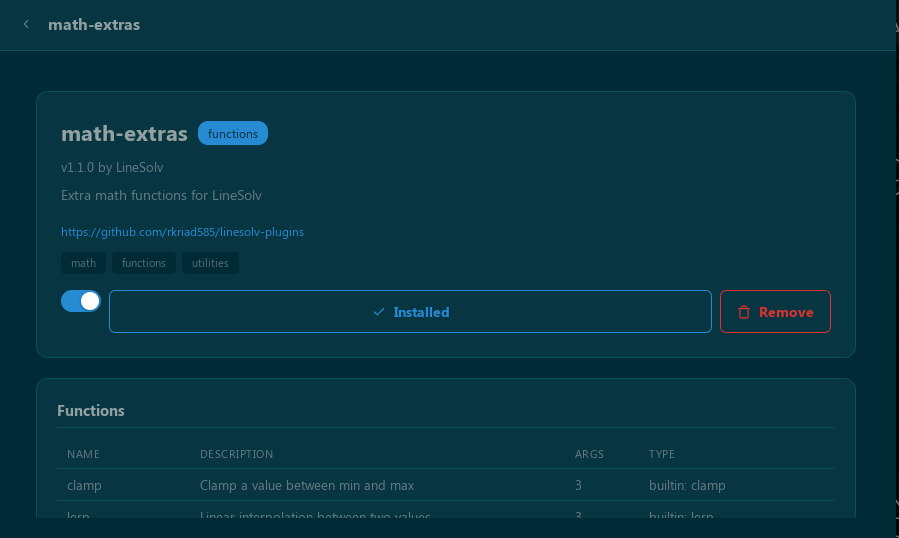
| math-extras | Extra math functions | clamp, lerp, smoothstep, wrap, average |
| statistics | Statistical analysis | mean, median, std_dev, variance, percentile |
| financial | Financial calculations | compound_interest, loan_payment, present_value, future_value, roi, cagr |
| geometry | Geometry formulas | circle_area, sphere_volume, pythagorean, distance, and more |
| conversions | Unit conversions | celsius_to_fahrenheit, km_to_miles, kg_to_lbs, feet_to_meters, and more |
| Plugin | Description | Themes |
|---|---|---|
| ocean-theme | Ocean-inspired colors | Ocean, Sunset |
| solarized | Solarized by Ethan Schoonover | Solarized Dark, Solarized Light |
| dracula | Dracula dark theme | Dracula |
| nord | Arctic blue palette | Nord |
| Plugin | Description | Constants |
|---|---|---|
| physics-constants | Physics constants | c, g, h, k, NA, R, eV, au, ly, pc |
| chemistry-constants | Chemistry & physics constants | F, Na, R, sigma, big_G, little_g, m_e, m_p, m_n, and more |
| math-constants | Mathematical constants | pi, euler, phi, sqrt2, gamma, tau, and more |
- Open LineSolv
- Click the Plugins icon in the title bar (or press
Ctrl/Cmd + U) - Browse or search for a plugin
- Click Install to add it to your LineSolv
Installed plugins are saved to ~/.config/neostore/linesolv/plugins/ and activate immediately.
| Action | How |
|---|---|
| Enable/Disable | Toggle the switch on an installed plugin |
| Update | Click "Update" when a new version is available |
| Remove | Click "Remove" and confirm |
| View Details | Click a plugin card to see functions, themes, variables, and README |
| Input | Output |
|---|---|
clamp(15, 0, 10) |
10 |
lerp(0, 100, 0.25) |
25 |
smoothstep(0, 1, 0.5) |
0.5 |
circle_area(5) |
78.5398 |
compound_interest(1000, 0.05, 10) |
1628.89 |
After installing a theme plugin, open Settings > Theme to select it. Theme plugins are labeled with a "Plugin" badge.
After installing a constants plugin, use the constants directly:
| Input | Output |
|---|---|
c |
299792458 |
c * 2 |
599584916 |
g |
9.80665 |
See the Plugin Development Guide for full details, including step-by-step walkthroughs, debugging tips, and advanced patterns.
- Create a directory under
~/.config/neostore/linesolv/plugins/with your plugin name - Add a
plugin.jsonmanifest and aREADME.md - Update
plugins.json(the index) with your plugin entry - Submit a Pull Request
{
  "name": "my-plugin",
  "version": "1.0.0",
  "description": "What this plugin does",
  "author": "Your Name",
  "homepage": "https://github.com/yourname/my-plugin",
  "functions": [
    {
      "name": "my_func",
      "description": "Does something useful",
      "args": 2,
      "min_args": 2,
      "max_args": 2,
      "expression": "a + b",
      "examples": ["my_func(1, 2)", "my_func(5, 10)"]
    }
  ],
  "themes": [...],
  "variables": [...]
}- Expression functions: Use
"expression": "a + b * c"with variablesa,b,cmapped to arguments - Builtin functions: Use
"builtin": "clamp"for pre-defined operations (clamp, lerp, smoothstep, average, etc.)
| Builtin | Args | Description |
|---|---|---|
clamp |
3 | Clamp value between min and max |
lerp |
3 | Linear interpolation |
smoothstep |
3 | Smooth Hermite interpolation |
wrap |
3 | Wrap value within range |
average |
1+ | Arithmetic mean |
median |
1+ | Median value |
std_dev |
2+ | Standard deviation |
variance |
2+ | Variance |
percentile |
2+ | P-th percentile |
sum |
1+ | Sum of all arguments |
product |
1+ | Product of all arguments |
gcd |
2 | Greatest common divisor |
lcm |
2 | Least common multiple |
fact |
1 | Factorial |
npr |
2 | Permutations |
ncr |
2 | Combinations |
hypot |
2 | Hypotenuse |
rad |
1 | Degrees to radians |
deg |
1 | Radians to degrees |
Plugin expressions support:
- Operators:
+,-,*,/,%(modulo),^(power) - Parentheses:
(expr) - Functions:
abs,sin,cos,tan,asin,acos,atan,atan2,sqrt,cbrt,log,ln,log2,exp,pow,floor,ceil,round,sign,min,max,mod - Constants:
pi,e,tau(2*pi),phi(golden ratio) - Variables:
a-zmapped to the function arguments
Themes define 14 CSS custom properties:
| Variable | Description |
|---|---|
--surface |
Main background |
--surface-secondary |
Panel background |
--surface-hover |
Hover state |
--border |
Border color |
--accent |
Primary accent |
--accent-hover |
Accent on hover |
--text |
Primary text |
--text-muted |
Secondary text |
--text-subtle |
Tertiary text |
--error |
Error color |
--success |
Success color |
--info |
Info color |
--shadow |
Shadow color |
The plugin loader enforces:
name,version,description,authormust be non-empty- At least one function, theme, or variable required
- No duplicate function names within a plugin
- No duplicate theme IDs within a plugin
- Expressions must use valid syntax
- Builtin references must use known names
- No code execution: Only math expressions or builtin references
- Single-letter variables:
athroughzonly - No loops or conditionals: Pure math expressions
- Max 26 arguments: Limited by variable letters
- No network or file access: Pure data manifests
- No cross-plugin dependencies
For complete details, see the Plugin Development Guide.
- Fork this repository
- Add your plugin to the
plugins/directory (includeplugin.jsonandREADME.md) - Update the
plugins.jsonindex file - Submit a Pull Request
-
plugin.jsonis valid JSON - All required fields are present
- No duplicate names with existing plugins
- Working expressions with valid syntax
- Complete
README.mdwith documentation - Plugin tested in LineSolv

MIT