| Role | Name | Student ID | |
|---|---|---|---|
| Project Leader | Abid Edavana Zakir | 7791021 | aez941@uowmail.edu.au |
| Project Scribe | Raphael Dypiangco | 7773584 | rad129@uowmail.edu.au |
| Team Member | Mehul Puthuran | 7771186 | mp317@uowmail.edu.au |
| Team Member | Mustafa Bohra | 7846745 | mmab580@uowmail.edu.au |
| Team Member | Sondos el shatlawy | 7679336 | sae580@uowmail.edu.au |
| Team Member | Nabiha Talat | 8028953 | nt613@uowmail.edu.au |
the github will be spit into multiple branches as this project is a combination of multiple isolated parts,this is the VR and JetHexa side Branch.
Visit our official project website for more information:
RuYa VR Robot Control - Official Website
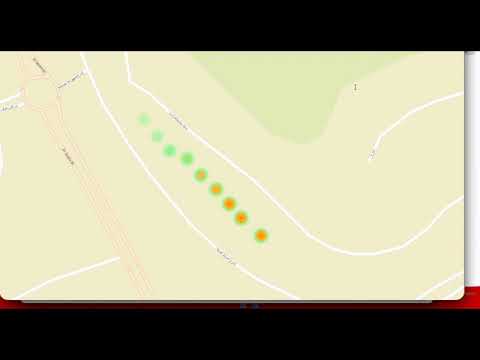
Video Contents:
- 0:00 - Introduction and system overview
- 0:46 - Authentication with 6-digit code and the VR app
- 1:15 - VR controller demonstration
- 2:00 - Real-time video streaming
- 2:45 - Gas sensor monitoring
- 3:15 - Emergency stop features
- 3:20 - Disconnect sequence
- 3:40 - Shaowcasing Reporting Website
- 10:30 - end
Duration: 10:00
Real-time teleoperation of hexapod robot via Meta Quest Pro with secure cloud authentication, live video streaming, and environmental monitoring.


- Overview
- Key Features
- System Architecture
- Technical Stack
- Setup Instructions
- Project Structure
- Usage Guide
- Security
- Troubleshooting
- Documentation
This project implements a secure, low-latency VR teleoperation system for controlling a hexapod robot (Hiwonder Jethexa) using Meta Quest Pro. The system enables remote operation in hazardous environments with real-time video feedback and environmental monitoring.
Use Cases:
- Industrial inspection in hazardous areas
- Gas leak detection and monitoring
- Remote site surveillance
- Emergency response scenarios
- Intuitive VR controller-based robot movement
- 6-DOF navigation (forward/backward, strafe, rotation)
- Haptic feedback for emergency stops
- Dual input support (VR controllers + keyboard for testing)
- Dead-zone filtering for precise control
- 10 Hz command rate for responsive control
- Low latency video transmission via Agora RTC (under 200ms)
- Adaptive quality based on network conditions
- 720p at 30fps high-quality first-person view
- Connection resilience with auto-reconnect
- FPS monitoring and quality reporting
- AWS Lambda authentication with session-based access control
- Connection tokens for request validation and replay attack prevention
- Session expiration with auto-disconnect
- Multi-layered emergency stop mechanisms
- Disconnect verification ensuring clean robot state
- Comprehensive error handling
- Real-time monitoring of 4 gas sensors (LPG, Propane, Butane, Methane)
- Visual alerts with color-coded danger indicators
- Threshold detection with automatic warnings
- Firebase integration for live sensor data synchronization
- Location tracking for each reading
┌─────────────────────────────────────────────────────────────────┐
│                    VR CLIENT (Meta Quest Pro)                    │
│  ┌──────────────┐  ┌──────────────┐  ┌────────────────────┐    │
│  │ VRUIManager  │  │ Controller   │  │ Video Stream       │    │
│  │ - Auth UI    │  │ - Input      │  │ - Agora Client     │    │
│  │ - Session    │  │ - Commands   │  │ - 720p @ 30fps     │    │
│  └──────────────┘  └──────────────┘  └────────────────────┘    │
│         │                  │                      │              │
└─────────┼──────────────────┼──────────────────────┼──────────────┘
          │                  │                      │
          ▼                  ▼                      ▼
  ┌──────────────┐   ┌──────────────┐    ┌──────────────┐
  │  AWS Lambda  │   │   Firebase   │    │   Agora.io   │
  │  ┌────────┐  │   │   Realtime   │    │   RTC Cloud  │
  │  │ Auth   │  │   │   Database   │    │   ┌────────┐ │
  │  │Function│  │   │              │    │   │ Video  │ │
  │  └────────┘  │   │  ┌────────┐  │    │   │Routing │ │
  │  ┌────────┐  │   │  │Commands│  │    │   └────────┘ │
  │  │Disconn │  │   │  │Queue   │  │    │              │
  │  │Function│  │   │  └────────┘  │    └──────────────┘
  │  └────────┘  │   │  ┌────────┐  │            │
  └──────────────┘   │  │ Gas    │  │            │
          │          │  │ Data   │  │            │
          ▼          │  └────────┘  │            │
  ┌──────────────┐   └──────────────┘            │
  │   DynamoDB   │          │                     │
  │  ┌────────┐  │          │                     │
  │  │Sessions│  │          ▼                     ▼
  │  │Table   │  │   ┌──────────────────────────────────┐
  │  └────────┘  │   │    ROBOT (Spider-01)             │
  └──────────────┘   │  ┌──────────┐  ┌──────────────┐  │
                     │  │ Movement │  │  Camera +    │  │
                     │  │ Control  │  │  4x Gas      │  │
                     │  │ System   │  │  Sensors     │  │
                     │  └──────────┘  └──────────────┘  │
                     └──────────────────────────────────┘
Authentication Flow:
User enters code → AWS Lambda validates → DynamoDB check →
Returns Firebase + Agora credentials → VR client connects
Command Flow (10 Hz):
VR Controller Input → Unity processes → Firebase writes →
Robot reads → Executes movement
Video Flow (under 200ms latency):
Robot camera → Agora SDK → Agora cloud → VR headset display
Sensor Data Flow (2s interval):
Gas sensors → Firebase → Unity fetches → UI updates
- Unity: 2021.3 LTS
- Meta XR SDK: Quest Pro integration
- C#: Application logic
- TextMeshPro: UI rendering
- Input System: Controller handling
- AWS Lambda: Serverless authentication (Python 3.9)
- DynamoDB: Session management
- Firebase Realtime Database: Command synchronization
- Agora.io: Real-time video streaming
- Meta XR SDK (Oculus Integration)
- Firebase Unity SDK (Auth + Database)
- Agora RTC SDK for Unity
- MRTK (Mixed Reality Toolkit)
- Unity 2021.3 LTS or later
- Meta Quest Pro VR headset
- Python 3.9+ (for Lambda deployment)
- AWS CLI configured
- Git
# 1. Clone repository
git clone https://github.com/yourusername/vr-robot-control.git
cd vr-robot-control

# 2. Open Unity project
# Open Unity Hub → Add → Select this folder

# 3. Install dependencies
# See docs/DEPENDENCIES.md for detailed SDK installation

# 4. Configure credentials
# Edit Assets/Scripts/CredentialManager.cs with your Lambda URLs

# 5. Deploy AWS Lambda functions
cd aws-lambda/authentication
./deploy.sh

cd ../disconnect
./deploy.sh

# 6. Build to Quest Pro
# File → Build Settings → Android → Build and RunSee docs/DEPENDENCIES.md for complete dependency installation guide.
Left Controller - Movement:
- Thumbstick Up/Down: Walk Forward/Backward
- Thumbstick Left/Right: Strafe Left/Right
- Grip Button: Emergency Stop
- X Button: Emergency Stop
Right Controller - Rotation:
- Thumbstick Left/Right: Turn Left/Right
- Grip Button: Emergency Stop
- A Button: Emergency Stop
Movement:    W/S   - Forward/Backward
             A/D   - Strafe Left/Right
Rotation:    Q/E   - Turn Left/Right
Emergency:   SPACE - Emergency Stop
- Launch VR application on Meta Quest Pro
- Enter 6-digit code displayed on robot
- Press "CONNECT" button
- Wait for authentication (2-3 seconds)
- Video stream connects automatically
- Control robot with VR controllers
- Monitor gas sensors in real-time
- Press "DISCONNECT" when finished
forwardBackwardThreshold = 0.3f  // 30% stick deflection required
strafeThreshold = 0.5f           // 50% stick deflection required
turnThreshold = 0.3f             // 30% stick deflection required
deadZone = 0.15f                 // Ignore inputs below 15%
commandRate = 10f // Commands per second (10 Hz)- VR client sends session code to AWS Lambda
- Lambda validates against DynamoDB
- Checks robot availability (vr_connected == false)
- Generates unique connection token (UUID)
- Returns Firebase + Agora credentials
- Marks session as connected in DynamoDB
- Session-based access with 30-minute expiration
- Connection tokens validated on each request
- Sequence numbers prevent command replay
- Automatic cleanup on disconnect
- Rate limiting (100 requests/hour per session)
- Clean disconnect with state verification
Comprehensive error handling at every level:
- Network timeouts
- Invalid credentials
- Session expiration
- Connection failures
- Firebase write errors
- Agora connection issues
"Cannot connect - Check internet"
- Verify Quest Pro WiFi connection
- Check AWS Lambda URLs in CredentialManager.cs
- Ensure Lambda functions are deployed
"Session expired - Generate new code"
- Robot session expired after 30 minutes
- Generate fresh code on robot
- Try reconnecting
"Robot already connected"
- Another VR client is connected
- Wait 60 seconds for timeout
- Or disconnect other client first
"No video appearing"
- Check Agora App ID is correct
- Verify robot camera is streaming
- Check network bandwidth (need 2+ Mbps)
- Inspect Unity console for Agora errors
"Video stuttering/freezing"
- Check network latency
- Reduce other network traffic
- Move closer to WiFi router
- Lower video quality settings
"Robot not responding to inputs"
- Check Firebase database rules
- Verify session code matches
- Check Unity console for Firebase errors
- Ensure emergency stop is not active
"Controllers not detected in VR"
- Restart Meta Quest Pro
- Check controller batteries
- Re-pair controllers in Quest settings
- Try keyboard controls in Unity Editor
CredentialManager.cs
- AWS Lambda authentication
- Session lifecycle management
- Connection token handling
- Graceful disconnect with verification
EnhancedSecureVRRobotController.cs
- VR input processing
- Firebase command synchronization
- Emergency stop mechanisms
- Dual input system (VR + keyboard)
SecureAgoraVideoStream.cs
- Agora RTC integration
- Video quality management
- Auto-reconnect logic
- FPS monitoring
GasSensorDisplay.cs / GasUI.cs
- Firebase REST API integration
- Real-time sensor data fetching
- Threshold-based alerts
- UI visualization
VRUIManager.cs
- UI state management
- Authentication flow
- Session timer
- Error handling and feedback
// CredentialManager API
IEnumerator AuthenticateWithAWS(string sessionCode)
IEnumerator DisconnectFromAWS()
bool AreCredentialsReady()
bool IsSessionExpired()
long GetTimeRemaining()

// Robot Controller API
bool IsInitialized()
bool IsDisconnecting()
int GetCommandSequence()
bool IsEmergencyStopped()

// Gas Monitor API
GasSensorData GetGasData(string gasId)
float GetGasValue(string gasId)
string GetGasName(string gasId)
Dictionary<string, GasSensorData> GetAllGasData()- DEPENDENCIES.md - Complete SDK setup guide
- ARCHITECTURE.md - Detailed system design
- AWS Lambda README - Backend deployment
| Metric | Target | Achieved |
|---|---|---|
| Video Latency | under 300ms | approximately 180ms |
| Command Rate | 10 Hz | 10 Hz |
| Video Quality | 720p@30fps | 720p@30fps |
| Frame Rate (VR) | 90 fps | 90 fps |
| Session Duration | 30 min | 30 min |
| Gas Update Rate | 2s | 2s |
- Minimum Bandwidth: 3 Mbps (1 Mbps up, 2 Mbps down)
- Recommended Bandwidth: 5 Mbps (2 Mbps up, 3 Mbps down)
- Latency: under 100ms RTT preferred
- Connection: WiFi or 4G/5G with stable connection
- Single operator per robot (no concurrent control)
- Requires stable internet connection (no offline mode)
- 30-minute session limit (due to the robots battery running out quick because of the specific robot model we are using)
- Video quality limited to 720p