SSH & SNMP-Based Network Discovery and Topology Mapping


Secure Cartography is a network discovery tool that crawls your infrastructure via SNMP and SSH, collecting CDP/LLDP neighbor information to automatically generate topology maps. Built by a network engineer, for network engineers.
If you are interested in a non-python native application for network maps see Secure Cartography JS
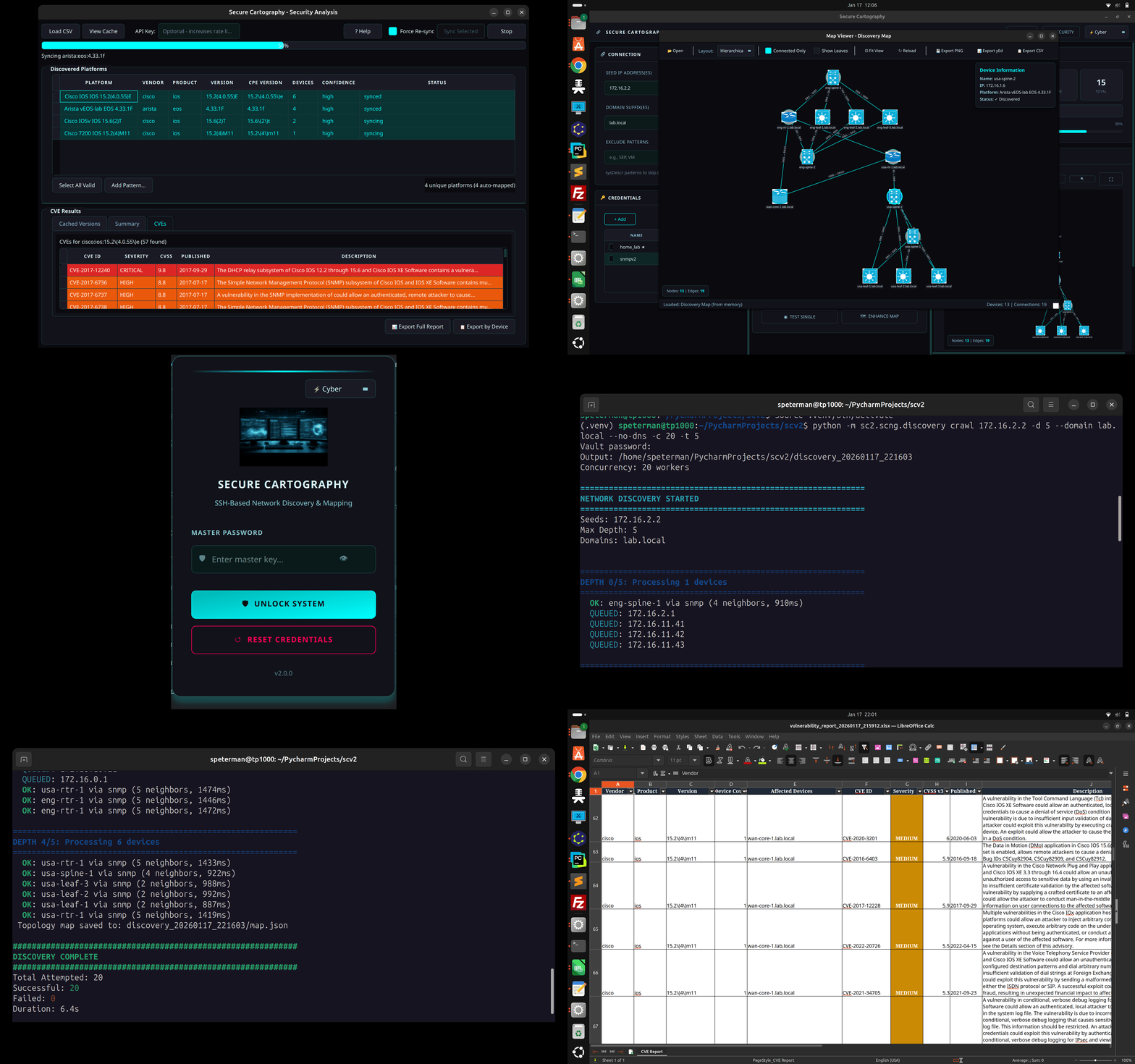
Version 2 is a complete rewrite with a modernized architecture:
| Feature | v1 | v2 |
|---|---|---|
| Discovery Engine | Synchronous, single-threaded | Async with configurable concurrency |
| Discovery Protocol | SSH only | SNMP-first with SSH fallback |
| Credential Storage | No credential persistance | SQLite vault with AES-256 encryption |
| CLI | Basic | Full-featured with test/discover/crawl commands |
| Progress Reporting | Callbacks | Structured events for GUI integration |
| SNMP Support | None | v2c and v3 (authPriv) |
| Vendor Support | Cisco, Arista | + Cisco, Arista and Juniper, Others fingerprinted based on sysdesc |
| GUI | PyQt6 | PyQt6 with theme support (Cyber/Dark/Light) |
| Topology Viewer | External (yEd/Draw.io) | Embedded Cytoscape.js with vendor coloring, yEd & Draw.io export |
| Security Analysis | None | CVE vulnerability scanning via NIST NVD |
| Device Polling | None | Interactive SNMP fingerprinting from map |
- SNMP-first discovery with automatic SSH fallback
- CDP and LLDP neighbor detection across vendors
- Two-pass LLDP resolution - correctly handles lldpLocPortNum vs ifIndex
- Bidirectional link validation - only confirmed connections appear in topology
- Concurrent crawling - discover 20+ devices simultaneously
- Depth-limited recursion - control how far the crawler goes
- Exclusion patterns - skip devices by hostname, sys_name, or sysDescr
- No-DNS mode - use IPs directly from neighbor tables (home lab friendly)
- Encrypted SQLite vault - AES-256-GCM encryption at rest
- Multiple credential types - SSH (password + key), SNMPv2c, SNMPv3
- Priority ordering - try credentials in sequence until one works
- Credential discovery - auto-detect which credentials work on which devices
- Platform-to-CPE mapping - automatically parses discovered platform strings
- NIST NVD integration - queries National Vulnerability Database for CVEs
- Severity color-coding - CRITICAL/HIGH/MEDIUM/LOW at a glance
- Local CVE cache - SQLite cache avoids repeated API calls
- Export reports - CSV export with affected devices per CVE
- Device-centric view - "Export by Device" shows CVE counts per device
- Multi-vendor support - Cisco IOS/IOS-XE/NX-OS, Arista EOS, Juniper JUNOS, Palo Alto, Fortinet
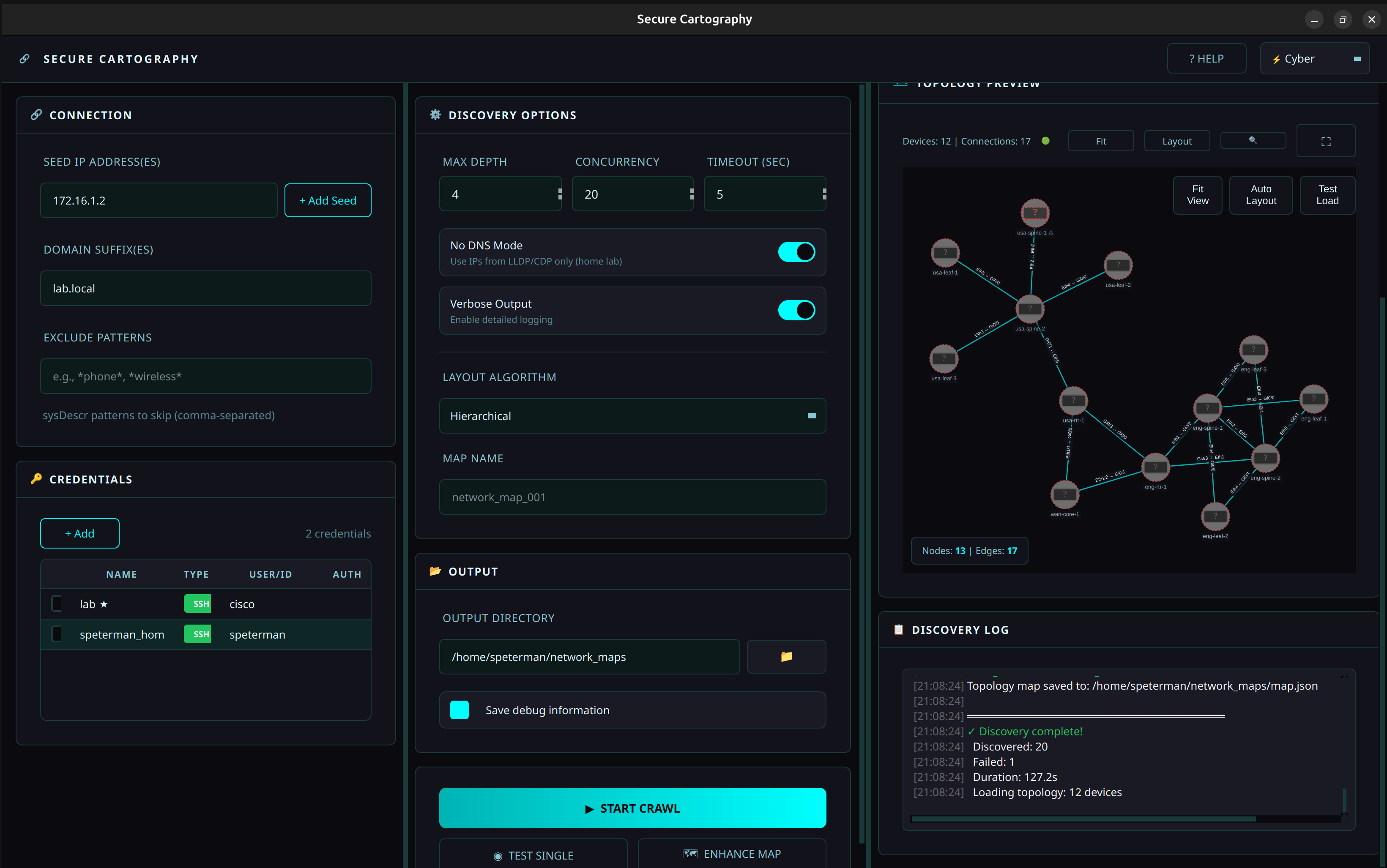
- Embedded Cytoscape.js viewer - interactive network visualization
- Real-time rendering - topology displayed immediately after discovery
- Vendor-specific styling - Cisco (blue), Arista (green), Juniper (orange) with distinct colors
- Undiscovered peer nodes - referenced but unreachable devices shown with warning markers
- Theme-aware - visualization adapts to Cyber/Dark/Light themes
- Interactive controls - fit view, auto-layout, node selection with details popup
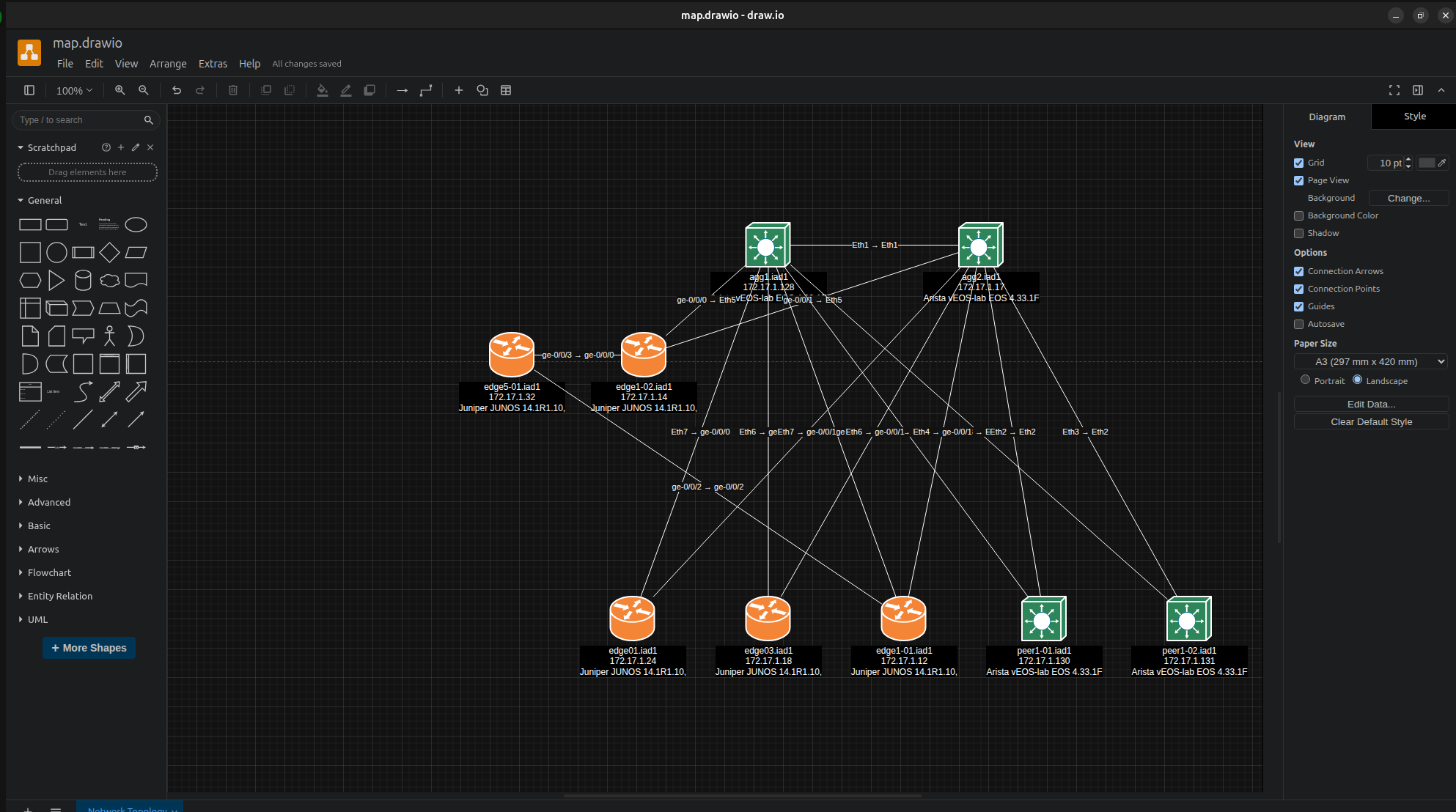
One-click export to Draw.io format for professional network documentation:
- Cisco mxgraph stencils - native Draw.io shapes for switches, routers, firewalls, wireless
- Vendor coloring - automatic fill colors match the embedded viewer (Cisco blue, Juniper orange, Arista green)
- Hierarchical layout - tree algorithm positions devices by network tier
- Interface labels - port-to-port connections preserved on edges
- Universal compatibility - open in Draw.io desktop, web (diagrams.net), or VS Code extension
- Edit and annotate - recipients can modify layouts, add notes, highlight paths
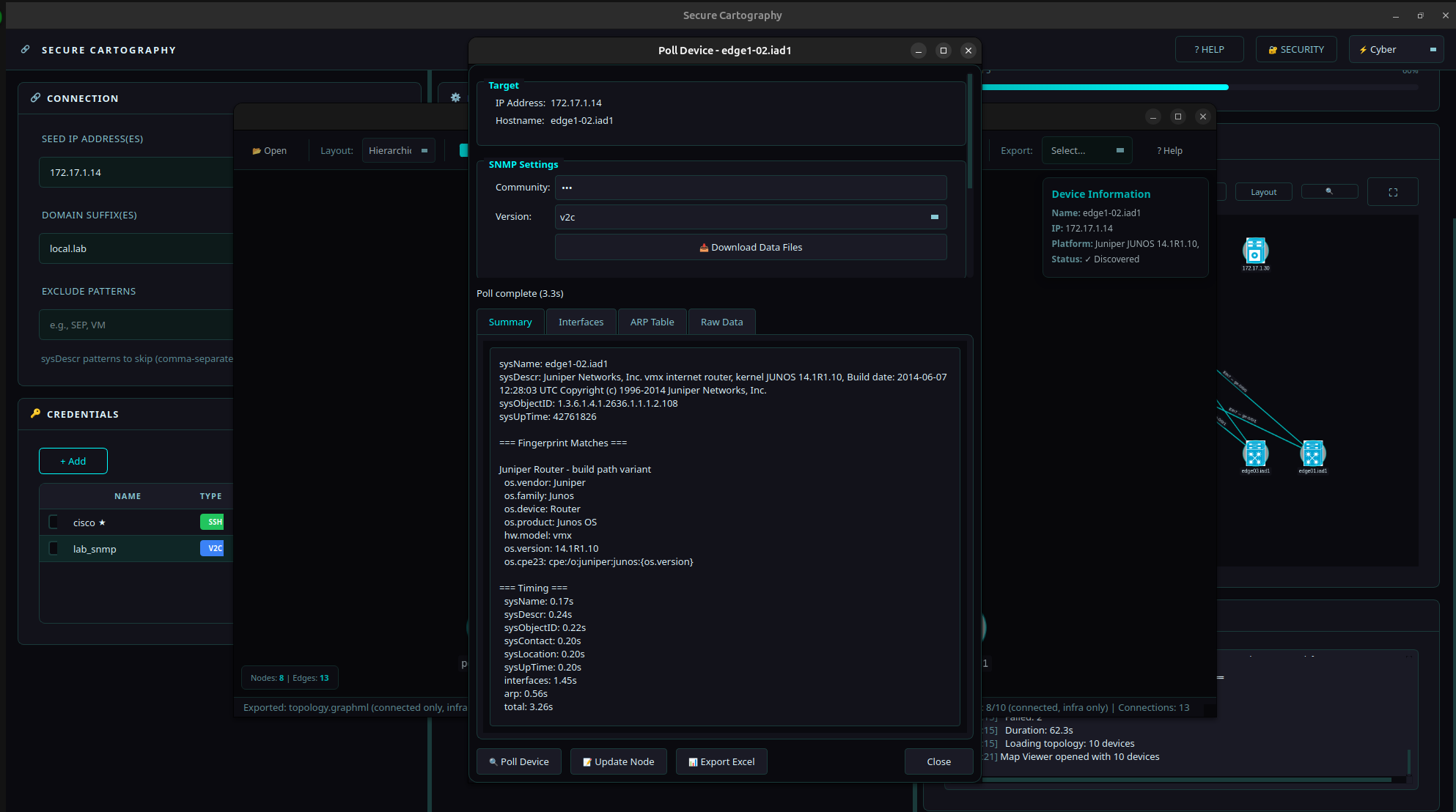
Poll individual devices directly from the Map Viewer for on-demand identification and inventory — no full discovery required.
- SNMP fingerprinting - identifies vendor, model, OS version via Rapid7 Recog patterns
- Interface inventory - collects ifTable with MAC addresses and OUI vendor lookup
- ARP table collection - neighbor IP/MAC mappings with vendor identification
- Two operating modes:
- Local mode - direct SNMP using pysnmp-lextudio (works on Windows/Linux/Mac)
- Proxy mode - for targets only reachable from a jump host (SNMP Proxy)
- Export to Excel - multi-sheet workbook with Summary, Interfaces, and ARP data
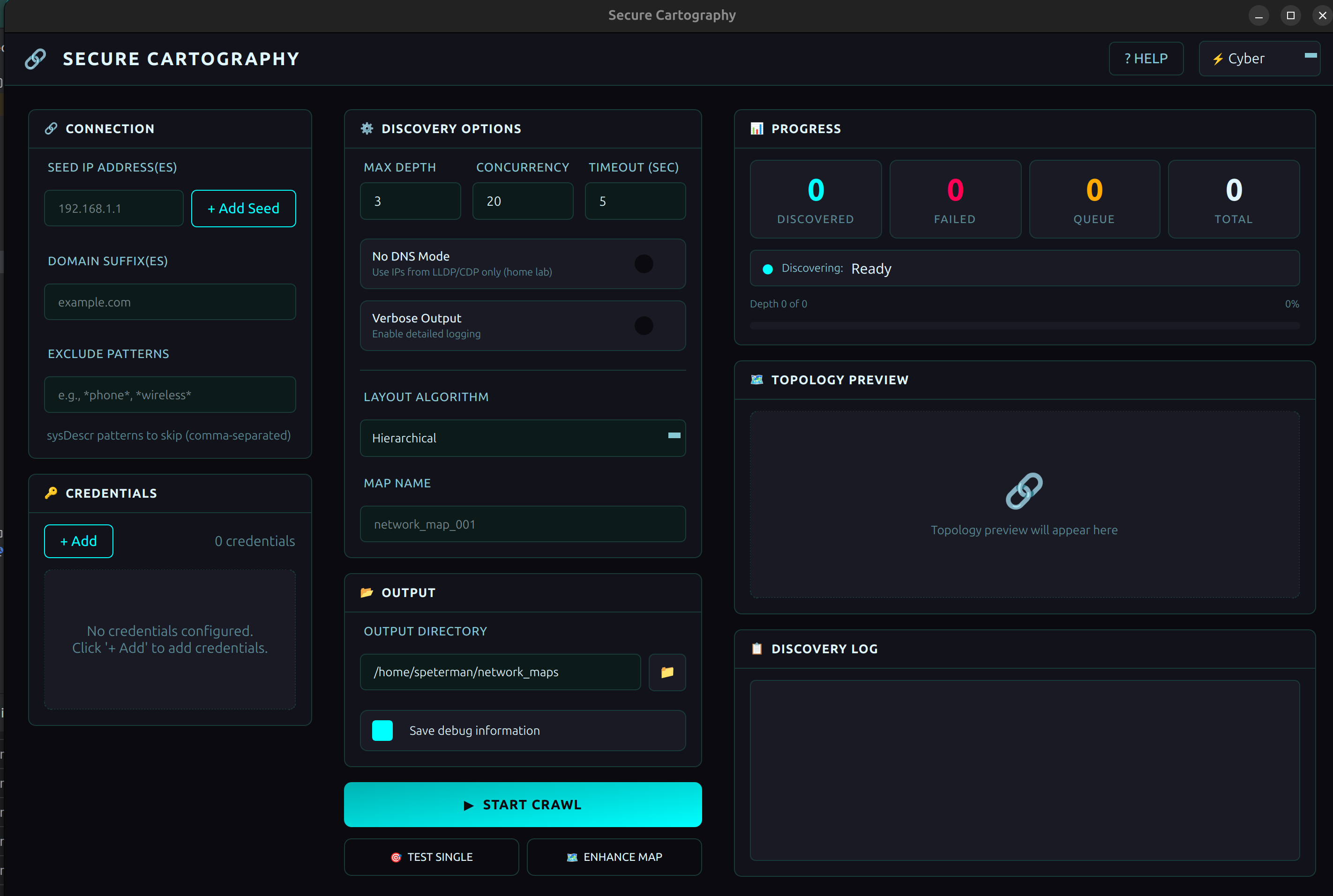
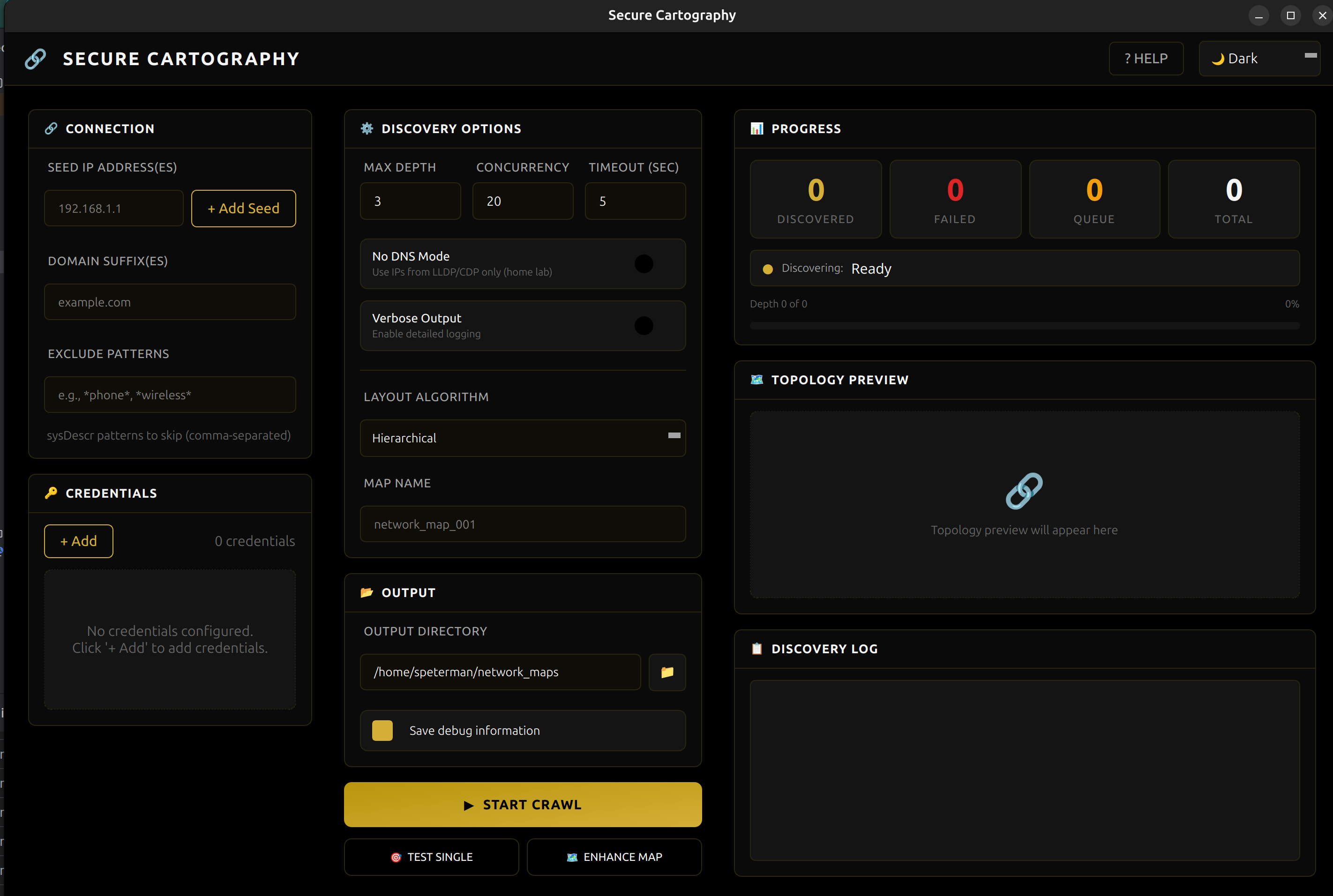
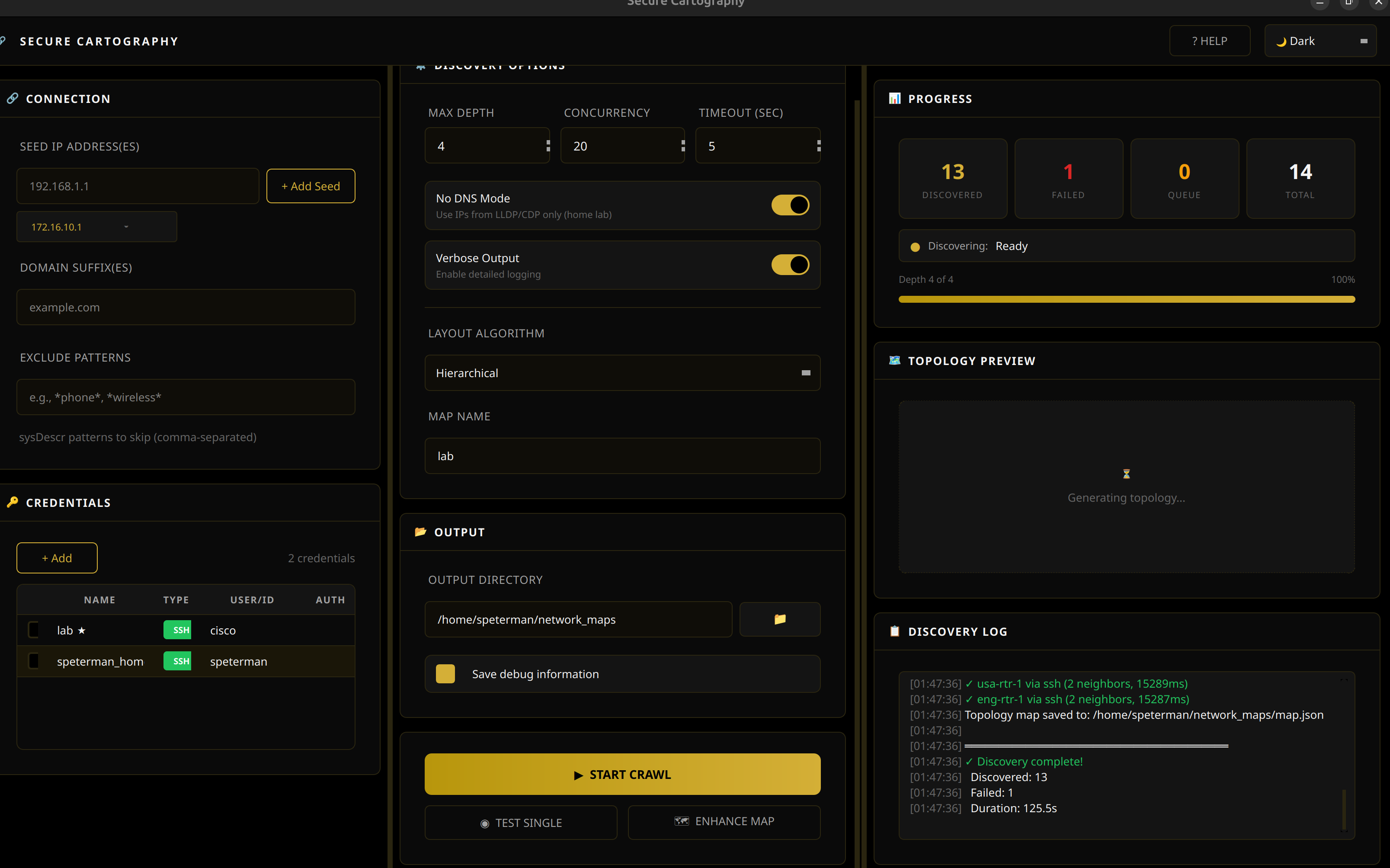
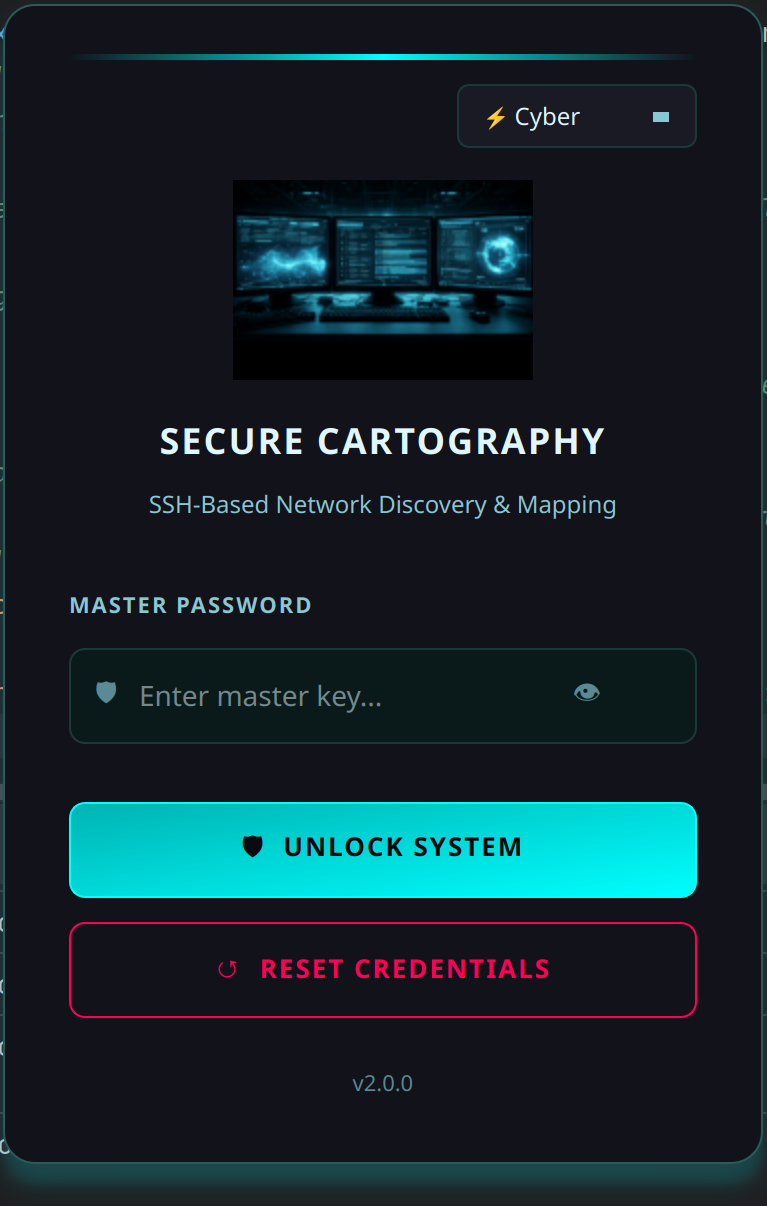
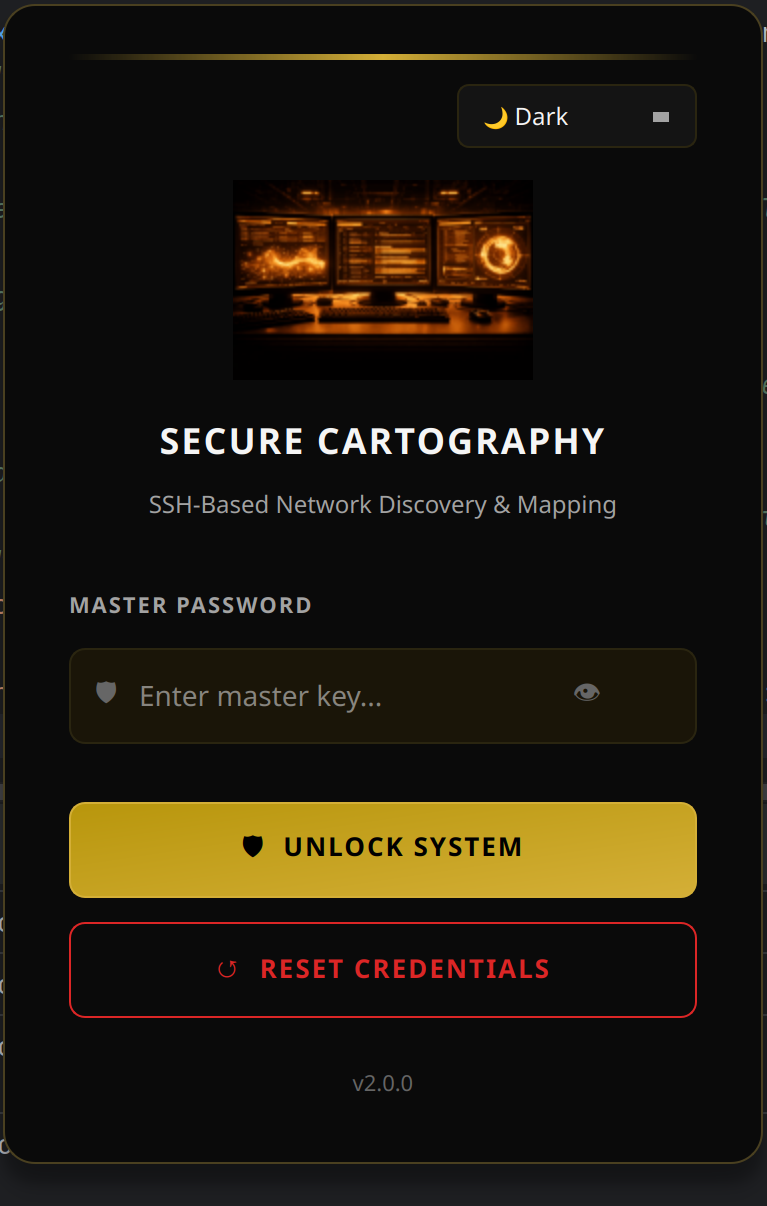
- Three themes - Cyber (cyan), Dark (gold), Light (blue)
- Real-time progress - live counters, depth tracking, log output
- Responsive design - UI remains interactive during discovery
- Click-to-inspect - node details (hostname, IP, platform) on selection
| Vendor | SNMP | SSH | CVE Mapping |
|---|---|---|---|
| Cisco IOS/IOS-XE | ✓ | ✓ | ✓ |
| Cisco NX-OS | ✓ | ✓ | ✓ |
| Arista EOS | ✓ | ✓ | ✓ |
| Juniper JUNOS | ✓ | ✓ | ✓ |
- Others will likely appear but testing has been limited
 |
 |
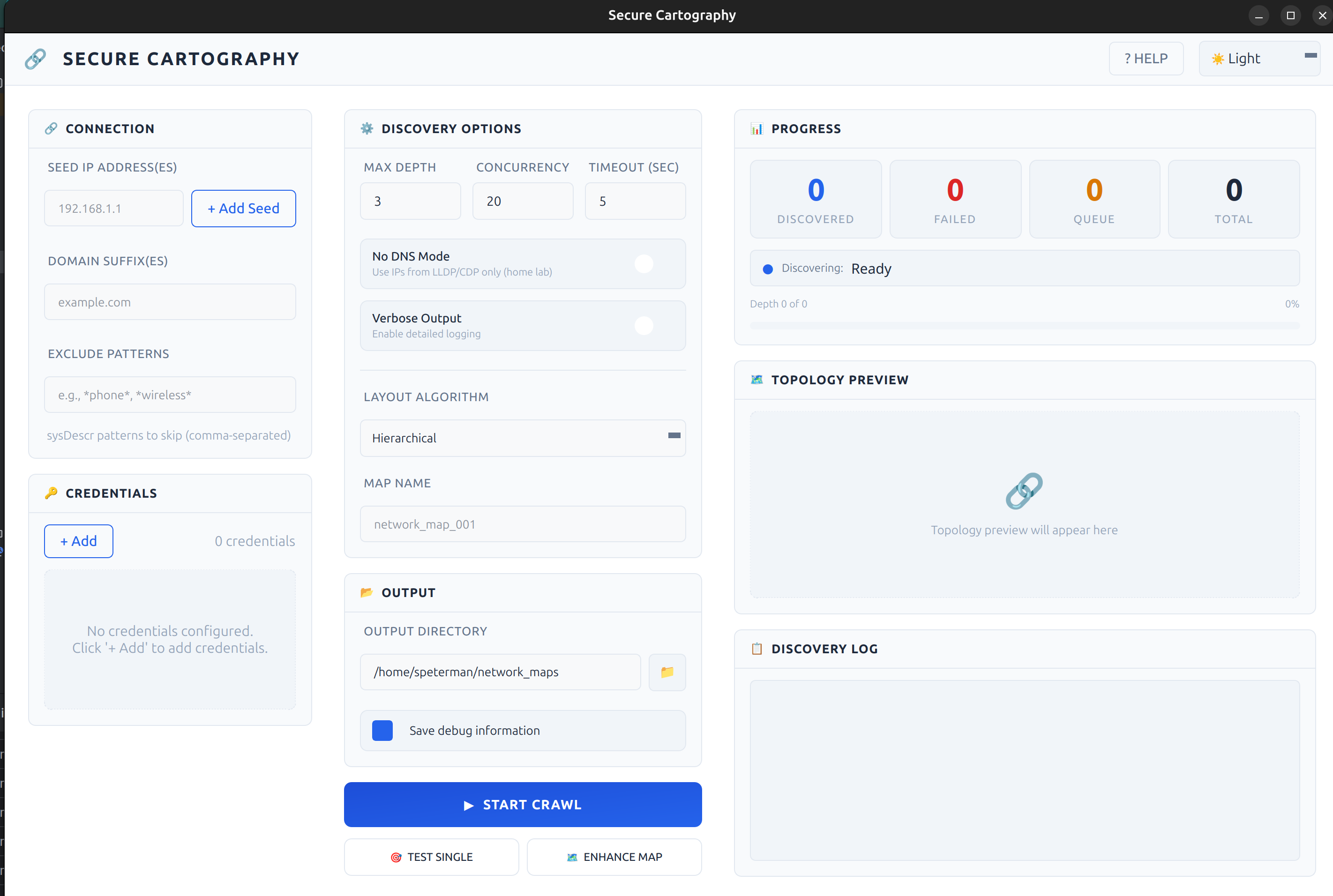 |
| Cyber - Teal accents | Dark - Gold accents | Light - Blue accents |
 |
 |
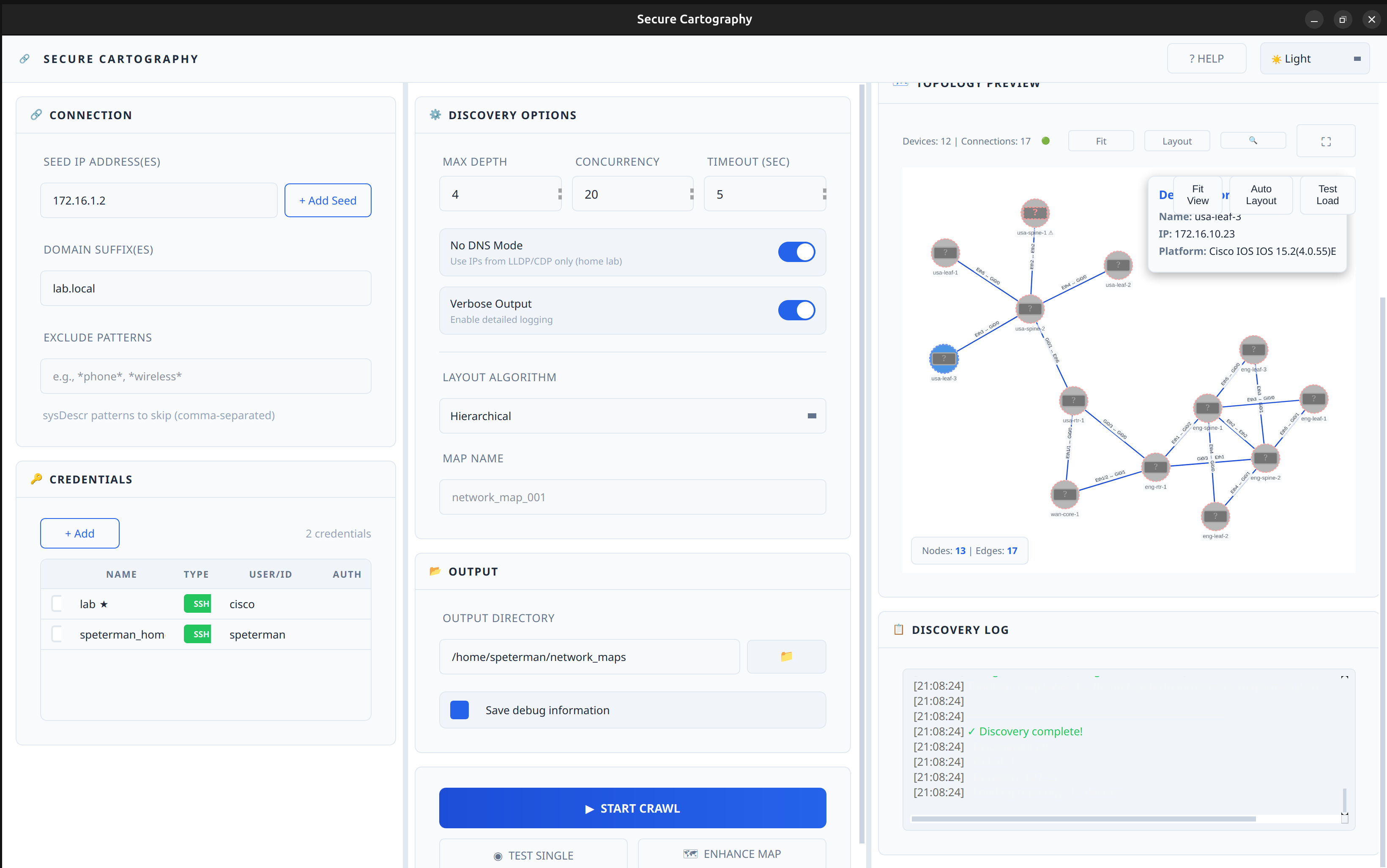 |
| Topology Preview - Cyber | Topology Preview - Dark | Topology Preview - Light |
 |
 |
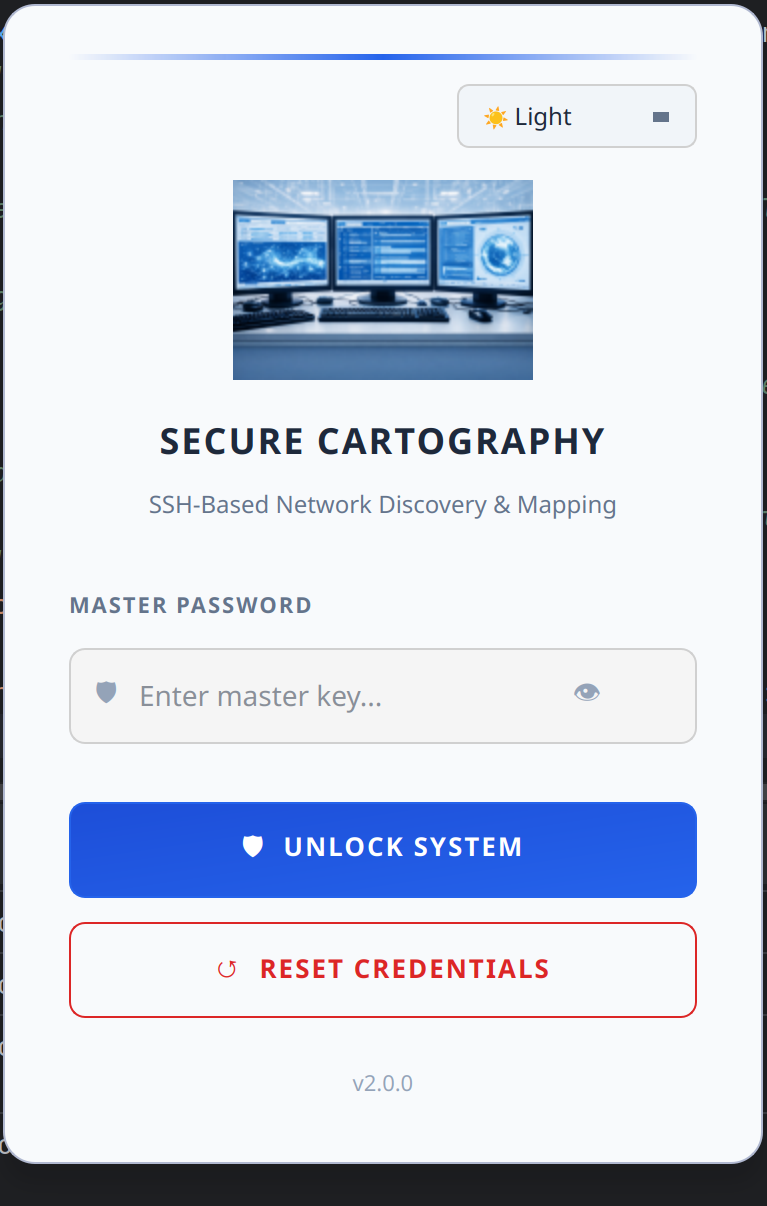 |
| Login - Cyber | Login - Dark | Login - Light |
- Python 3.10 or higher
- pip
git clone https://github.com/scottpeterman/secure_cartography.git
cd secure_cartography
pip install -e .# Core
pip install pysnmp-lextudio paramiko cryptography textfsm aiofiles
# GUI
pip install PyQt6 PyQt6-WebEngine# Create vault and set master password
python -m sc2.scng.creds init
# Add SNMP credential
python -m sc2.scng.creds add snmpv2c snmp-readonly --community public
# Add SSH credential
python -m sc2.scng.creds add ssh network-admin --username admin
# List credentials
python -m sc2.scng.creds list# Quick SNMP test (no vault needed)
python -m sc2.scng.discovery test 192.168.1.1 --community public
# Test with vault credentials
python -m sc2.scng.discovery device 192.168.1.1# Basic crawl
python -m sc2.scng.discovery crawl 192.168.1.1 -d 3
# With options
python -m sc2.scng.discovery crawl 192.168.1.1 10.0.0.1 \
-d 5 \
--domain corp.example.com \
--exclude "phone,wireless,linux" \
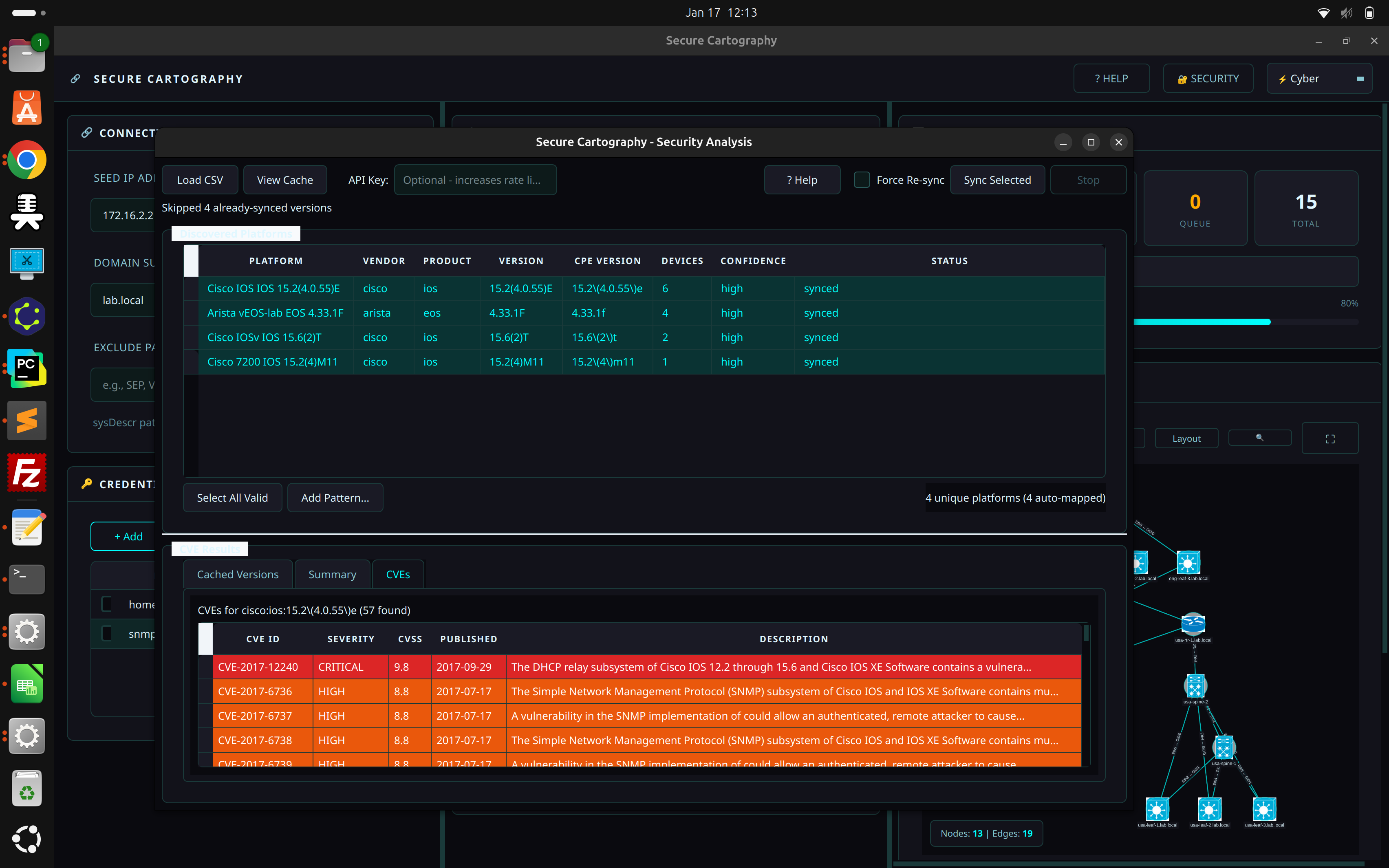
--output ./network_mapspython -m sc2.uiAfter running discovery, click the 🔐 SECURITY button in the header bar to open the Security Analysis window:
- Load CSV - Import the
devices.csvfrom your discovery output - Review Mappings - Verify auto-detected platform → CPE mappings
- Sync Selected - Query NIST NVD for CVEs (optional: add free API key for faster rate limits)
- Analyze Results - Review CVEs sorted by severity
- Export Report - Generate CSV with CVEs and affected devices
The Security Analysis module transforms your network inventory into an actionable vulnerability report.
Secure Cartography automatically parses platform strings into CPE (Common Platform Enumeration) format:
"Cisco IOS IOS 15.2(4.0.55)E" → cpe:2.3:o:cisco:ios:15.2(4.0.55)e:*:*:*:*:*:*:*
"Arista vEOS-lab EOS 4.33.1F" → cpe:2.3:o:arista:eos:4.33.1f:*:*:*:*:*:*:*
Queries the NIST National Vulnerability Database for known vulnerabilities:
- Results cached locally in
~/.scng/cve_cache.db - Free NVD API key increases rate limits (get one at nvd.nist.gov)
Two export formats for different use cases:
| Export | Format | Use Case |
|---|---|---|
| Export Report | One row per CVE | Security team review, compliance audits |
| Export by Device | One row per device | Remediation planning, patch prioritization |
When your desktop doesn't have SNMP access:
- SSH to a jump host with network access
- Run discovery via CLI:
python -m sc2.scng.discovery crawl ... - Copy
devices.csvback to your desktop - Open in GUI → Security Analysis → Load CSV → Sync
sc2/
├── scng/                      # Discovery engine
│   ├── creds/                 # Credential vault
│   │   ├── vault.py           # Encrypted SQLite storage
│   │   ├── models.py          # SSH, SNMPv2c, SNMPv3 dataclasses
│   │   ├── resolver.py        # Credential testing & discovery
│   │   └── cli.py             # Credential management CLI
│   │
│   ├── discovery/             # Discovery engine
│   │   ├── engine.py          # Async orchestration, crawl logic
│   │   ├── models.py          # Device, Neighbor, Interface
│   │   ├── cli.py             # Discovery CLI
│   │   │
│   │   ├── snmp/              # SNMP collection
│   │   │   ├── walker.py      # Async GETBULK table walks
│   │   │   └── collectors/    # system, interfaces, lldp, cdp, arp
│   │   │
│   │   └── ssh/               # SSH fallback
│   │       ├── client.py      # Paramiko wrapper
│   │       ├── collector.py   # Vendor detection, command execution
│   │       └── parsers.py     # TextFSM integration
│   │
│   └── utils/
│       └── tfsm_fire.py       # TextFSM auto-template selection
│
├── export/                    # Export modules
│   ├── graphml_exporter.py    # yEd GraphML export
│   └── drawio_exporter.py     # Draw.io export with vendor styling
│
└── ui/                        # PyQt6 GUI
    ├── themes.py              # Theme system (Cyber/Dark/Light)
    ├── login.py               # Vault unlock dialog
    ├── main_window.py         # Main application window
    ├── help_dialog.py         # Help system (GUI/CLI/Security docs)
    │
    ├── assets/
    │   └── icons_lib/
    │       └── platform_icon_drawio.json  # Draw.io icon mappings
    │
    └── widgets/               # Custom themed widgets
        ├── panel.py               # Base panel with title bar
        ├── connection_panel.py    # Seeds, domains, excludes
        ├── credentials_panel.py   # Credential management UI
        ├── discovery_options.py   # Depth, concurrency, toggles
        ├── output_panel.py        # Output directory config
        ├── progress_panel.py      # Stats, progress bar
        ├── discovery_log.py       # Styled log output
        ├── discovery_controller.py # Discovery↔UI bridge with throttled events
        ├── topology_preview_panel.py  # Preview container (singleton)
        ├── topology_viewer.py     # QWebEngineView + Cytoscape.js bridge
        ├── topology_viewer.html   # Cytoscape.js visualization
        ├── map_viewer_dialog.py   # Full-screen topology viewer
        ├── security_widget.py     # CVE vulnerability analysis
        ├── tag_input.py           # Tag/chip input widget
        ├── toggle_switch.py       # iOS-style toggle
        └── stat_box.py            # Counter display boxes
The embedded topology viewer uses Cytoscape.js for interactive network visualization.
- Automatic layout - Dagre algorithm for hierarchical network arrangement
- Vendor coloring - Platform-specific border and fill colors (Cisco blue, Juniper orange, Arista green)
- Undiscovered nodes - Peers referenced but not crawled shown with dashed borders and ⚠ markers
- Edge labels - Interface pairs displayed on connections
- Click inspection - Select nodes to view device details
- Theme integration - Colors adapt to current UI theme
| Format | Use Case |
|---|---|
| Draw.io | Editable diagrams with Cisco stencils for documentation, Confluence, SharePoint |
| yEd (GraphML) | Professional diagrams with automatic layouts and port labels |
| PNG | Quick image export for reports and presentations |
| CSV | Device and connection lists for spreadsheet analysis |
| JSON | Raw topology data for custom processing |
Discovery Engine → map.json → Base64 encode → QWebChannel → JavaScript → Cytoscape.js
The viewer uses base64 encoding for reliable Python→JavaScript data transfer, avoiding escaping issues with complex JSON payloads.
Secure Cartography provides two CLI modules that can be used independently of the GUI:
sc2.scng.creds- Credential vault managementsc2.scng.discovery- Network discovery engine
Both CLIs support --help on all commands and subcommands.
usage: scng-creds [-h] [--vault-path VAULT_PATH] [--password PASSWORD]
                  {init,unlock,add,list,show,remove,set-default,test,discover,change-password,deps} ...
| Option | Description |
|---|---|
-v, --vault-path |
Path to vault database (default: ~/.scng/credentials.db) |
-p, --password |
Vault password (or set SCNG_VAULT_PASSWORD env var) |
python -m sc2.scng.creds init
python -m sc2.scng.creds init --vault-path /path/to/custom.db# SSH with password (prompts for password)
python -m sc2.scng.creds add ssh admin-cred --username admin --password
# SSH with key file
python -m sc2.scng.creds add ssh key-cred --username automation --key-file ~/.ssh/id_rsa
# SNMPv2c
python -m sc2.scng.creds add snmpv2c readonly --community public
# SNMPv3 (authPriv)
python -m sc2.scng.creds add snmpv3 snmpv3-cred \
--username snmpuser \
--auth-protocol sha256 \
--auth-password authpass123 \
--priv-protocol aes128 \
--priv-password privpass123python -m sc2.scng.creds listOutput shows credential name, type, priority, and default status.
python -m sc2.scng.creds show admin-cred
python -m sc2.scng.creds show admin-cred --reveal # Show passwords/communitiespython -m sc2.scng.creds remove old-credentialpython -m sc2.scng.creds set-default admin-credpython -m sc2.scng.creds test admin-cred 192.168.1.1
python -m sc2.scng.creds test readonly 10.0.0.1python -m sc2.scng.creds discover 192.168.1.1Tests all credentials and reports which ones succeed.
python -m sc2.scng.creds change-passwordpython -m sc2.scng.creds depsusage: scng.discovery [-h] {test,device,crawl} ...
python -m sc2.scng.discovery test 192.168.1.1 --community public
python -m sc2.scng.discovery test 192.168.1.1 --community public --verbosepython -m sc2.scng.discovery device 192.168.1.1
python -m sc2.scng.discovery device core-switch.example.com --output ./resultsusage: scng.discovery crawl [-h] [-d DEPTH] [--domain DOMAINS] [--exclude EXCLUDE_PATTERNS]
[-o OUTPUT] [-v] [--no-dns] [-c CONCURRENCY] [-t TIMEOUT]
[--no-color] [--timestamps] [--json-events]
seeds [seeds ...]
| Option | Description |
|---|---|
seeds |
One or more seed IP addresses or hostnames |
-d, --depth |
Maximum discovery depth (default: 3) |
--domain |
Domain suffix for hostname resolution (repeatable) |
--exclude |
Exclusion patterns for devices to skip (repeatable, comma-separated) |
-o, --output |
Output directory for results |
-v, --verbose |
Enable debug output |
--no-dns |
Disable DNS lookups; use IPs from LLDP/CDP directly |
-c, --concurrency |
Maximum parallel discoveries (default: 20) |
-t, --timeout |
SNMP timeout in seconds (default: 5) |
--no-color |
Disable colored terminal output |
--timestamps |
Show timestamps in log output |
--json-events |
Output events as JSON lines (for GUI/automation integration) |
# Basic crawl from single seed
python -m sc2.scng.discovery crawl 192.168.1.1

# Multiple seeds with depth limit
python -m sc2.scng.discovery crawl 10.1.1.1 10.2.1.1 --depth 5

# With domain suffix for DNS resolution
python -m sc2.scng.discovery crawl core-sw01 --domain corp.example.com --domain example.com

# Exclude devices by pattern (matches hostname, sys_name, or sysDescr)
python -m sc2.scng.discovery crawl 192.168.1.1 --exclude "linux,vmware,phone"

# Multiple exclude flags also work
python -m sc2.scng.discovery crawl 192.168.1.1 \
    --exclude "linux" \
    --exclude "phone" \
    --exclude "wireless"

# Home lab mode (no DNS, faster)
python -m sc2.scng.discovery crawl 192.168.1.1 --no-dns

# High concurrency for large networks
python -m sc2.scng.discovery crawl 10.0.0.1 -c 50 -d 10 -o ./enterprise_map

# Full production example
python -m sc2.scng.discovery crawl \
    core-rtr-01.dc1.example.com \
    core-rtr-01.dc2.example.com \
    --depth 8 \
    --domain dc1.example.com \
    --domain dc2.example.com \
    --exclude "linux,esxi,vcenter,phone,wireless,ups" \
    --concurrency 30 \
    --timeout 10 \
    --output ./network_discovery_$(date +%Y%m%d) \
--verboseThe --exclude option filters devices from propagating the crawl. Patterns are:
- Case-insensitive substring matches
- Comma-separated for multiple patterns in one flag
- Matched against three fields:
sysDescr,hostname, andsys_name
This means exclusions work for both SNMP-discovered devices (via sysDescr) and SSH-discovered devices (via hostname).
| Pattern | Matches |
|---|---|
linux |
Any device with "linux" in sysDescr, hostname, or sys_name |
rtr-lab,sw-test |
Devices with "rtr-lab" OR "sw-test" in any field |
phone,wireless,ap- |
Common patterns to skip IP phones and APs |
Note: Excluded devices are still discovered (credentials tested, data collected), but their neighbors are not queued for further discovery. This prevents the crawl from expanding through non-network infrastructure.
Discovery creates per-device folders with JSON data:
discovery_output/
├── core-switch-01/
│   ├── device.json      # System info, interfaces
│   ├── cdp.json         # CDP neighbors
│   └── lldp.json        # LLDP neighbors
├── dist-switch-01/
│   └── ...
├── devices.csv          # Device inventory (for Security Analysis)
├── discovery_summary.json
├── topology.graphml     # yEd-compatible graph
└── map.json             # Topology with bidirectional validation
{
  "core-switch-01": {
    "node_details": {
      "ip": "10.1.1.1",
      "platform": "Arista vEOS-lab EOS 4.33.1F"
    },
    "peers": {
      "dist-switch-01": {
        "ip": "10.1.1.2",
        "connections": [
          ["Eth1/1", "Gi0/1"],
          ["Eth1/2", "Gi0/2"]
        ]
      }
    }
  }
}hostname,ip,platform,vendor,model,serial
core-switch-01,10.1.1.1,Cisco IOS IOS 15.2(4.0.55)E,cisco,WS-C3850-24T,FCW2134L0NK
dist-switch-01,10.1.1.2,Arista vEOS-lab EOS 4.33.1F,arista,vEOS,SN-VEOS-01The GUI uses a comprehensive theme system with three built-in themes:
| Theme | Primary | Accent | Use Case |
|---|---|---|---|
| Cyber | #0a0a0f |
#00ffff (cyan) |
SOC/NOC aesthetic |
| Dark | #000000 |
#d4af37 (gold) |
Professional elegance |
| Light | #ffffff |
#2563eb (blue) |
Bright environments |
See README_Style_Guide.md for widget styling details.
| Document | Description |
|---|---|
| README_Creds.md | Credential vault API and CLI |
| README_scng.md | Discovery engine architecture |
| README_SNMP_Discovery.md | SNMP collection details |
| README_SSH_Discovery.md | SSH fallback module |
| README_Progress_events.md | GUI progress event reference |
| README_Style_Guide.md | PyQt6 widget theming guide |
| snmp_proxy/README.md | SNMP proxy deployment for remote polling |
- Credential vault with encryption
- SNMP discovery (v2c, v3)
- SSH fallback discovery
- Async crawl engine with progress events
- CLI for creds and discovery
- Theme system (Cyber/Dark/Light)
- Login dialog with vault unlock
- Main window layout with all panels
- Custom themed widgets
- Discovery↔UI integration with throttled events
- Live topology preview with Cytoscape.js
- Vendor coloring in topology viewer
- Undiscovered peer node visualization
- Security Analysis with CVE vulnerability scanning
- Export to yEd (GraphML with port labels)
- Export to Draw.io with Cisco stencils and vendor coloring
- Built-in help system
- Interactive device polling (local + proxy modes)
- Device fingerprinting via Rapid7 Recog patterns
- OUI vendor lookup for MAC addresses
- Map enhancement tools (manual node positioning, annotations)
- Credential auto-discovery integration
- Settings persistence
- Export topology as PNG/SVG
- Topology diff (compare discoveries)
The GUI uses a careful threading model to prevent UI lockups:
- Discovery runs in QThread - async engine wrapped in worker thread
- Events throttled at source - high-frequency events (stats, topology) rate-limited before emission
- QueuedConnection for all signals - ensures slots execute on main thread
- WebView isolation - no webview updates during active discovery; topology loads once at completion
Python→JavaScript communication uses base64 encoding:
# Python side
b64_data = base64.b64encode(json.dumps(topology).encode()).decode()
self._run_js(f"TopologyViewer.loadTopologyB64('{b64_data}')")
// JavaScript side
loadTopologyB64(b64String) {
const jsonString = atob(b64String);
this.loadTopology(jsonString);
}This avoids JSON escaping issues with complex network data containing special characters.
The Security Widget operates independently of the discovery engine:
- Platform parsing - regex patterns extract vendor/product/version from sysDescr strings
- CPE generation - converts parsed data to NIST CPE 2.3 format
- NVD API client - async queries with rate limiting and caching
- SQLite cache -
~/.scng/cve_cache.dbstores CVE data to avoid repeated API calls - Device tracking - maps CVEs back to specific hostnames/IPs from discovery CSV
- Master password is never stored; derived key is held in memory only while vault is unlocked
- Credentials are encrypted with AES-256-GCM before storage
- Salt is randomly generated per installation
- No credentials in logs - discovery output never includes passwords/communities
- Vault auto-locks when application exits
- CVE cache is local - no sensitive data sent to NVD (only CPE queries)
Typical discovery rates:
- Single device (SNMP): 2-5 seconds
- Single device (SSH fallback): 5-15 seconds
- 100 devices: 3-8 minutes with 20 concurrent workers
- 750+ devices: ~4-5 hours (production tested, 88%+ success rate)
Security Analysis:
- NVD API (no key): 5 requests per 30 seconds
- NVD API (with key): 50 requests per 30 seconds
- Cached lookups: instant
GUI remains responsive during discovery due to throttled event architecture.
This project is licensed under the GNU General Public License v3.0 - see LICENSE for details.
Scott Peterman - Network Engineer
- GitHub: @scottpeterman
- Homepage: scottpeterman
Built by a network engineer who got tired of manually drawing topology diagrams.
- Network visualization powered by Cytoscape.js
- SNMP operations via pysnmp-lextudio
- SSH via Paramiko
- CLI parsing with TextFSM
- GUI powered by PyQt6
- Encryption via cryptography
- CVE data from NIST National Vulnerability Database
- Device fingerprinting via Rapid7 Recog
- OUI database from Wireshark
- Draw.io stencils from mxgraph Cisco library
