This is our final project of Open-Source Software Practice.
Study Mate is a desktop application that manages your tasks and records time that you've worked
- Download a zip file 'study-mate-win32-x64.zip' from latest release part
- Extract the zip file
- Run a desktop app 'study-mate.exe'
- Install this Study Mate desktop application on your laptop, desktop, ...etc using for your task.
- Open Desktop app.
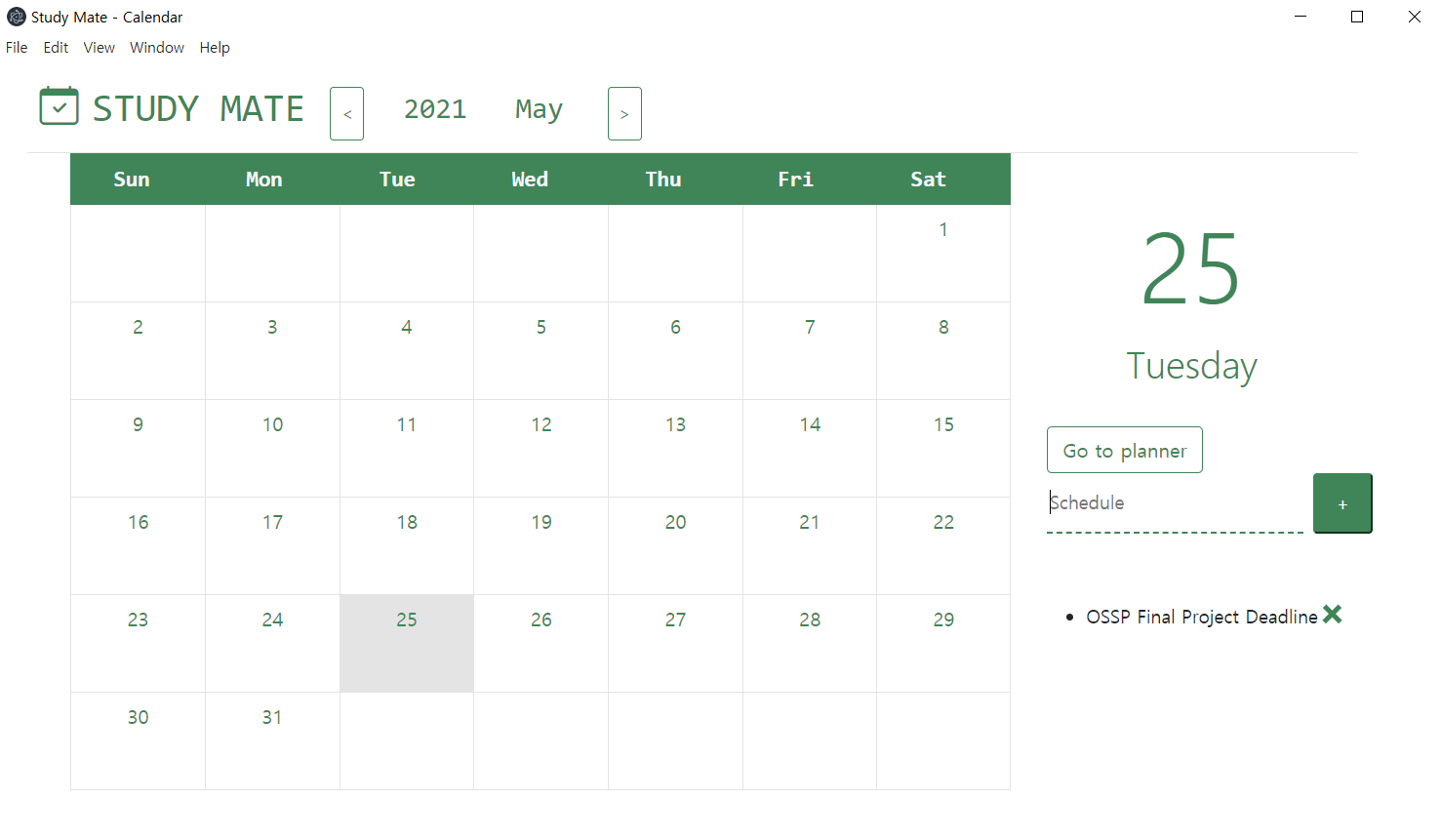
- In calendar page that you will meet first, write the monthly plan.
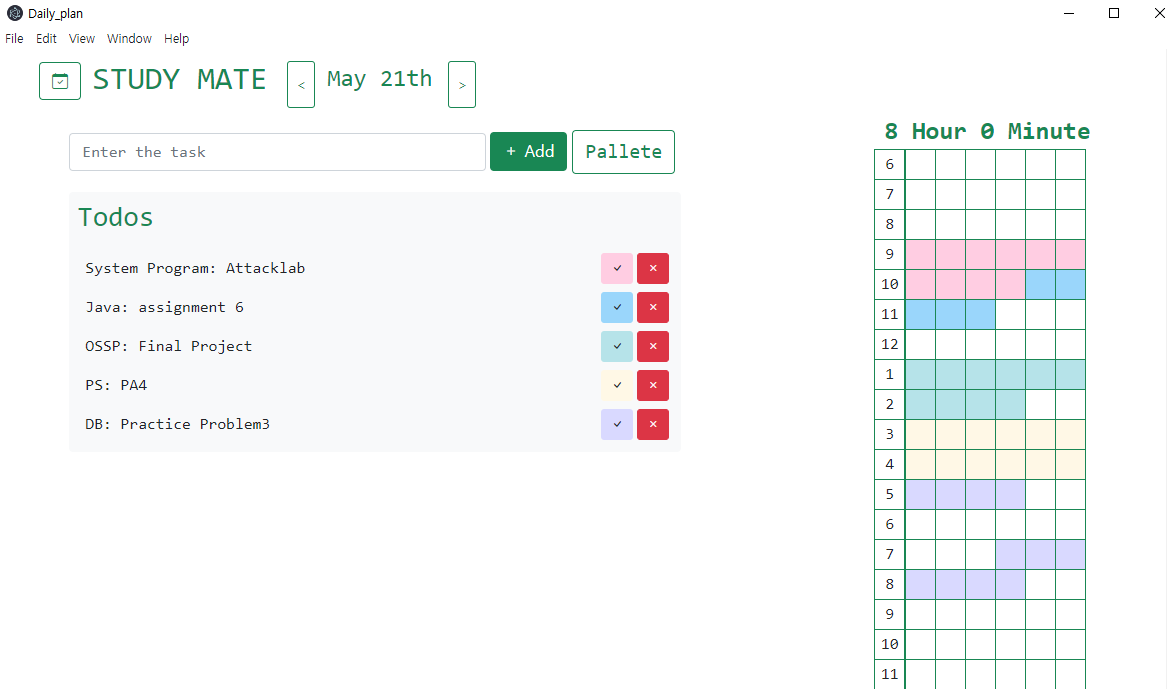
- To handle your daily tasks, click a 'Go to planner' button in that day and write down all of your tasks.
- After doing your tasks, draw the time using pallete! Study Mate will count the time you have worked
- Terminate the application and reactivate it for the next operation.
- calendar page
- Daily planner page
-
Click this link to see example about application
Minyeeun - Yeeun Min (mye04123@naver.com)
sth49 - Donghee Hong (ghdehdgml12345@naver.com)