
TransSharKit is a package made for & by Digitalblend . This package simplify the usage of translate an application in Swift .
| Language |
|---|
| English |
| French |
| Spanish |
| German |
| Italian |
| Chinese |
| Russian |
- iOS 14+
- Xcode 12.4+
- If you have a bug or an issue, please contact the Digitablend team
Swift Package Manager is a tool for managing the distribution of Swift code. It’s integrated with the Swift build system to automate the process of downloading, compiling, and linking dependencies.
To integrate TransKit into your Xcode project using Swift Package Manager, add it to the dependencies value of your Package.swift:
dependencies: [
    .package(url: "https://github.com/swannlagoute/TransKit", .upToNextMajor(from: "1.0.0"))
]If you prefer not to use either of the aforementioned dependency managers, you can integrate TransKit into your project manually.
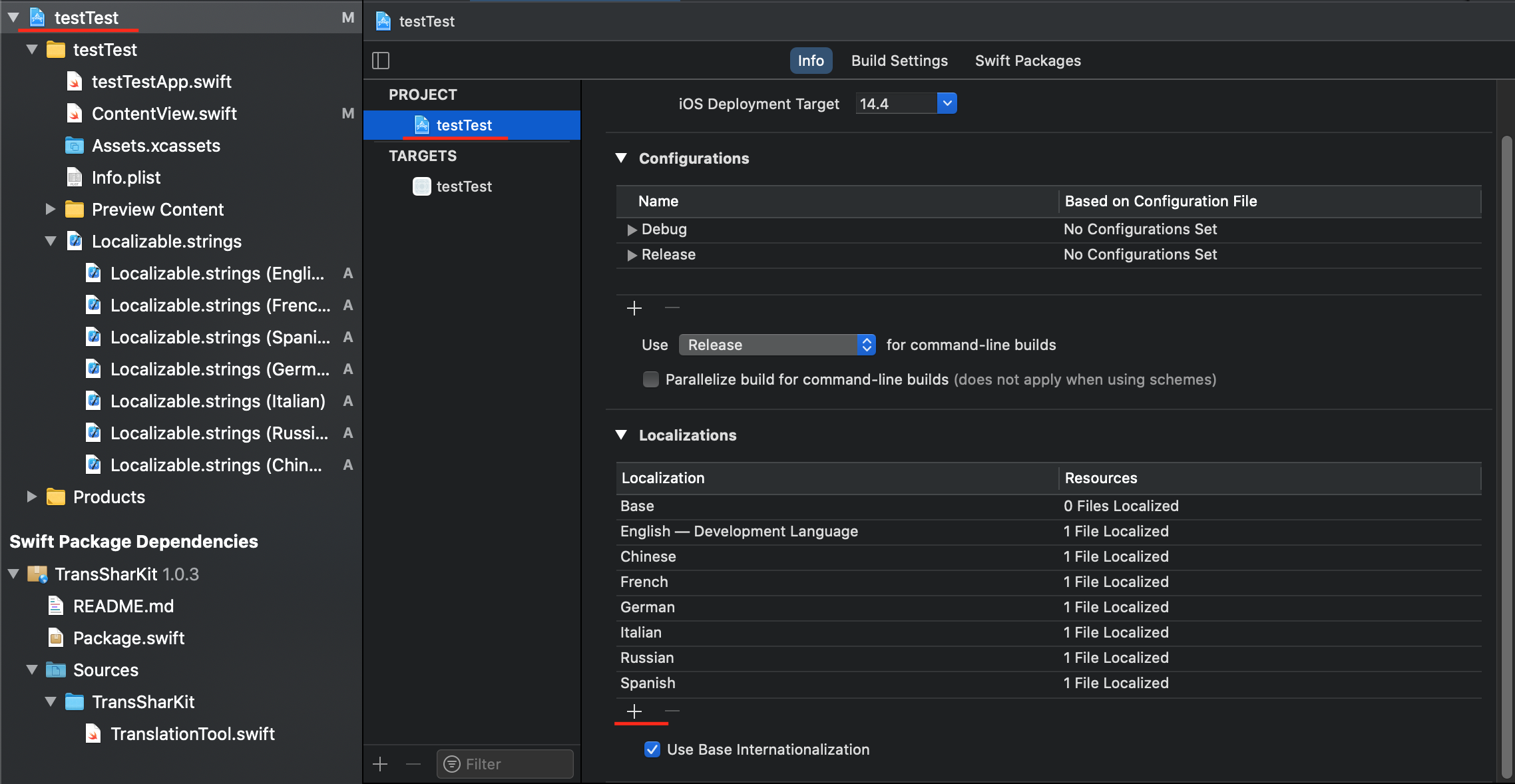
Go on your .xcodeproj of your project and add Language you want in your app with the "+" underlign in red like the next Picture
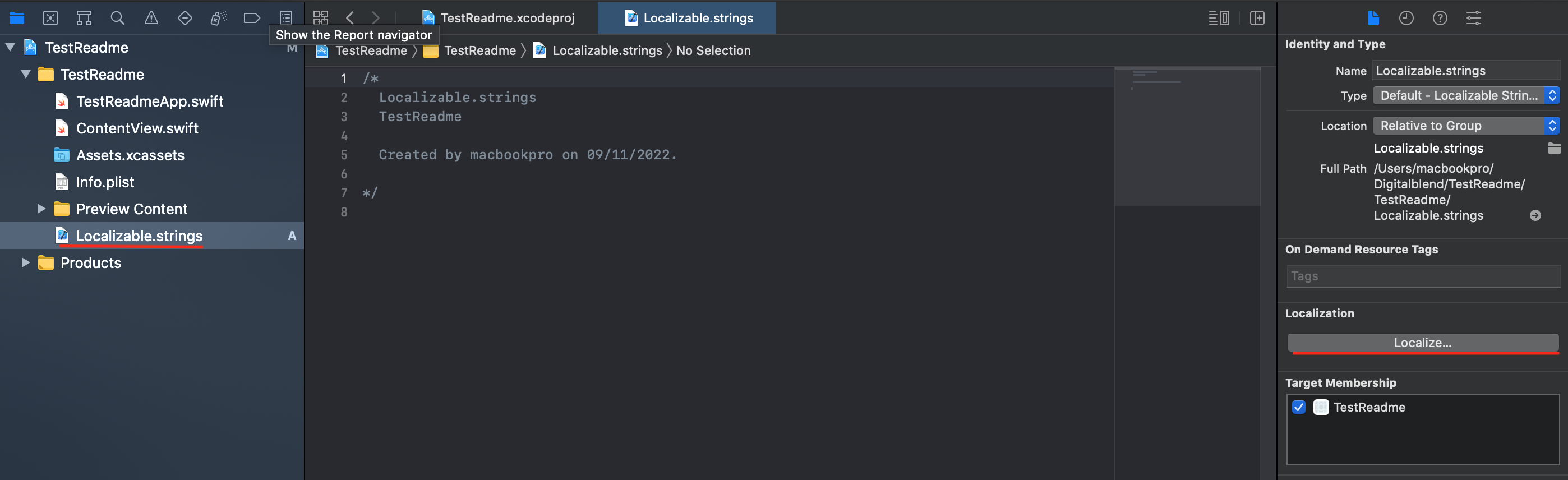
Create a Localizable.Strings in your project. and Click on localize as the picture following way
Check the Language taht you've add like this :

Write the id of your text and traduction in your localizable.strings for test you can copy paste this in Localizable.strings(English) :
"settings_language" = "Laguage";
"settings_language_footer" = "Choose you're language";
"Select" = "Select";
and copy paste this in Localizable.strings(Spanish) :
"settings_language" = "Idioma";
"settings_language_footer" = "elija su idioma";
"Select" = "Seleccione";
Quick View :
import SwiftUI
import TransSharKit

struct LanguageView: View {
    @AppStorage("language")
    private var language = LocalizationService.shared.language

    var body: some View {
        VStack(alignment: .leading) {
            HStack {
                Text("settings_language".localized(language))
                    .foregroundColor(.white)
                    .font(.title)
                    .padding()
                Menu {
                    Button {
                        LocalizationService.shared.language = .english_us
                    } label: {
                        Text("English (US)")
                    }
                    Button {
                        LocalizationService.shared.language = .spanish
                    } label: {
                        Text("Español")
                    }
                } label: {
                    Text("Select".localized(language))
                        .foregroundColor(Color.white)
                    Spacer()
                        //.resizable()
                        .frame(width: 20, height: 20, alignment: .center)
                }.padding(10)
                .background(Color.gray)
                .clipShape(Capsule())
            }
            Text("settings_language_footer".localized(language))
                .foregroundColor(.gray)
                .font(.headline)
                .padding(.leading)
            Spacer()
        }
        .background(Color.black)
    }
}

struct ContentView: View {
    var body: some View {
        LanguageView()
    }
}More help
- Swann Lagoute