
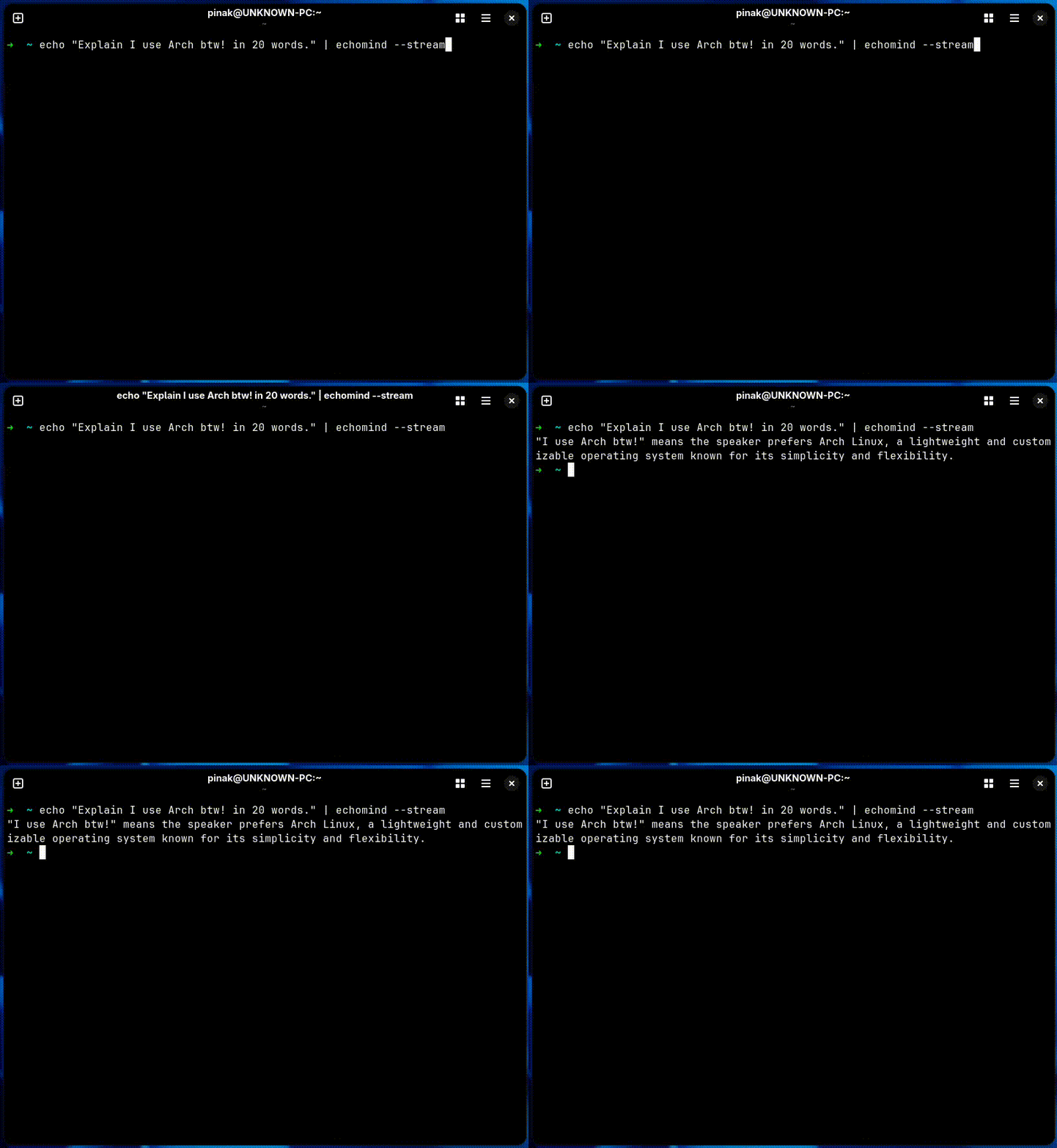
A powerful, lightweight CLI tool in Rust for AI chat APIs. Pipe input, get responses, with streaming, interactive mode, and more.
Version: 0.3.5
- Multiple Providers: OpenAI, Claude, Gemini, Ollama, Grok, Mistral, Cohere, ChatAnywhere, ch.at
- Streaming & Interactive: Real-time responses, REPL mode
- TUI Chat Interface: WhatsApp-like chat with encrypted persistent history
- Advanced Options: Temperature, max tokens, top_p, top_k, model selection
- Utilities: Clipboard, file I/O, history, multi-model comparison
- Cross-Platform: Linux, macOS, Windows
- Response Metrics: Displays provider, model, parameters, and time in ASCII table
| Platform | Architectures | Status | Installation |
|---|---|---|---|
| Linux | x86_64, ARM64 | ✅ Fully Supported | AUR, Cargo, Binary |
| macOS | x86_64 (Intel), ARM64 (Apple Silicon) | ✅ Fully Supported | Homebrew, Cargo, Binary |
| Windows | x86_64 | ✅ Fully Supported | Scoop, Cargo, Binary |
| WSL | x86_64 | ✅ Fully Supported | Same as Linux |
Download pre-built binaries for your platform from the Releases page:
- Linux:
echomind-linux-amd64.tar.gz,echomind-linux-arm64.tar.gz - macOS:
echomind-macos-amd64.tar.gz,echomind-macos-arm64.tar.gz - Windows:
echomind-windows-amd64.zip
If you have Rust installed:
cargo install --git https://github.com/thepinak503/echomind.git --features voice,imagesFastest - Linux x86_64 (One-liner):
curl -fsSL https://raw.githubusercontent.com/thepinak503/echomind/master/curl-install.sh | bashDirect download to /usr/bin:
curl -fsSL https://raw.githubusercontent.com/thepinak503/echomind/master/echomind-linux-x86_64.gz | gunzip | sudo tee /usr/bin/echomind > /dev/null && sudo chmod +x /usr/bin/echomindAlternative (full URL):
curl -fsSL https://raw.githubusercontent.com/thepinak503/echomind/master/install.sh | bashWindows:
# PowerShell One-liner (Recommended)
irm https://raw.githubusercontent.com/thepinak503/echomind/master/install.ps1 | iexUniversal (All Distros):
cargo install --git https://github.com/thepinak503/echomind.git --features voice,imagesArch Linux (AUR):
# Using yay
yay -S echomind

# Using paru
paru -S echomind

# Or manually from AUR
git clone https://aur.archlinux.org/echomind.git
cd echomind
makepkg -si
Debian/Ubuntu (.deb packages):
# From releases page (coming soon)
wget https://github.com/thepinak503/echomind/releases/download/v0.3.5/echomind_0.3.5-1_amd64.deb
sudo dpkg -i echomind_*.deb

# Or build from source
cd packaging/debian
dpkg-buildpackage -us -uc -b
Fedora/RHEL (.rpm packages):
# From releases page (coming soon)
wget https://github.com/thepinak503/echomind/releases/download/v0.3.5/echomind-0.3.5-1.x86_64.rpm
sudo rpm -i echomind-*.rpm

# Or build from source
cd packaging/fedora
rpmbuild -bb echomind.spec
Fedora/RHEL (.rpm package coming soon):
# Download .rpm from releases
rpm -i echomind-*.rpmSupported: macOS 10.15+ (Catalina, Big Sur, Monterey, Ventura, Sonoma, Sequoia) Architecture: Intel (x86_64) and Apple Silicon (M1/M2/M3/M4 arm64)
Homebrew (coming soon):
brew tap thepinak503/echomind
brew install echomind
From Binary:
# Download and extract
curl -LO https://github.com/thepinak503/echomind/releases/download/v0.3.5/echomind-macos-$(uname -m).tar.gz
tar xzf echomind-macos-*.tar.gz
sudo mv echomind /usr/local/bin/
With Cargo:
cargo install --git https://github.com/thepinak503/echomind.git --features voice,imagesSupported: Windows 10 (version 1809+), Windows 11, Windows Server 2019+ PowerShell: 5.1+ or PowerShell Core 7+ Architecture: x86_64 (AMD64), ARM64 support coming soon
PowerShell (One-liner):
irm https://raw.githubusercontent.com/thepinak503/echomind/master/install.ps1 | iexScoop:
scoop install echomind
# Update:
scoop update echomind
# Uninstall:
scoop uninstall echomind
Chocolatey:
choco install echomind
# Update:
choco upgrade echomind
# Uninstall:
choco uninstall echomind
From Binary:
# Download and extract
Invoke-WebRequest -Uri "https://github.com/thepinak503/echomind/releases/download/v0.3.5/echomind-windows-amd64.zip" -OutFile "echomind.zip"
Expand-Archive -Path "echomind.zip" -DestinationPath "$env:LOCALAPPDATA\Programs\echomind"
# Add to PATH: $env:LOCALAPPDATA\Programs\echomind
With Cargo:
cargo install --git https://github.com/thepinak503/echomind.git --features voice,imagesWSL (Windows Subsystem for Linux):
cargo install --git https://github.com/thepinak503/echomind.git --features voice,imagesWindows Terminal Integration: Add to Windows Terminal settings for enhanced experience with colors and Unicode support.
Pre-built binaries for all supported platforms are available from the Releases page.
# Install Rust if needed
curl --proto '=https' --tlsv1.2 -sSf https://sh.rustup.rs | sh

# Clone and build
git clone https://github.com/thepinak503/echomind.git
cd echomind
cargo build --release

# Binary will be at: target/release/echomind
📖 For detailed installation instructions for all platforms, see INSTALL.md
sudo pacman -S --needed rust cargo openssl pkg-config clang gcc makesudo apt update
sudo apt install -y rustc cargo libssl-dev pkg-config clang gcc make build-essentialsudo dnf install -y rust cargo openssl-devel pkg-config clang gcc make
# Or for RHEL/CentOS with EPEL:
sudo dnf install -y rust-toolset openssl-devel pkg-config clang gcc makesudo zypper install -y rust cargo openssl-devel pkg-config clang gcc makesudo apk add --no-cache rust cargo openssl-dev pkgconfig clang gcc make musl-devsudo emerge --ask dev-lang/rust dev-libs/openssl sys-devel/clang sys-devel/gccsudo xbps-install -S rust cargo openssl-devel pkg-config clang gcc make# Add to configuration.nix or use nix-shell
nix-shell -p rustc cargo openssl pkg-config clang gccsudo eopkg install -y rustc cargo openssl-dev pkg-config clang gcc make# Using Homebrew
brew install rust openssl pkg-config
# Or install Rust via rustup
curl --proto '=https' --tlsv1.2 -sSf https://sh.rustup.rs | sh# Install via winget
winget install Rustlang.Rust.MSVC
# Or via Chocolatey
choco install rust
# Or download from https://rustup.rs/
# Also install Visual Studio Build Tools (for MSVC)# Only essential dependencies
curl --proto '=https' --tlsv1.2 -sSf https://sh.rustup.rs | sh
git clone https://github.com/thepinak503/echomind.git
cd echomind
cargo build --release# Basic usage
echo "Hello, how are you?" | echomind
# With prompt
ls | echomind "Explain these files"
# Interactive mode
echomind --interactive
# Coder mode
echo "write a Python factorial function" | echomind --coder --output factorial.py
# Different providers
echo "Explain Docker" | echomind --provider openai --model gpt-4
# Streaming
echo "Write a story" | echomind --stream
# Clipboard
echomind --clipboard # Read from clipboard
# History
echo "What is 2+2?" | echomind --history chat.json
# Compare models
echo "Explain AI" | echomind --compare gpt-4,claude-3-opus
# Advanced parameters
echo "Be creative" | echomind --temperature 1.5 --max-tokens 500 --top-p 0.9See ENHANCED_FEATURES.md for all options.
Create a default configuration file:
echomind --init-configThis creates ~/.config/echomind/config.toml with default settings.
echomind --show-configEdit ~/.config/echomind/config.toml:
[api]
provider = "chat"              # Default provider
api_key = "your-key-here"      # API key (if needed)
model = "gpt-3.5-turbo"        # Default model
timeout = 30                   # Request timeout in seconds

[defaults]
temperature = 0.7              # Default temperature
max_tokens = 2000              # Default max tokens
coder_mode = false             # Enable coder mode by default
stream = false # Enable streaming by defaultSet API key via environment variable:
export ECHOMIND_API_KEY="your-api-key"
echo "Hello" | echomind --provider openai# Explain command output
ls -la | echomind "Explain these files"
df -h | echomind "Analyze disk usage"
# Debug error messages
./script.sh 2>&1 | echomind "What's wrong with this error?"
# Git workflows
git status | echomind "Summarize changes"
git log --oneline -10 | echomind "Explain recent commits"
git diff | echomind "Review this code"
# System information
ps aux | echomind "Show top processes"
netstat -tulpn | echomind "Explain open ports"
# Generate code from description
echo "Create a Rust function to parse JSON" | echomind -co parser.rs
# Review code
cat main.rs | echomind "Review this code for security issues"
# Translate text
echo "Hello world" | echomind -s "Translate to Spanish"# Automated code review in CI
git diff main | echomind "Review changes for security issues" > review.txt# One-liner to generate and run Python code
echo "script to download a file from URL" | echomind -co download.py && python download.pycargo build --releasecargo testcargo clippy
cargo fmtContributions are welcome! Please read CONTRIBUTING.md for details.
- Fork the repository
- Create your feature branch (
git checkout -b feature/AmazingFeature) - Commit your changes (
git commit -m 'Add some AmazingFeature') - Push to the branch (
git push origin feature/AmazingFeature) - Open a Pull Request
reqwest- HTTP client for API requestsserde- JSON serialization/deserializationtokio- Async runtimeclap- Command-line argument parsingtoml- Configuration file parsingdirs- Cross-platform config directorythiserror- Error handlingindicatif- Progress indicatorscolored- Terminal colorsrustyline- Interactive REPLfutures- Async streaming
Thanks to the ch.at API and ChatAnywhere for providing accessible AI endpoints. This project leverages the power of AI chat completions to make command-line interactions more intelligent and productive. Special shoutout to the open-source community for providing the libraries that make Rust development a breeze.
This project is licensed under the MIT License - see the LICENSE file for details.
If you see "API key required" error:
# Set via environment variable
export ECHOMIND_API_KEY="your-key"

# Or pass directly
echomind --api-key "your-key" --provider openai

# Or add to config file
echomind --init-config
# Then edit ~/.config/echomind/config.tomlIf requests timeout:
# Increase timeout
echo "question" | echomind --timeout 60

# Or set in config
[api]
timeout = 60For connection errors, check:
- Internet connectivity
- Firewall settings
- API endpoint status
- Use
--verbosefor debugging
| Option | Short | Description |
|---|---|---|
--coder |
-c |
Enable coder mode (clean code output) |
--output <FILE> |
-o |
Save response to file |
--co <FILE> |
Combined --coder --output |
|
--provider <NAME> |
-p |
API provider (chat, chatanywhere, openai, claude, ollama) |
--model <MODEL> |
-m |
Model to use |
--temperature <NUM> |
-t |
Temperature (0.0-2.0) |
--max-tokens <NUM> |
Maximum tokens in response | |
--system <PROMPT> |
-s |
Custom system prompt |
--stream |
Stream response as it arrives | |
--interactive |
-i |
Interactive REPL mode |
--clipboard |
Read input from clipboard | |
--to-clipboard |
Save response to clipboard | |
--history <FILE> |
Conversation history file for persistent context | |
--compare <MODELS> |
Compare responses from multiple models (comma-separated) | |
--format <FORMAT> |
Output format: text, json, or template: | |
--api-key <KEY> |
API key for provider | |
--timeout <SECS> |
Request timeout in seconds | |
--verbose |
-v |
Enable verbose output |
--init-config |
Initialize default config file | |
--show-config |
Show config file location and contents | |
<PROMPT> |
Optional prompt to append to piped input | |
--help |
-h |
Display help information |
--version |
-V |
Display version information |
| Provider | Endpoint | API Key Required |
| chat | https://ch.at/v1/chat/completions |
No |
| chatanywhere | https://api.chatanywhere.tech/v1/chat/completions |
Yes |
| openai | https://api.openai.com/v1/chat/completions |
Yes |
| claude | https://api.anthropic.com/v1/messages |
Yes |
| ollama | http://localhost:11434/api/chat |
No |
| grok | https://api.x.ai/v1/chat/completions |
Yes |
| mistral | https://api.mistral.ai/v1/chat/completions |
Yes |
| cohere | https://api.cohere.ai/v1/chat |
Yes |
| custom | Your custom URL | Depends |