
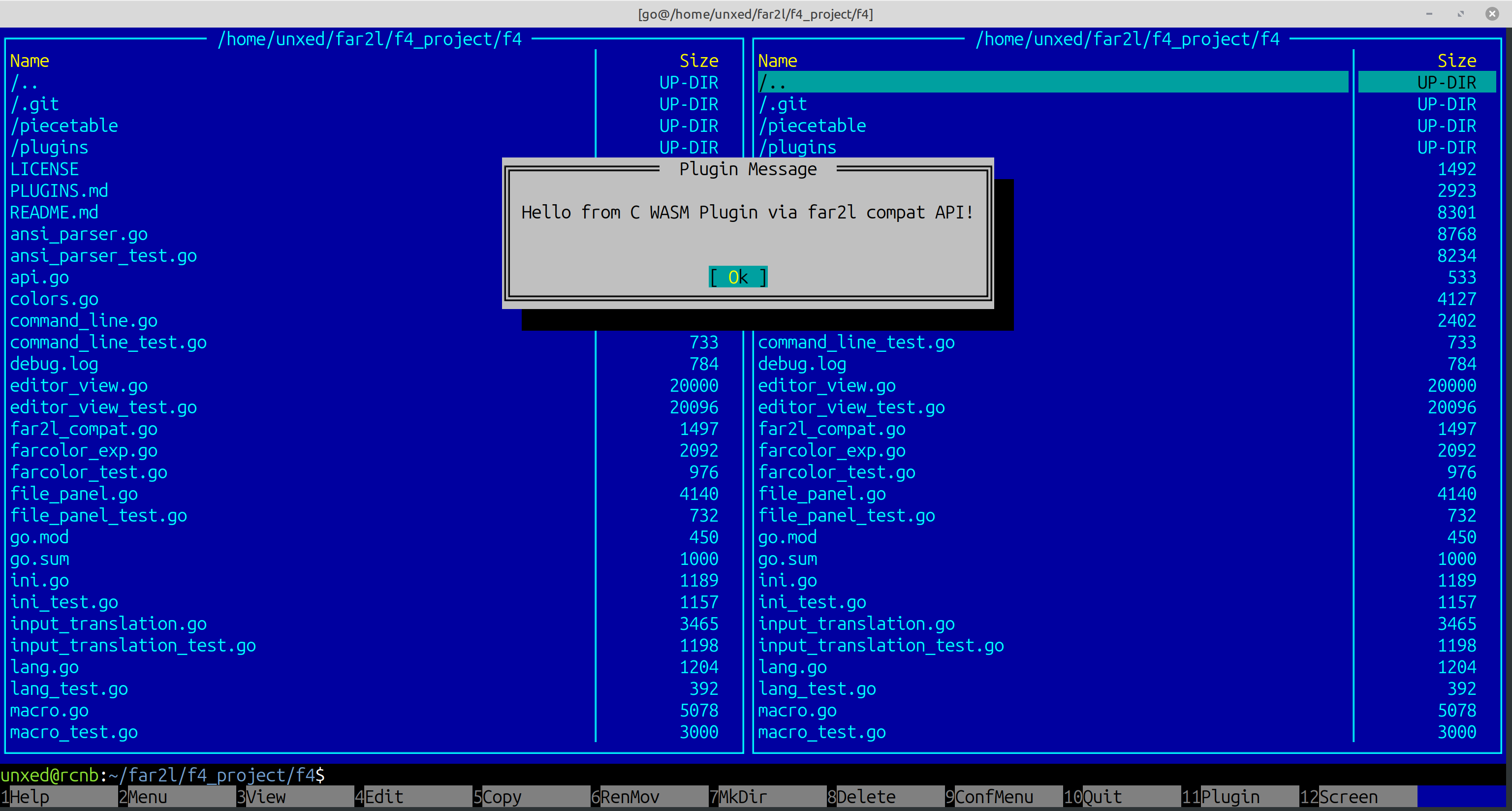
The Core: Creating an experimental, cross-platform TUI (Terminal User Interface) file manager that aims to fully replicate the features, UX, data structures, and rendering logic of far2l and Far Manager, but implemented entirely in Go.
This project is built around several core philosophical and technical principles:
- The Go Experiment: Testing the viability of building a heavy-duty TUI in Go. Go provides cross-platform compilation out of the box, fast development, and zero dependency hell (e.g., an x64 Linux binary runs on any x64 Linux without external library issues).
- AI-Driven: Active use of modern, powerful LLMs like Gemini 3.1 Pro for test-driven development and code generation. LLMs write Go exceptionally well.
- Test-Driven Development (TDD): Ensuring core stability and behavioral correctness from the start.
- Memory Management: Go has a Garbage Collector (GC), but we use local optimizations (like a zero-allocation rendering loop) to bypass GC lag where it matters, keeping UI freezes unnoticeable.
- Far Heritage: Copying all successful concepts from Far (screen buffer, frame manager, etc.). Keeping internal structures and their names as close to the original C++ versions as possible to lower the entry barrier for developers familiar with Far APIs.
- Iterative Scope: First, replicate 1:1 everything in
far2lthat is personally needed by the author (on Linux). Next, cover everything else infar2l. Finally, port useful additions that appeared in Far3. - Consistent UX: Adherence to a strict set of Navigation and Interaction Guidelines that blend the best of classic TUI paradigms.
- Bazaar Policy: Openness to community contributions and patches.
Trade-offs: The compiled binary is currently ~20MB, which might not fit in highly constrained environments like home routers.
UI & input libraries are developed separately (vtui, vtinput)
- Modern Terminals Only: Primary target is actively developed terminals (Konsole, kitty, iTerm2, Windows Terminal). Other terminals won't allow replicating Far's UI accurately.
- Input (
vtinput): Built as a separate library to handle advanced protocols like the Kitty Keyboard Protocol and Win32 Input Mode. This is strictly required for distinguishing combinations likeCtrl+EnterorShift+Tab. - Framework (
vtui): A custom UI framework built from scratch in the style of Far, borrowing responsive layout features (like window resizing and anchors) from Turbo Vision. Ideally, it should cover all capabilities of Far's UI kit and Turbo Vision (excluding non-relevant features like custom serialization engines). - Future Renderers: We currently render exclusively via ANSI ESC sequences (yielding TrueColor out of the box). In the future, a custom GUI renderer (for example, via SDL or OpenGL) may be added, similar to
far2l.
- Built-in Terminal: A fully-fledged built-in terminal running underneath the panels, just like
far2l. - Windows Strategy: First of all, we target recent Windows versions. There are two reasons for that. 1) They support ConPTY. A built-in terminal cannot be implemented properly without it. 2) They have Windows Terminal. So we can avoid the legacy Windows Console API entirely and rely purely on ESC sequence rendering. Windows Terminal supports all we need for proper input, clipboard operations, etc. At the same time, f4's modular architecture makes it possible to implement input/rendering/etc via Windows Console API in future (in fact, our Far-compatible internal architecture is ideally suited for this), so if you want f4 to run on your XP box you will not have to write too much code. Similarly, no one is stopping you from writing a layer for f4's built-in terminal that uses winpty instead of conpty to work on older Windows versions.
Initially we considered JSON-RPC approach, but rejected it due to possible input lag, so plugins will run within the same address space or host memory:
- WASM (
wazero): For heavy system plugins (archivers, VFS, parsers). Write in Go, C, C++, Zig, Rust, etc.—anything that compiles to WASM. Provides 100% portability (a single.wasmfile for all OSes) and sandboxed security. - Lua (
gopher-lua): For fast macros, scripting, and UI customization. - Python: Just as Lua. Planned for future integration.
- API Universality: The plugin API will ideally support adapter wrappers for any existing Far API: Far2, Far3, far2m, and far2l.
- Internal Plugins: The most critical plugins (like network protocols) will be statically linked into the binary but will use the exact same HostAPI as external plugins.
- Asynchronous VFS: Built from the ground up to be non-blocking, supporting live streaming of directory contents and lazy-loading of file data. See VFS Architecture.
- FISH+ Protocol (Coming Soon): A revolutionary remote file management protocol that offloads indexing, searching, and patching to the server. See FISH+ Concept.
Phase 1: Foundation (Done)
vtinput: Advanced keyboard protocol parsing (Kitty, Win32, Legacy).vtuiCore:CharInfo,ScreenBufdouble-buffering, zero-allocationFlush().vtuiPrimitives:ScreenObject, Dialogs, Menus, Buttons, Edits, Layouts (GrowMode).
Phase 2: Core Application (Done)
- Base
f4UI: Panels, CommandLine, KeyBar, MenuBar. EditorViewpowered by an optimized Piece Table (bracketed paste, UTF-8, zero-allocation render).- Built-in Terminal (
TerminalView+ ANSI Parser + Unix PTY integration). - Plugin Manager foundation (WASM via wazero, Lua via gopher-lua).
Phase 3: Parity & VFS Expansion (Current)
- Complete remaining standard Far dialogs (Search, Copy/Move, File Attributes, Configuration).
- Implement mostly used file manager features like copy file, make folder, etc.
- Expand VFS (Virtual File System) to support archives and network protocols (FTP, SFTP) as internal plugins.
Phase 4: Advanced Features (Future)
- Windows ConPTY backend implementation.
- All far2l features.
- All Far3 and far2m features.
- Flesh out
HostAPIto support comprehensive wrappers for other Far verisons APIs, implement whose wrappers - Python plugin support.
- Custom GUI renderer (SDL/OpenGL).
1. Install Prerequisites Ensure you have Go (1.24 or newer) installed:
sudo apt update
sudo apt install golang git
2. Setup Directory Structure The project consists of three main components that must reside in the same parent directory:
mkdir f4_project && cd f4_project
git clone https://github.com/unxed/f4.git
git clone https://github.com/unxed/vtui.git
git clone https://github.com/unxed/vtinput.git
3. Build
cd f4
go mod tidy
go build -o f4
4. Run
./f45. Debug Mode
To enable detailed logging to debug.log, run with the --debug flag:
./f4 --debugYou can also specify a custom log file using --log:
./f4 --log /tmp/f4_trace.logInstant Bracketed Paste
To achieve near-instantaneous pasting text via terminal Paste feature for large clipboard buffers (comparable to far2l), f4 utilizes several coordinated strategies:
- Atomic Commits: The
EditorViewdetectsPasteStartandPasteEndevents. Instead of modifying the data model byte-by-byte, it accumulates incoming text in a temporary buffer and performs a single, atomic insertion into thePieceTable. - Busy State Signaling: Components can signal a
Busystate to theFrameManager. While busy, the UI rendering phase and terminalFlush()are entirely suppressed, eliminating visual jitter. - Event Draining (Burst Processing): The
FrameManagerimplements an "event draining" loop with a micro-timeout. It aggressively consumes all pending input events from the OS buffer before attempting a single render pass. - Zero-Allocation Rendering: The
vtuicore minimizes heap allocations during theFlush()cycle, sending only the minimum necessary ANSI sequences to the terminal.
Why vtui? (vtui vs. tcell + tview/cview)
While tcell and tview are industry standards for Go-based terminal applications, f4 utilizes vtui to achieve a higher level of interactive performance and UX consistency tailored for heavy-duty TUIs.
| Criterion | tcell + tview/cview | vtui (f4) |
|---|---|---|
| Layout Philosophy | Flexbox/Grid (Web-like) | GrowMode/Anchors (Win32/Turbo Vision) |
| Focus Handling | Linear or component-specific | Hierarchical |
| Keyboard | General terminfo mapping | Full-featured (kitty/win32 protocols) |
| Rendering | Full-widget declarative updates | Bitwise diffing (only changed cells are updated) |
| Target Use Case | CLI dashboards | Stateful desktop-class applications |