




Query caniuse.com from your shell.
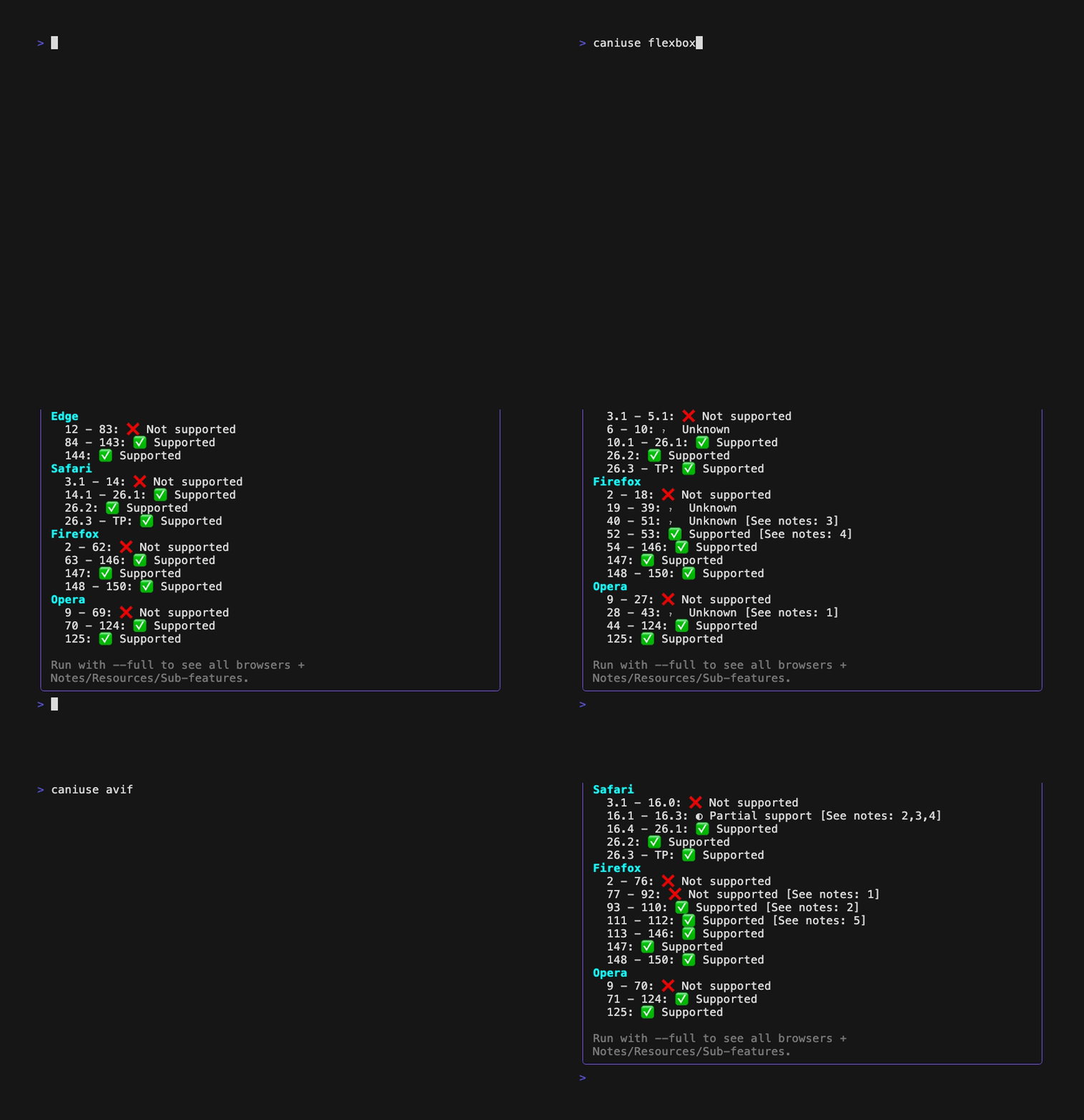
I wanted a fast way to check browser compatibility without leaving the terminal.
When you are already coding in a shell, jumping to a browser for every feature
lookup adds friction. pycaniuse keeps this workflow simple: type a query,
get compatibility ranges immediately, and optionally open a richer interactive
full-screen view.
pycaniuse runs in two phases:
- Search phase
- Requests
https://caniuse.com/?search=<query>&static=1 - Parses candidate matches from HTML
- Selection behavior:
- No matches: exits non-zero with a friendly message
- One match: auto-selects
- Exact slug match: auto-selects
- Multiple matches:
- Interactive TTY: keyboard selector
- Non-interactive: deterministic first match with notice
- Feature phase
- Requests
https://caniuse.com/<slug>?static=1 - If non-200, retries once without
static=1 - Parses feature metadata and support ranges
- Renders:
- Basic mode (default): compact output for major browsers
- Full mode (
--full): full-screen interactive TUI with all browsers and detail tabs
The parser extracts:
- feature title
- spec URL and status (when available)
- global usage percentages (supported, partial, total)
- description text
- browser support blocks and range status/timeline details
- optional notes/resources/sub-features for full mode
- Python
>=3.10,<4.0 - Network access to
https://caniuse.com
pip install pycaniuse$ caniuse --help
Usage: caniuse [OPTIONS] QUERY...
Query caniuse.com from the terminal.
Options:
--full Enable full-screen interactive mode.
-v, --version Show the version and exit.
-h, --help Show this message and exit.Examples:
caniuse flexbox
caniuse "css grid"
caniuse flexbox-gap --full
Basic-mode status icons:
✅supported❌not supported◐partial support﹖unknown
Full-mode controls:
q/Esc: quitLeft/Rightorh/l: move selected browserUp/Downork/j: scroll selected browser rangesTab/Shift+Tabor]/[: next/previous detail tabPgUp/PgDn: page browsers and scroll tab contentHome/End: jump to top/bottom for active browser ranges and tab content
- Live caniuse.com HTML fetching and parsing (no vendored dataset)
- Two display modes:
- Basic mode (compact output)
- Full mode (interactive full-screen TUI)
- Resilient search parsing with primary selectors plus fallback heuristics
- Browser support ranges with status icons and note markers
- Parse warnings for partial/degraded HTML parse scenarios
- Clean, typed error handling for network/HTTP/content failures
- Defensive parser behavior to avoid hard crashes on missing optional sections
caniuse/cli.py: command orchestrationcaniuse/http.py: HTTP fetches, retry, static fallbackcaniuse/parse_search.py: search page parsercaniuse/parse_feature.py: feature page parsercaniuse/render_basic.py: basic renderercaniuse/ui/select.py: interactive match selectorcaniuse/ui/fullscreen.py: full-screen renderer and key loopcaniuse/util/html.py: selector/text/attribute helperscaniuse/util/text.py: formatting and parsing helpers
Core models:
SearchMatchSupportRangeBrowserSupportBlockFeatureBasicFeatureFull
Setup:
uv sync --frozen
uv pip install -e .
uv run pre-commit install
Or:
make installCommon commands:
make check       # lockfile check + pre-commit hooks
make test        # tox matrix (py310-py313, excludes canary marker)
make test-local  # local pytest + HTML coverage report
make build       # build dist artifacts
Canary test (live caniuse.com HTML shape):
uv run pytest -m canarydocker build -t pycaniuse .
docker run --rm -it pycaniuse flexboxmake versionmake check-versionmake buildmake check-distmake publish-testmake publishmake tag
Set:
PYCANIUSE_DEBUG=1This enables debug logging hooks in HTML utility helpers.
See CHANGELOG.md
- No local cache or offline dataset
- Runtime behavior depends on caniuse.com HTML structure
- Network access is required at runtime
- If caniuse.com layout changes significantly, some sections may parse partially
- justhtml, for HTML parsing
- httpx, for HTTP client behavior
- Click, for CLI ergonomics
- Rich, for terminal rendering and TUI primitives
MIT