Type faster. Right in your terminal.


████████ ██    ██ ██████  ███████ ██████  ██    ██ ███████ ██   ██
   ██     ██  ██  ██   ██ ██      ██   ██ ██    ██ ██      ██   ██
   ██      ████   ██████  █████   ██████  ██    ██ ███████ ███████
   ██       ██    ██      ██      ██   ██ ██    ██      ██ ██   ██
   ██       ██    ██      ███████ ██   ██  ██████  ███████ ██   ██
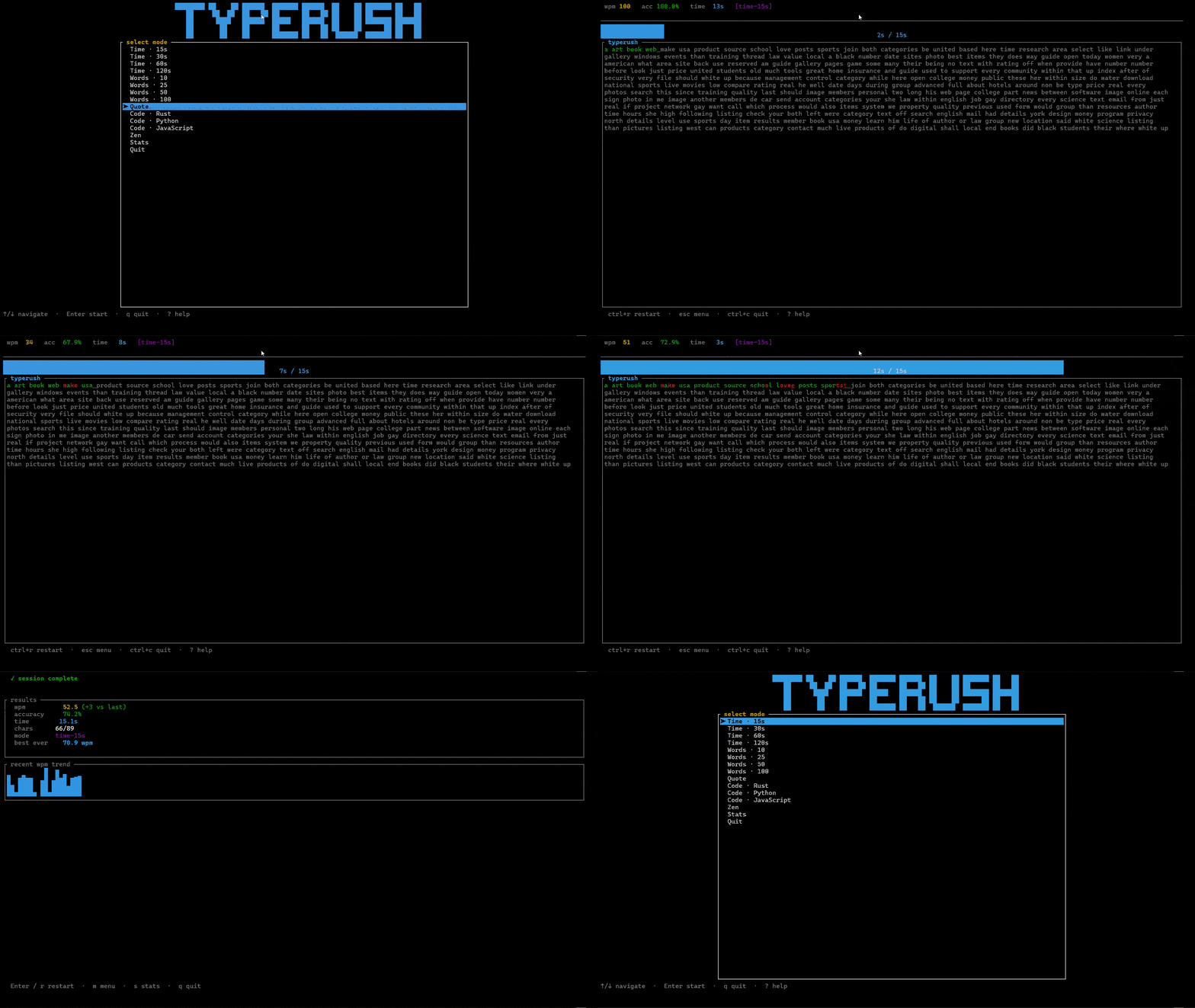
TypeRush is a beautiful, fast typing-speed trainer that runs entirely in your terminal. No browser. No internet. No installer. Just one tiny binary, ready in a single command.
Whether you want to break your personal best, practise code typing, or just unwind with a quote — TypeRush meets you where you already work: the command line.
- 🚀 Instant feedback — see your WPM and accuracy climb keystroke by keystroke
- 🎨 Themes built-in —
dark,light,monokai,dracula, or roll your own colors - ⏱ Six built-in modes — Time, Words, Quote, Code, Zen, and Custom-file
- 💾 Tracks your progress — every session saved locally, with charts and a personal best
- 🌍 Runs everywhere — Linux · macOS · Windows · WSL · Git Bash
- 📦 One binary, zero setup —
cargo install typerushand you're done
cargo install typerushThat's it. Run typerush and start typing.
Don't have Rust? Install it in 30 seconds: https://rustup.rs
Pre-built binaries for Linux, macOS, and Windows are also available on the Releases page — download, unzip, run.
Open the interactive menu:
typerushOr jump straight into a mode:
typerush --time 30           # 30-second timed sprint
typerush --words 50          # 50 random English words
typerush --quote             # one programming quote
typerush --code rust         # a real Rust snippet
typerush --zen               # zen mode — no timer, no pressure
typerush --file my_text.txt  # type anything you want
typerush --theme monokai     # try a different theme
typerush --list-themes # see all built-in themes| Mode | What it's for |
|---|---|
| Time | Sprint! Type as many words as you can in 15/30/60/120s |
| Words | Hit a fixed target — 10, 25, 50, or 100 words |
| Quote | Famous programming quote, one round |
| Code | Real Rust / Python / JavaScript snippets |
| Zen | No timer, no score. Just type and breathe. |
| Custom | Use any text file you have |
| Key | Action |
|---|---|
Enter |
start / restart a session |
Esc |
back to menu / end session |
Ctrl+R |
restart the current mode |
Tab |
jump to your stats history |
? |
open the keybindings overlay |
Ctrl+C |
quit |
Full keymap: see docs/USAGE.md.
Every (non-zen) session is saved to ~/.typerush/stats.json. The Stats screen
shows your personal best, average accuracy, a trend sparkline, and your last
10 runs.
Drop a config.toml into ~/.typerush/ to pick a
theme, set your default mode, or override individual colors:
theme = "monokai"

[defaults]
mode = "time"
time_seconds = 30
See docs/USAGE.md for
the full reference.
- 📖 USAGE — all keybindings, modes, CLI flags, config
- 🏛 ARCHITECTURE — how the code is laid out
- 🛠 DEVELOPMENT — local dev workflow, cargo-watch, sandbox config
- 🗺 ROADMAP — what's done, what's next
- 🤝 CONTRIBUTING — dev setup, conventions, how to help
- 📝 CHANGELOG — what changed in every release
- 🐞 Found a bug? Open an issue
- 💡 Got an idea? Request a feature
- ❤️ Like the project? Give it a star — it really helps!