

Flutter Animated Naviation Rail with multiple cool effects see example project.
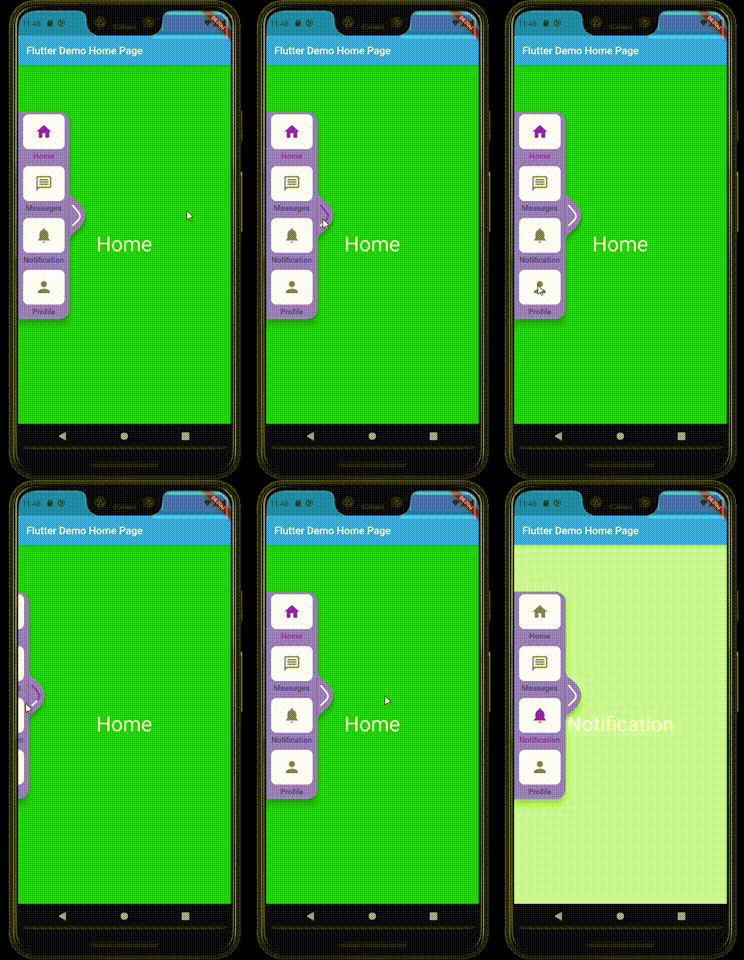
Add the package to your pubspec.yaml:
animated_rail: anyIn your dart file, import the library:
import 'package:animated_rail/index.dart'; AnimatedRail(
background: hexToColor('#8B77DD'),
maxWidth: 275,
width: 100,
expand: false,
isStatic: true,
railTileConfig: RailTileConfig(
iconSize: 22,
iconColor: Colors.white,
expandedTextStyle: TextStyle(fontSize: 15),
collapsedTextStyle: TextStyle(fontSize: 12, color: Colors.white),
activeColor: Colors.indigo,
iconPadding: EdgeInsets.symmetric(vertical: 5),
hideCollapsedText: true,
),
items: [
RailItem(
icon: Icon(Icons.home),
label: "Home",
screen: _buildScreen('Home')),
RailItem(
icon: Icon(Icons.message_outlined),
label: 'Messages',
screen: _buildScreen('Messages')),
RailItem(
icon: Icon(Icons.notifications),
label: "Notification",
screen: _buildScreen('Notification')),
RailItem(
icon: Icon(Icons.person),
label: 'Profile',
screen: _buildScreen('Profile')),
],
)| Name | Description | Required | Default value |
|---|---|---|---|
items |
the tabs of the rail as a list of object type [RailItem] | required | - |
width |
the width of the rail when it is opened | required | 100 |
maxWidth |
the max width the rai will snap to, active when [exapnd] is equal true | - | 350 |
direction |
direction of rail if it is on the right or left | required | TextDirection.ltr |
selectedIndex |
current selected Index dont use it unlessa you want to change the tabs programmatically | - | 0 |
background |
background of the rail | - | 0 |
expand |
if true the the rail can exapnd and reach [maxWidth] and the animation for text will take effect | - | true |
isStatic |
if true the rail will not move vertically | - | false |
railTileConfig |
Rail tile config | - | - |
cursorSize |
Size of cursor | - | Size(100,100) |
cursorActionType |
adds click trigger option to use on cursor | - | CursorActionTrigger.drag |
builder |
custom widgt builder for rail menu items | - | - |
[x] full custom tab [x] add more customization to rail item [ ] custom rail pointer [ ] custom rail shape