
This repository brings together the best strategies to block ads at every possible layer: DNS, applications, and browser extensions. The goal is to provide an ad-free experience on both Windows and Android, especially against intrusive advertisements.
DNS Level – Blocks up to 70% of ads system-wide.
App Level (Android) – Open-source alternative to the official Twitch app with support for adding a custom proxy.
-
Run the
DNS.batscript to apply the custom AdGuard DNS. -
If you want to disable it and restore the default settings, run the
disable.batscript. -
If the script does not work, manually configure the DNS by following the tutorial at: AdGuard DNS
AdGuard DNS blocks ads and trackers.
IPv4: 94.140.14.14 | 94.140.15.15

IPv6: 2a10:50c0::ad1:ff | 2a10:50c0::ad2:ff-
Install Xtra on your Android device: Download
-
Open the settings and enable the custom proxy URL:
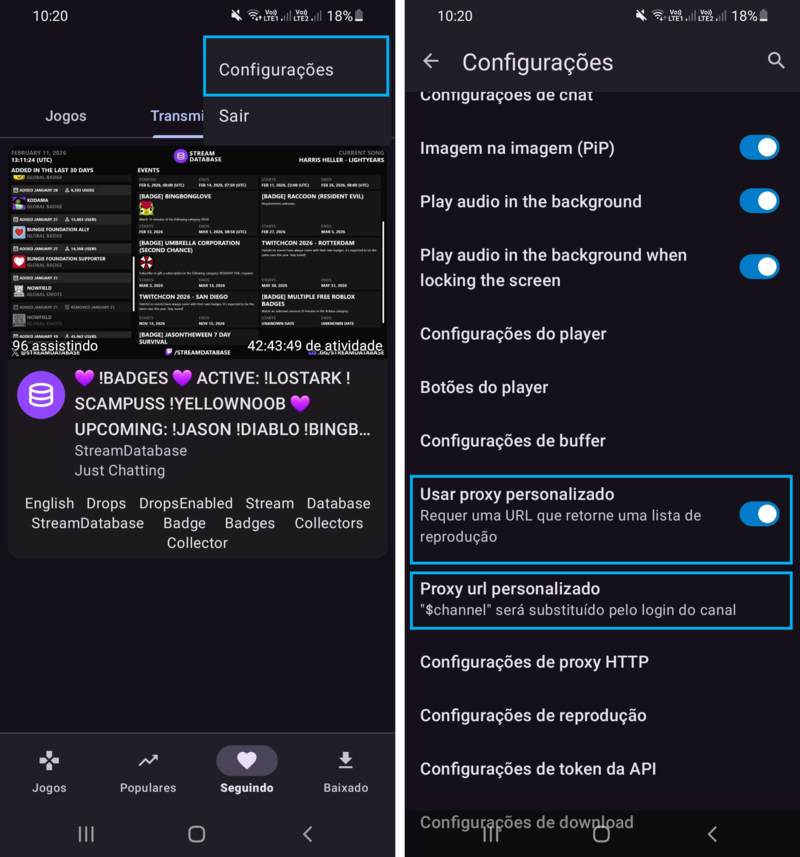
https://as.luminous.dev/live/$channel?allow_source=true&allow_audio_only=true&fast_bread=trueAll ads will be blocked. If it stops working, update to a newer proxy.