Workless is an AI SaaS platform that helps reduce workloads, making work easier, faster, and more efficient for every organization.
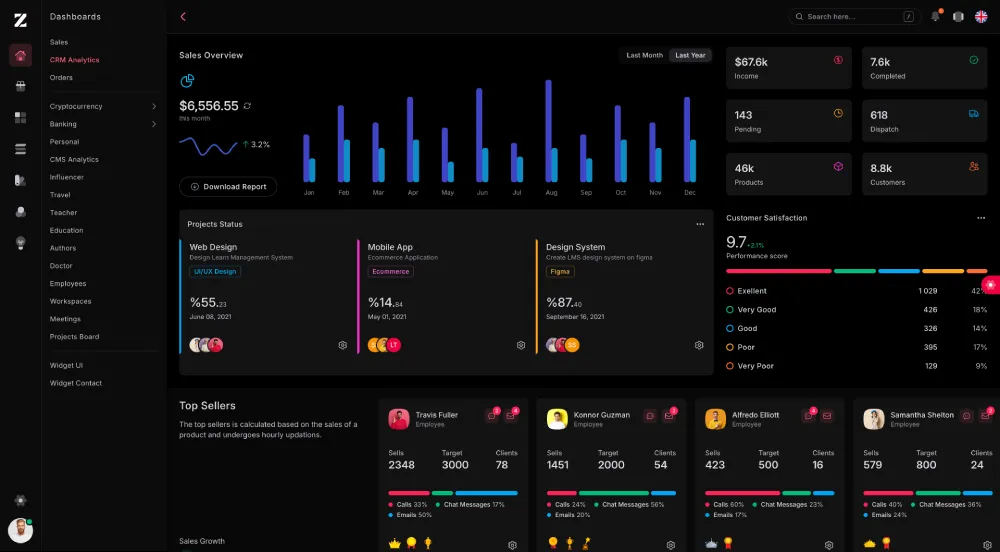
Workless is organized around four top-level runtime areas:
src/app: platform-level auth, users, roles, notifications, home page, and HTML viewssrc/workless: module registry, lifecycle, hook/event bus, tenant context, and HTML cache supportsrc/database: TypeORM bootstrap, schema runner, and seeder runnersrc/modules: runtime business modules such ascrm,helpdesk, andorg
The application is a single NestJS process. Business modules are discovered from src/modules/runtime-modules.ts and then mounted into AppModule.
- NestJS 11
- TypeORM
- PostgreSQL
- Redis
- BullMQ
- KITA JSX/TSX server-rendered views
- Tailwind CSS 4
src/main.ts: Nest bootstrap, CORS, Helmet, static assets, global prefixsrc/app.module.ts: root module compositionsrc/app/platform.module.ts: platform controllers, auth, users, permissions, notificationssrc/core/core.module.ts: module lifecycle, module enablement guard, hook/event bus, HTML cache interceptorsrc/database/database.module.ts: TypeORM integrationsrc/modules/runtime-modules.ts: list of business modules to load at runtime
Most HTTP endpoints are prefixed with:
/api/v1
Current public routes excluded from the prefix:
GET /GET /auth/login
Examples:
GET /-> landing pageGET /auth/login-> login pagePOST /api/v1/auth/login-> JSON login endpointGET /api/v1/modules-> module registry endpoint
- Node.js 20+
- npm 10+
- PostgreSQL 14+ recommended
- Redis 6+ optional
- Clone the repository
git clone https://github.com/zairosoft/workless.git
cd workless- Install dependencies
npm install- Create environment file
cp .env.example .env- Configure
.env
Required:
PORTDB_HOSTDB_PORTDB_USERNAMEDB_PASSWORDDB_NAMEJWT_SECRET
Useful defaults from .env.example:
DB_SYNC=truefor local development onlyREDIS_ENABLED=falseif Redis is not runningJWT_EXPIRES_IN=1h
- Start the app
npm run db:migrate
npm run start:devnpm run start:dev
npm run build
npm run start
npm run dev
npm run build:css
npm run db:platform
npm run db:migrate
npm run db:migrate:status
npm run db:migrate:revert
npm run seed
npm run module:list
npm run module:install -- crm
npm run module:upgrade -- crm
npm run module:uninstall -- crm
npm run module:migrate -- crm
npm run module:migrate -- --all
npm run module:migrate:status -- crm
npm run module:migrate:revert -- crm
npm run module:seed -- crm
npm run module:seed -- --allNotes:
npm run devstarts Nest dev mode and Tailwind watch mode togethernpm run build:csscompilespublic/assets/css/app.csstopublic/assets/css/tailwindcss.cssnpm run testis currently a placeholder and does not run a real test suite yet
Workless records platform and module migrations in system_migrations. Migrations are
ordered by timestamp, protected by a PostgreSQL advisory lock, and run once inside a
transaction by default. Keep DB_SYNC=false; schema changes should be delivered as
migrations.
Run pending platform migrations before starting a new deployment:
npm run db:migrateInspect migration state or roll back the latest platform migration:
npm run db:migrate:status
npm run db:migrate:revertnpm run db:platform remains as an alias for npm run db:migrate.
Installing or upgrading a module automatically runs its pending migrations before its lifecycle hook:
npm run module:install -- crm
npm run module:upgrade -- crmMigrations can also be managed without changing the installed module version:
# Run one module
npm run module:migrate -- crm

# Run every discovered module
npm run module:migrate -- --all

# Inspect or revert one module
npm run module:migrate:status -- crm
npm run module:migrate:revert -- crm
Uninstalling a module does not remove its tables or data. Use migration rollback only when the schema change itself must be reverted.
Create a migration class under the module's migrations directory:
import { QueryRunner } from 'typeorm';
import { WorklessMigration } from '../../../database/migration.interface';

export class AddCrmContactSourceMigration implements WorklessMigration {
  readonly name = 'add-crm-contact-source';
  readonly timestamp = 202607120200;
  readonly checksum = 'add-crm-contact-source-v1';

  async up(queryRunner: QueryRunner): Promise<void> {
    await queryRunner.query(
      'ALTER TABLE "crm_contacts" ADD COLUMN IF NOT EXISTS "source" varchar(80)',
    );
  }

  async down(queryRunner: QueryRunner): Promise<void> {
    await queryRunner.query(
      'ALTER TABLE "crm_contacts" DROP COLUMN IF EXISTS "source"',
    );
  }
}
Then register the class in the module metadata. The lifecycle service does not need to loop over migrations itself:
@SystemModule({
  name: 'crm',
  version: '1.1.0',
  migrations: [
    CrmContactSchemaMigration,
    CrmContactIndexMigration,
    AddCrmContactSourceMigration,
  ],
})
Migration names must be unique within their scope. Never edit an applied migration; create a new migration instead, because Workless verifies applied migration checksums.
Module seeders run independently from module installation. Each seeder must be idempotent so it is safe to execute more than once.
Seed one module or every discovered module:
npm run module:seed -- crm
npm run module:seed -- --all
The existing seed command uses the same module seeding engine and seeds all modules:
npm run seedPlatform administrators can also trigger a module seeder through the lifecycle API:
POST /api/v1/modules/crm/seed
Before running seeders, Workless applies pending migrations for the target module. The command does not install, enable, disable, or change the version of a module.
Create a Nest provider implementing ModuleSeeder:
import { Injectable } from '@nestjs/common';
import { ModuleSeeder } from '../../../workless/lifecycle/module-seeder.interface';

@Injectable()
export class CrmPipelineSeeder implements ModuleSeeder {
  readonly name = 'crm-default-pipeline';
  readonly order = 200;

  async seed(): Promise<void> {
    // Check for existing data, then insert or update the required defaults.
  }
}
Register the seeder as a provider in the Nest module, then add it to the system module metadata:
@Module({
  providers: [CrmPipelineSeeder, CrmModuleLifecycleService],
})
export class CrmModule {}

@SystemModule({
  name: 'crm',
  version: '1.1.0',
  migrations: [CrmContactSchemaMigration],
  seeders: [CrmContactSeeder, CrmPipelineSeeder],
})
Seeders are ordered by order and then by name. Seeder names must be unique within a
module. A seeder may use constructor injection because it is resolved from the Nest
dependency injection container.
src/
  app.module.ts
  main.ts
  app/
    auth/
    controllers/
    dto/
    entities/
    helpers/
    providers/
    services/
    views/
  workless/
    events/
    http/
    infrastructure/
      cache/
      database/
    interfaces/
    lifecycle/
    module/
    registry/
    tenant/
  database/
    migrations/
    seeders/
  modules/
    apps/
    crm/
    helpdesk/
    org/
    runtime-modules.ts
public/
  assets/
    css/
Runtime-loaded modules from src/modules/runtime-modules.ts:
crmhelpdeskorg
Current state:
crmis the most complete reference modulehelpdeskandorghave module/lifecycle scaffolding in placeappsis a reserved scaffold and is not currently loaded at runtime
Workless serves static files from public/.
Current CSS pipeline:
- source:
public/assets/css/app.css - output:
public/assets/css/tailwindcss.css - Tailwind config:
tailwind.config.js
Optional tooling present in the repo:
vite.config.tsvitest.config.ts
These exist for frontend tooling and local build workflows, but the primary runtime remains the Nest app serving static assets from public/.
- 📧 Email: info@zairosoft.com
- 💼 LinkedIn: linkedin.com/in/zairosoft
- 🌐 Website: zairosoft.com
Please review SECURITY.md.
See LICENSE.